
XTRONS 4+64G, 1PC
XTRONS 14 Inch 4K Portable Car TV Headrest Monitor User Manual
Model: 4+64G, 1PC
Product Overview
The XTRONS 14 Inch 4K Portable Car TV Headrest Monitor is designed to provide high-quality entertainment for back seat passengers. Featuring a 90° rotatable IPS touch screen, Android 11 operating system, and extensive connectivity options, it offers a versatile and immersive viewing experience.
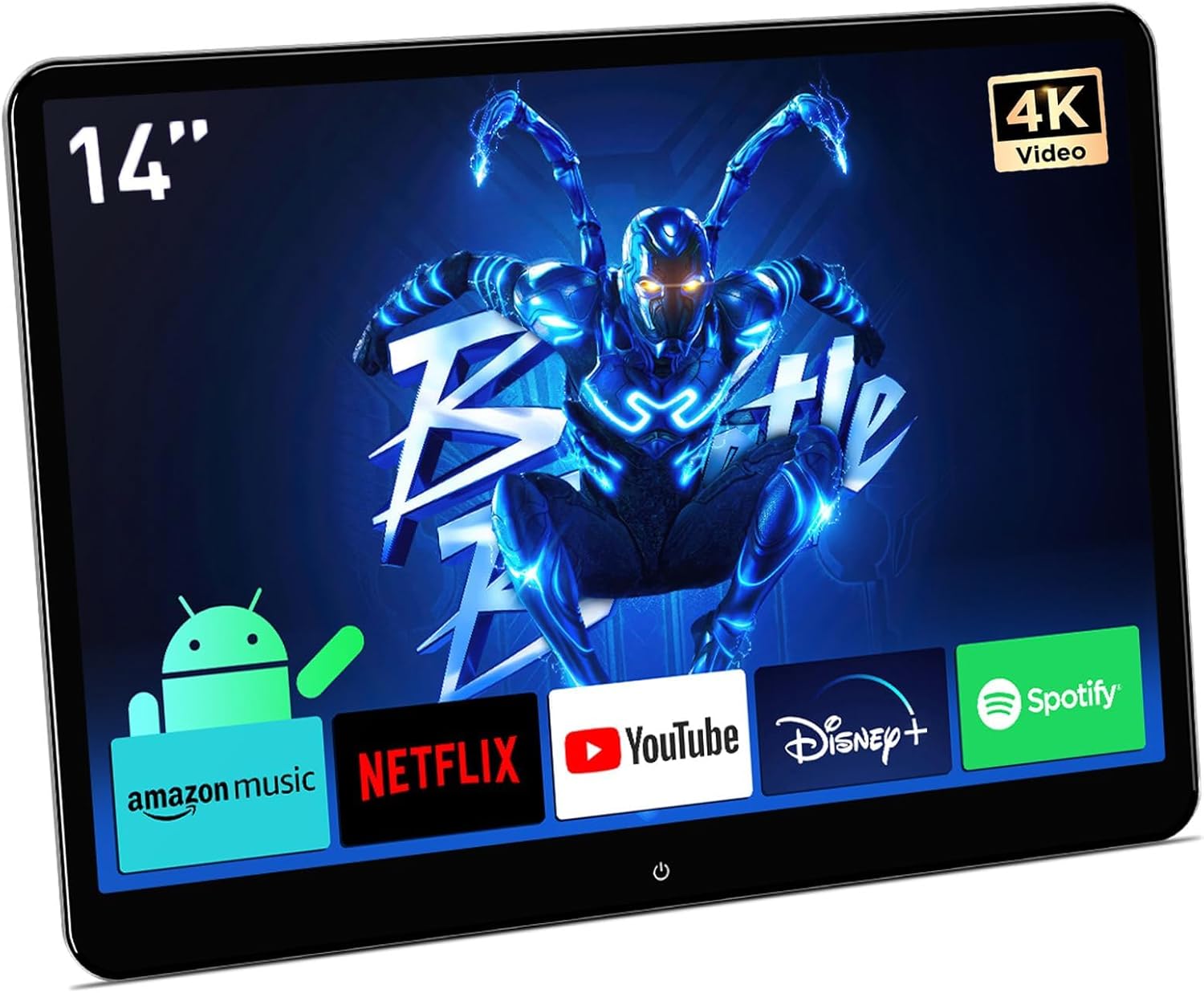
Image: Front view of the XTRONS 14-inch headrest monitor displaying various streaming application icons.
Key Features
- Android 11 OS: Experience smooth performance with 4GB RAM + 64GB ROM. Supports WiFi 5G/2.4 GHz for internet connectivity and app downloads.
- 14-inch 4K IPS Touch Screen: QHD (2160*1440) resolution for UHD 4K video decoding and full audio playback. G+G technology ensures high touch sensitivity.
- 90° Rotatable Display: Ergonomic swivel mounting bracket and built-in Gyro sensor automatically adjust between portrait and landscape modes.
- Wireless Phone Control: Supports iOS AirPlay and Android Miracast for screen mirroring. AutoCast app allows mutual control between phone and monitor.
- Multiple Expansion Ports: Micro HDMI input/output, USB, and AV input for connecting various devices like gaming consoles, Fire TV sticks, TV boxes, and other monitors.
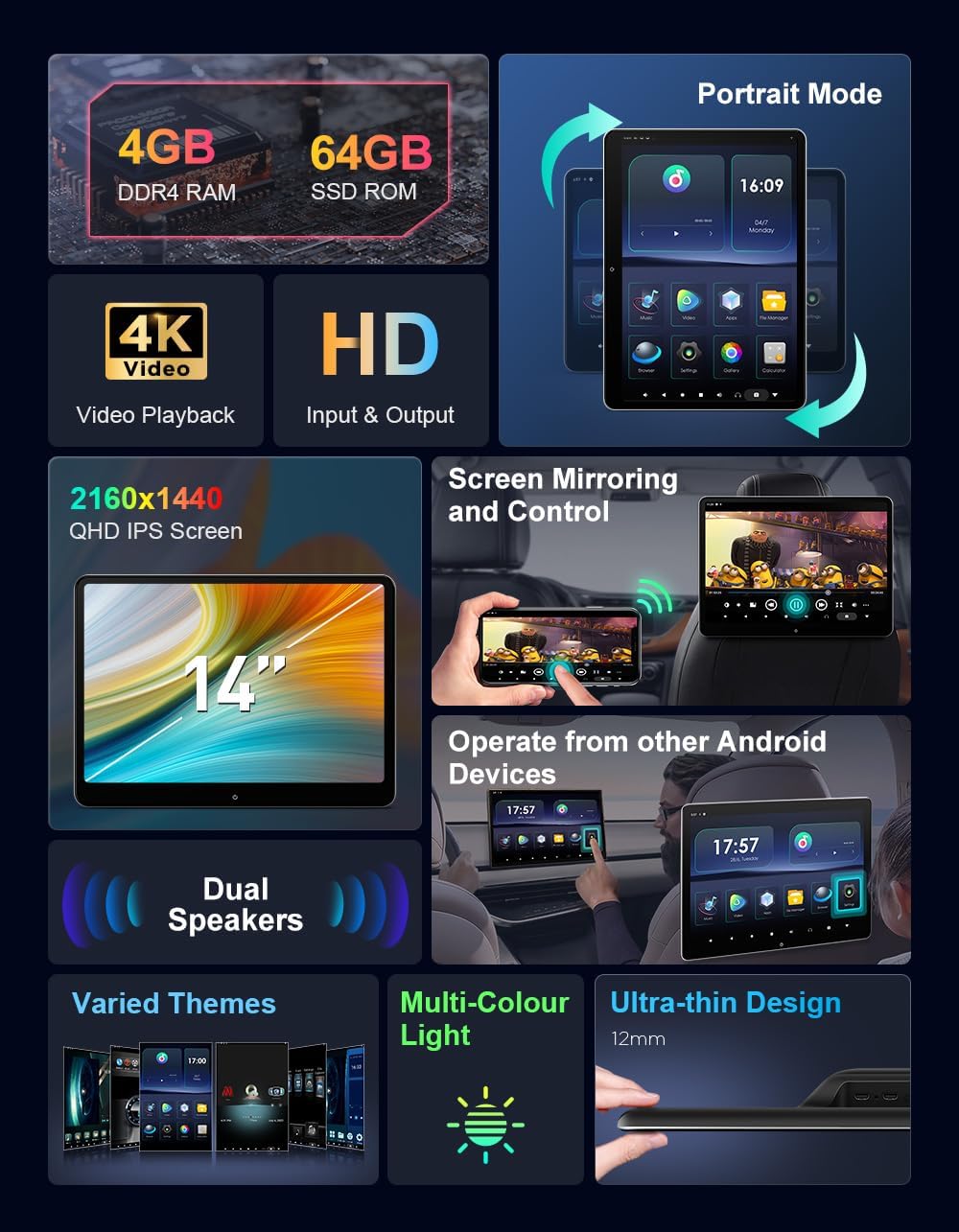
Image: A detailed graphic illustrating the monitor's features including 4GB RAM, 64GB SSD ROM, 4K video playback, HD input/output, 2160x1440 QHD IPS screen, dual speakers, screen mirroring, smartphone operation, varied themes, multi-color light, and ultra-thin design.
What's in the Box
The package includes all necessary components for installation and immediate use:
- 1 x ISO Wiring Harness
- 1 x Mounting Base
- 1 x Extension Cable
- 1 x USB Type-C to USB Adapter
- 1 x Micro HDMI Adapter
- 1 x Cigarette Lighter Cable
- 1 x Screwdriver Tool
- 1 x User Manual

Image: A visual representation of all items included in the product package, such as cables, adapters, mounting hardware, and the user manual.
Setup and Installation
Mounting the Monitor
The XTRONS headrest monitor is designed for universal fit, supporting most car seats with round poles. Ensure your car seat headrest has round poles for proper installation.

Image: An illustration demonstrating the compatibility of the mounting bracket with round headrest poles, and examples of incompatible hidden or cuboid poles.
- Assemble the Mounting Base: Choose one of the two assembly options for the mounting base as shown in the diagram.
- Attach to Headrest Poles: Securely attach the assembled mounting base onto the two headrest poles using the provided screws.
- Mount the Monitor: Assemble the monitor to the desired position on the mounting base and secure it using the toggle clamp.
- Rotate for Orientation: The monitor can be freely rotated 90° for portrait or landscape orientation, thanks to the built-in Gyro sensor.
- Adjust Tilt: If necessary, adjust the monitor to your desired tilt position for optimal viewing.
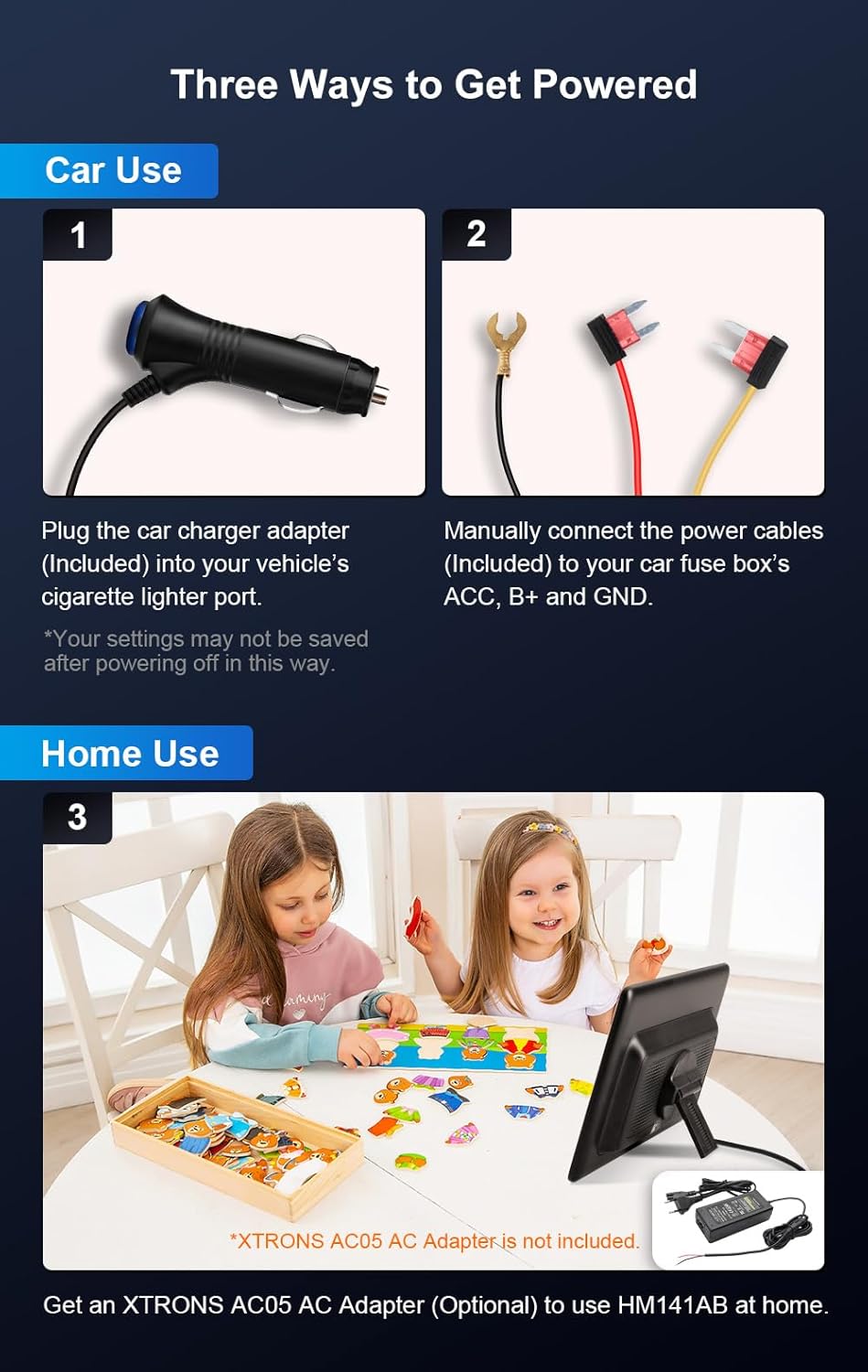
Image: A five-step visual guide demonstrating how to assemble the mounting base, attach it to the headrest, mount the monitor, rotate for orientation, and adjust the tilt.
Powering the Device
The monitor offers multiple power options for both car and home use:
- Car Use (Cigarette Lighter): Plug the car charger adapter (included) into your vehicle's cigarette lighter port. Note: Settings may not be saved after powering off in this way.
- Car Use (Hardwired): Manually connect the power cables (included) to your car fuse box's ACC, B+, and GND terminals for a more permanent installation.
- Home Use (Optional): For home use, an XTRONS AC05 AC Adapter (optional, not included) is required.
Image: A visual guide showing three ways to power the monitor: via car cigarette lighter, by connecting to the car's fuse box, and an illustration of home use with an optional AC adapter.
Operating Instructions
Initial Setup and Navigation
Upon powering on, the monitor will boot into the Android 11 system. The interface is designed for intuitive touch navigation.
Video: An official XTRONS video demonstrating the features and operation of the 14-inch 4K Portable Car TV Headrest Entertainment system, including its Android 11 interface, rotatable screen, and connectivity options. Duration: 2 minutes, 18 seconds.
- Home Screen: Access various applications like Music, Video, Apps, File Manager, Browser, and Settings directly from the home screen.
- Android Settings: Navigate to the 'Settings' icon to adjust display, volume, brightness, wallpaper, and other system preferences.
- Automatic Orientation: The built-in Gyro sensor automatically adjusts the display to portrait or landscape mode when the monitor is rotated.
Connectivity and Media Playback
- Wi-Fi Connection: Supports both 5GHz and 2.4GHz Wi-Fi bands. Connect to a personal hotspot or available Wi-Fi network to access online content and download apps.
- App Installation: Download and install applications from APKPure or other compatible sources to expand entertainment options.
- Screen Mirroring: Utilize iOS AirPlay or Android Miracast for wireless screen mirroring from your smartphone. The AutoCast app enables mutual control. Note: Screen mirroring may not support encrypted paid video apps due to unauthorized sharing restrictions.
- HDMI Input/Output: Use the Micro HDMI ports to connect external devices such as PS4/PS5, Fire TV sticks, TV boxes, or computers. Two monitors can be connected via HDMI for lossless image transfer.
- USB and AV Input: Additional ports are available for USB devices and AV input sources.

Image: A close-up view of the side of the monitor, highlighting the Micro HD OUT, USB Type-C, RESET, 3.5mm AUDIO OUT, Micro HD IN, DC 12V ports, along with illustrations of USB and AV input cables.

Image: A visual representation of the wireless screen mirroring function, showing an iPhone and an Android phone mirroring content to the headrest monitor, with icons for AirPlay and Screen Mirroring.
Maintenance
- Cleaning: Use a soft, dry cloth to clean the screen and exterior. For stubborn marks, slightly dampen the cloth with water. Avoid abrasive cleaners or solvents.
- Storage: When not in use for extended periods, store the monitor in a cool, dry place, away from direct sunlight and extreme temperatures.
- Cable Management: Ensure all cables are neatly routed and not pinched or strained to prevent damage.
Troubleshooting
| Problem | Possible Cause | Solution |
|---|---|---|
| Monitor does not power on. | No power supply; loose connection; faulty power adapter. | Check power connections. Ensure the car's cigarette lighter or fuse box connection is active. If using AC adapter, ensure it's plugged in and functional. |
| No Wi-Fi connection. | Incorrect Wi-Fi password; out of range; Wi-Fi module issue. | Verify Wi-Fi password. Move closer to the Wi-Fi source. Restart the monitor and Wi-Fi router/hotspot. |
| Screen mirroring not working. | Devices not on same network; app incompatibility; incorrect settings. | Ensure both devices are connected to the same Wi-Fi network/hotspot. Check screen mirroring settings on both devices. Some paid streaming apps may not support mirroring. |
| Display orientation not changing automatically. | Gyro sensor issue; app does not support portrait mode. | Restart the monitor. Verify if the specific app supports portrait mode. |
Specifications
| Feature | Detail |
|---|---|
| Brand | XTRONS |
| Model Number | 4+64G, 1PC |
| Screen Size | 14 Inches (36 cm diagonal) |
| Display Type | IPS LCD Touch Screen |
| Resolution | 2K (2160*1440) QHD |
| Operating System | Android 11 |
| RAM | 4GB |
| ROM | 64GB |
| Connectivity | WiFi (5G/2.4 GHz), Bluetooth, Micro HDMI In/Out, USB, AV In |
| Special Features | 90° Rotatable, Built-in Gyro Sensor, G+G Touch Technology, Screen Mirroring (AirPlay/Miracast) |
| Color | Black |
| Item Weight | 6.61 pounds |
| Package Dimensions | 14.96 x 11.02 x 4.73 inches |
| Manufacturer | XTRONS |
| Country of Origin | China |
Warranty and Support
For warranty information and technical support, please refer to the official XTRONS website or contact their customer service directly. Keep your purchase receipt for warranty claims.
- Manufacturer: XTRONS
- Return Policy: 30-day refund/replacement policy (as per Amazon's buybox winner information).
- Protection Plans: Optional 2-Year and 3-Year protection plans are available for purchase.
Visit the XTRONS Store on Amazon for more products and support resources.
Related documents4+64G, 1PC


Ask a question about this manual
Ask about setup, troubleshooting, compatibility, parts, safety, or missing instructions. Manuals+ will review the question and use this page’s manual context to help answer it.