
1. Introduction
The Adamson TimelyMed Smart Pill Dispenser is designed to assist individuals in managing their medication schedules effectively. This automatic dispenser provides timely audio and visual reminders, ensuring that medication is taken as prescribed. With its WiFi connectivity and accompanying mobile application, caregivers can remotely monitor medication adherence, offering peace of mind and enhanced safety for patients, especially the elderly or those with cognitive impairments.
This manual provides detailed instructions for setting up, operating, and maintaining your TimelyMed Smart Pill Dispenser. Please read it thoroughly before use to ensure proper functionality and safety.
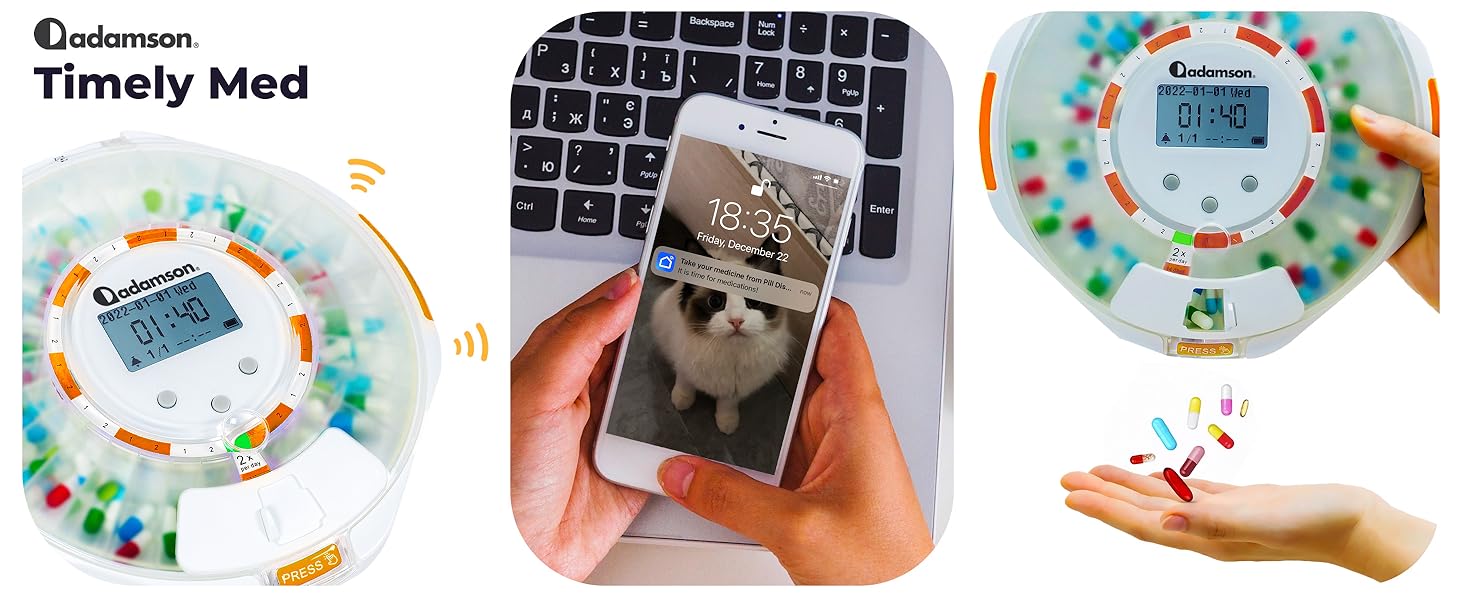
Image: The Adamson TimelyMed Smart Pill Dispenser, showcasing its internal compartments filled with pills and a digital display, alongside a smartphone displaying the monitoring application.
2. Safety Information
Please adhere to the following safety guidelines to prevent injury or damage to the device:
- Keep the device out of reach of children and pets.
- Do not use the device if it appears damaged.
- Always follow medication instructions provided by your healthcare provider.
- Consult your healthcare provider if you have any questions about the safe use of this product.
- Do not dispose of the device in regular trash; follow local regulations for electronic waste disposal.
3. Package Contents
Verify that all items are present in the package:
- Adamson TimelyMed Smart Pill Dispenser
- Lithium Battery (pre-installed)
- Power Adapter
- Charging Cable
- Metal Box Opening Key (2 included)
- Pharmaceutical Dosage Rings (9 different rings included)
- Instruction Manual (this document)
4. Setup Guide
Follow these steps to set up your Adamson TimelyMed Smart Pill Dispenser:
4.1. Download the Companion App
The Adamson TimelyMed dispenser utilizes a free mobile application for scheduling and monitoring. Download the "Tuya Smart" app from your device's app store.
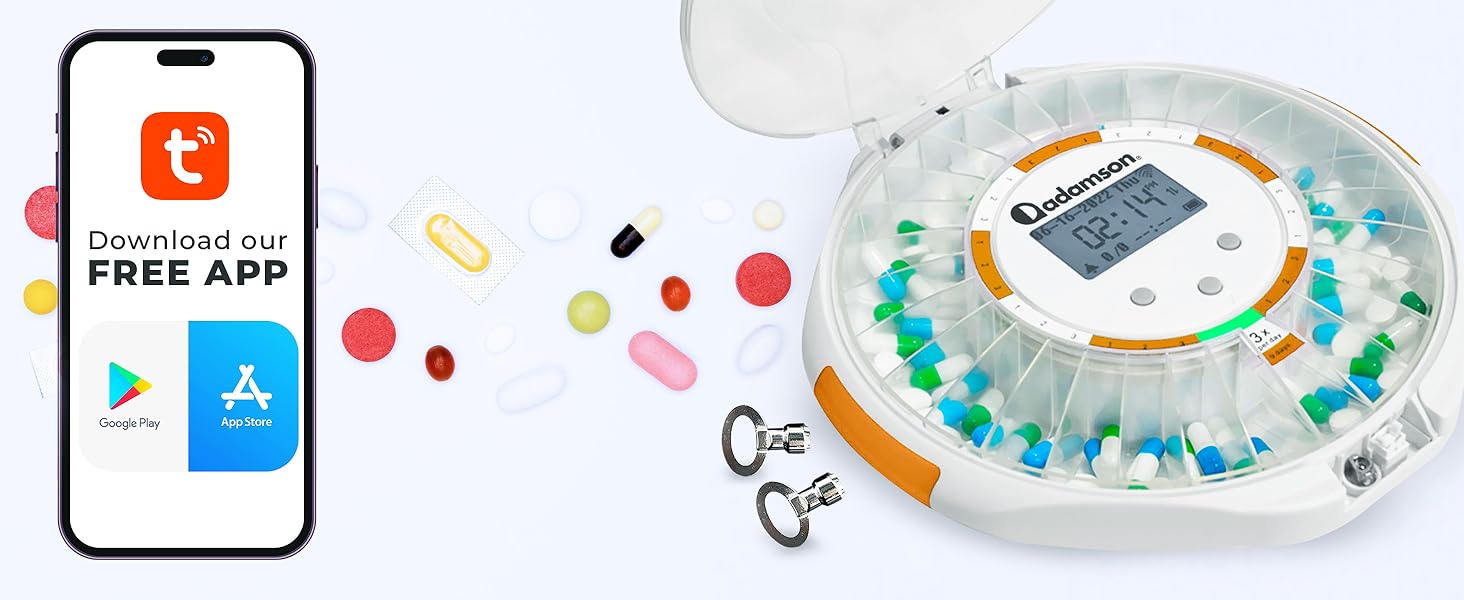
Image: Visual representation of downloading the Tuya Smart app, with icons for Google Play and App Store.
Once downloaded, open the app and follow the on-screen instructions to create an account or log in. Then, pair your TimelyMed pill dispenser with the app. Ensure your device is connected to a stable 2.4 GHz or 5.0 GHz WiFi network for reliable connectivity.
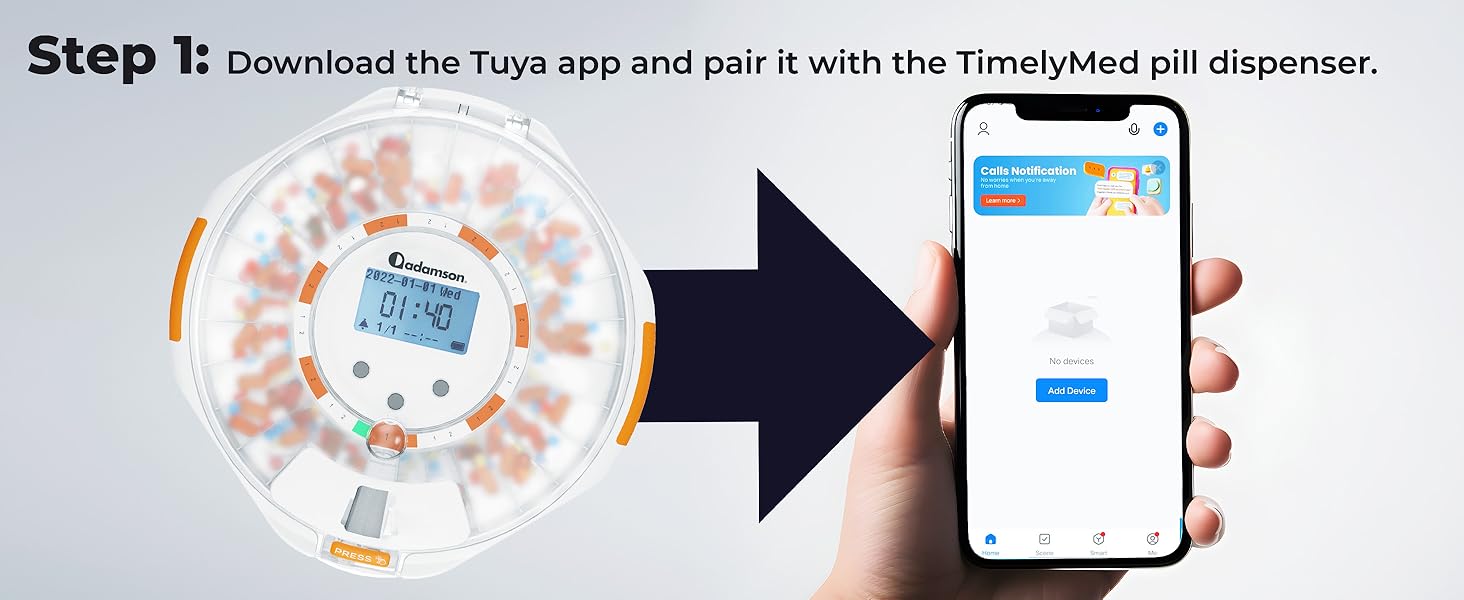
Image: Illustration of pairing the TimelyMed dispenser with the Tuya Smart app on a smartphone.
4.2. Place Dosage Rings and Fill Compartments
The dispenser comes with 9 different dosage rings, allowing for various daily medication frequencies (1x to 9x per day) and durations (up to 28 days). Select the appropriate dosage ring based on your medication schedule.

Image: A visual display of the nine included dosage rings, indicating their use for different medication frequencies and durations.
Place the chosen dosage ring into the dispenser. Carefully fill each compartment with the prescribed medication. Ensure that pills are placed flat and do not overfill compartments to prevent jamming.
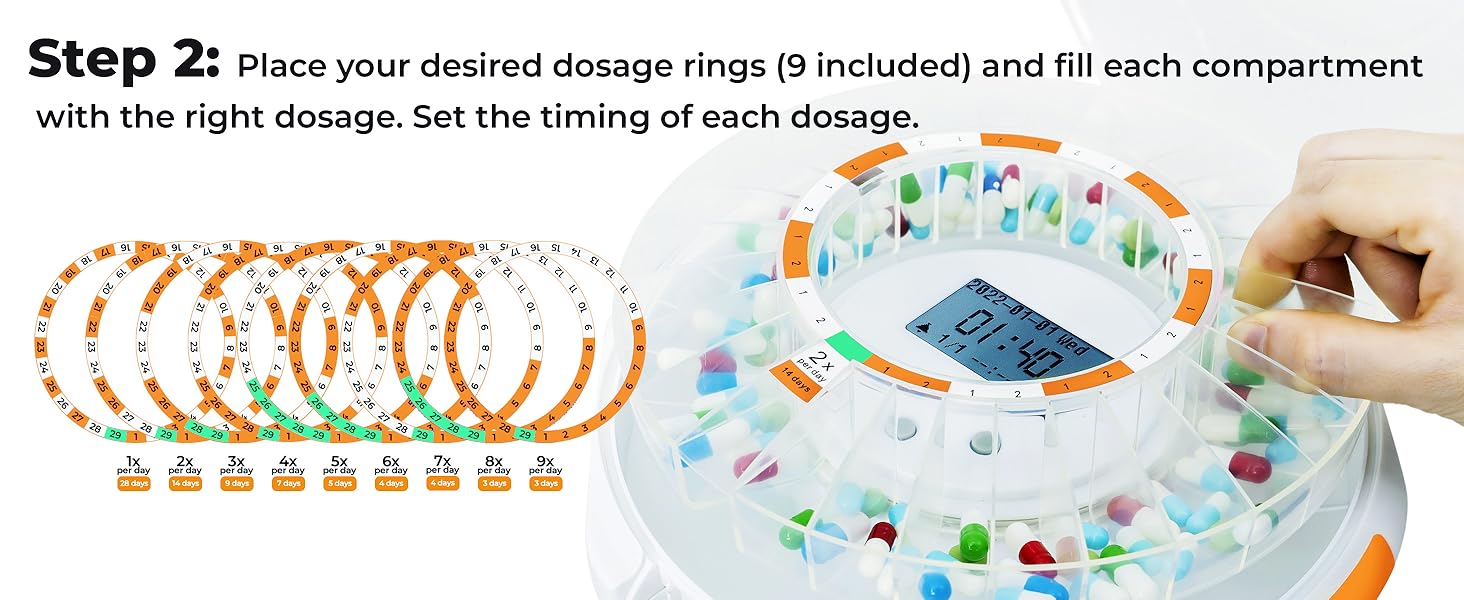
Image: A hand placing a dosage ring into the dispenser and filling compartments with pills.
4.3. Set Medication Schedule
Using the companion app, set the specific times for each dosage to be offered. You can schedule multiple alarms per day. The app allows for precise medication management and can be updated remotely by caregivers.
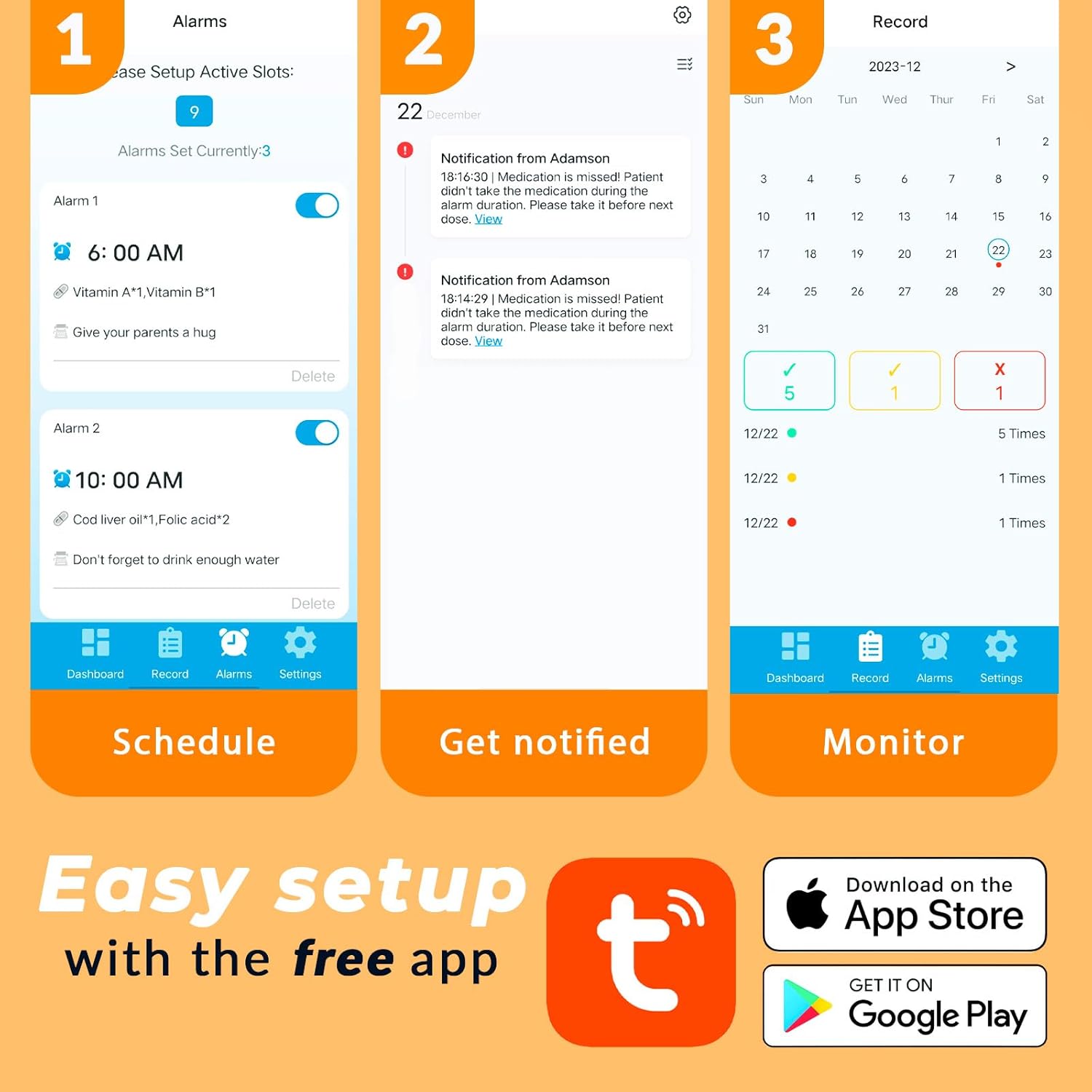
Image: Three smartphone screens illustrating the app's capabilities: scheduling alarms, receiving notifications, and monitoring medication history.
4.4. Secure the Dispenser
For added safety and to restrict access to medications, the TimelyMed pill dispenser includes a lock feature. Use the provided keys to secure the lid. This prevents unauthorized access by patients, children, or pets.
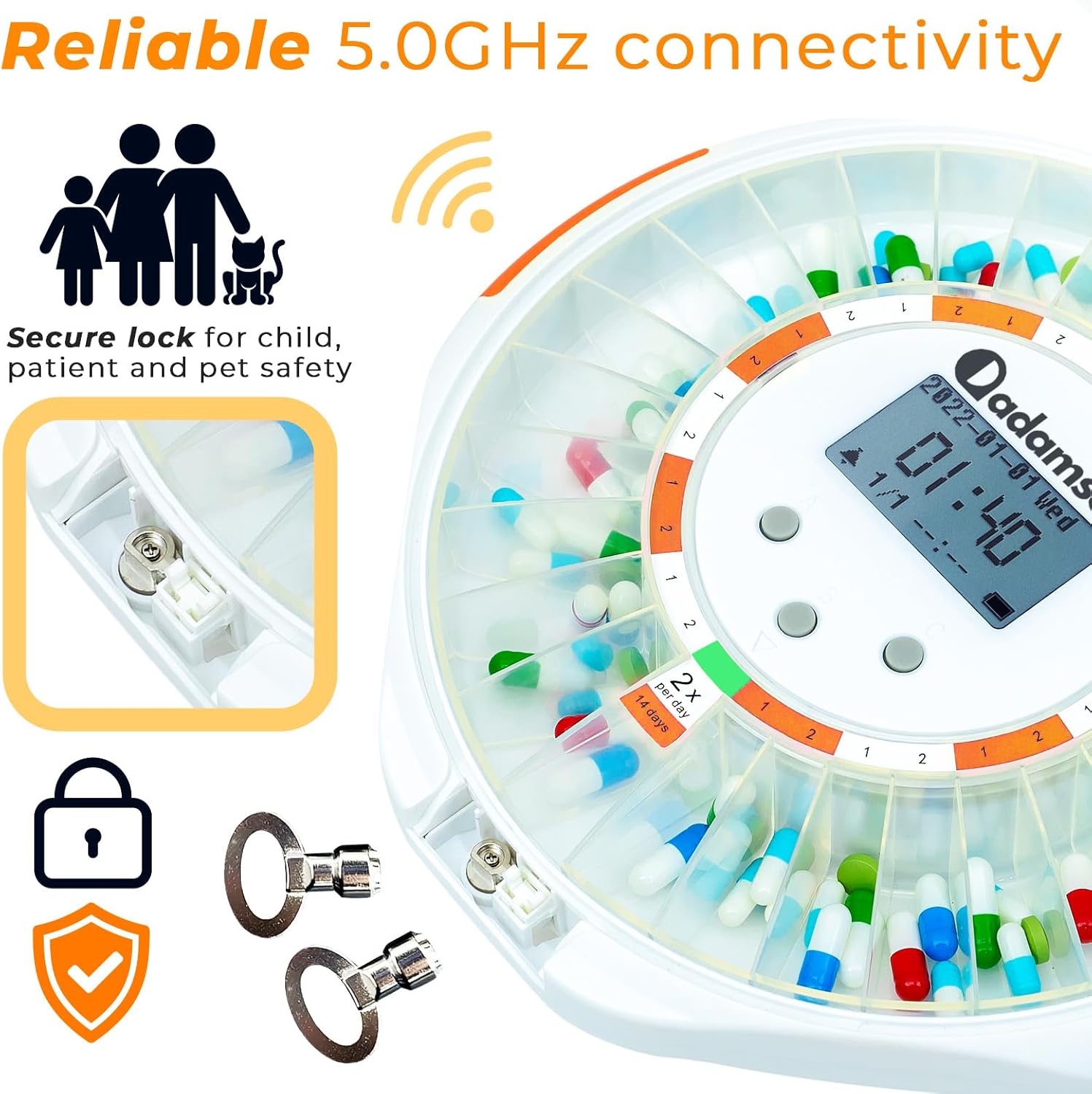
Image: Detail of the dispenser's secure lock and the two accompanying keys, emphasizing child and pet safety.
5. Operating Instructions
5.1. Receiving Medication Reminders
When it's time for a dose, the dispenser will activate both audio and visual reminders. The alarm will sound, and indicator lights will flash to attract attention. The alarm will sound for 30 minutes or until the dispenser is inverted to dispense medication.

Image: Graphics illustrating the ability to set timed reminders, choose alarm tones, and adjust volume for the dispenser's alerts.
Additionally, the companion app will send notifications to both the patient's and caregiver's devices, ensuring prompt awareness of medication times.
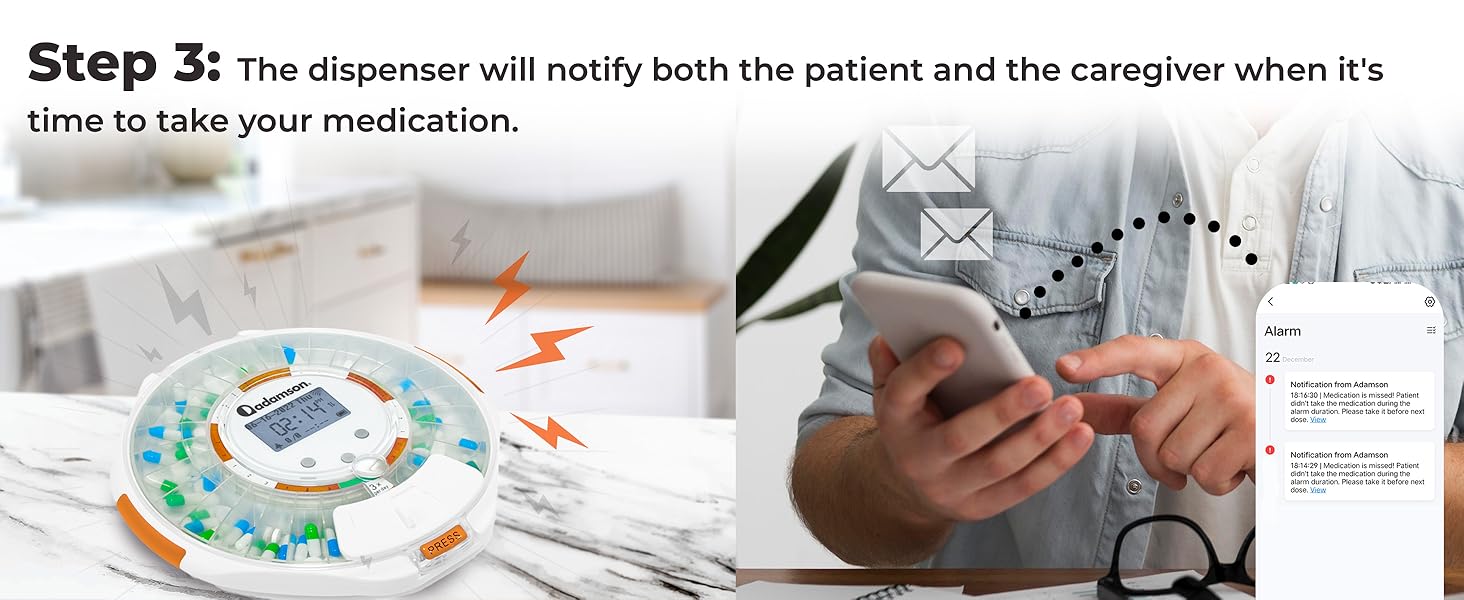
Image: The dispenser flashing and a smartphone receiving notification messages, indicating medication time alerts for both patient and caregiver.
5.2. Dispensing Medication
To dispense the medication, simply flip the device upside down when the alarm sounds. The correct compartment will be aligned, allowing the pills to fall out. This action also silences the alarm.
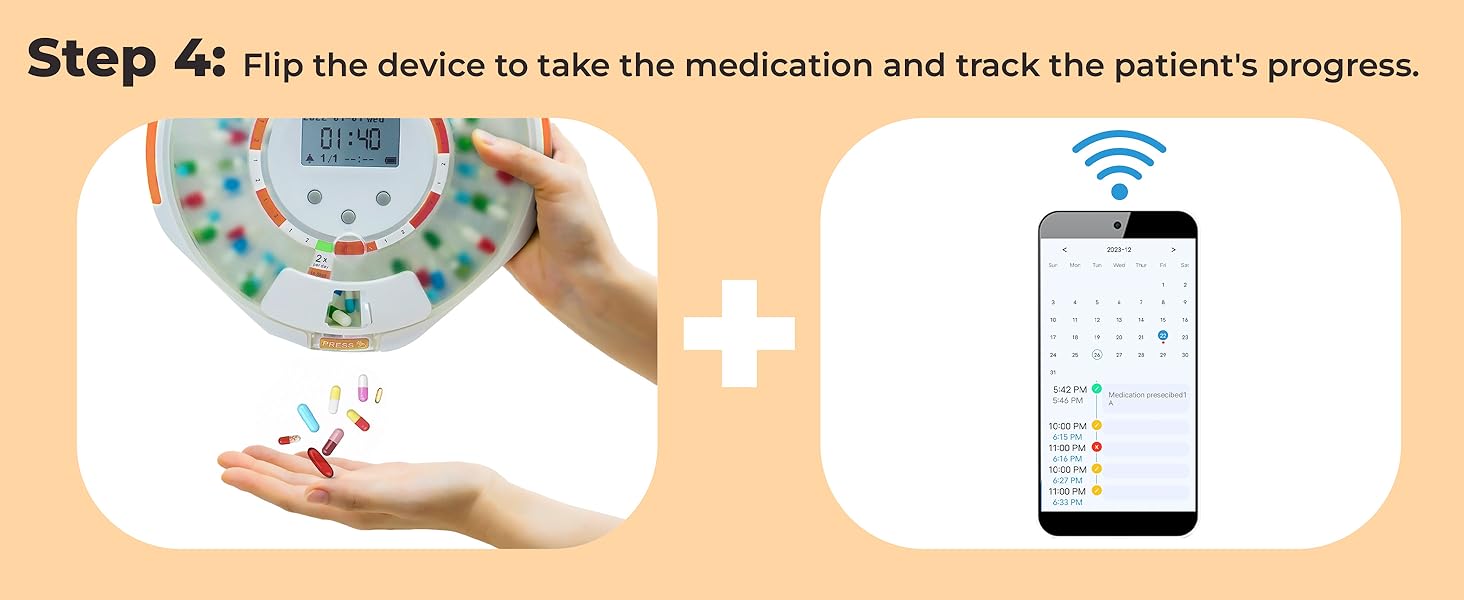
Image: A hand flipping the dispenser to release pills, alongside a smartphone displaying medication tracking progress.
5.3. Remote Monitoring for Caregivers
Caregivers can use the app to remotely monitor medication intake. The app provides real-time updates on whether medication has been taken, if a dose was missed, or if the dispenser's lid has been opened. This feature offers significant peace of mind for remote supervision.
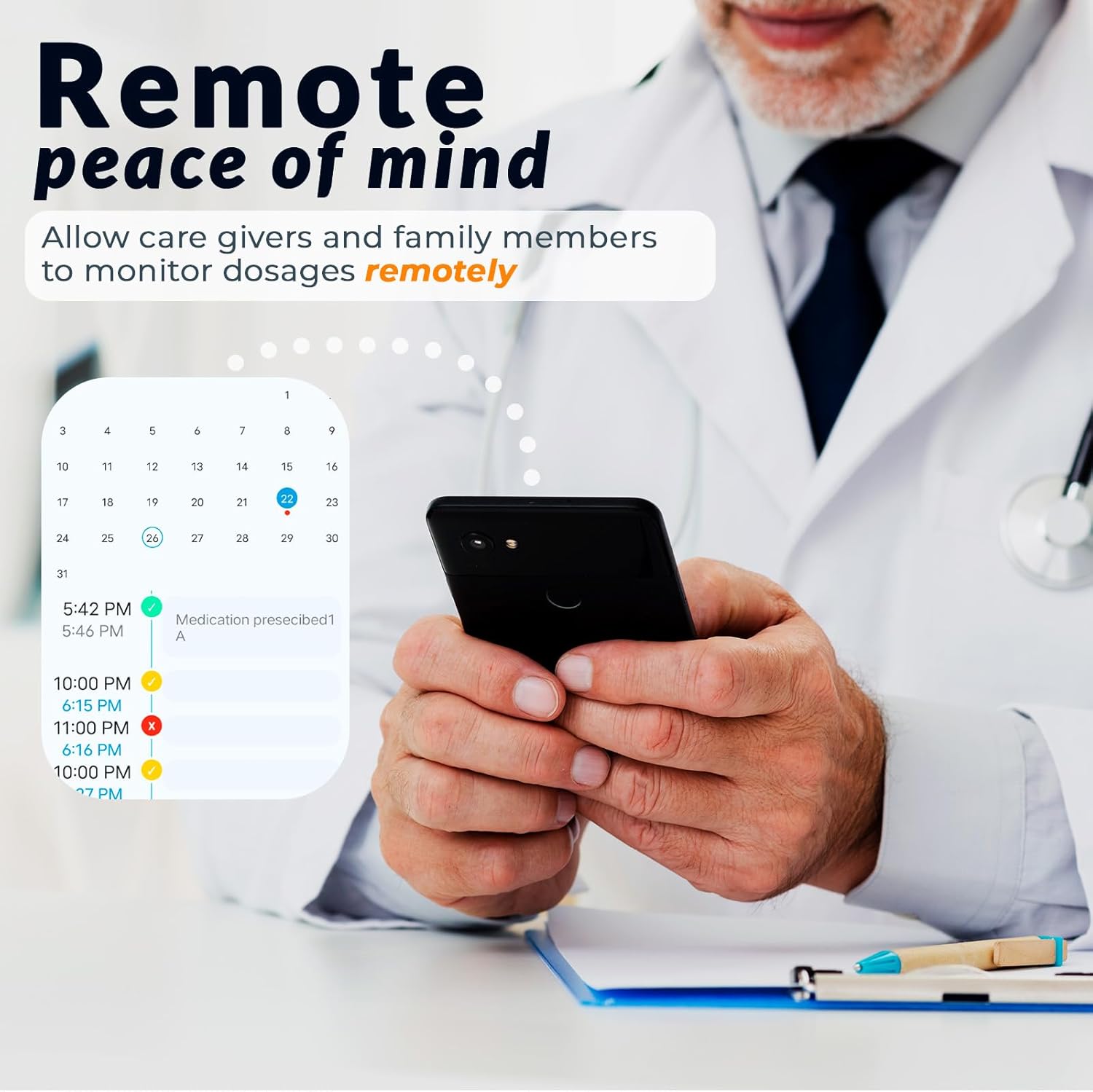
Image: A person holding a smartphone, viewing a calendar interface within the app that tracks medication dosages and adherence, demonstrating remote monitoring capabilities.
6. Maintenance
6.1. Cleaning
To clean the dispenser, wipe the exterior with a soft, damp cloth. Do not submerge the device in water or use harsh chemicals. Ensure the device is unplugged before cleaning.
6.2. Battery Information
The dispenser includes a rechargeable Lithium Ion battery. Charge the device using the provided power adapter and charging cable. For optimal performance, ensure the device is regularly charged, especially if used away from a power source for extended periods. Battery life may vary based on usage and alarm frequency.
7. Troubleshooting
| Problem | Possible Cause | Solution |
|---|---|---|
| Dispenser not connecting to WiFi. | Incorrect WiFi password, out of range, router issues, or incompatible WiFi band (e.g., 5GHz only). |
|
| Medication not dispensing properly. | Compartments overfilled, pills stuck, or dispenser not inverted correctly. |
|
| Alarm not sounding or too quiet. | Volume set too low, or dispenser battery is critically low. |
|
| Battery life is shorter than expected. | Frequent alarms, constant WiFi connection, or aging battery. |
|
| Lock mechanism not working. | Key not inserted correctly, or mechanism is damaged. |
|
8. Specifications
| Feature | Detail |
|---|---|
| Product Dimensions | 8.94 x 8.86 x 2.24 inches |
| Item Weight | 1.23 Pounds |
| Model Number | Adamson Pill Dispenser |
| Battery Type | 1 Lithium Ion battery (included) |
| Connectivity | WiFi (2.4 & 5.0 GHz) |
| Special Features | Alarm, Indicator Light Reminder, WiFi App Monitoring, Lock Key |
| Dosage Rings Included | 9 (for up to 28 days of medication) |
| Color | White - Orange |
9. Warranty and Support
Adamson provides a standard manufacturer's warranty for this product. For specific warranty details, claims, or technical support, please refer to the warranty card included in your package or visit the official Adamson website. You may also contact Adamson customer service directly for assistance with product operation, troubleshooting, or replacement parts.
For further assistance, please visit the Adamson Store on Amazon.