
Introduction
This manual provides essential information for the installation, operation, and maintenance of the ForeverPRO WB27X36805 Control Rc17 (Flashed) replacement part. This control board is designed to replace original GE Appliance parts WB27X33080 and WB27X33657, restoring proper functionality to your compatible appliance.
Safety Information
- Disconnect Power: Always ensure the appliance is completely disconnected from its power source before attempting any installation, removal, or maintenance. Failure to do so can result in electric shock, injury, or death.
- Professional Installation Recommended: Installation of appliance control boards can be complex and may require specialized tools and knowledge. It is highly recommended that a qualified technician perform the installation.
- Handle with Care: Electronic components are sensitive to electrostatic discharge. Handle the control board by its edges and avoid touching the circuit board or connectors directly.
- Verify Compatibility: Ensure this part is compatible with your specific appliance model before installation.
Product Overview
The ForeverPRO WB27X36805 Control Rc17 (Flashed) is a critical electronic component responsible for managing various functions of your GE appliance. It processes user inputs and controls operational cycles, ensuring the appliance performs as intended.
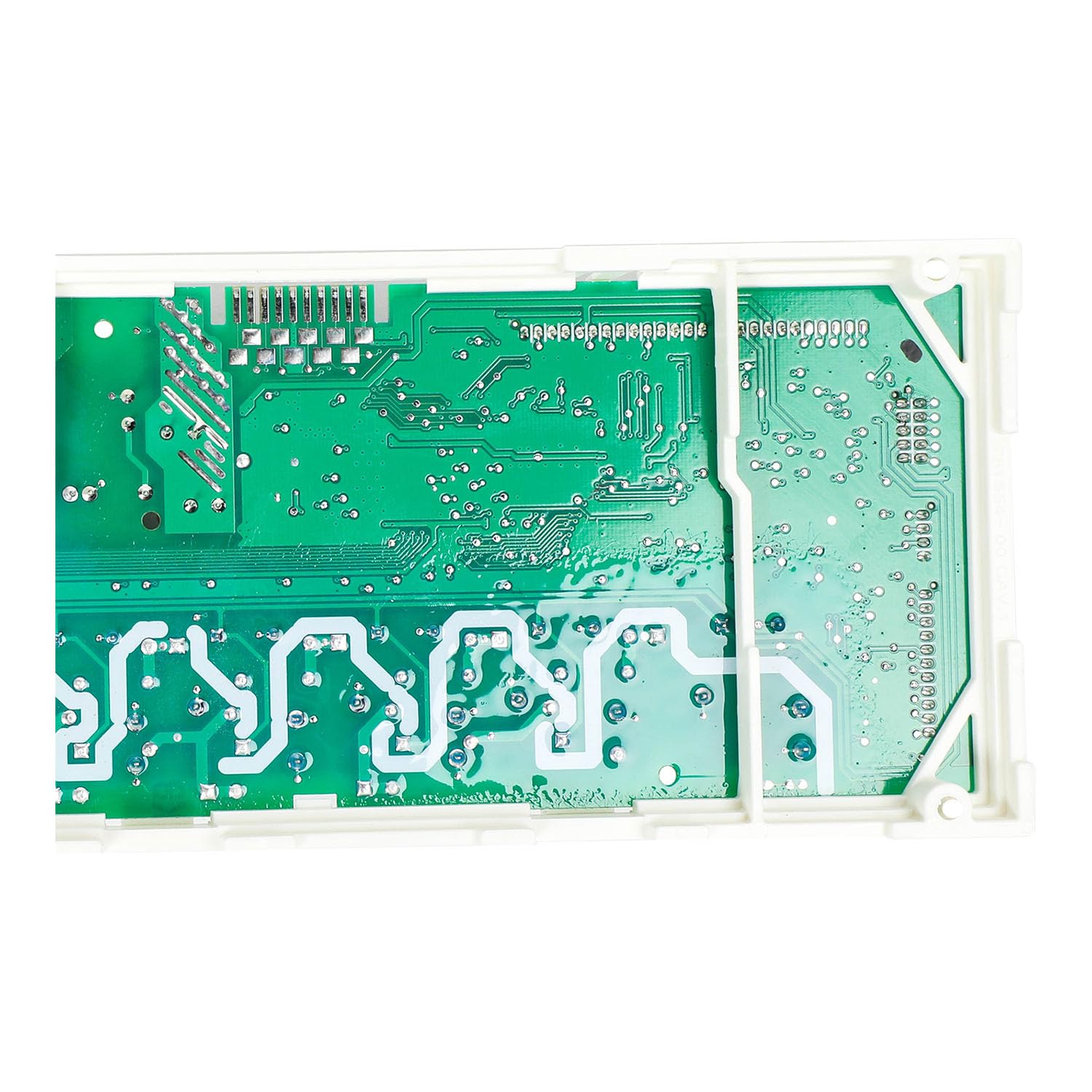
Image of the ForeverPRO WB27X36805 Control Rc17 (Flashed) appliance control board, showing its electronic components and connectors.
Compatibility
This ForeverPRO WB27X36805 Control Rc17 (Flashed) is compatible with a wide range of GE Appliances. It replaces part numbers WB27X33080 and WB27X33657. Compatible models include, but are not limited to:
- JTD5000BN1TS
- JTD5000DN1BB, JTD5000DN1WW, JTD5000DN2BB, JTD5000DN2WW, JTD5000DN3BB
- JTD5000EN1ES, JTD5000EN2ES, JTD5000EN3ES
- JTD5000FN1DS
- JTD5000SN1SS, JTD5000SN2SS, JTD5000SN3SS
Always cross-reference your appliance's model number with the compatibility list to ensure correct part selection.
Setup and Installation
Warning: Ensure power to the appliance is disconnected before proceeding.
- Prepare the Appliance: Disconnect the appliance from its electrical power supply. If applicable, turn off the circuit breaker supplying power to the appliance.
- Access the Control Board: Carefully locate and access the existing control board within your appliance. This may involve removing panels or covers. Refer to your appliance's specific service manual for detailed access instructions.
- Document Connections: Before disconnecting any wires, take clear photographs or make detailed diagrams of all wire connections to the old control board. This will be crucial for correct reassembly.
- Remove Old Control Board: Carefully disconnect all wires and mounting hardware securing the old control board. Remove the old board.
- Install New Control Board: Position the ForeverPRO WB27X36805 control board in the same location as the old one. Secure it with the appropriate mounting hardware.
- Reconnect Wiring: Using your documented connections, carefully reattach all wires to the new control board. Ensure each connection is secure and correctly placed.
- Reassemble Appliance: Replace any panels or covers that were removed to access the control board.
- Restore Power and Test: Reconnect the appliance to its power supply or turn on the circuit breaker. Test the appliance's functions to ensure the new control board is operating correctly.
If you encounter any difficulties or are unsure about any step, consult a qualified appliance repair technician.
Operating Instructions
Once the ForeverPRO WB27X36805 Control Rc17 (Flashed) is correctly installed, it will automatically manage the functions of your GE appliance. There are no specific operating instructions for the control board itself, as its operation is integrated into the appliance's overall system. Refer to your GE appliance's original user manual for instructions on how to operate your specific appliance model.
Maintenance
The ForeverPRO WB27X36805 Control Rc17 (Flashed) is designed for long-term reliability and typically requires no routine maintenance. To ensure its longevity:
- Keep Dry: Protect the control board from moisture and excessive humidity.
- Keep Clean: Ensure the area around the control board remains free of dust and debris, which can impede proper function or cause overheating.
- Avoid Physical Damage: Prevent any physical impact or stress to the board or its connections.
Troubleshooting
If your appliance is not functioning correctly after installing the new control board, consider the following troubleshooting steps:
- No Power to Appliance:
- Verify that the appliance is properly plugged into a working electrical outlet.
- Check the circuit breaker for the appliance and reset if tripped.
- Ensure all wire connections to the control board are secure and correctly seated.
- Specific Functions Not Working:
- Double-check all wire connections against your documentation. A single misplaced wire can prevent specific functions from operating.
- Consult your appliance's original user manual for specific error codes or diagnostic procedures.
- Appliance Behaves Erratically:
- Ensure the control board is securely mounted and not experiencing any vibrations.
- If issues persist, it may indicate a problem with another component of the appliance or an incorrect installation.
If troubleshooting does not resolve the issue, contact a qualified appliance repair technician or ForeverPRO customer support.
Specifications
| Part Number | WB27X36805 |
| Replaces Part Numbers | WB27X33080, WB27X33657 |
| Item Weight | 8 ounces |
| Product Dimensions | 9 x 6 x 4 inches |
| Included Components | Control Rc17 (Flashed) |
| Manufacturer | ForeverPRO |
Warranty Information
This ForeverPRO WB27X36805 Control Rc17 (Flashed) comes with a 90 Days Manufacturer Warranty. Please retain your proof of purchase for any warranty claims. For specific details regarding warranty coverage and procedures, please contact ForeverPRO directly.
Support
For further assistance, technical support, or inquiries regarding the ForeverPRO WB27X36805 Control Rc17 (Flashed), please contact ForeverPRO customer service. Refer to the packaging or the ForeverPRO website for contact information.