
BAOFENG UV-5RM PRO
BAOFENG UV-5RM PRO GPS Radio User Manual
Model: UV-5RM PRO
1. Introduction
This manual provides detailed instructions for the operation and maintenance of your BAOFENG UV-5RM PRO GPS Radio. The UV-5RM PRO is a professional 10W multi-band ham radio featuring advanced GPS functionality, frequency copy, and versatile charging options, designed for reliable communication in various environments.
2. Package Contents
Upon opening the package, please verify that all the following items are included:
- 1 x BAOFENG UV-5RM PRO Radio
- 1 x Antenna
- 1 x Programming Cable
- 1 x US Base Charger
- 1 x Earpiece
- 1 x Belt Clip
- 1 x Hand Strap
- 1 x User Manual (this document)

Figure 2.1: BAOFENG UV-5RM PRO Radio with all standard accessories.
3. Product Overview
The BAOFENG UV-5RM PRO is designed for robust performance and user convenience. Key features include:
- 10W Max Power Output: For extended communication range.
- Multi-Band Operation: Supports FM (65-108MHz RX), AM Aviation (108-136MHz RX), VHF (136-174MHz RX/TX), 220-260MHz (RX/TX), 350-390MHz (RX/TX), UHF (400-480MHz RX/TX), and 480-520MHz (RX).
- Advanced GPS Functionality: View, share, and request location information.
- 640 Storage Channels: Ample capacity for various frequencies.
- Frequency Copy Feature: Easily copy frequencies from other radios.
- NOAA Weather Receiver: Stay informed about weather conditions.
- Type-C Charging: Modern and convenient charging method.
- 2500mAh Battery: High capacity for extended use.
- Larger Screen (1.77"): Improved readability.
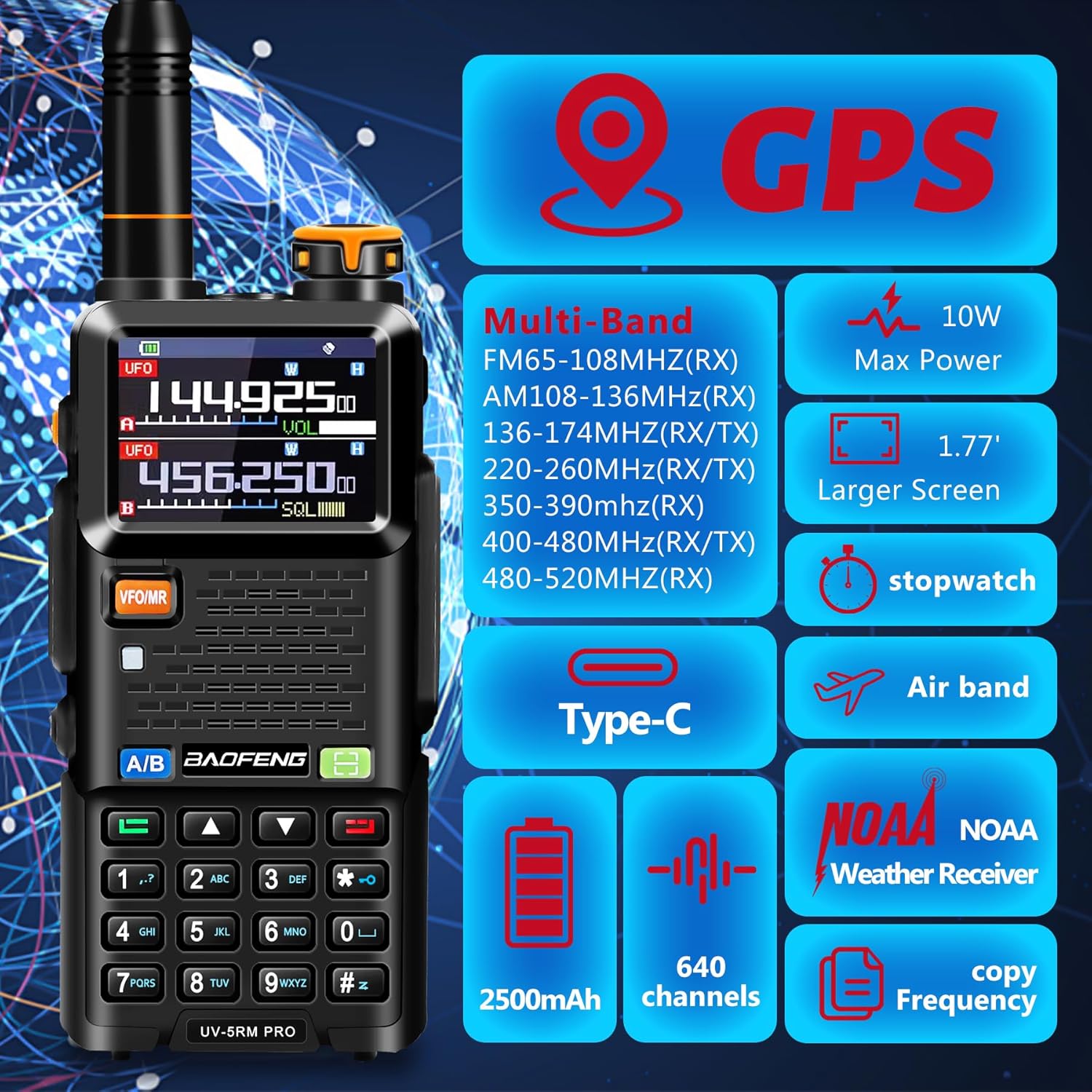
Figure 3.1: Overview of BAOFENG UV-5RM PRO key features.
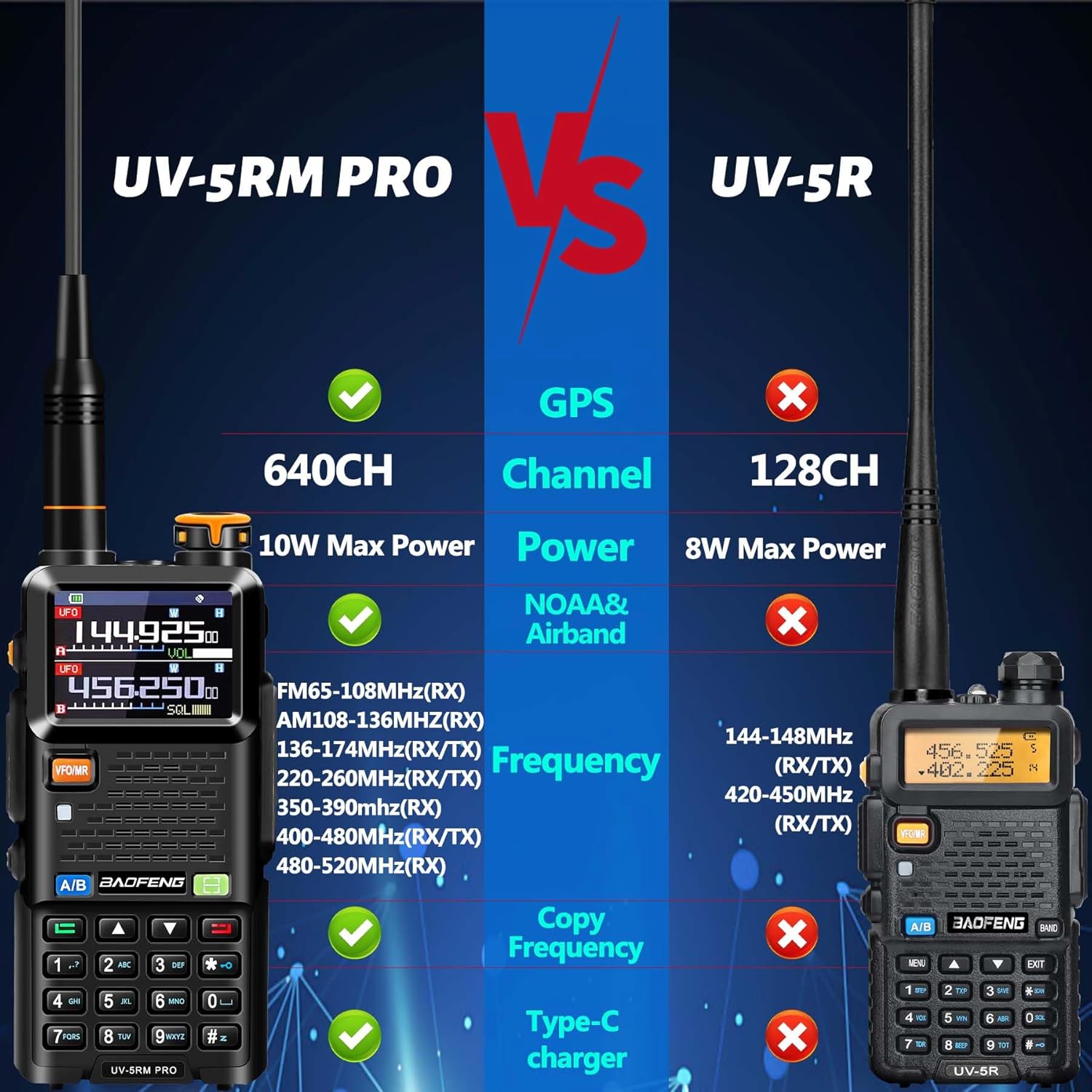
Figure 3.2: Feature comparison: UV-5RM PRO vs. UV-5R.
4. Setup
4.1 Battery Installation
- Align the battery pack with the grooves on the back of the radio.
- Slide the battery upwards until it clicks securely into place.
- To remove, press the battery release latch (if present) and slide the battery downwards.
4.2 Charging the Battery
The UV-5RM PRO comes with a 2500mAh rechargeable Lithium Ion battery and supports multiple charging methods:
- Desktop Charger: Place the radio with the battery installed into the provided US base charger. Ensure the charging indicator light illuminates.
- Type-C Direct Charging: Connect a standard Type-C USB cable to the port on the side of the radio. This allows charging from power banks, PCs, or car chargers.
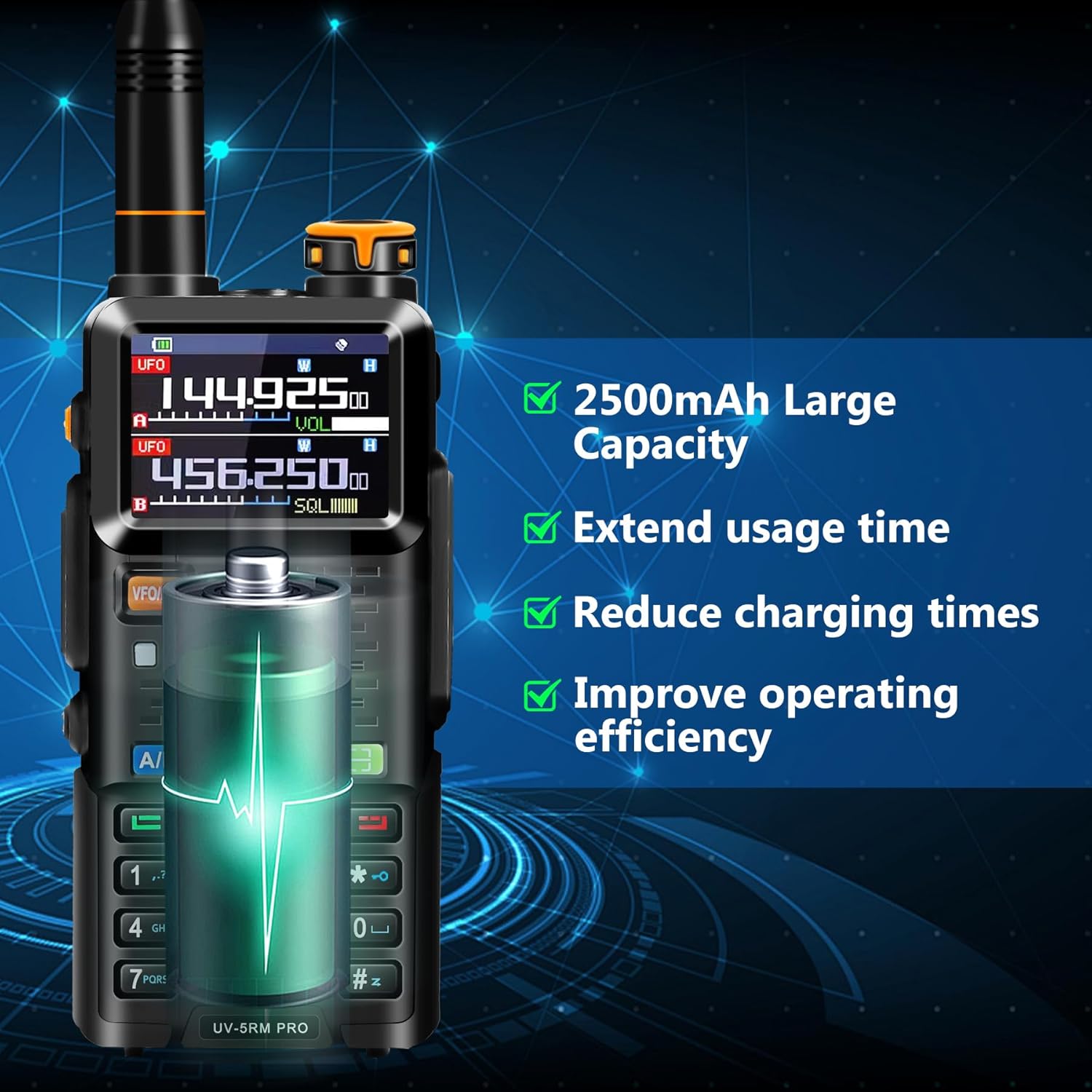
Figure 4.1: The 2500mAh battery provides extended usage.

Figure 4.2: Multiple charging options for convenience.
5. Operating Instructions
5.1 Basic Operation
- Power On/Off: Rotate the power/volume knob clockwise to turn on, counter-clockwise to turn off.
- Volume Adjustment: Rotate the power/volume knob to adjust the audio output level.
- Channel/Frequency Selection: Use the up/down arrow keys or the keypad to select desired channels or input frequencies.
- VFO/MR Mode: Press the VFO/MR button to switch between Frequency Mode (VFO) and Channel Mode (MR).
- A/B Band Switch: Press the A/B button to switch between the upper and lower display bands.
5.2 Advanced GPS Functionality
The UV-5RM PRO integrates GPS for location-based communication. Access GPS functions via the menu:
- My Position: View your current GPS coordinates.
- Share Position: Transmit your location information to another radio.
- Request Position: Request the location information from another radio.

Figure 5.1: GPS Information menu options.

Figure 5.2: GPS functionality for accurate positioning and sharing.
5.3 Frequency Copy Feature
This feature allows you to quickly copy frequencies from another ham radio, simplifying setup and ensuring seamless communication with other users.
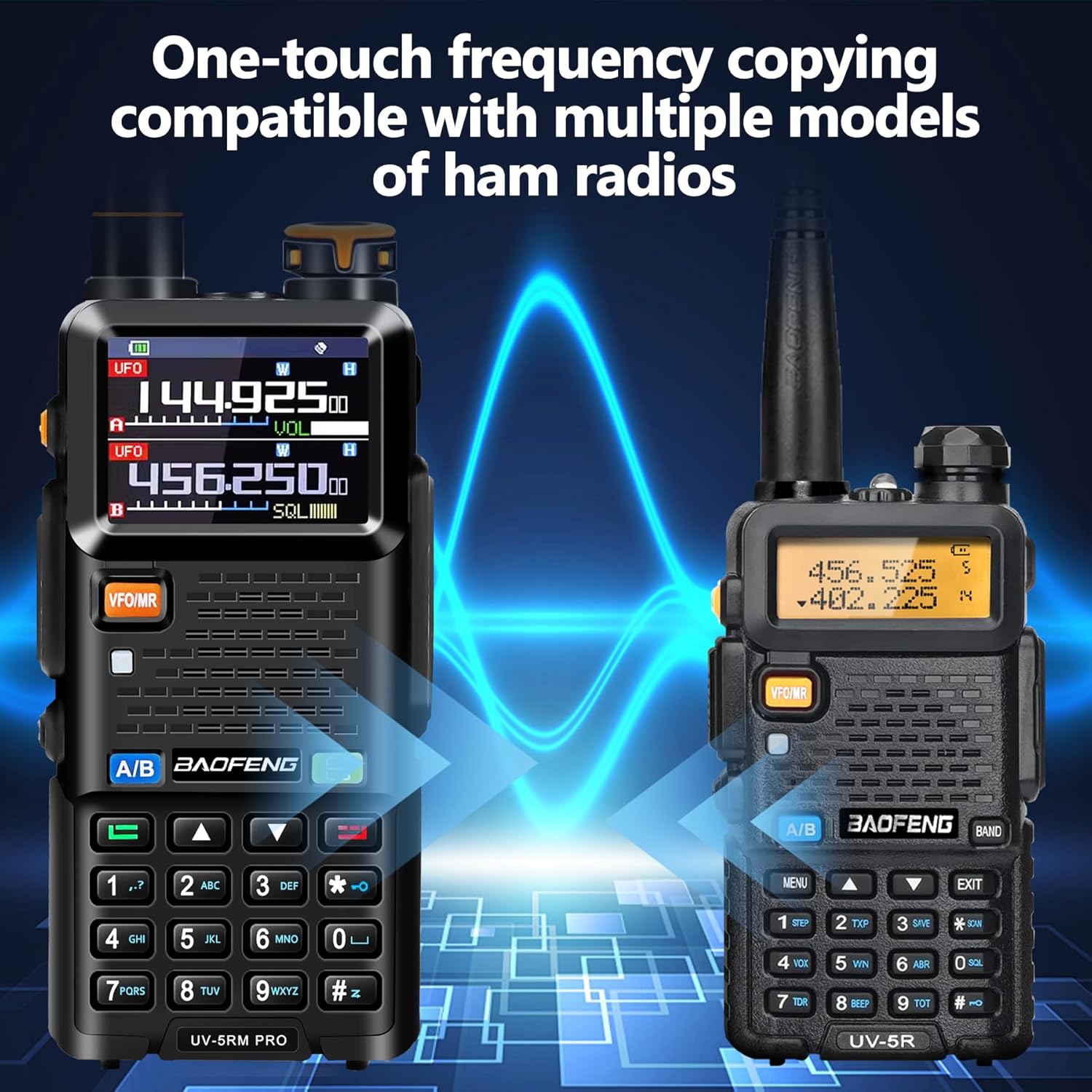
Figure 5.3: One-touch frequency copying between radios.
5.4 Multi-Band and Special Functions
- FM Radio: The radio supports FM broadcast reception (65-108MHz).
- AM Aviation: Receive AM aviation band communications (108-136MHz).
- NOAA Weather Receiver: Tune into NOAA weather alerts for real-time weather information.
- VOX Capability: Voice-operated transmit for hands-free operation.
6. Maintenance
- Cleaning: Use a soft, damp cloth to clean the radio's exterior. Do not use harsh chemicals or abrasive cleaners.
- Battery Care: Store the battery in a cool, dry place when not in use. Avoid fully discharging the battery for extended periods.
- Antenna: Ensure the antenna is securely attached. Do not operate the radio without an antenna connected.
- Storage: If storing the radio for a long period, remove the battery.
7. Troubleshooting
| Problem | Possible Cause | Solution |
|---|---|---|
| Radio does not power on. | Battery is low or not installed correctly. | Charge the battery or re-install it securely. |
| Poor reception/transmission. | Antenna loose or damaged; out of range; interference. | Check antenna connection; move closer to other radios; avoid sources of interference. Consider upgrading antenna (e.g., 771 antenna mentioned in reviews). |
| GPS not acquiring signal or inaccurate. | Operating indoors or in areas with poor satellite visibility (e.g., dense foliage, tall buildings). | Move to an open outdoor area with a clear view of the sky. Allow time for satellite acquisition. |
| Screen difficult to read outdoors. | Direct sunlight or bright conditions. | Adjust viewing angle or seek shade for better visibility. |
| Cannot copy frequency. | Source radio not transmitting or too far. | Ensure source radio is transmitting and within close range. Refer to specific frequency copy instructions in the full manual. |
8. Specifications
| Feature | Detail |
|---|---|
| Model Number | UV-5RM PRO |
| Brand | BAOFENG |
| Frequency Range | 136-174 MHz (VHF), 400-470 MHz (UHF), 65-108 MHz (FM RX), 108-136 MHz (AM Aviation RX), 220-260 MHz (RX/TX), 350-390 MHz (RX/TX), 480-520 MHz (RX) |
| Max Power Output | 10W |
| Number of Channels | 640 |
| Battery Type | Lithium Ion |
| Battery Capacity | 2500mAh |
| Voltage | 3.7 Volts |
| Item Weight | 1.46 pounds |
| Package Dimensions | 7.95 x 4.65 x 4.21 inches |
| Special Feature | GPS Functionality |
| Water Resistance Level | Not Water Resistant |
9. Warranty and Support
The BAOFENG UV-5RM PRO GPS Radio comes with a 1-Year Warranty from the date of purchase.
For technical support, troubleshooting assistance, or to obtain the specific programming software for your UV-5RM PRO, please contact BAOFENG customer service. Contact information can typically be found on the manufacturer's official website or through your point of purchase.

Figure 9.1: Programming the UV-5RM PRO with the original BAOFENG programming cable.
Related documentsUV-5RM PRO


Ask a question about this manual
Ask about setup, troubleshooting, compatibility, parts, safety, or missing instructions. Manuals+ will review the question and use this page’s manual context to help answer it.