
Product Overview
The SMAEL 8029 is a robust wristwatch featuring both digital and analog displays, designed for leisure and sport. It includes a stopwatch, date display, alarm, and night light function, all housed in an alloy case with a durable TPU strap.
Key Features:
- Dual Display: Analog and digital timekeeping for versatile use.
- Water Resistance: Daily waterproof function (3 Bar). Not suitable for swimming or diving.
- Luminous Mode: Ensures clear visibility in low-light conditions.
- Functions: Stopwatch, Date, Alarm, Night Light.
- Durable Construction: Alloy case and TPU strap for comfort and resilience.
Watch Components:
Refer to the image below for an illustration of the watch's main components and buttons.

Image: Front view of the SMAEL 8029 watch, highlighting the dual display, various indicators, and control buttons on the side. This image shows the Armygreen variant.
Setup
Initial Power On:
Your watch may arrive in a power-saving mode. Press any button to activate the display.
Setting Time and Date:
- In normal time mode, press and hold the MODE button (usually bottom left) until the seconds start flashing. This indicates you are in setting mode.
- Press the RESET button (usually bottom right) to cycle through the setting options: Seconds → Hour → Minute → Month → Date → Day of Week.
- Use the START button (usually top right) to adjust the flashing value.
- Once all settings are correct, press the MODE button again to exit setting mode.
Note: The analog hands are typically synchronized automatically with the digital time or can be adjusted independently using a crown if present (refer to specific model details if a crown is available, though this model appears to be button-controlled for digital time primarily).
Operating Instructions
Mode Selection:
Press the MODE button (bottom left) to cycle through the different functions:
- Normal Time Display
- Stopwatch Mode
- Alarm Setting Mode
Using the Stopwatch:
- Enter Stopwatch Mode by pressing the MODE button until "ST" or "STOP" appears.
- Press the START button (top right) to begin timing.
- Press START again to pause the stopwatch.
- Press the RESET button (bottom right) to reset the stopwatch to zero while paused.
- To record lap times, press RESET while the stopwatch is running. The lap time will display briefly, and the stopwatch will continue running in the background.
Setting the Alarm:
- Enter Alarm Setting Mode by pressing the MODE button until "AL" or "ALARM" appears.
- Press the RESET button to select the hour or minute to set.
- Use the START button to adjust the flashing value.
- Press the MODE button to confirm and exit alarm setting.
- To turn the alarm ON/OFF, press the START button while in Alarm Setting Mode. An alarm icon will appear/disappear.
Using the Night Light:
Press the LIGHT button (usually top left) to illuminate the display for a few seconds, allowing visibility in dark conditions.
Maintenance
Water Resistance:
The SMAEL 8029 watch has a water resistance rating of 3 Bar (30 meters). This means it is suitable for daily use, such as splashes, rain, or accidental short immersion. It is not recommended for swimming, showering, or diving. Do not operate any buttons while the watch is wet or submerged to prevent water ingress.
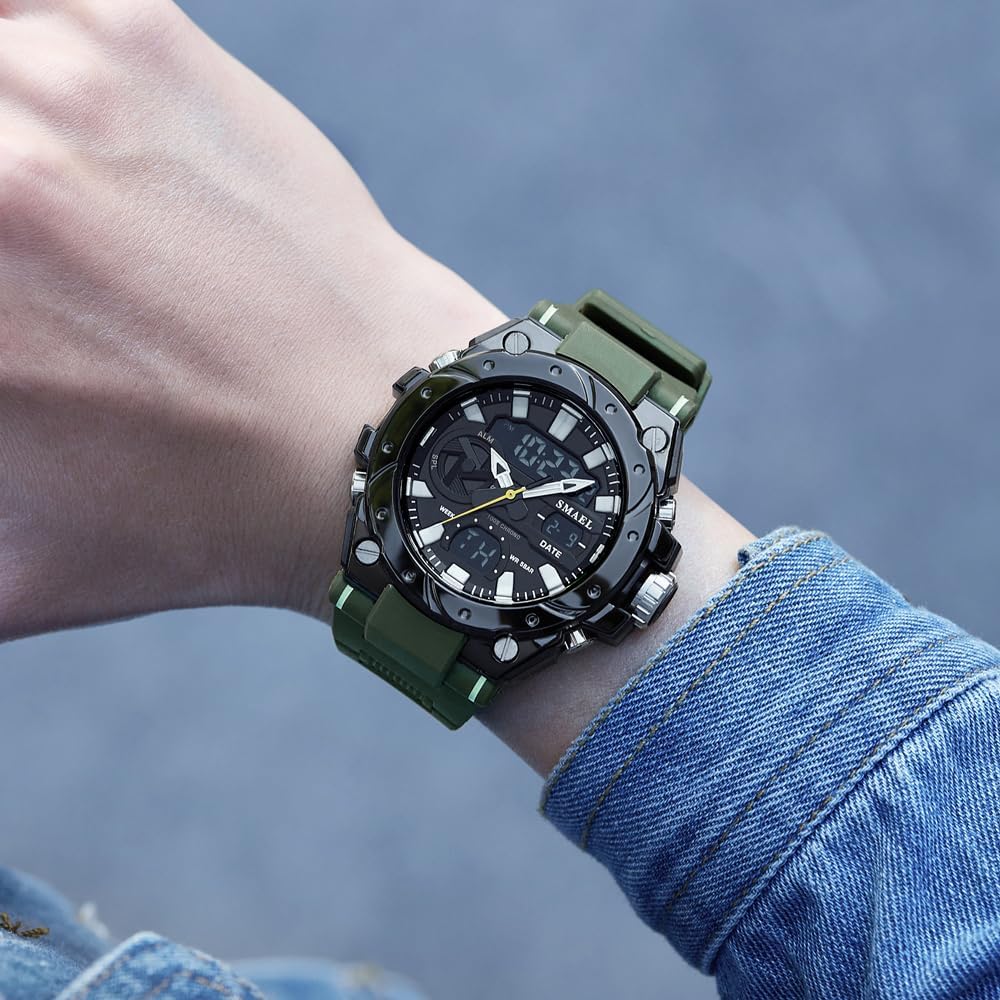
Image: The SMAEL 8029 watch worn on a wrist, demonstrating its size and appearance during wear. This image shows the Armygreen variant.
Cleaning:
Wipe the watch case and strap with a soft, damp cloth. Avoid using chemical cleaners, which may damage the materials. For stubborn dirt, a mild soap solution can be used, followed by thorough rinsing with clean water and drying.
Battery Replacement:
When the display becomes dim or functions become erratic, the battery may need replacement. It is recommended to have the battery replaced by a qualified watch technician to ensure proper sealing and maintain water resistance.
Troubleshooting
- Display is blank or dim: The battery may be low or depleted. Replace the battery. Ensure the watch is not in a power-saving mode; press any button to activate.
- Buttons are unresponsive: Ensure the watch is not wet. If wet, dry thoroughly. If the issue persists, a reset may be required (consult a technician if no external reset button is available).
- Time is inaccurate: Re-set the time and date following the "Setting Time and Date" instructions. If inaccuracy persists, the movement may require servicing.
- Water inside the watch: Immediately take the watch to a professional for inspection and repair to prevent further damage. Do not attempt to dry it yourself.
Specifications
| Feature | Detail |
|---|---|
| Model Number | SL-8029 |
| Brand | SMAEL |
| Movement Type | Digital (Quartz) |
| Display Type | Analog-Digital Dual Display |
| Case Material | Alloy |
| Band Material | TPU |
| Dial Diameter | 53mm |
| Case Thickness | 18mm |
| Band Width | 22mm |
| Water Resistance Depth | 3 Bar (30 meters) |
| Clasp Type | Needle Buckle |
| Features | Stopwatch, Date, Alarm, Night Light |
Warranty and Support
The SMAEL 8029 watch comes with a limited warranty. For specific warranty terms and conditions, please refer to the warranty card included with your purchase or visit the official SMAEL website. For technical support or service inquiries, please contact SMAEL customer service through their official channels.
Manufacturer: SMAEL
Date First Available: October 26, 2024

Image: A display of six SMAEL 8029 watches, showcasing the available color variants including Black, Colorful, Black Silver, Dark Green, Black Golden, and ArmyGreen.


