
Introduction
The Nokta Triple Score PRO Pack is a professional multi-frequency metal detector designed for treasure hunting. This comprehensive kit includes essential accessories for a complete detecting experience, offering advanced features for both beginners and seasoned enthusiasts. Its robust design and versatile capabilities ensure optimal performance across various terrains and conditions.
Key Features:
- Long Battery Life: Rechargeable 3250 mAh Lithium Polymer battery provides up to 12 hours of use.
- Bluetooth Enabled: Seamlessly connect to compatible devices for wireless convenience.
- Fully Waterproof: IP68 rated, submersible up to 16ft (5 meters) and protected from total dust ingress.
- Online Firmware Updates: Keep your detector up-to-date via USB.
- Easy-to-Use and Lightweight: Weighs only 2.7 lbs (1.25 kg) with 3 search modes for different terrains.
- Complete Accessory Package: Includes Nokta Pointer, Premium Digger, Carrying Bag, Finds Pouch, and Cap.
Setup
1. Assembly
Assemble the metal detector by connecting the search coil to the lower shaft, then extending the telescopic shaft and attaching the control unit. Ensure all connections are secure. The design allows for compact storage and quick deployment.
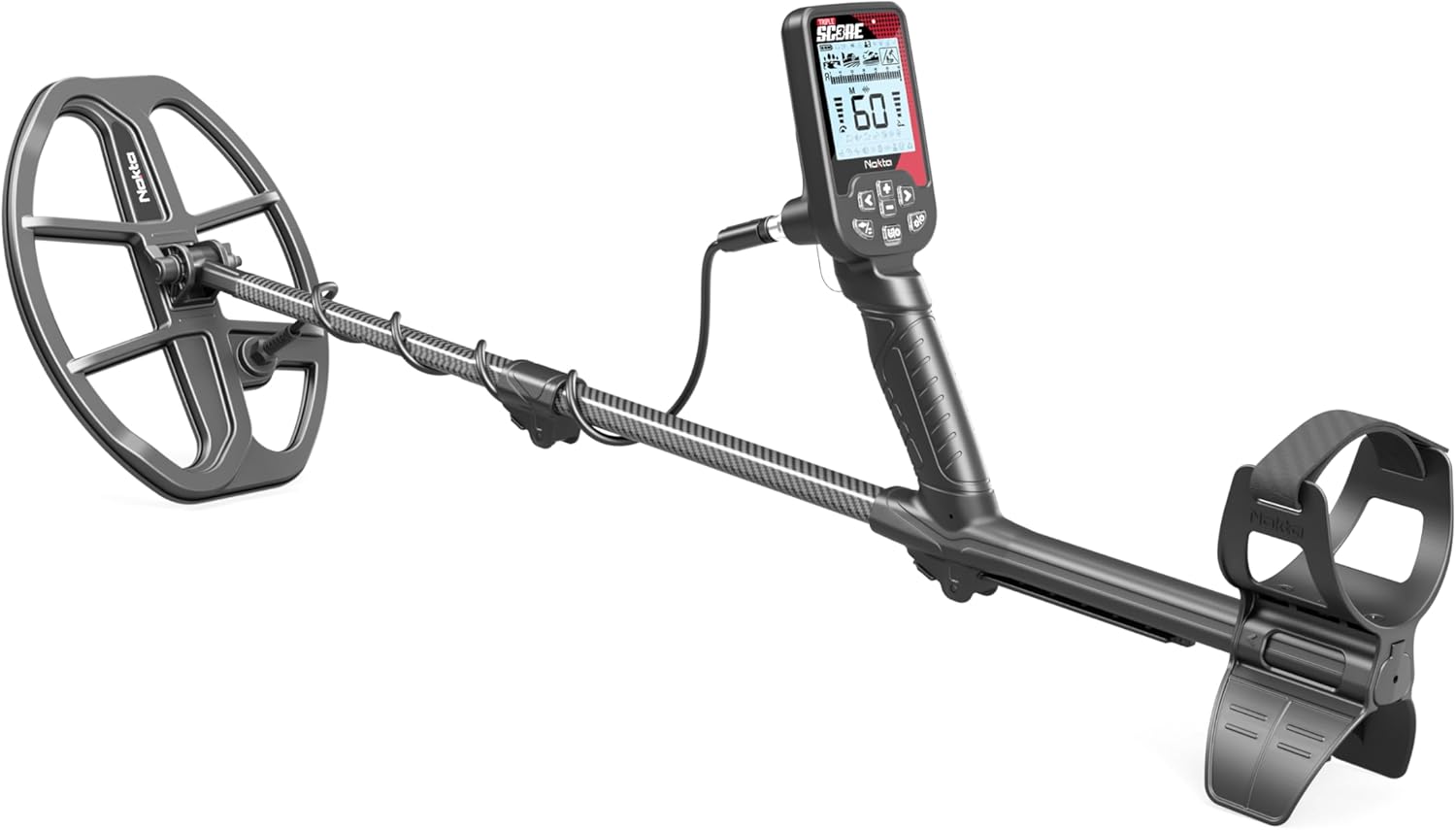
Image: The fully assembled Nokta Triple Score PRO Pack Metal Detector, showcasing its ergonomic design and search coil.
The detector features a telescopic shaft that retracts for easy transport and underwater use. To adjust the length, loosen the shaft locks, extend or retract the sections to your desired length, and then secure the locks firmly.
Video: Demonstrates the compact folding mechanism of a metal detector, highlighting its portability and ease of storage.
2. Charging the Battery
The Score metal detector is equipped with a rechargeable 3250 mAh Lithium Polymer battery. To charge, connect the provided USB cable to the detector's charging port and plug the other end into a USB charger or power bank. A full charge provides up to 12 hours of continuous use.

Image: The Nokta Triple Score PRO Pack Metal Detector connected to a USB charger, illustrating the charging process and emphasizing its long battery life.
3. Ground Balance
Ground balancing is crucial for optimal performance, especially in mineralized soils. To perform ground balance, enter the ground balance menu on the control unit. Hold the search coil slightly above the ground and slowly pump it up and down until a stable reading is achieved. This calibrates the detector to ignore ground mineralization, allowing it to detect targets more effectively.
Video: A detailed demonstration of how to operate the Nokta Simplex+ metal detector, including button functions, program selection, and the ground balancing procedure.
Operating Instructions
1. Power On/Off
To power on the detector, press and hold the power button located on the control unit until the screen illuminates. To power off, press and hold the same button until the display shuts down.
2. Search Modes
The Nokta Triple Score PRO offers multiple search modes optimized for different environments:
- Park Mode: Ideal for areas with moderate trash, like parks and recreational grounds.
- Field Mode: Designed for open fields and agricultural land, offering good depth and target separation.
- Beach Mode: Optimized for wet and dry sand conditions, effectively handling saltwater mineralization.
- Relic Mode: Specialized for finding older, deeper targets in historical sites.

Image: Visual representation of the four distinct search modes (Park, Field, Beach, Relic) available on the Nokta Triple Score PRO Pack Metal Detector, each suited for different environments.
3. Multi-Frequency (SMF) Technology
The Triple Score PRO utilizes Simultaneous Multi-Frequency (SMF) technology, allowing it to transmit and receive multiple frequencies simultaneously. This enhances detection capabilities across a wider range of target sizes and types, improving performance in various ground conditions. The detector offers 2 Multi-Frequencies (4 kHz / 15 kHz / 20 kHz) and Single Frequencies for specialized hunting.

Image: An overview of the Nokta Triple Score PRO Pack Metal Detector highlighting its Multi-Frequency (SMF) capabilities, Bluetooth connectivity, and compact shaft design.
4. Waterproof Operation
With an IP68 rating, the detector is fully submersible up to 16 feet (5 meters), making it suitable for underwater treasure hunting. Ensure all connections are properly sealed before submerging the device.

Image: The Nokta Triple Score PRO Pack Metal Detector submerged underwater, demonstrating its IP68 waterproof capability for aquatic treasure hunting.
5. Bluetooth Connectivity
The detector is Bluetooth enabled, allowing seamless connection to compatible wireless headphones or other devices. This provides enhanced audio clarity and convenience during your detecting sessions.
6. Firmware Updates
Keep your detector's performance optimized by regularly updating its firmware. Connect the detector to a computer via USB and visit the NOKTA DETECTION TECHNOLOGIES website for the latest updates and instructions.
Video: A brief overview showcasing the Nokta Triple Score PRO Pack Metal Detector and its included accessories.
Maintenance
1. Cleaning
After each use, especially in wet or sandy conditions, clean the detector with fresh water and a soft cloth. Ensure all sand and debris are removed from the search coil and shaft. Avoid using abrasive cleaners or solvents.
2. Storage
Store the detector in a cool, dry place away from direct sunlight and extreme temperatures. The telescopic shaft allows for compact storage, making it easy to fit into the included carrying bag.
3. Battery Care
To prolong battery life, avoid fully discharging the battery frequently. Recharge the battery regularly, even if the detector is not in use for extended periods. Store the detector with a partial charge (around 50%) if storing for several months.
Troubleshooting
If you encounter any issues with your Nokta Triple Score PRO Pack Metal Detector, refer to the following common troubleshooting tips:
- No Power: Ensure the battery is fully charged. Check the charging cable and adapter for proper connection.
- False Signals: Re-perform ground balance. Check for electromagnetic interference from power lines, cell phones, or other electronic devices. Reduce sensitivity settings.
- Poor Depth: Ensure the search coil is properly connected and free of damage. Verify ground balance is correctly set. Increase sensitivity if conditions allow.
- No Audio: Check headphone connection and volume settings. If using Bluetooth headphones, ensure they are paired correctly and charged.
For more detailed troubleshooting guides and technical support, please visit the official NOKTA DETECTION TECHNOLOGIES website.
Specifications
| Brand | NOKTA DETECTION TECHNOLOGIES |
| Model Number | Triple Score PRO PACK |
| Color | Black |
| Material | Carbon Fiber |
| Power Source | Battery Powered (1 Lithium Polymer battery included) |
| Item Weight | 7 Pounds (3.17 kg) |
| Product Dimensions | 52"L x 25"W x 52"H (132 cm L x 63.5 cm W x 132 cm H) |
| Battery Life | Up to 12 Hours |
| Extended Length | 12 Inches (30.5 cm) |
| Adjustable Length | Yes |
| International Protection Rating | IP68 (Fully submersible up to 16ft / 5 meters) |
| Search Coil Size | 12 Inches (30.5 cm) |
Warranty and Support
The Nokta Triple Score PRO Pack Metal Detector is backed by the manufacturer's warranty. For specific warranty details, registration, and to access comprehensive support resources, please visit the official NOKTA DETECTION TECHNOLOGIES website. You can also find FAQs, software downloads, and contact information for customer service.
