Introduction
Welcome to the Positive Grid Spark 2 user manual. This guide provides comprehensive instructions for setting up, operating, and maintaining your Spark 2 smart guitar amplifier and Bluetooth speaker. The Spark 2 is designed to enhance your practice and playing experience with advanced features like AI-powered tone generation, a built-in looper, and seamless app integration.
This bundle also includes the official Spark 2 Carry Bag, custom-built for safe and convenient transport of your amplifier.
What's Included
- Positive Grid Spark 2 Smart Guitar Amplifier
- Official Spark 2 Carry Bag
- Power Adapter
- USB-C Cable
- Quick Start Guide

Image: The Positive Grid Spark 2 amplifier shown alongside its custom carry bag, highlighting the complete bundle.
Setup Guide
1. Unpacking and Placement
Carefully remove all components from the packaging. Place the Spark 2 amplifier on a stable, flat surface. Ensure adequate ventilation around the unit.
2. Power Connection
Connect the provided power adapter to the DC IN port on the rear of the Spark 2 and then plug it into a wall outlet. The power LED on the front panel will illuminate.

Image: A close-up of the rear panel of the Spark 2 amplifier, showing the DC IN, USB-C, AUX IN, and Line Out ports.
3. Instrument Connection
Plug your electric, acoustic, or bass guitar into the INPUT jack on the top panel of the Spark 2 using a standard 1/4-inch instrument cable.

Image: An angled view of the Spark 2 amplifier, showing the top control panel with knobs and the guitar input jack, alongside a smartphone displaying the Spark app.
4. App Installation and Bluetooth Pairing
Download the "Spark" app from your device's app store (iOS/Android). Open the app and follow the on-screen instructions to pair your Spark 2 via Bluetooth. This enables access to AI features, tone models, and looper controls.

Image: The Spark 2 amplifier with a smartphone displaying the Spark app's looper interface, demonstrating app connectivity.
Operating Instructions
Basic Controls
The Spark 2 features intuitive physical controls on its top panel:
- Power Button: Turns the unit on/off.
- Preset Knob: Selects between 4 customizable presets. Hold to save current settings.
- Gain, Bass, Mid, Treble, Master Knobs: Adjust your tone.
- Mod, Delay, Reverb Knobs: Control built-in effects.
- Music Knob: Adjusts the volume of Bluetooth audio playback.
- Guitar Knob: Adjusts the volume of your instrument.
- REC/DUB, Play/Pause, Clear/Hold, Tuner/Hold Buttons: Control the built-in looper and tuner functions.

Image: A detailed close-up of the Spark 2 amplifier's control panel, showing all knobs and buttons clearly labeled.
Using the Spark App
The Spark app unlocks the full potential of your amplifier. Connect via Bluetooth to access:
- Spark AI: Describe your desired tone, and the AI will generate suitable presets.
- ToneCloud: Access a vast library of user-created and artist tones.
- HD Amp Models & Effects: Explore a wide range of virtual amplifiers and pedals.
- Built-in Looper with Drums: Create multi-layered loops with integrated drum patterns.
- Smart Jam: The app listens to your playing and generates bass and drum tracks to jam along with.
- Auto Chords: Displays chords for millions of songs in real-time.

Image: A smartphone screen showing the Spark AI feature, where users can describe tones and receive suggestions.
Video: An official overview of the Positive Grid Spark 2, demonstrating its key features and capabilities, including AI tone generation, looper, and app integration.
Maintenance and Care
To ensure the longevity and optimal performance of your Spark 2 amplifier:
- Keep the unit clean by wiping it with a soft, dry cloth. Avoid abrasive cleaners or solvents.
- Do not expose the amplifier to extreme temperatures, humidity, or direct sunlight.
- Ensure proper ventilation to prevent overheating.
- When transporting, use the provided Spark 2 Carry Bag to protect the amplifier from physical damage. The bag features a tough exterior, plush interior, and a dedicated accessory compartment.
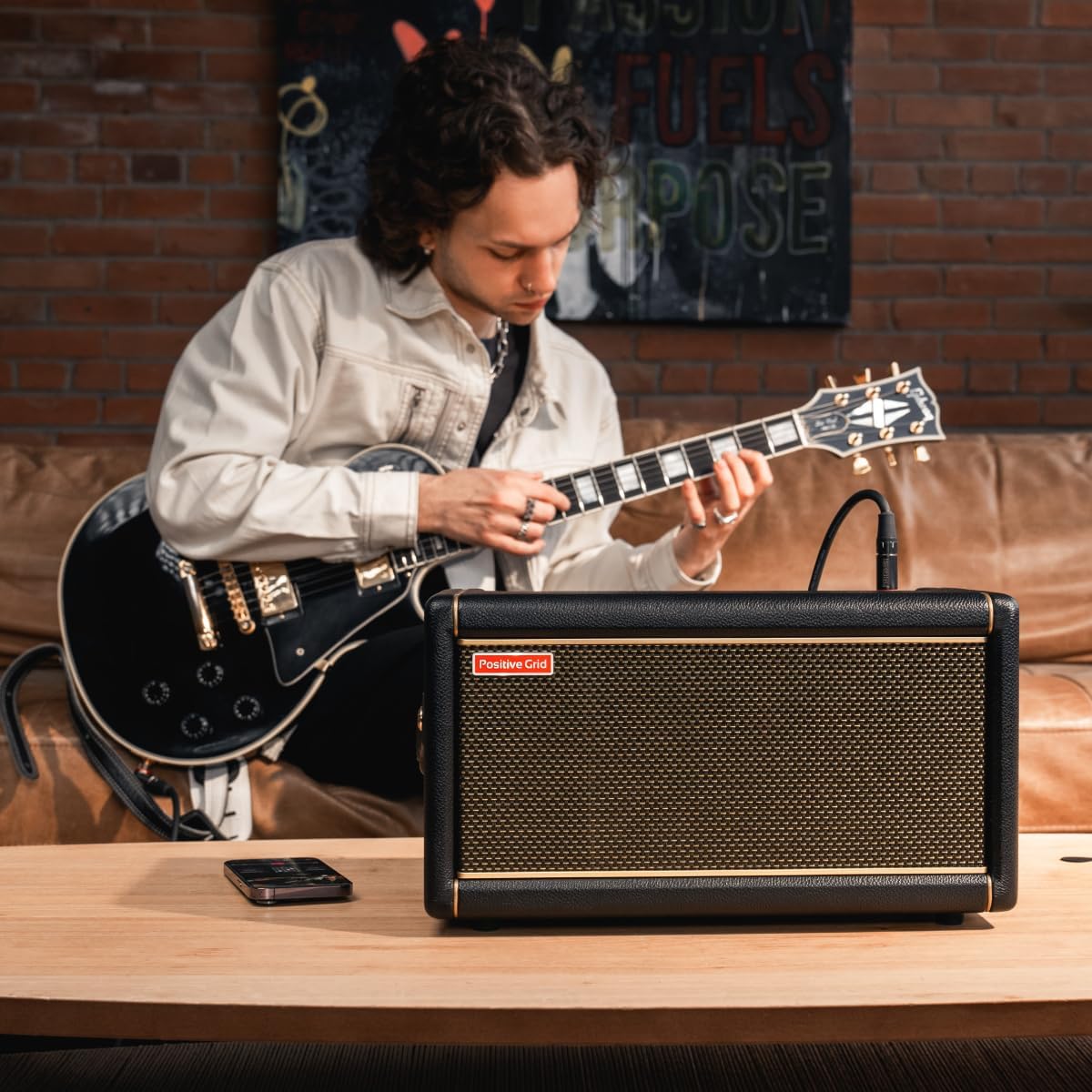
Image: The Spark 2 amplifier being securely placed into its custom-designed carry bag, demonstrating its portability and protection.

Image: A view of the Spark 2 carry bag, highlighting its zippered accessory compartment for cables and other small items.
Troubleshooting
| Problem | Possible Cause | Solution |
|---|---|---|
| No power | Power adapter not connected or faulty outlet. | Ensure power adapter is securely connected and try a different power outlet. |
| No sound from guitar | Instrument cable faulty, volume knobs low, or incorrect input selected in app. | Check instrument cable, increase Guitar volume knob, verify input settings in Spark app. |
| Bluetooth connection issues | Spark 2 not in pairing mode, device Bluetooth off, or interference. | Ensure Spark 2 is discoverable, turn device Bluetooth off/on, move closer to amplifier. |
| App not responding | App crash or outdated version. | Close and restart the Spark app. Check for app updates in your device's app store. |
Specifications
- Output Wattage: 50 Watts
- Compatible Devices: Electric Guitar, Acoustic Guitar, Bass Guitar
- Color: Black
- Number of Bands: 3
- Connectivity: Bluetooth, USB-C, AUX IN
- Features: AI Tone Engine, Built-in Looper, Smart Jam, Auto Chords, ToneCloud
Warranty and Support
Positive Grid products come with a limited warranty. For detailed warranty information, product registration, and technical support, please visit the official Positive Grid website:
You can also find frequently asked questions and community forums on their support page.


