
1. Important Safety Information
Please read this manual thoroughly before installation and operation. Failure to follow these instructions may result in serious injury or property damage. Keep this manual for future reference.
- General Safety: Ensure the gate operates freely and smoothly before installing the opener. Keep children and pets away from the gate area, especially during operation. Never allow children to operate the gate opener or play with remote controls.
- Electrical Safety: All electrical connections must be performed by a qualified electrician and comply with local electrical codes. Disconnect power before performing any maintenance or service.
- Mechanical Safety: Do not attempt to repair or modify the gate opener. Use only genuine Blütezeit replacement parts. Ensure all mounting hardware is securely fastened.
- Obstacle Detection: The opener is equipped with resistance rebound functionality. However, for enhanced safety, consider installing an optional infrared sensor.
2. Product Overview
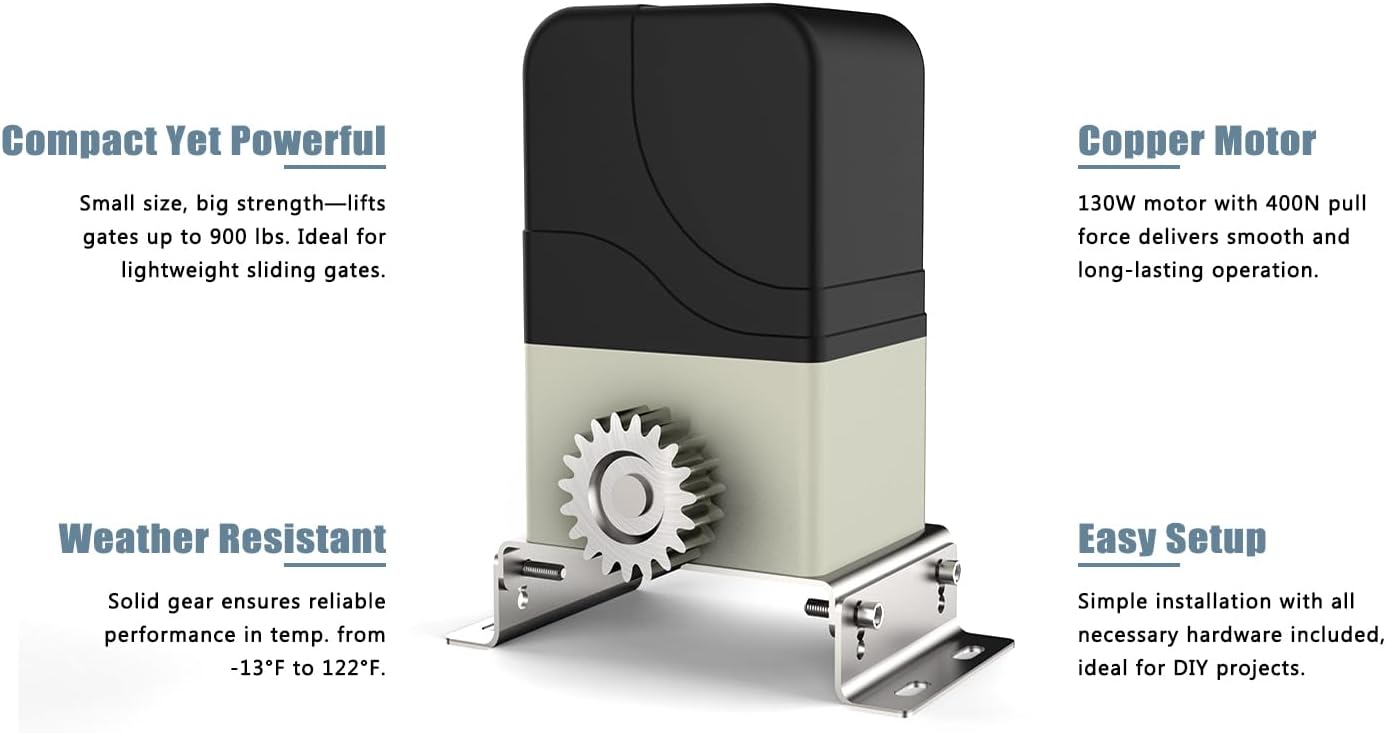
The Blütezeit Automatic Sliding Gate Opener (Model ME-MJ-300) is designed for residential driveways, small businesses, and various gate types including wooden or fence gates. It features a robust 130W pure copper motor capable of handling gates up to 900 lbs, providing smooth and reliable operation at 0.7 ft/s.


Key Features:
- Compact Yet Powerful: Designed for gates up to 900 lbs with a 130W pure copper motor.
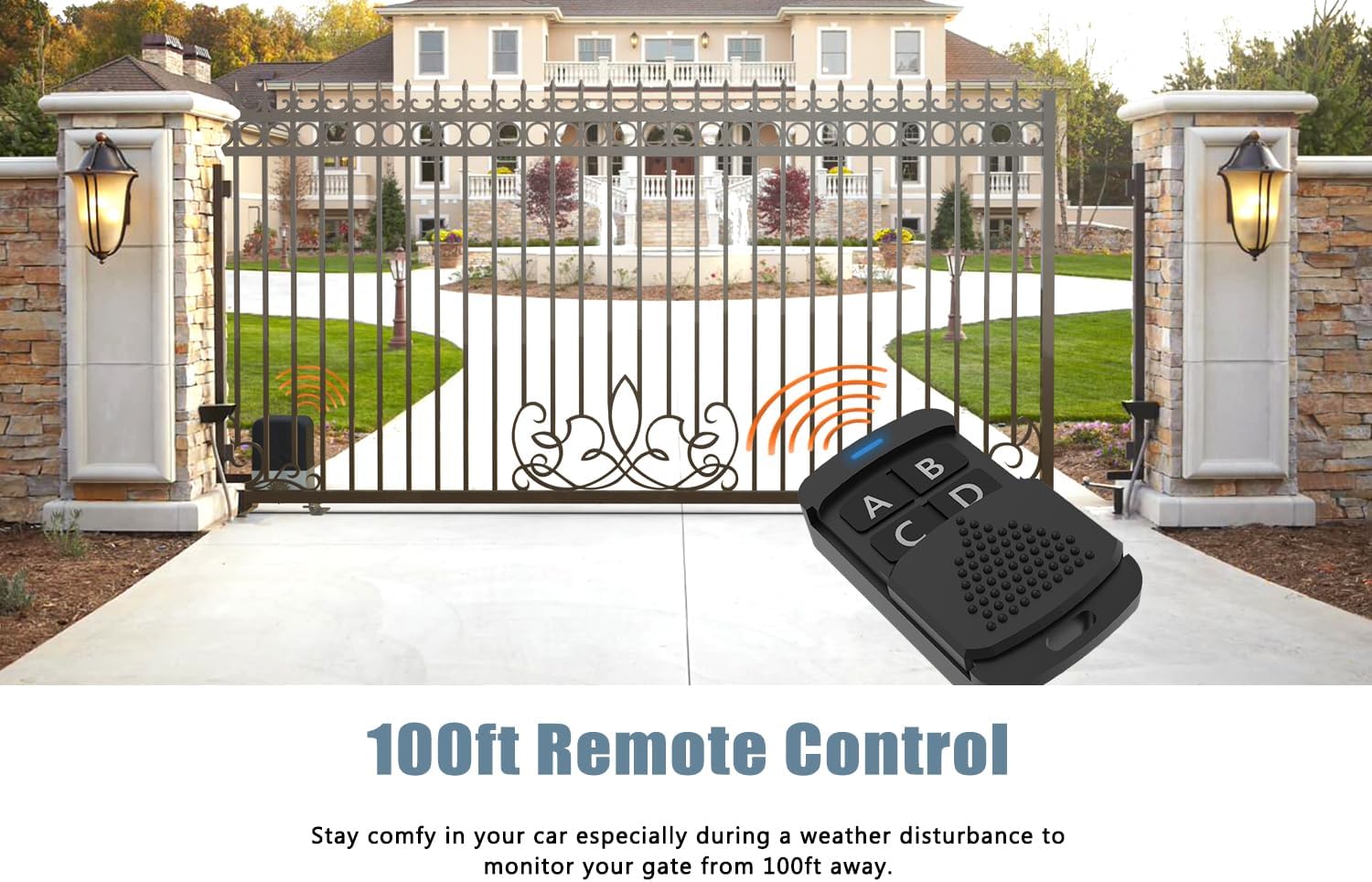
- Secure Remote Control: Includes two 433.92MHz rolling code remotes with a range of 100-160 feet. Supports up to 100 remotes.
- PED Mode: Convenient pedestrian access mode partially opens the gate for approximately 6 seconds.
- Smart Auto-Close: Adjustable auto-close timer from 0 to 60 seconds.
- Enhanced Safety: Resistance rebound functionality stops and reverses the gate upon obstacle detection. Optional infrared sensor available.
3. Package Contents
Verify that all components are present before beginning installation:

- 1 × Gate Motor
- 2 × Remote Controls
- 2 × Magnet Limit Blocks (Red and Blue)
- 2 × Metal Base Plates
- 4 × Bolts for mounting
- 1 × Clutch Hex Key
- 1 × User Manual (this document)
4. Installation Guide
4.1 Site Preparation
Ensure the gate is properly installed, moves freely, and is level. Clear any obstructions from the gate's path. The installation area for the motor should be firm and level.
4.2 Mounting the Motor
Securely attach the gate motor to a concrete pad or a sturdy mounting post using the provided metal base plates and bolts. Ensure the motor is level and positioned correctly relative to the gate's path.

4.3 Installing the Gear Rack
Attach the gear rack (not included, sold separately) to the bottom edge of your sliding gate. Ensure the rack meshes correctly with the motor's drive gear, maintaining a small clearance (approximately 1-2mm) to prevent binding.

4.4 Magnetic Limit Switches
Install the red and blue magnet limit blocks at the desired open and closed positions of your gate. The red magnet typically corresponds to the gate's closed position, and the blue magnet to the open position. These magnets signal the motor to stop at the correct endpoints.

4.5 Electrical Connection
Connect the power supply (AC110V/60Hz) to the gate opener's control board. Ensure all wiring is secure, insulated, and properly grounded. Refer to the wiring diagram in the full user manual for detailed connections. If installing an optional infrared sensor, connect it according to its specific instructions.
4.6 Remote Control Pairing
Follow the instructions in the full user manual to pair the remote controls with the gate opener. The system supports up to 100 remotes. Each remote uses a 433.92MHz rolling code for secure operation.

5. Operation
5.1 Standard Operation
Press the designated button on your remote control to open or close the gate. The gate will move to its programmed limit switch position.
5.2 PED Mode (Pedestrian Access)
To activate pedestrian mode, press the 4th button on your remote control. The gate will partially open for approximately 6 seconds, allowing pedestrian access without fully opening the gate.
5.3 Auto-Close Function
The auto-close timer can be set from 0 to 60 seconds. After the gate reaches its fully open position, it will automatically close after the set delay. Refer to the full manual for instructions on adjusting this setting.
5.4 Manual Release
In case of a power outage or malfunction, the gate can be operated manually. Insert the provided clutch hex key into the manual release port on the motor and turn it to disengage the motor, allowing you to push the gate open or closed by hand.

5.5 Obstacle Detection
The gate opener features resistance rebound. If the gate encounters an obstruction during operation, it will automatically stop and reverse direction to prevent damage or injury.
6. Maintenance
Regular maintenance ensures optimal performance and longevity of your gate opener.
- Monthly: Inspect the gate and its hardware for any signs of wear, damage, or loose connections. Ensure the gate moves freely without the opener.
- Quarterly: Clean the gear rack and the motor's drive gear. Apply a suitable lubricant to the gear rack to reduce friction and wear.
- Annually: Check all electrical connections for corrosion or damage. Test the obstacle detection system to ensure it functions correctly.
7. Troubleshooting
Refer to the table below for common issues and their potential solutions.
| Problem | Possible Cause | Solution |
|---|---|---|
| Gate does not move. | No power; Remote battery low; Motor disengaged; Limit switch issue. | Check power supply; Replace remote battery; Re-engage motor with hex key; Inspect limit switches. |
| Remote control not working. | Remote battery dead; Remote not paired; Interference. | Replace battery; Re-pair remote (refer to manual); Reduce interference sources. |
| Gate stops unexpectedly or reverses. | Obstruction detected; Limit switch misaligned; Motor overload. | Clear path of obstructions; Adjust limit switches; Check gate for excessive friction. |
| Unusual noise during operation. | Lack of lubrication; Misaligned gear rack; Worn components. | Lubricate gear rack; Adjust gear rack alignment; Inspect for worn parts. |
8. Specifications
| Specification | Value |
|---|---|
| Model Number | ME-MJ-300 |
| Max Gate Weight | 900 lbs |
| Motor Power | 130W |
| Operating Speed | 0.7 ft/s |
| Power Supply | AC110V/60Hz |
| Remote Control Frequency | 433.92MHz |
| Remote Control Range | 100-160 feet (open areas) |
| Auto-Close Timer | 0-60 seconds (adjustable) |
| Product Dimensions | 9.45 x 6.3 x 10.75 inches |
| Item Weight | 15.43 pounds |
9. Warranty and Support
Blütezeit products are manufactured to high-quality standards and are backed by a manufacturer's warranty. For specific warranty details, please refer to the documentation included with your purchase or contact Blütezeit customer service.
If you encounter any problems during installation or operation, Blütezeit offers professional technical support to assist you. Our team is knowledgeable about our products and ready to help ensure a seamless experience.

For technical guidance and support, please visit the official Blütezeit website or contact our customer service department directly. Contact information can typically be found on our website or in your product packaging.