
1. Introduction
Thank you for choosing the BAOFENG UV-5R Ham Radio. This handheld two-way radio is designed for reliable communication, featuring dual-band operation, a powerful 8-watt output, and a long-lasting 3800mAh rechargeable battery. This manual provides essential information for the proper setup, operation, and maintenance of your device.

Image 1.1: BAOFENG UV-5R Ham Radio highlighting its functions including Dual Band, FM Radio, GMRS, Key Lock, Type-C Charging, Flashlight, 8W power, 3800mAh battery, and Emergency Alert.
Key features include:
- FCC ID: 2AJGM-UV5R
- High, medium, and low TX power settings (up to 8W)
- Dual band, dual display, and dual standby functionalities
- 128 storage channels
- VHF and UHF band support
- Built-in LED Flashlight
- 3800mAh rechargeable battery with Type-C charging
- Programming cable for customization via CHIRP software
- Professional K Port earpiece with G-shape design
- Upgraded tactical antenna for enhanced reception
2. Setup Guide
2.1. Battery Installation and Charging
The UV-5R comes with a 3800mAh Lithium-Ion battery. Ensure the battery is fully charged before first use.
- Align the battery pack with the grooves on the back of the radio.
- Slide the battery upwards until it clicks securely into place.
- To remove, press the battery release latch and slide the battery downwards.

Image 2.1: The 3800mAh battery pack for the BAOFENG UV-5R, featuring a Type-C charging port and safety protections.
Charging Methods: The 3800mAh battery supports multiple charging methods via its integrated Type-C port, in addition to the standard desktop charger.
- Desktop Charger: Place the radio (with battery installed) into the charging cradle. The indicator light will show charging status.
- Type-C USB Charging: Connect a Type-C USB cable to the port on the battery pack. This allows charging via power banks, vehicle chargers, USB wall adapters, or PC USB ports.

Image 2.2: Various Type-C charging options for the BAOFENG UV-5R, including power bank, vehicle charging, USB wall adapter, and PC charging.
2.2. Antenna Attachment
Screw the tactical antenna clockwise onto the antenna connector on top of the radio until it is finger-tight. Do not overtighten.

Image 2.3: The BAOFENG UV-5R radio shown with its 8W high gain tactical antenna, designed for longer distance and stronger signal.
2.3. Earpiece Connection
Insert the K-port earpiece connector into the audio jack on the side of the radio. Ensure it is fully seated for clear audio and microphone functionality.
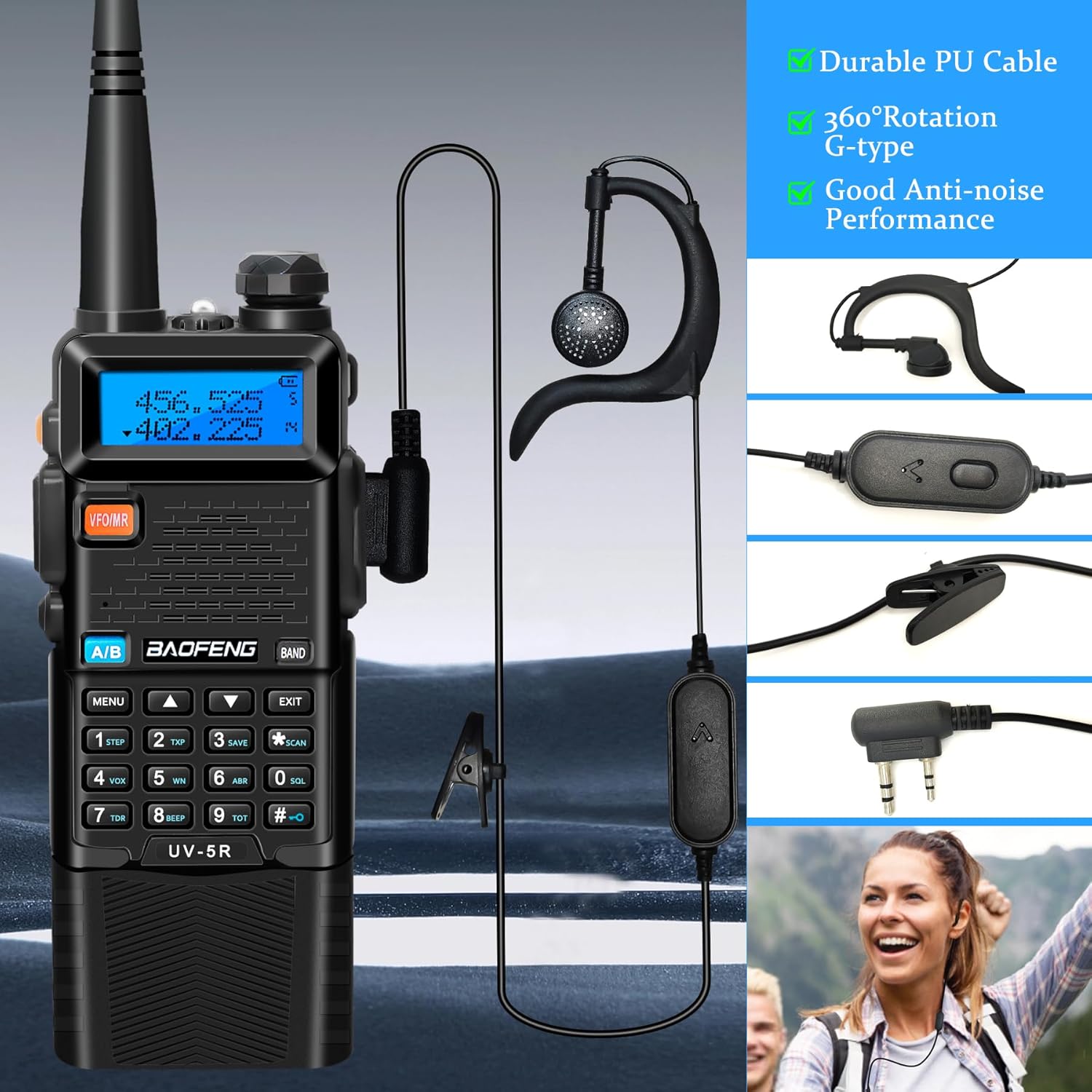
Image 2.4: The BAOFENG UV-5R radio connected to a professional K-port earpiece, highlighting its durable cable and anti-noise performance.
2.4. Programming the Radio
The UV-5R can be programmed manually or via computer software using the included programming cable.
- Manual Programming: Refer to the detailed instructions in the full user manual for on-device frequency and channel programming.
- Software Programming: Connect the radio to your computer using the USB programming cable. Use CHIRP software (available online) to customize frequencies, channels, and other settings.

Image 2.5: The BAOFENG UV-5R radio connected to a high-quality USB programming cable, compatible with various models and supporting CHIRP software.
3. Operating Instructions
3.1. Power On/Off and Volume
- Power On: Rotate the volume knob clockwise until you hear a click.
- Power Off: Rotate the volume knob counter-clockwise until you hear a click.
- Volume Adjustment: Rotate the volume knob to increase or decrease the audio level.
3.2. Basic Communication
- Channel/Frequency Selection: Use the UP/DOWN arrow keys or the keypad to select your desired channel or frequency.
- Transmit (TX): Press and hold the PTT (Push-To-Talk) button on the side of the radio to transmit. Speak clearly into the microphone. Release the PTT button to receive.
- Receive (RX): The radio will automatically receive signals on the selected frequency/channel when the PTT button is not pressed.
3.3. Dual Band, Dual Display, Dual Standby
The UV-5R allows monitoring two different frequencies simultaneously. The top display shows the primary frequency (A band), and the bottom display shows the secondary frequency (B band).
- Press the A/B button to switch between the primary and secondary frequency for transmitting.
- The radio will monitor both frequencies and automatically switch to the active one for reception.
3.4. TX Power Settings
The radio supports High, Medium, and Low transmit power settings, with a maximum output of 8W. Higher power provides greater range but consumes more battery.
- Access the menu to adjust the TX power level. Consult the full user manual for specific menu navigation.
3.5. Special Functions
- FM Radio: Press the BAND button to switch to FM radio mode.
- LED Flashlight: Press the MONI button (or a designated side button) to activate the built-in LED flashlight.
- VOX (Voice Operated Exchange): Enables hands-free transmission when voice is detected. Activate and adjust sensitivity through the menu.
- Key Lock: Prevents accidental key presses. Activate/deactivate via the menu or a dedicated key combination.
- Emergency Alert: Activates an alarm signal. Refer to the full manual for activation methods.
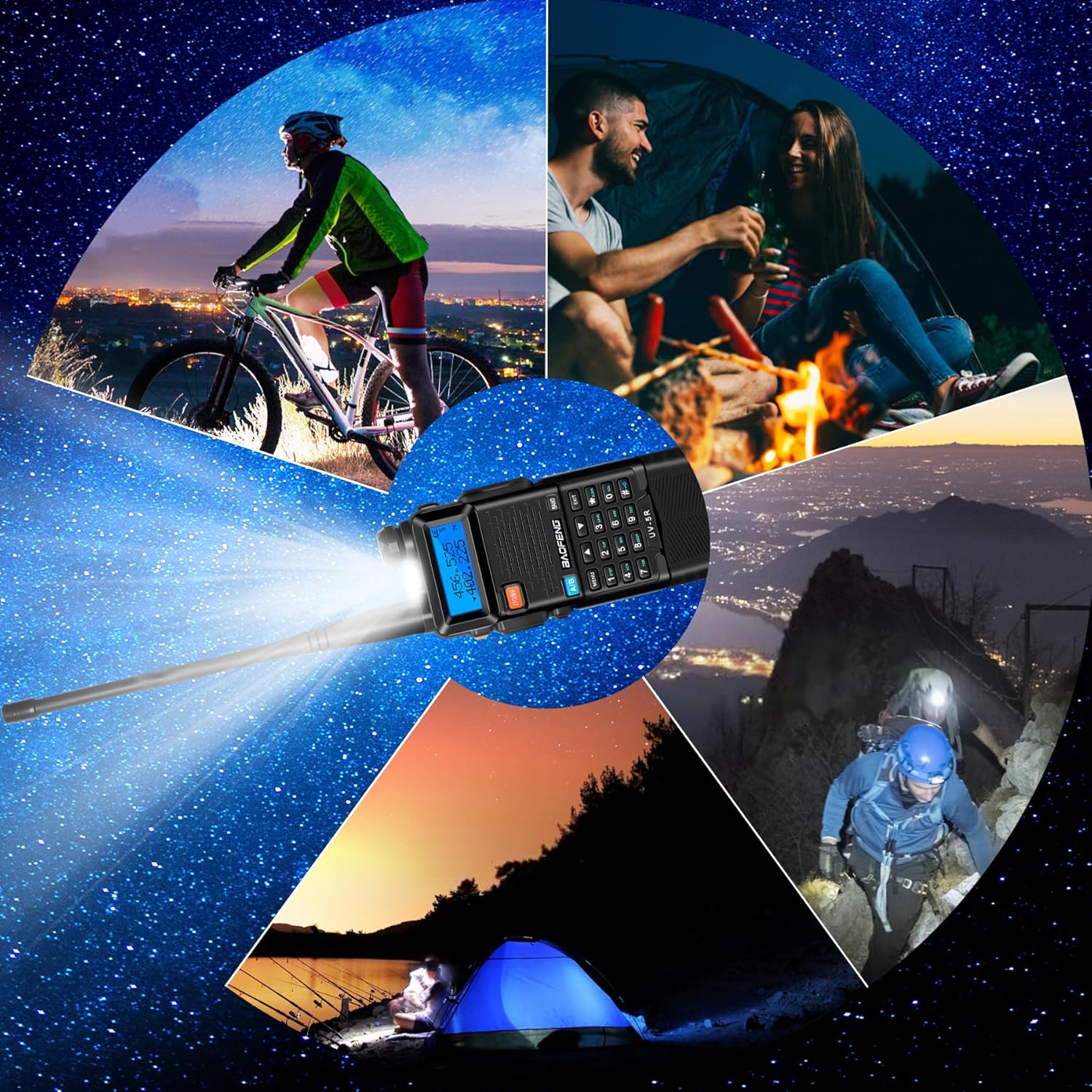
Image 3.1: The BAOFENG UV-5R radio demonstrating its built-in LED flashlight feature, useful for various outdoor activities.
4. Maintenance
4.1. General Care
- Keep the radio dry. Avoid exposure to rain, moisture, or corrosive liquids.
- Clean the radio with a soft, damp cloth. Do not use harsh chemicals or solvents.
- Avoid extreme temperatures. Do not leave the radio in direct sunlight or in very cold environments.
4.2. Battery Care
- Use only BAOFENG approved chargers and batteries.
- Do not short-circuit the battery terminals.
- Do not disassemble or modify the battery pack.
- Store batteries in a cool, dry place when not in use.
- The battery features built-in over-charge, over-heat, and short-circuit protection.
5. Troubleshooting
| Problem | Possible Cause | Solution |
|---|---|---|
| Radio does not power on | Battery is low or not installed correctly. | Charge the battery or re-install it securely. |
| Cannot transmit or receive | Incorrect frequency/channel, low battery, antenna not connected, or TX power too low. | Verify frequency/channel, charge battery, check antenna connection, increase TX power. |
| Poor audio quality | Weak signal, incorrect squelch level, or faulty earpiece. | Move to a better reception area, adjust squelch, test with/without earpiece. |
| Keypad unresponsive | Key lock is active. | Deactivate key lock (refer to operating instructions). |
6. Specifications
- Brand: BAOFENG
- Model Number: UV-5R
- Color: Black
- Number of Channels: 128
- Frequency Range: 144-148 MHz (VHF), 420-450 MHz (UHF)
- Talking Range Maximum: 10 miles (under optimal conditions)
- Voltage: 7.4 volts
- Battery: 2 x 3800mAh Lithium Ion (included)
- Connectivity Protocol: GMRS, Ham Radio
- Special Features: 8W output, Type-C Charging, Programming Cable, Tactical Antenna, Earpiece, LED Flashlight, Dual Band, Dual Display, Dual Standby
- Manufacturer: Fujian Baofeng Electronics Co.,Ltd.
7. Warranty and Support
For warranty information, technical support, or service inquiries, please contact your retailer or the manufacturer directly. Keep your purchase receipt as proof of purchase.
Manufacturer: Fujian Baofeng Electronics Co.,Ltd.
For additional resources and software (e.g., CHIRP), please visit the official BAOFENG website or reputable amateur radio forums.
8. Product Overview Video
Video 8.1: An official product video from BAOFENGRadio Direct, showcasing the BAOFENG UV-5R Ham Radio Handheld with its 3800mAh batteries and various features.


