
Introduction
This manual provides detailed instructions for the assembly, operation, and maintenance of your HOMCOM Floating Wall-Mounted Nightstand Set of 2. Please read all instructions carefully before beginning assembly and retain this manual for future reference.

Image: HOMCOM Floating Nightstands in a bedroom setting.
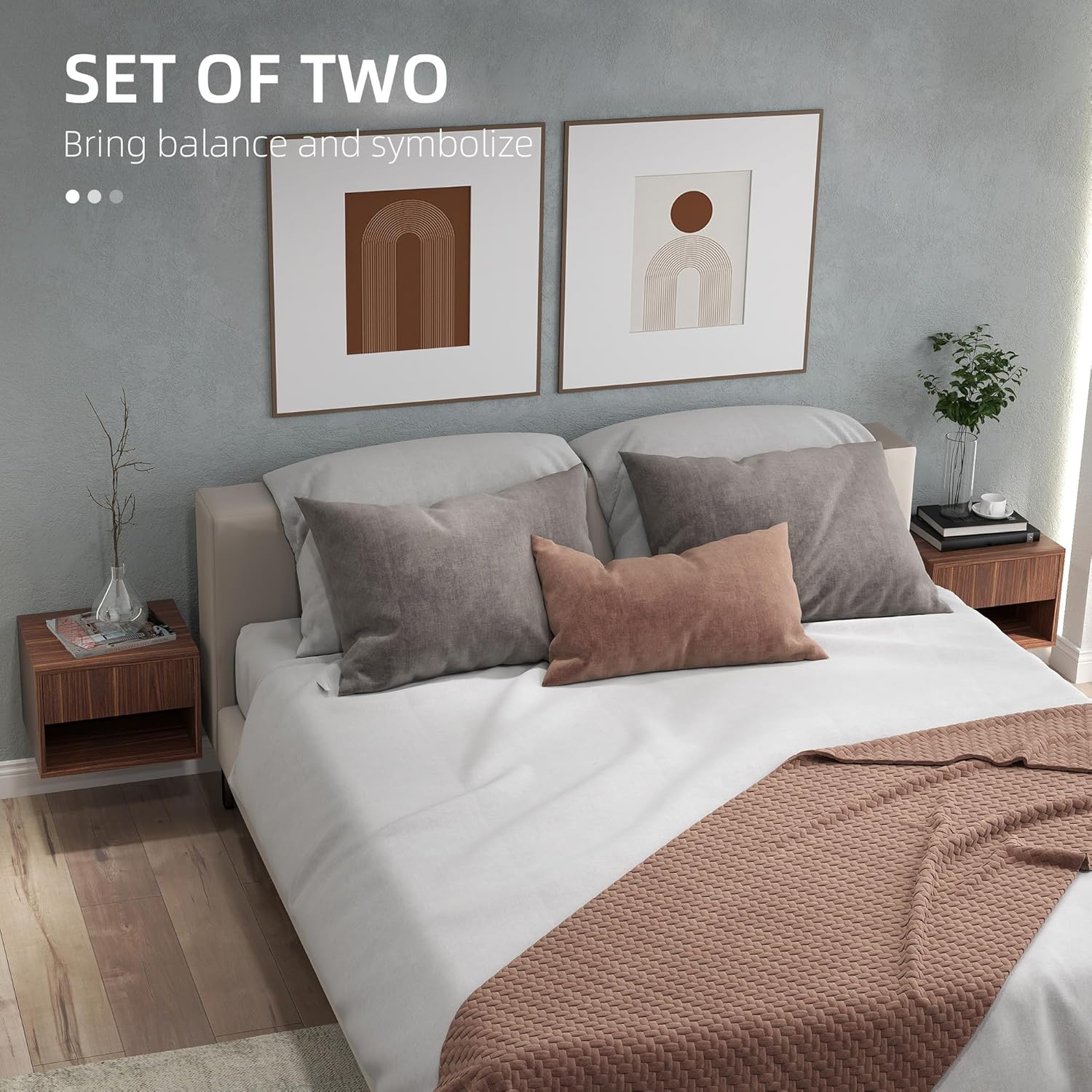
Image: Set of two floating nightstands.
Safety Information
Always follow the assembly instructions provided. Ensure the table is securely anchored to the wall to prevent tipping. Keep fingers away from pinch points during assembly. Do not exceed the maximum weight recommendation of 22 lbs (10 kg) for the overall table and 11 lbs (5 kg) for the shelf.
Product Features
- Set of Two: This product includes two floating nightstands, ideal for creating a balanced look in your bedroom or living area.
- Floating Design: Wall-mounted design saves floor space and allows for adjustable height placement.
- Space-Saving: Narrow and stackable design suitable for smaller rooms or apartments.
- Ample Storage: Each unit features a spacious drawer and an open lower shelf for organizing essentials.

Image: Floating design for space efficiency.
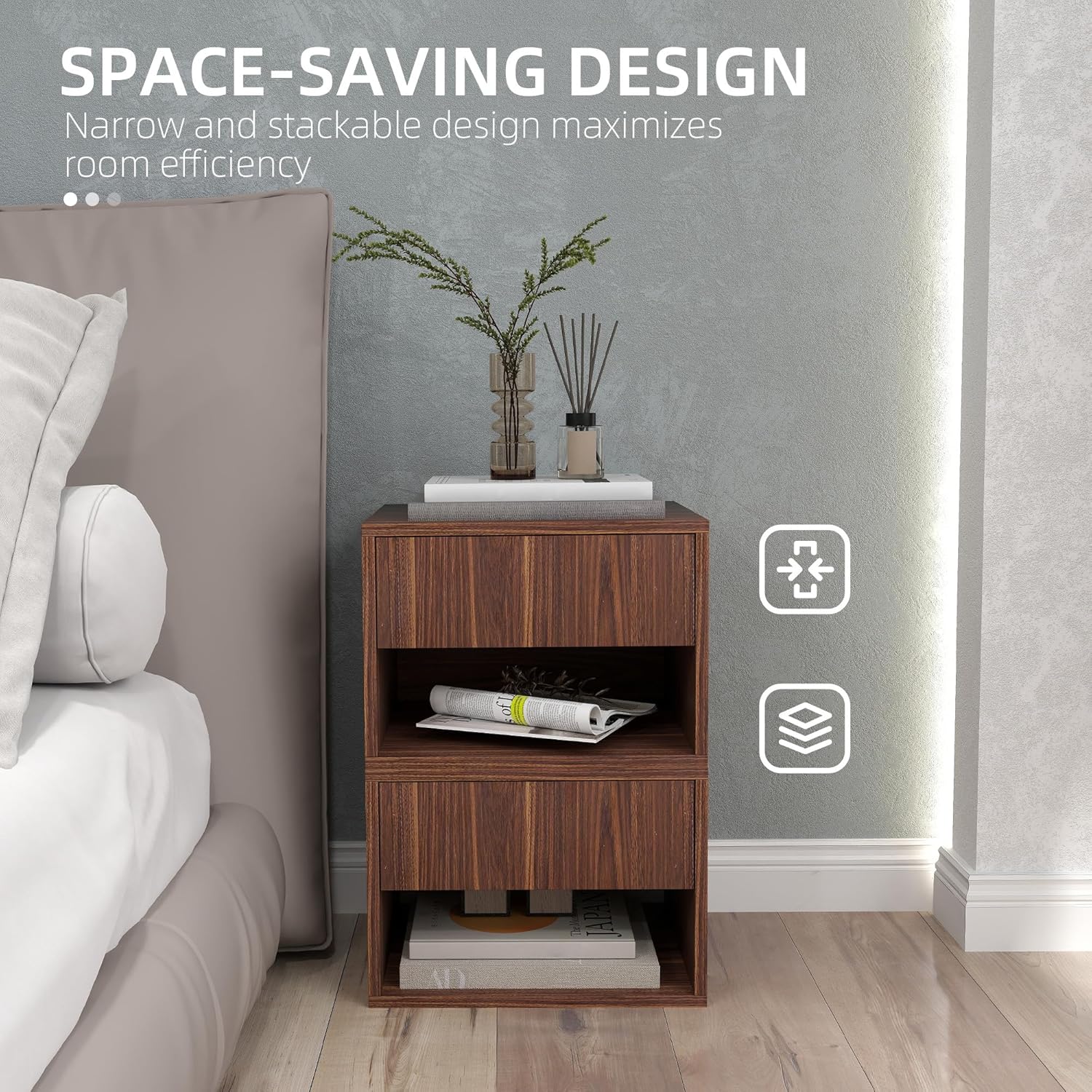
Image: Stackable design for maximizing room efficiency.

Image: Multiple storage options with desktop, drawer, and open shelf.

Image: Close-up of the smooth-gliding drawer.
Specifications
| Brand | HOMCOM |
| Model Number | CA831-874V80BN0231 |
| Colour | Brown |
| Material | Engineered Wood |
| Overall Dimensions | 15.7"L x 13.4"W x 11.4"H (40W x 34D x 29H cm) |
| Item Weight | 14.5 kg (per unit) |
| Overall Weight Capacity | 22 lbs (10 kg) |
| Shelf Weight Capacity | 11 lbs (5 kg) |
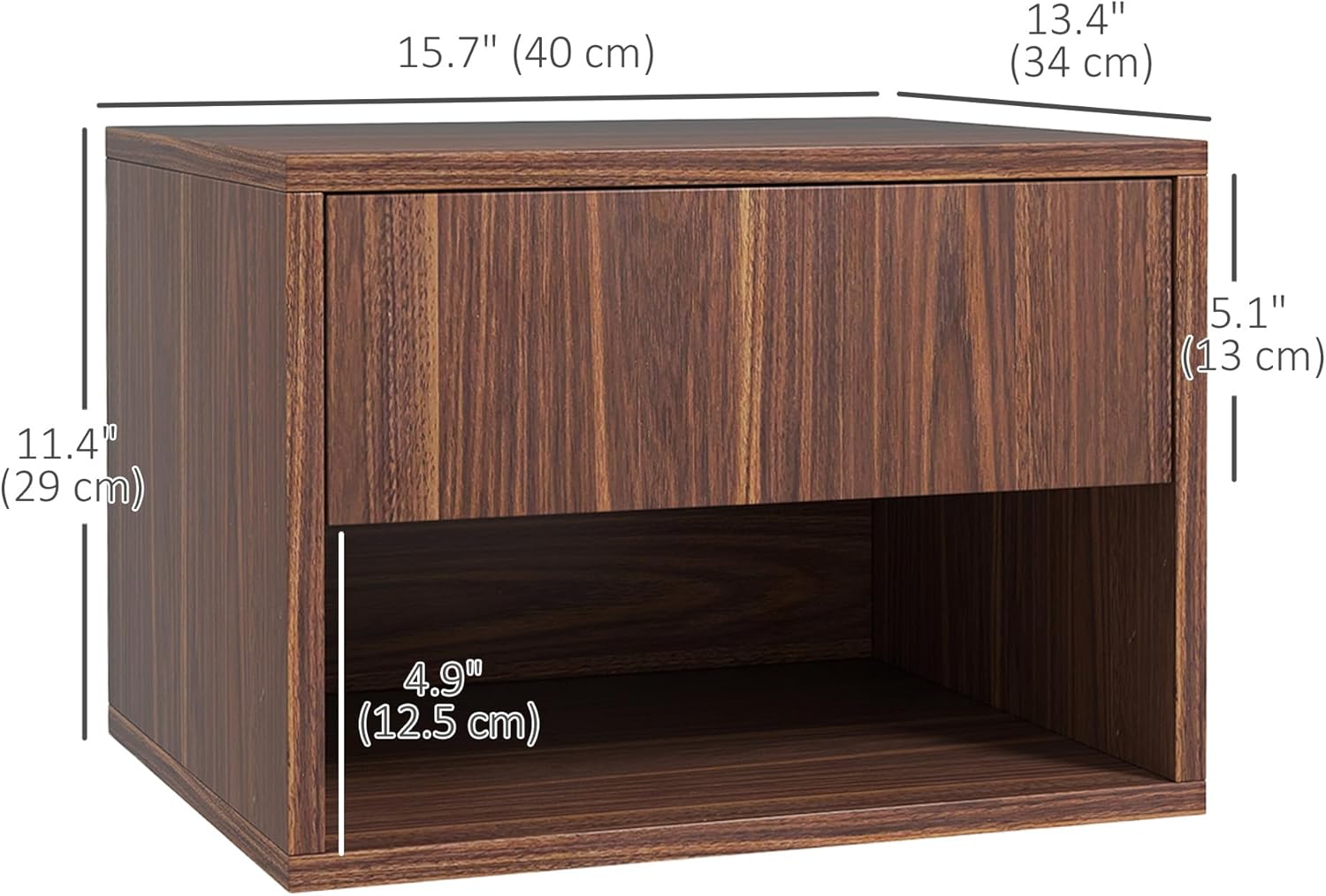
Image: Product dimensions overview.
Setup and Assembly
Assembly of the HOMCOM Floating Nightstand requires basic tools and adherence to the provided instructions. Ensure all parts are present before beginning. Wall mounting requires drilling and secure anchoring.
Assembly Steps:
- Unpack all components and verify against the parts list in your included manual.
- Assemble the main nightstand frame using the provided screws and dowels.
- Install the drawer slides into the designated slots within the nightstand frame.
- Assemble the drawer box and attach the corresponding drawer slides.
- Insert the power strip/charging station into the top panel opening and secure it.
- Attach the wall mounting brackets to the back of the nightstand.
- Choose a suitable wall location, mark the drilling points, and drill pilot holes. Ensure the wall can support the weight of the nightstand and its contents.
- Securely mount the nightstand to the wall using appropriate hardware for your wall type.
Assembly Video Reference:
Video: General wall assembly process for a floating nightstand. This video demonstrates drilling into the wall and attaching the unit securely.
Video: Detailed installation steps for the nightstand components, including drawer assembly and power strip integration.
Operating Instructions
Once securely mounted, your HOMCOM Floating Nightstand is ready for use. Utilize the top surface for lamps, alarm clocks, or decorative items. The integrated drawer provides concealed storage for personal items, while the open shelf is suitable for books, magazines, or other frequently accessed objects. The built-in charging station allows convenient power access for your electronic devices.
Using the Charging Station:
- Ensure the nightstand's power cord is plugged into a functional wall outlet.
- Connect your devices to the USB ports or AC outlets on the charging station.
- Verify that your devices are charging correctly.
Operation Video Reference:
Video: Demonstrates the use of the floating nightstand, including the charging station and drawer functionality.
Maintenance
To maintain the appearance and longevity of your nightstand, wipe surfaces with a damp cloth. Avoid using harsh chemicals or abrasive cleaners, as these can damage the engineered wood finish. Regularly check the wall mounting hardware to ensure it remains secure.
Troubleshooting
- Nightstand feels unstable: Ensure all wall mounting hardware is securely fastened and appropriate for your wall type. Re-tighten screws if necessary. Do not exceed the maximum weight capacity.
- Drawer does not slide smoothly: Check that the drawer slides are properly aligned and free of obstructions. Ensure all screws on the slides are tightened.
- Charging station not working: Verify that the nightstand's main power cord is securely plugged into a live electrical outlet. Check if the devices you are trying to charge are functioning correctly with other power sources.
- Missing parts: If any parts are missing upon unboxing, please contact HOMCOM customer support for assistance.
Warranty and Support
For specific warranty information, please refer to the documentation included with your purchase or contact the retailer where the product was acquired. For customer support, technical assistance, or to inquire about replacement parts, please visit the official HOMCOM website or contact their customer service department directly.