
SYNCO Xtalk Link-US
SYNCO XTALK Link Signal Boost User Manual
Model: Xtalk Link-US | Brand: SYNCO
Introduction
The SYNCO XTALK Link Signal Boost is designed to enhance and expand the capabilities of the SYNCO Xtalk wireless intercom system. It allows for an unlimited number of headset connections and extends the communication range, making it suitable for large-scale events and complex environments. This device features advanced channel adaptive technology and dual-antenna diversity to ensure stable communication over distances up to 2 km (approximately 6560 feet).
What's in the Box
- Link x1
- Antenna x2
- USB to Type-C Cable x1

Product Overview
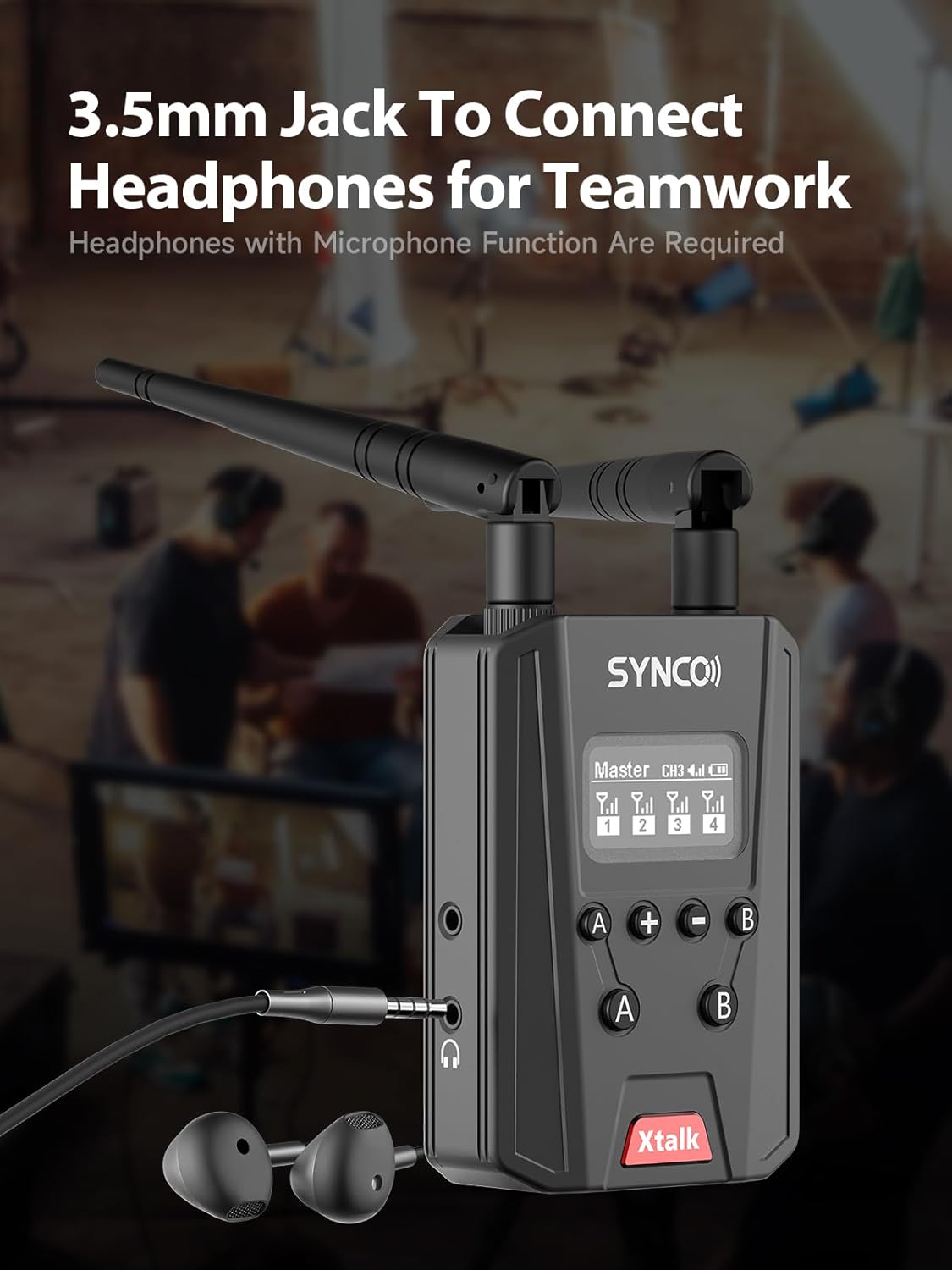
The SYNCO XTALK Link Signal Boost is a compact device equipped with dual antennas for enhanced signal reception and transmission. It features a clear display screen, control buttons for mode selection and group management, and ports for external connections.


Setup
- Attach Antennas: Screw the two provided antennas onto the designated ports at the top of the XTALK Link device. Ensure they are securely fastened.
- Power On: The device can be powered using an NP-F battery (not included) or via the USB Type-C port with a 5V 2A compatible power supply. Connect the USB Type-C cable to the device and a power source to charge or operate.
- Connect Headsets: For wired monitoring or communication, connect a headset with a microphone function to the 3.5mm jack on the side of the device.
Operating Instructions
The XTALK Link Signal Boost offers multiple operating modes to suit various communication needs.
Link Mode: Unlimited Connections
In Link Mode, the XTALK Link Signal Boost removes the traditional user limit of the Xtalk system, allowing for an unlimited number of headset connections. This mode is ideal for large gatherings, complex events, or expansive outdoor environments where extensive team communication is required.

Master Mode: Up to 13 Connections with Group Scheduling
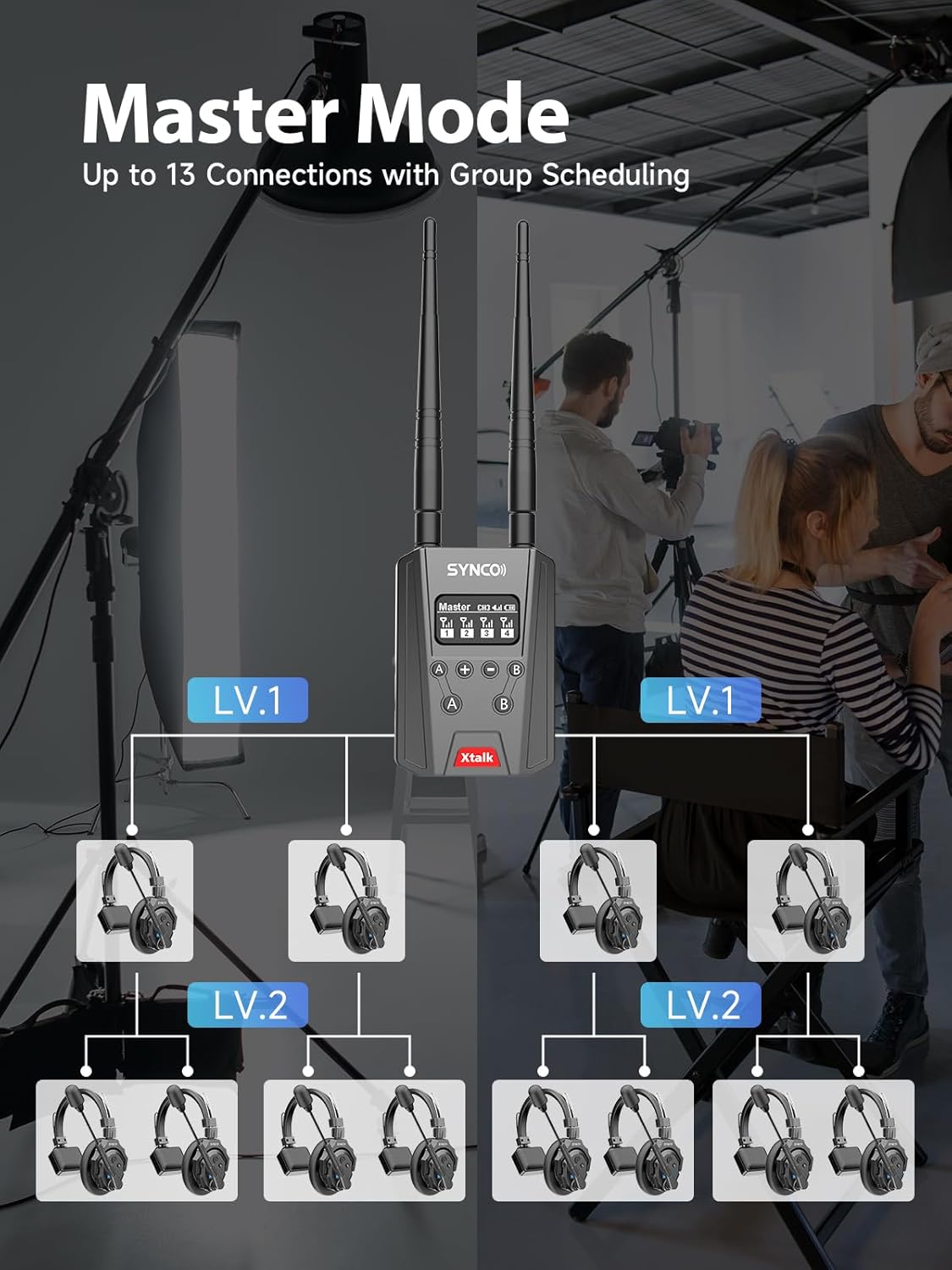
Master Mode allows the XTALK Link to function as a central hub for up to 13 Xtalk headsets. This mode supports flexible group scheduling, enabling precise communication management. You can create A/B group communications with various options, including two-group chat, single-group communication, and full-field mute.

Line In Mode
Line In Mode allows the XTALK Link to be wired through its Line In ports. This is particularly useful in complex environments where stable, wall-penetrating signals are crucial. In Line In Mode, the Link can only connect wirelessly to one master unit, providing a robust wired backbone for your communication system.

Seamless Compatibility
The XTALK Link Signal Boost is fully compatible with all SYNCO Xtalk headsets, including XPro and XMax models. In Link mode, it supports mixed-group pairing, offering flexibility to build a customized communication system tailored to specific needs and environments.

Maintenance
- Cleaning: Use a soft, dry cloth to clean the device. Avoid using liquid cleaners or solvents.
- Storage: Store the device in a cool, dry place away from direct sunlight and extreme temperatures.
- Battery Care: If using an NP-F battery, follow the battery manufacturer's guidelines for charging and storage to prolong battery life.
Troubleshooting
| Issue | Possible Cause | Solution |
|---|---|---|
| No Power | Battery depleted or not inserted correctly; power cable disconnected. | Ensure NP-F battery is charged and correctly inserted. Verify USB-C power cable is securely connected to a 5V 2A power source. |
| Poor Signal / Limited Range | Antennas not properly attached; excessive obstacles; interference. | Check that antennas are securely screwed in. Reduce physical obstructions between units. Move away from sources of strong electromagnetic interference. |
| Headsets Not Connecting | Incorrect mode selected; headsets out of range or not paired. | Ensure the XTALK Link is in the correct operating mode (Link or Master). Verify headsets are within range and properly paired according to their respective manuals. |
| Audio Issues (No sound, distorted) | Headset not fully plugged in; headset malfunction; low battery. | Ensure the 3.5mm headset jack is fully inserted. Test with a different headset if possible. Check battery levels of both the Link and connected headsets. |
Specifications
| Feature | Detail |
|---|---|
| Model Name | Link Infinity |
| Connectivity Technology | Wireless |
| Wireless Communication Technology | RF |
| Compatible Devices | SYNCO Xtalk headsets |
| Special Feature | Lightweight, Signal Boost |
| Manufacturer | SYNCO |
| Package Dimensions | 3.94 x 2.76 x 1.54 inches |
| Item Weight | 7 ounces |
| ASIN | B0DKX87XC4 |
| Item model number | Xtalk Link-US |
| Color | Black |
| Noise Control | None |
| Impedance | 32 Ohm |
Warranty and Support
SYNCO provides dedicated customer service for its products. For any inquiries or support needs, please refer to the official SYNCO website or contact their customer service team. The product is backed by 365 days of customer service.
For further assistance, visit the official SYNCO store: SYNCO Store on Amazon
Ask a question about this manual
Ask about setup, troubleshooting, compatibility, parts, safety, or missing instructions. Manuals+ will review the question and use this page’s manual context to help answer it.