
Avantalk ATBH-TW150
Contents
Avantalk Sky Infinity NC Auracast Wireless Earbuds & Transmitter User Manual
Model: ATBH-TW150
1. Introduction
Thank you for choosing the Avantalk Sky Infinity NC Auracast Wireless Earbuds and Transmitter. This product is designed to provide a seamless audio experience with advanced features like Active Noise Cancelling (ANC), aptX Adaptive audio, and Auracast compatibility. The included transmitter allows for shared listening, making it ideal for travel and various audio sources.
This manual provides detailed instructions on how to set up, operate, and maintain your device. Please read it thoroughly before use to ensure optimal performance and longevity of your product.
2. What's in the Box
Verify that all items are present in your package:
- 2 Pairs of Infinity NC Earbuds
- 1 Relay Transmitter
- 4 Extra Pairs of Earbud Tips (various sizes)
- 1 USB-C Charging Cable (1.5ft / 0.5m)

Image: All components included in the Avantalk Sky Infinity NC package.
3. Product Overview
3.1 Earbuds
Each pair of earbuds features touch controls for playback, call management, and ANC mode switching. They are designed for comfortable, long-term wear.

Image: Avantalk Sky Infinity NC earbuds in their charging case.
3.2 Charging Case
The compact charging case holds both pairs of earbuds. It provides power for continuous listening and features LED indicators for charging status.
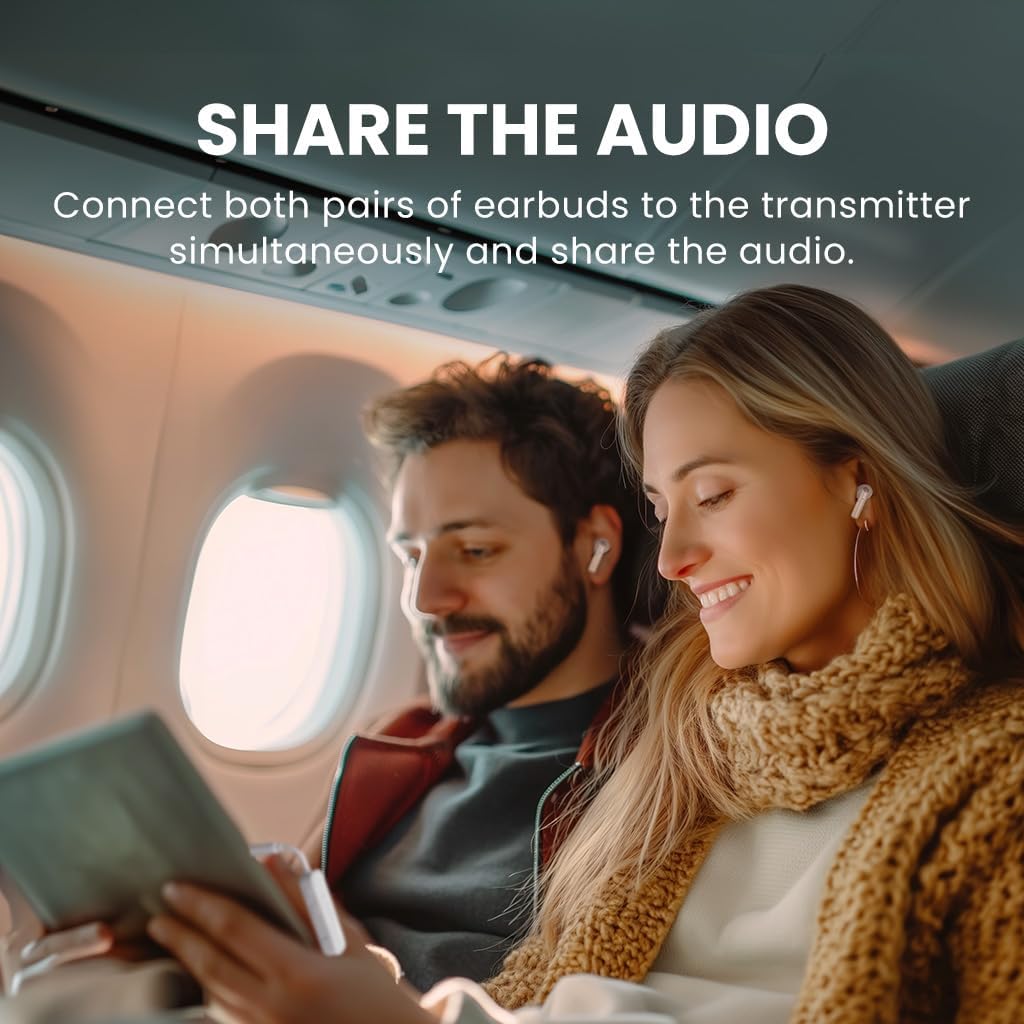
Image: Avantalk Sky Infinity NC charging case.
3.3 Relay Transmitter
The plug-and-play Bluetooth transmitter connects to any AUX output, such as airplane entertainment systems, allowing two pairs of earbuds to share audio simultaneously.

Image: Avantalk Sky Infinity NC transmitter.
4. Setup
4.1 Initial Charging
Before first use, fully charge the earbuds and the charging case. Place the earbuds into the charging case. Connect the USB-C charging cable to the case and a power source. The LED indicators on the case will show charging progress.
4.2 Pairing Earbuds with a Device (Bluetooth)
- Ensure the earbuds are in the charging case and the case is open.
- On your device (smartphone, tablet, etc.), go to Bluetooth settings and enable Bluetooth.
- Select "Avantalk Sky Infinity NC" from the list of available devices to pair.
- Once paired, you will hear a confirmation tone, and the earbuds will be ready for use.
4.3 Using the Relay Transmitter
The transmitter allows you to connect to non-Bluetooth audio sources and share audio with both pairs of earbuds.
- Plug the 3.5mm audio jack of the transmitter into the audio output port of your desired device (e.g., airplane seat, TV, portable game console).
- Power on the transmitter. It will automatically enter pairing mode.
- Ensure both pairs of Avantalk Sky Infinity NC earbuds are powered on and in pairing mode (if not already paired).
- The transmitter will automatically connect to both pairs of earbuds. You will hear a confirmation tone when connected.
Video: Introduction to Avantalk Sky Infinity NC Auracast Earbuds & Adapter, demonstrating setup and features.
5. Operating Instructions
5.1 Power On/Off
- Power On: Open the charging case, or take the earbuds out of the case.
- Power Off: Place the earbuds back into the charging case and close the lid.
5.2 Touch Controls
The earbuds feature intuitive touch controls. Specific functions may vary slightly depending on your connected device.
| Action | Function |
|---|---|
| Single Tap (Left/Right) | Play/Pause, Answer/End Call |
| Double Tap (Right) | Volume Up |
| Double Tap (Left) | Volume Down |
| Triple Tap (Left/Right) | Activate Voice Assistant |
| Long Press (Left/Right) | Toggle ANC/Transparency Mode |
5.3 Active Noise Cancelling (ANC)
The ANC feature reduces ambient noise, providing a more immersive listening experience. Long press either earbud to cycle through ANC On, Transparency Mode, and ANC Off.
5.4 Auracast Technology
The Sky Infinity NC earbuds are compatible with Auracast LE Audio. This allows you to connect to public audio broadcasts in locations such as airports, gyms, or museums without traditional pairing. Simply tap to listen instantly when an Auracast broadcast is available.

Image: Auracast compatibility in public settings.
5.5 Dual Link Functionality
When using the Relay Transmitter, both pairs of earbuds can receive audio from the same source simultaneously. This is ideal for sharing movies or music during travel.

Image: Dual link feature for shared listening.
6. Maintenance
- Cleaning: Use a soft, dry cloth to clean the earbuds and charging case. Do not use harsh chemicals or abrasive materials.
- Earbud Tips: Regularly remove and clean the earbud tips with a damp cloth. Ensure they are completely dry before reattaching.
- Storage: When not in use, store the earbuds in their charging case to protect them and keep them charged. Store in a cool, dry place away from direct sunlight and extreme temperatures.
- Water Resistance: The earbuds are not waterproof. Avoid exposure to excessive moisture.
7. Troubleshooting
7.1 No Sound from Earbuds
- Ensure earbuds are charged and powered on.
- Check if the earbuds are properly paired with your device or the transmitter.
- Verify the volume level on both your device and the earbuds.
- If using the transmitter, ensure it is correctly plugged into the audio source and powered on.
7.2 Earbuds Not Pairing
- Make sure the earbuds are in pairing mode (refer to Section 4.2).
- Disable and re-enable Bluetooth on your device.
- Try resetting the earbuds (consult the Avantalk support website for specific reset instructions for model ATBH-TW150).
- Ensure no other Bluetooth devices are interfering with the pairing process.
7.3 Poor Audio Quality
- Ensure the earbuds are within range of your device or transmitter.
- Check for obstructions between the earbuds and the audio source.
- Clean the earbud tips and speaker grilles to remove any debris.
- If using the transmitter, ensure the 3.5mm jack is fully inserted into the audio source.
8. Specifications
| Feature | Detail |
|---|---|
| Model Number | ATBH-TW150 |
| Connectivity Technology | Bluetooth |
| Wireless Communication Standard | Bluetooth |
| Special Features | Value Airplane Kit, Latest Auracast Earbuds, Dual Link |
| Item Weight | 6.4 ounces |
| Package Dimensions | 5.55 x 4.17 x 1.54 inches |
| Batteries | 6 Nonstandard Battery batteries required (included) |
| Manufacturer | Avantalk |
9. Warranty & Support
Avantalk products come with a standard warranty. For detailed warranty information and to register your product for extended support, please visit the official Avantalk website or scan the QR code provided in your product packaging.
If you encounter any issues not covered in this manual or require further assistance, please contact Avantalk Customer Support:
- Online Support: Visit www.avantalk.com/support
- Email: Refer to your product packaging for specific email contact.
Please have your model number (ATBH-TW150) and purchase details ready when contacting support.
Ask a question about this manual
Ask about setup, troubleshooting, compatibility, parts, safety, or missing instructions. Manuals+ will review the question and use this page’s manual context to help answer it.