
1. Introduction
This manual provides detailed instructions for the VANTRUE E360 Dash Cam Carrying Support and Tripod, Model HS01. This accessory is designed to enhance the versatility and portability of your VANTRUE E360 Dash Cam, allowing for stable placement and handheld use. Please read this manual thoroughly before using the product to ensure correct operation and to maximize its functionality.

Image 1.1: The VANTRUE E360 Dash Cam mounted on the HS01 carrying support and tripod, demonstrating its use as a stable recording platform.
2. Package Contents
Please verify that all items listed below are included in your package. If any items are missing or damaged, contact customer support.
- VANTRUE HS01 Carrying Support and Tripod
- Protective Pouch
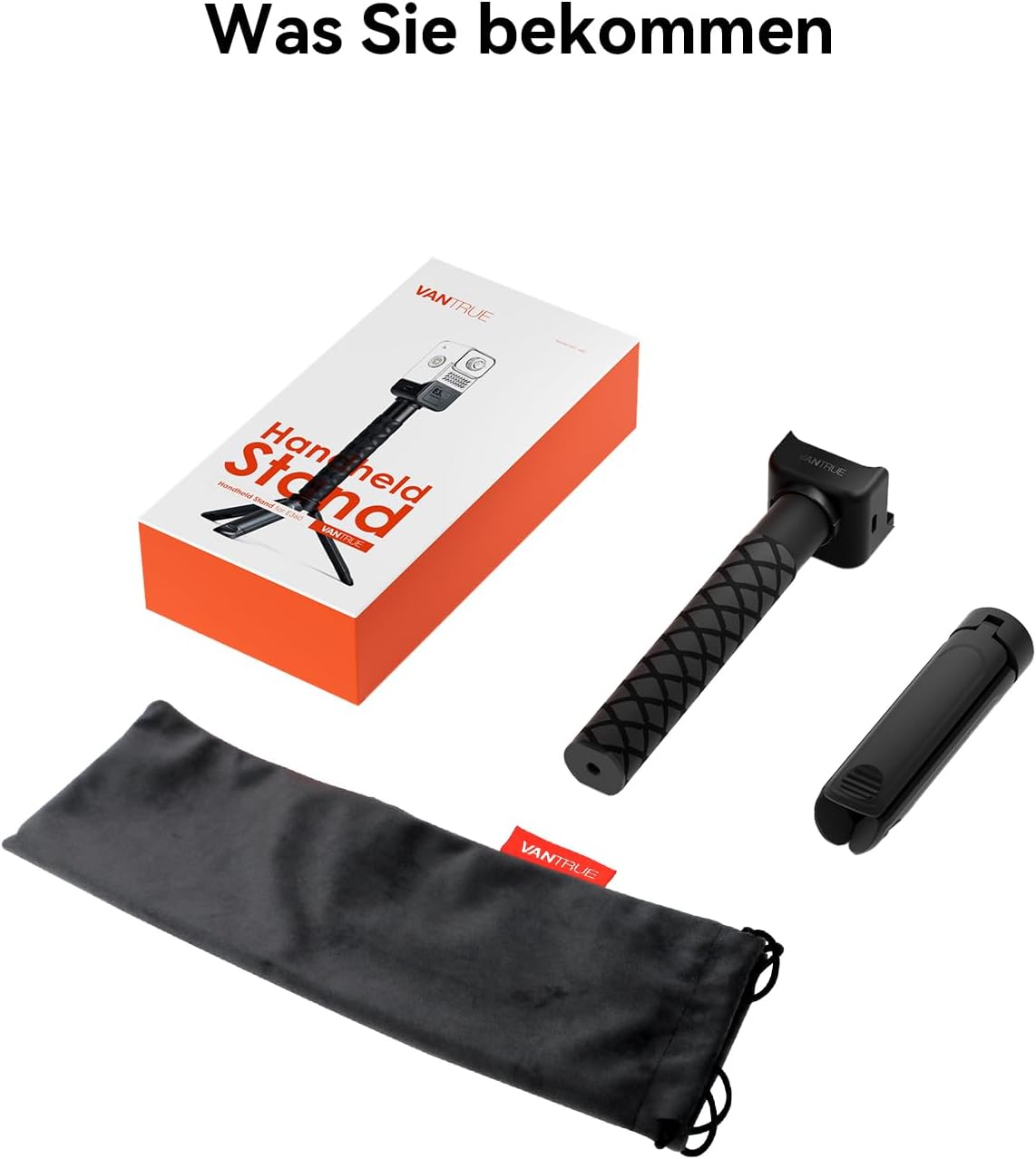
Image 2.1: The complete package contents, including the main unit, detachable tripod base, and a soft carrying pouch.
3. Setup
Follow these steps to properly set up your VANTRUE HS01 Carrying Support and Tripod with your VANTRUE E360 Dash Cam.
- Attach the Dash Cam: Align the mounting slot on the VANTRUE E360 Dash Cam with the connector on the carrying support. Gently slide the dash cam onto the support until it clicks into place.
- Secure the Dash Cam: Rotate the locking ring on the carrying support clockwise to firmly secure the dash cam. Ensure it is tight to prevent accidental detachment.
- Deploy the Tripod (Optional): If using as a tripod, unfold the three legs at the base of the support until they lock into position. Place the tripod on a flat, stable surface.
- Handheld Mode: For handheld use, ensure the tripod legs are folded and secured against the main body of the support.

Image 3.1: Step-by-step illustration for attaching the E360 Dash Cam to the HS01 support, demonstrating the secure connection process.
4. Operating Instructions
The VANTRUE HS01 Carrying Support and Tripod is designed for versatile use with your VANTRUE E360 Dash Cam.
4.1. Tripod Mode
- Extend the tripod legs and place the unit on a stable, level surface.
- Adjust the angle of your E360 Dash Cam as needed using its built-in articulation.
- This mode is ideal for stationary recording, time-lapses, or monitoring.
4.2. Handheld Mode
- Ensure the tripod legs are folded and locked against the handle.
- Grip the textured handle firmly for stable handheld recording.
- This mode is suitable for capturing dynamic footage while walking or moving.

Image 4.1: Examples of the HS01 support in use, demonstrating its adaptability for both stationary and mobile recording with the E360 Dash Cam.
5. Maintenance
To ensure the longevity and optimal performance of your VANTRUE HS01 Carrying Support and Tripod, follow these maintenance guidelines:
- Cleaning: Wipe the surface with a soft, dry cloth. For stubborn dirt, a slightly damp cloth can be used, followed by immediate drying. Do not use harsh chemicals or abrasive cleaners.
- Storage: Store the support in its protective pouch when not in use to prevent scratches and dust accumulation. Keep it in a cool, dry place away from direct sunlight and extreme temperatures.
- Inspection: Periodically check all moving parts, such as the tripod legs and the dash cam mounting mechanism, for any signs of wear or damage. Ensure all connections remain secure.
6. Troubleshooting
If you encounter any issues with your VANTRUE HS01 Carrying Support and Tripod, refer to the following common problems and solutions:
- Problem: The dash cam feels loose on the support.
Solution: Ensure the dash cam is fully inserted into the mounting slot and the locking ring is rotated clockwise until it is tight. - Problem: The tripod legs do not extend or retract smoothly.
Solution: Check for any obstructions or debris in the leg mechanisms. Clean if necessary. Avoid forcing the legs. - Problem: The support feels unstable when used as a tripod.
Solution: Ensure the tripod legs are fully extended and locked into position. Place the tripod on a flat, stable surface. Avoid placing it on uneven ground or soft materials.
For issues not covered here, please contact VANTRUE customer support.
7. Specifications
| Feature | Specification |
|---|---|
| Brand | VANTRUE |
| Model Name | VANTRUE HS01 |
| Compatible Devices | VANTRUE E360 Dash Cam |
| Color | Black |
| Material | Aluminum |
| Product Dimensions (L x W x H) | 10.75 x 4.7 x 21.3 cm (4.23 x 1.85 x 8.38 inches) |
| Weight | 440 grams |
| Maximum Height (Tripod) | 29.5 Centimeters |
| Tripod Head Type | Ball Head |
| Battery Composition | Lithium-ion (2 included) |
| UPC | 840081900871 |
| Country of Origin | China |

Image 7.1: The compact design of the HS01 support, illustrating its dimensions and ease of transport.

Image 7.2: An illustration of the internal battery, providing up to 4 hours of continuous power for the connected dash cam.
8. Warranty and Support
VANTRUE products are manufactured to high-quality standards. For information regarding warranty coverage, please refer to the warranty card included with your product or visit the official VANTRUE website. For technical support, troubleshooting assistance, or to inquire about spare parts, please contact VANTRUE customer service through their official channels.
Spare parts availability information is not provided in the product specifications.


