
1. Safety Information
Please read all safety instructions carefully before assembling and using the chair. Keep this manual for future reference.
- Always assemble the chair according to the provided instructions.
- Do not exceed the maximum weight capacity of 120 kg (265 lbs) to ensure stability and safety.
- Ensure all screws and bolts are securely tightened before use. Periodically check and re-tighten if necessary.
- Avoid standing on the chair or using it as a step stool.
- Keep children away from the chair during assembly. Small parts may pose a choking hazard.
- Use the chair on a flat, stable surface.
2. Product Overview
The HOMCOM Swivel Velvet Fabric Office Chair is designed for comfort and functionality in various settings, including home offices and study areas. It features a soft, velvet-feel upholstery and an ergonomic design for extended use.
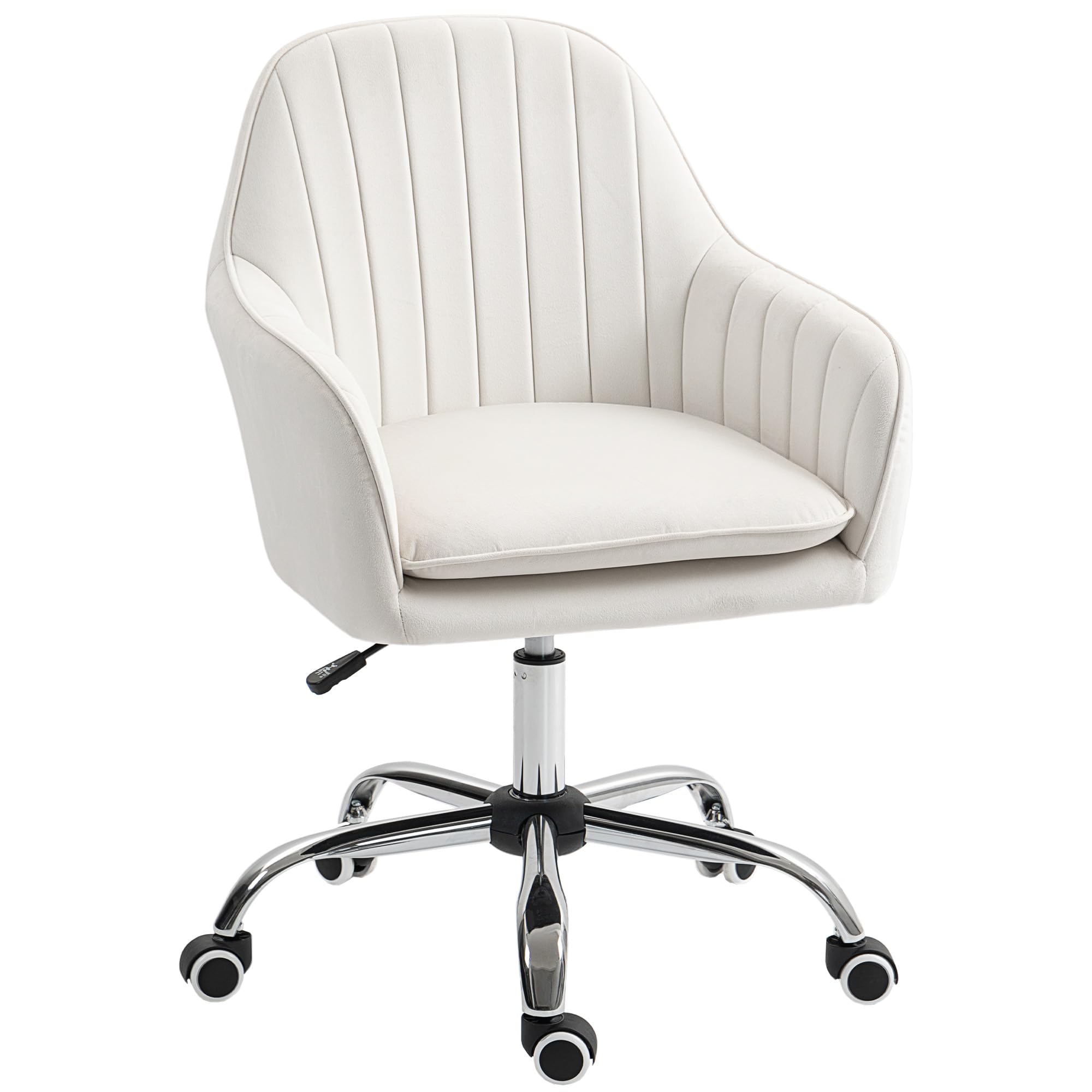
Image: The HOMCOM Swivel Velvet Fabric Office Chair in Cream White, showcasing its elegant design and soft upholstery.
Key Features:
- Soft, velvet-feel upholstery in a curved tub shape.
- Comfortable foam padding and a padded seat cushion for extended use.
- Adjustable height mechanism (84-97cm) to suit various desk levels.
- Five smooth-rolling wheels for easy mobility.
- High back and armrests for enhanced support.
- Maximum load capacity of 120 kg.
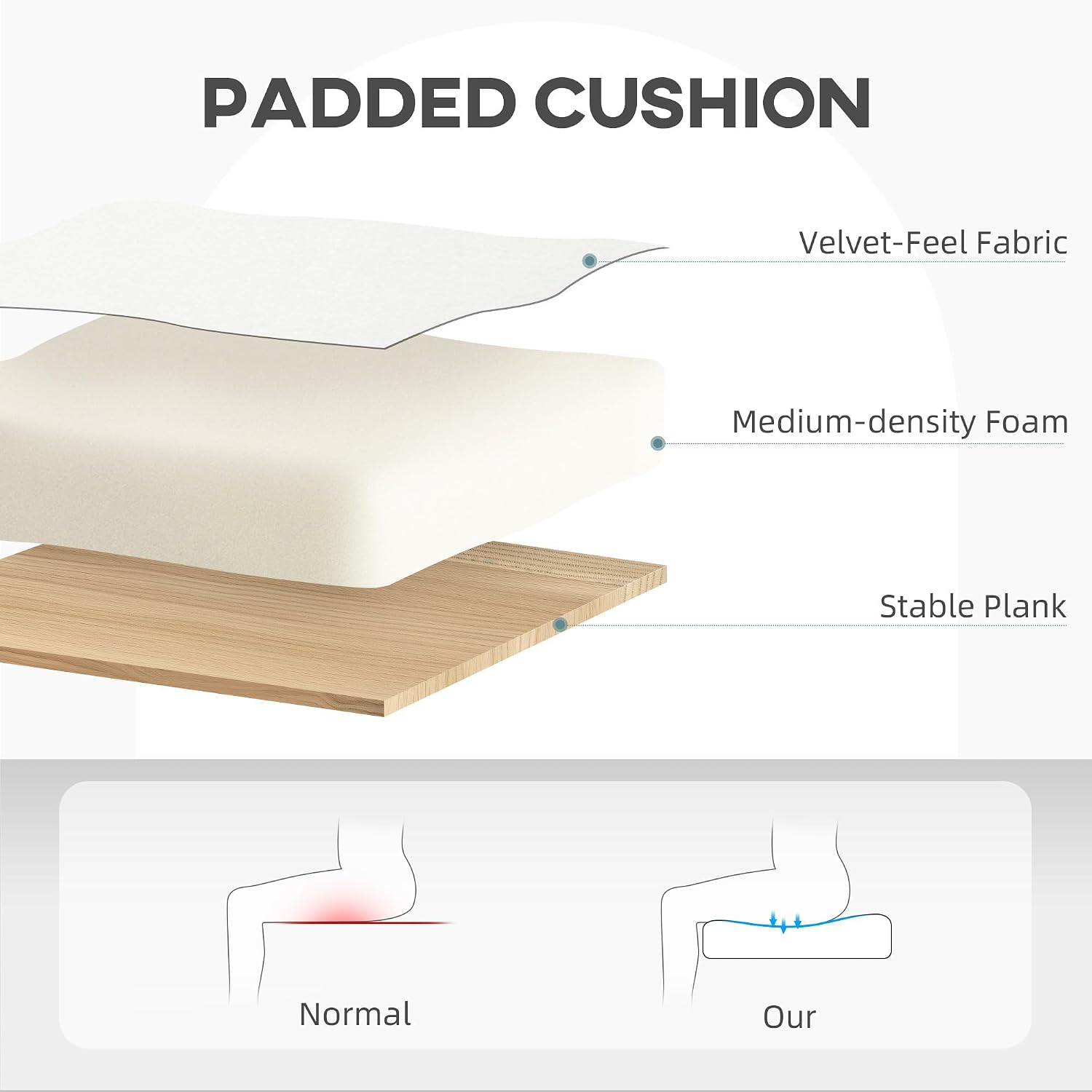
Image: A diagram showing the construction of the padded cushion, including velvet-feel fabric, medium-density foam, and a stable plank for comfort and support.
3. Assembly Instructions
Assembly is required for this chair. Please follow these steps carefully. It is recommended to assemble the chair on a soft, clean surface to prevent damage.
- Unpack Components: Carefully remove all parts from the packaging and lay them out on a clean, flat surface. Verify that all components listed in the parts list are present.
- Attach Wheels to Base: Insert the five wheels into the holes on the star base until they click securely into place.
- Insert Gas Lift: Place the gas lift cylinder into the center hole of the star base.
- Attach Seat Plate: Secure the seat plate mechanism to the underside of the seat cushion using the provided screws. Ensure the lever is facing the front of the seat.
- Connect Seat to Gas Lift: Carefully place the assembled seat onto the gas lift cylinder, ensuring it is centered and stable.

Image: Detailed view of the chair's swivel mechanism, gas lift, and stable five-star base with wheels, illustrating key components for assembly.
Once assembled, sit on the chair to ensure the gas lift is properly seated and all connections are firm.
4. Operating Instructions
4.1. Adjusting Seat Height
To adjust the seat height:
- To raise the seat: While seated, lift the lever located under the right side of the seat. The seat will rise automatically. Release the lever when the desired height is reached.
- To lower the seat: While seated, lift the lever located under the right side of the seat. Apply slight pressure to the seat. The seat will lower. Release the lever when the desired height is reached.
- To raise the seat without sitting: Lift the lever. The seat will rise to its maximum height.

Image: The adjustable height mechanism, highlighting the lever used to raise or lower the seat to a comfortable working position.
4.2. Swivel Function
The chair features a 360-degree swivel function, allowing for easy rotation without moving the base. Simply rotate the seat to your desired direction.
4.3. Mobility
The five smooth-rolling PU wheels allow for easy movement across various floor types, including wooden floors, carpets, and marble floors. The wheels are designed to be quiet and gentle on surfaces.

Image: Illustration of the chair's PU wheels, emphasizing their suitability for different floor surfaces and quiet operation.
5. Maintenance
Proper maintenance will extend the life of your HOMCOM office chair.
- Cleaning: Wipe clean with a damp cloth. For velvet fabric, use a soft brush or vacuum cleaner to remove dust and debris. Spot clean any spills immediately with a mild fabric cleaner, testing on an inconspicuous area first. Avoid harsh chemicals.
- Regular Checks: Periodically inspect all screws and bolts to ensure they are tight. Re-tighten if necessary to maintain stability and safety.
- Wheel Care: Keep the wheels free of hair and debris to ensure smooth rolling.
- Avoid Direct Sunlight: Prolonged exposure to direct sunlight can cause the fabric to fade.

Image: A close-up view of the chair's velvet-feel fabric, demonstrating its soft texture and highlighting the importance of gentle cleaning.
6. Troubleshooting
If you encounter any issues with your chair, refer to the following common problems and solutions:
- Chair does not adjust height:
- Ensure the gas lift lever is fully engaged.
- Check if the gas lift cylinder is properly inserted into the base and seat mechanism.
- Chair feels wobbly:
- Verify that all screws and bolts are securely tightened.
- Ensure the chair is on a flat and even surface.
- Wheels are not rolling smoothly:
- Check for any debris (hair, dust, etc.) caught in the wheels and remove them.
- Ensure the wheels are fully inserted into the star base.
If the problem persists, please contact customer support.
7. Specifications
Detailed specifications for the HOMCOM Office Chair (Model: 921-747V70CW):
| Feature | Detail |
|---|---|
| Brand | HOMCOM |
| Model Number | 921-747V70CW |
| Color | Cream White |
| Materials | Alloy Steel (Frame), Polyester (Seat Fabric), Foam (Filling) |
| Overall Dimensions (D x W x H) | 58D x 57W x 84-97H cm |
| Adjustable Height Range | 84-97 cm |
| Seat Height (Adjustable) | 49-57 cm |
| Seat Depth | 43 cm |
| Seat Width | 57 cm |
| Backrest Height (Inner) | 35 cm |
| Backrest Width | 52 cm |
| Armrest Height (from seat) | 13 cm |
| Item Weight | 8.8 Kilograms |
| Maximum Load Capacity | 120 Kilograms |
| Special Features | Adjustable Height, 360° Swivel, Rolling Wheels |
| Assembly Required | Yes |
| Recommended Use | Office, Home, Study |
| Care Instructions | Wipe Clean |
| Indoor/Outdoor Use | Indoor |
| Furniture Base Movement | Swivel |

Image: A diagram illustrating the key dimensions of the office chair, including height, width, and depth measurements.
8. Warranty and Support
For warranty information or technical support, please contact HOMCOM customer service. Keep your purchase receipt and model number (921-747V70CW) handy when contacting support.
You can typically find contact information on the manufacturer's website or through your retailer.
Online Resources: For additional support and FAQs, visit the official HOMCOM website: HOMCOM Official Website


