
JZAQ C50
JZAQ C50 Motorcycle Helmet Bluetooth Headset User Manual
Model: C50
1. Introduction
This manual provides detailed instructions for the installation, operation, and maintenance of your JZAQ C50 Motorcycle Helmet Bluetooth Headset. Please read this manual thoroughly before using the product to ensure proper function and safety. The JZAQ C50 is designed to provide high-quality audio for music, calls, and navigation while riding, featuring a durable, waterproof design and long battery life.

Image: The JZAQ C50 headset highlighting its key features such as 2-hour fast charging, navigation support, auto-answer, IPX7 waterproof rating, 1000mAh battery, and 120 hours playing time.
2. Package Contents
Verify that all items listed below are included in your package:
- JZAQ C50 Bluetooth Headset Unit
- Microphone and Speaker Set (HardWheat microphone for open-face helmets, SoftWheat microphone for full-face helmets)
- Clamp Base
- Paste Base (Adhesive Mount)
- Horn Velcro (Speaker Velcro Pads)
- TYPE-C Charging Cable
- Hard and Soft Velcro Pads
- User Manual (this document)

Image: A visual representation of the JZAQ C50 headset components, including the main unit, microphone, speakers, clamp base, paste base, Velcro pads, and charging cable.
3. Product Overview
The JZAQ C50 headset features a compact design with intuitive controls and integrated speakers and microphone for clear communication and audio playback. The main unit includes control buttons for power, volume, and mode selection, along with a distinctive LED lighting ring.
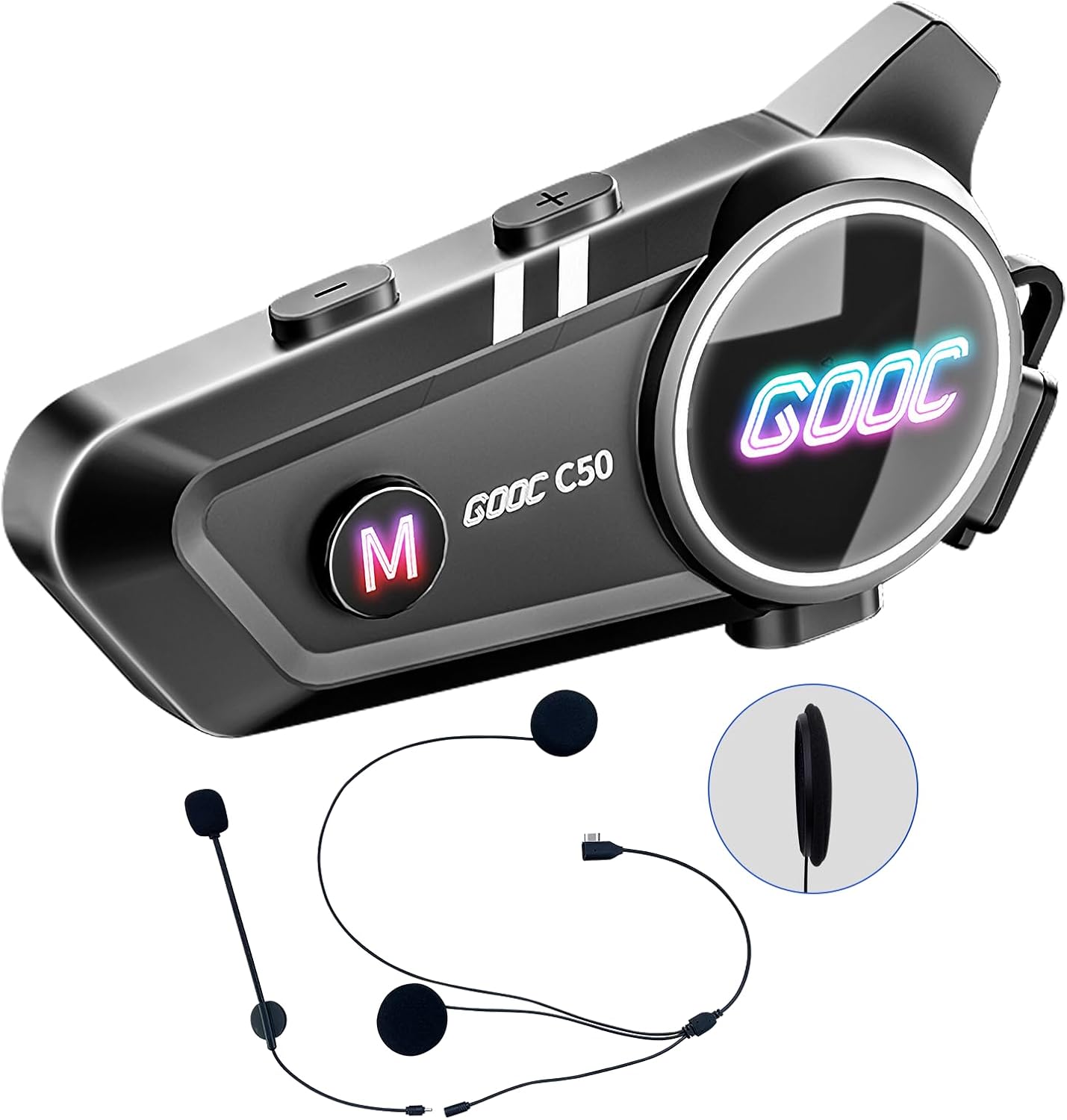
Image: The JZAQ C50 Bluetooth headset, showing the main control unit, wired speakers, and microphone. An inset shows the slim profile of the speaker.
4. Installation
The JZAQ C50 headset is designed for easy installation in most helmet types. There are two primary methods for attaching the main unit to your helmet: using the clamp base or the paste (adhesive) base.
4.1. Choosing an Installation Method
- Clamp Base: Recommended for helmets with an edge that allows the clamp to securely grip. Provides a strong, removable attachment.
- Paste Base (Adhesive Mount): Suitable for helmets without a suitable edge for clamping, or for a more permanent attachment. Ensure the surface is clean and dry before applying.
4.2. Speaker and Microphone Placement
- Identify suitable locations inside your helmet for the speakers. They should be positioned directly over your ears for optimal sound quality. Use the provided Velcro pads to secure them.
- Position the microphone. For full-face helmets, use the soft-wire microphone and place it near your mouth, ensuring it does not obstruct your vision or helmet closure. For open-face helmets, use the hard-boom microphone and position it similarly.
- Route the speaker and microphone wires neatly within the helmet padding to avoid discomfort or interference.

Image: An 8-step diagram illustrating the process of installing the speakers, microphone, and main unit of the JZAQ C50 headset into a motorcycle helmet.

Image: A collection of different helmet styles (full-face, modular, open-face), demonstrating that the JZAQ C50 headset is suitable for all helmet types.
5. Setup (Bluetooth Pairing)
To use your JZAQ C50 headset, you must first pair it with your Bluetooth-enabled device (e.g., smartphone, GPS).
- Ensure the headset is fully charged (refer to Section 7: Charging).
- Power on the headset by pressing and holding the Power button until the LED indicator flashes, indicating pairing mode.
- On your smartphone or other device, enable Bluetooth and search for available devices.
- Select "JZAQ C50" from the list of found devices.
- Once connected, the LED indicator on the headset will change, typically to a slow blue flash, confirming successful pairing.
- The headset will automatically reconnect to the last paired device when powered on, if the device's Bluetooth is active and within range.
6. Operating Instructions
6.1. Power On/Off
- Power On: Press and hold the Power button for approximately 3 seconds.
- Power Off: Press and hold the Power button for approximately 5 seconds.
6.2. Music Playback
- Play/Pause: Press the Multi-function button once.
- Next Track: Press the Volume Up (+) button for 2 seconds.
- Previous Track: Press the Volume Down (-) button for 2 seconds.
- Volume Adjustment: Short press the Volume Up (+) or Volume Down (-) buttons.

Image: The JZAQ C50 headset emitting sound waves, illustrating its high-definition sound quality and DSP noise reduction technology for clear music playback.
6.3. Phone Calls
- Automatic Answering: The headset will automatically answer incoming calls after a few rings. No button press is required.
- Manual Answer/End Call: Press the Multi-function button once.
- Reject Call: Press and hold the Multi-function button for 2 seconds.

Image: A motorcycle rider with the JZAQ C50 headset, showing a smartphone screen with an incoming call being automatically answered, emphasizing safety during riding.
6.4. Voice Assistant
- Activate Voice Assistant: Double-press the Multi-function button. This will activate your smartphone's voice assistant (e.g., Siri, Google Assistant).
- You can then use voice commands for navigation, music control, making calls, and more.
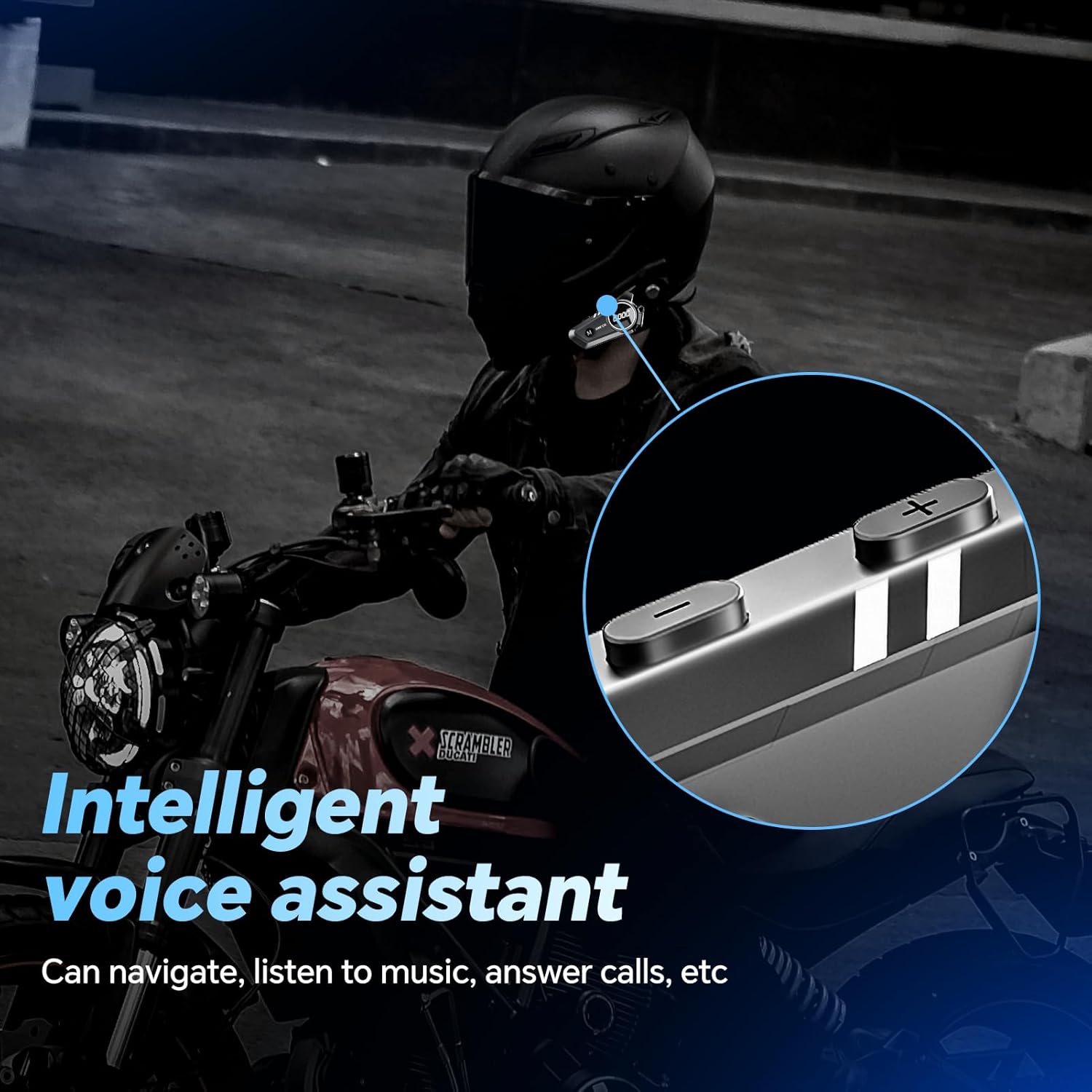
Image: A motorcycle rider interacting with the JZAQ C50 headset, illustrating the use of the intelligent voice assistant for navigation, music, and calls.
6.5. Lighting Effects
The JZAQ C50 features dazzling LED lighting effects. To cycle through or turn off the lighting effects, press the dedicated Light button (if available) or refer to the quick start guide for specific button combinations.
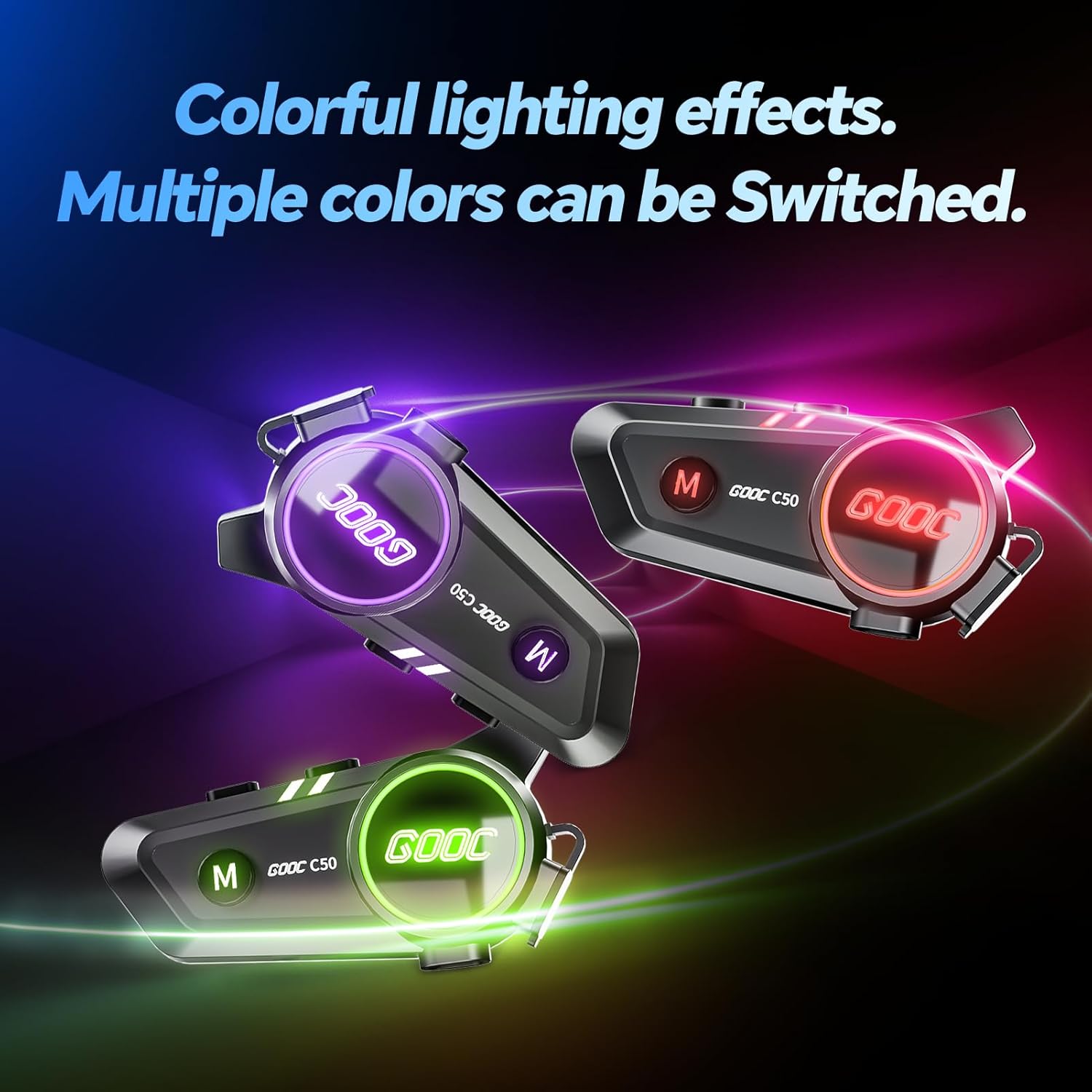
Image: Multiple JZAQ C50 headsets shown with different colored LED lighting effects, demonstrating the customizable visual feature.
7. Charging
The JZAQ C50 headset is equipped with a 1000mAh battery, providing extended usage time. It supports fast charging via a TYPE-C cable.
- Connect the provided TYPE-C charging cable to the charging port on the headset unit.
- Connect the other end of the cable to a USB power source (e.g., computer, wall adapter).
- The LED indicator will show charging status (e.g., red for charging, blue for fully charged).
- A full charge typically takes approximately 2 hours.
- A fully charged headset provides up to 120 hours of continuous music playback or call time, and up to 600 hours of standby time.
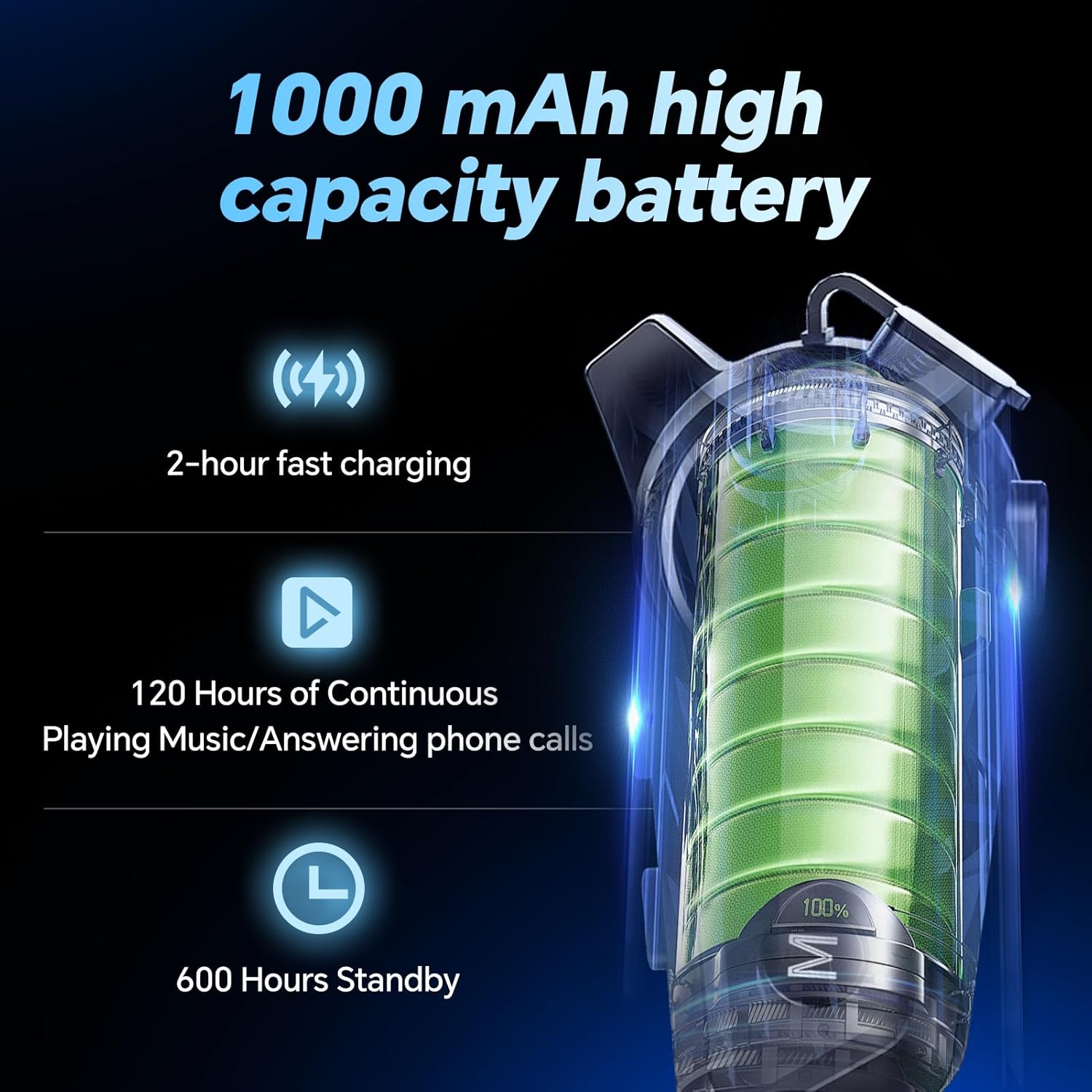
Image: A visual representation of the 1000mAh high-capacity battery, highlighting 2-hour fast charging, 120 hours of continuous use, and 600 hours of standby time.
8. Maintenance
8.1. Waterproof and Dustproof
The JZAQ C50 headset features IPX7 waterproof technology, protecting it from rain and snow. It is also dustproof. While designed for outdoor use, avoid submerging the device in water for extended periods.

Image: A motorcycle rider in rainy conditions, illustrating that the JZAQ C50 headset's IP67 deep waterproof technology ensures functionality even in wet weather.
8.2. Cleaning
Wipe the headset unit with a soft, damp cloth. Do not use harsh chemicals or abrasive cleaners. Ensure the charging port cover is securely closed to maintain water resistance.
8.3. Storage
Store the headset in a cool, dry place when not in use. Avoid extreme temperatures.
9. Troubleshooting
| Problem | Possible Cause | Solution |
|---|---|---|
| Headset does not power on. | Low battery. | Charge the headset for at least 2 hours. |
| Cannot pair with device. | Bluetooth not enabled on device; headset not in pairing mode; too many paired devices. | Ensure Bluetooth is on. Put headset in pairing mode. Clear previous pairings on your device or headset. |
| No sound or low volume. | Volume too low; speakers misplaced; poor connection. | Increase volume on headset and device. Adjust speaker position over ears. Re-pair the device. |
| Call quality is poor. | Microphone misplaced; environmental noise. | Adjust microphone closer to mouth. Ensure DSP noise cancelling is active. |
| Intermittent connection. | Device too far; interference. | Keep device within Bluetooth range (up to 20 meters). Avoid strong electromagnetic interference. |
10. Specifications
| Feature | Detail |
|---|---|
| Model Name | C50 |
| Brand | JZAQ |
| Connectivity Technology | Wireless (Bluetooth) |
| Bluetooth Version | 5.0 |
| Bluetooth Range | Up to 20 meters |
| Battery Capacity | 1000mAh |
| Charging Time | Approximately 2 hours |
| Battery Life (Continuous Play/Call) | Up to 120 hours |
| Standby Time | Up to 600 hours |
| Water Resistance Level | IPX7 Waterproof |
| Noise Control | DSP Noise Cancelling, Sound Isolation |
| Audio Driver Type | Dynamic Driver |
| Frequency Range | 20 Hz - 20,000 Hz |
| Compatible Devices | Smartphones, MP3 players, GPS devices |
| Special Features | Built-In Voice Assistant, Fast Charging, Lightweight, Automatic Call Answering, Dazzling Lighting Effects |
| Item Weight | 0.15 Kilograms (5.3 ounces) |
| Earpiece Shape | On Ear (Slim profile, 0.36 inches thickness) |
11. Warranty and Support
For warranty information and technical support, please refer to the contact details provided with your purchase documentation or visit the official JZAQ website. Keep your proof of purchase for warranty claims.
Ask a question about this manual
Ask about setup, troubleshooting, compatibility, parts, safety, or missing instructions. Manuals+ will review the question and use this page’s manual context to help answer it.