
1. Introduction
Thank you for choosing the innioasis Y1 Bluetooth MP3 Player. This device is designed to provide a versatile and high-quality portable audio and video experience. It features extensive music format compatibility, a powerful music management application, audiobook playback, video support, FM radio with recording capabilities, Bluetooth 4.2 for stable connections, and a long-lasting battery. This manual will guide you through the setup, operation, and maintenance of your new device.
2. Product Overview
The innioasis Y1 MP3 Player combines classic design with modern functionality. Its intuitive click wheel control allows for easy navigation through menus and options.
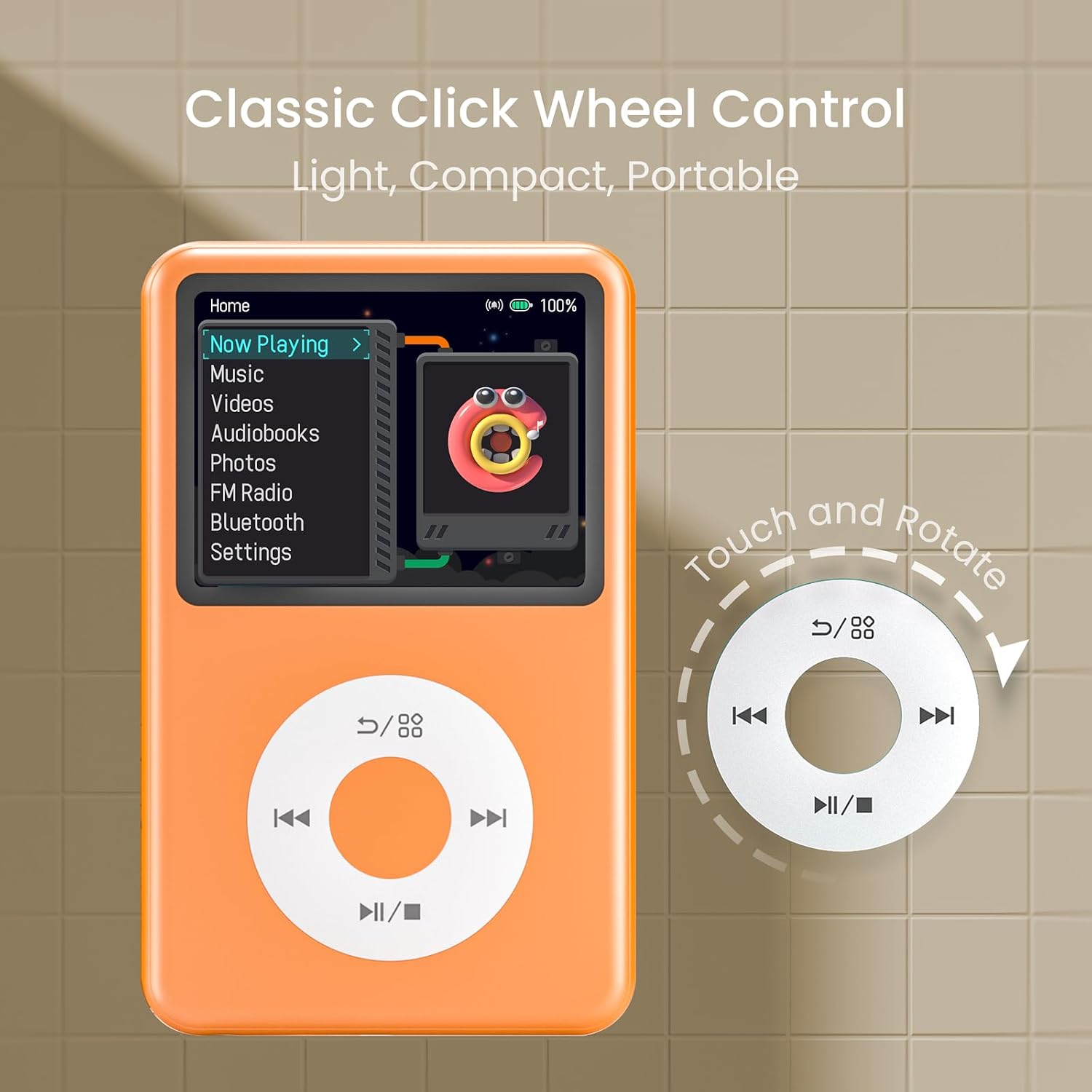
Figure 2.1: The innioasis Y1 MP3 Player featuring its classic click wheel for navigation.
The device is compact and portable, making it suitable for various activities. It supports a wide range of audio and video formats, ensuring compatibility with your media library.
3. Setup
3.1 Charging the Device
Before first use, fully charge the innioasis Y1. Connect the provided USB charging cable to the device's charging port and to a USB power adapter (not included) or a computer's USB port. The battery indicator on the screen will show charging status.
3.2 Transferring Files
To transfer music, videos, or photos to your Y1 player:
- Connect the Y1 player to your computer using the USB cable.
- The device will appear as a removable disk drive on your computer.
- Drag and drop your desired files (music, videos, photos) into the appropriate folders on the Y1 player (e.g., 'Music', 'Videos', 'Pictures').
- Safely eject the device from your computer before disconnecting the USB cable.
3.3 Initial Power On
Press and hold the power button until the screen illuminates. Follow any on-screen prompts for initial setup, such as language selection.
4. Operating Instructions
4.1 Basic Navigation
The Y1 player uses a classic click wheel for menu navigation. Rotate the wheel to scroll through options and press the center button to select. The outer buttons typically control playback (play/pause, skip) and menu functions.
4.2 Music Playback
The Y1 supports a wide range of audio formats, including MP3, WAV, FLAC, APE, OGG, M4A, AAC, WMA, MP2, AMR, MID, M4R, MMF, WV, AIFF, AU, RA, MKA, AC3, and CAF, providing HiFi sound quality.

Figure 4.1: The Y1 player supports 21 different music formats.
- Accessing Music: From the main menu, select 'Music'. You can browse by Artist, Album, Genre, or create custom playlists.
- Playback Controls: Use the click wheel buttons for Play/Pause, Next Track, Previous Track.
- Equalizer (EQ): Customize your audio experience by selecting from preset EQ modes or creating a custom equalizer setting.

Figure 4.2: Enjoy HiFi sound with customizable equalizer settings.
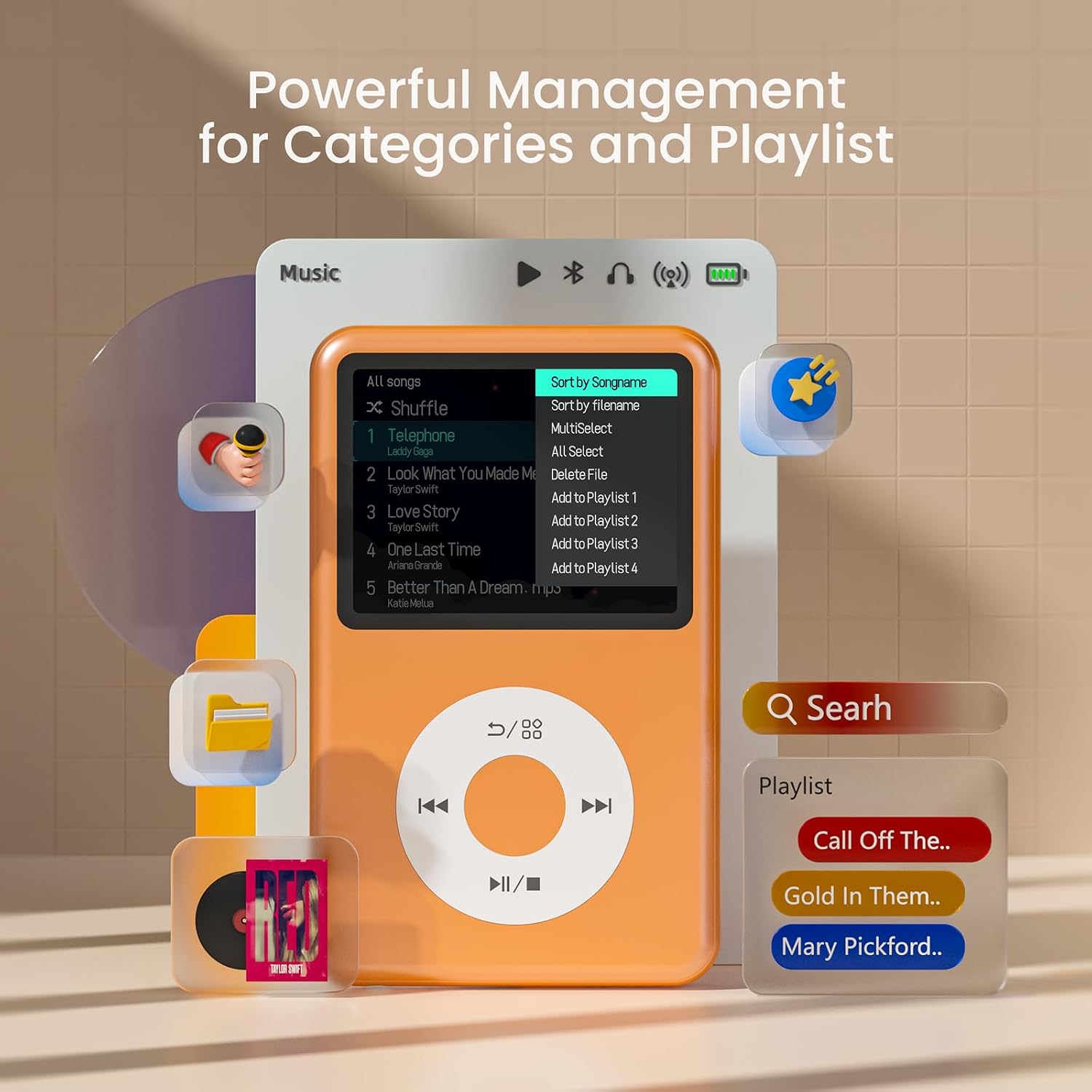
Figure 4.3: The music application allows for powerful management of categories and playlists.
4.3 Video Playback
The Y1 supports video playback. For optimal performance, videos up to 720p resolution are recommended. Higher resolutions may result in audio/video synchronization issues. The device offers up to 4 hours of continuous 720p video playback at 50% brightness with wired headphones.
- Accessing Videos: Select 'Videos' from the main menu.
- Playback: Choose a video file to begin playback.
4.4 Audiobook Player
The Y1 functions as an audiobook player with features designed for an enhanced listening experience.
- A-B Repeat: Set start and end points for repeating specific sections.
- Bookmarks: Save your progress in audiobooks to easily resume listening later.
- Playback Speed: Adjust the playback speed to your preference.
4.5 FM Radio
The integrated FM radio allows you to listen to your favorite stations and record programs.
- Accessing FM Radio: Select 'FM Radio' from the main menu.
- Tuning: Use the navigation controls to scan for stations.
- Recording: The FM radio application allows you to record live broadcasts.
- Audio Output: You can switch the audio output to Bluetooth headphones/speakers or the built-in speaker.
4.6 Bluetooth Pairing
The Y1 player features Bluetooth 4.2 for fast and stable connections with compatible devices such as headphones, speakers, and car stereo systems.

Figure 4.4: Bluetooth connectivity for various audio devices.
- Enable Bluetooth: From the main menu, navigate to 'Bluetooth' and turn it 'On'.
- Pairing Mode: Ensure your Bluetooth headphones or speaker are in pairing mode.
- Scan for Devices: The Y1 player will scan for available Bluetooth devices.
- Connect: Select your device from the list to establish a connection.
4.7 Photo Viewer
The device includes a simple photo viewer. You can view images and set them as desktop or global wallpapers to personalize your player.
- Accessing Photos: Select 'Photos' from the main menu.
- Viewing: Browse through your image files.
- Set Wallpaper: Select an image and choose the option to set it as wallpaper.
5. Maintenance
5.1 Cleaning
Wipe the device with a soft, dry cloth. Avoid using liquid cleaners or abrasive materials, as they may damage the screen or casing.
5.2 Battery Care
The Y1 player has a built-in 1250 mAh lithium battery, offering 25-35 hours of continuous music playback or 4 hours of video playback. To prolong battery life:
- Avoid extreme temperatures.
- Do not leave the device fully discharged for extended periods.
- Charge the device regularly, but avoid overcharging.

Figure 5.1: The Y1 player offers extended battery life for music and video playback.
5.3 Software Updates
Periodically check the manufacturer's website for any available firmware updates to ensure optimal performance and access to new features.
6. Troubleshooting
- Device does not turn on: Ensure the battery is charged. Connect the device to a power source and try again. If unresponsive, perform a hard reset (refer to the device's specific reset procedure if available, usually a long press of the power button).
- No sound: Check the volume level. Ensure headphones are properly connected or Bluetooth is paired correctly. Verify that the audio file is not corrupted.
- Bluetooth connection issues: Ensure Bluetooth is enabled on both the Y1 player and the target device. Place devices close to each other. Disconnect and re-pair if necessary.
- Files not appearing: Ensure files are transferred to the correct folders on the device. Verify file formats are supported.
- Video playback issues: Ensure video resolution is 720p or lower for best performance. Convert higher resolution videos if necessary.
7. Specifications
| Feature | Specification |
|---|---|
| Brand | innioasis |
| Model Name | Y1 |
| Storage Capacity | 128 GB |
| Connectivity Technology | Bluetooth, FM Radio |
| Bluetooth Version | 4.2 |
| Screen Size | 2.4 Inches |
| Display Technology | LCD |
| Supported Audio Formats | MP3, WAV, FLAC, APE, OGG, M4A, AAC, WMA, MP2, AMR, MID, M4R, MMF, WV, AIFF, AU, RA, MKA, AC3, CAF |
| Video Playback | Up to 720p recommended |
| Battery Life (Music) | 25-35 Hours |
| Battery Life (Video) | 4 Hours (at 50% brightness, wired headphones) |
| Battery Capacity | 1250 mAh |
| Special Features | Bluetooth, Hi-Res Audio, Equalizer, Video Playback, FM Radio, Audiobook Player, Photo Viewer |
| Included Components | USB Charging Cable, User Manual |
8. Warranty and Support
8.1 Manufacturer's Warranty
The innioasis Y1 Bluetooth MP3 Player comes with a 1-year manufacturer's warranty. This warranty covers defects in materials and workmanship under normal use. Please retain your proof of purchase for warranty claims.
8.2 Customer Support
For technical assistance, troubleshooting, or warranty inquiries, please refer to the contact information provided with your purchase or visit the official innioasis website for support resources.


