
Black Shark BS-X7
Black Shark JoyBuds Max User Manual
Model: BS-X7
Product Overview
The Black Shark JoyBuds Max are over-ear wireless headphones designed for an immersive audio experience with advanced features such as Active Noise Cancellation (ANC), Transparency Mode, and a dedicated low-latency Game Mode. These headphones offer extended battery life, comfortable fit, and versatile connectivity options for various devices.
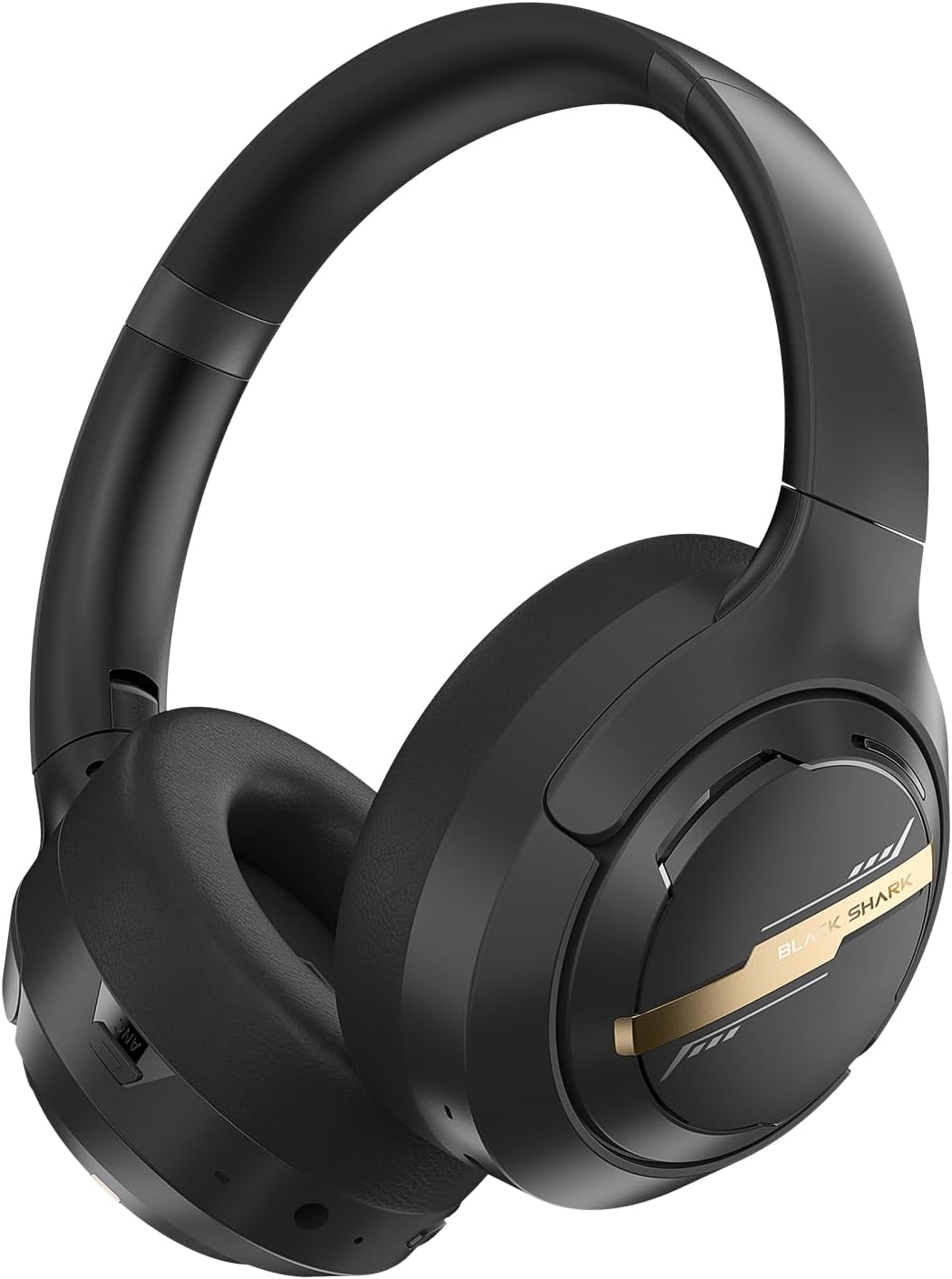
Image: Black Shark JoyBuds Max headphones in black, showcasing their sleek design and over-ear form factor.
What's in the Box
Please check the contents of your package to ensure all items are present:
- Black Shark JoyBuds Max Headphones (Model BS-X7) x1
- 3.5mm Audio AUX Cable x1
- Type-C Charging Cable x1
- User Manual x1

Image: A visual representation of the Black Shark JoyBuds Max package contents, including the headphones, audio cable, charging cable, and user manual.
Product Features and Components
Familiarize yourself with the key features and physical components of your Black Shark JoyBuds Max headphones.

Image: Detailed diagram showing the location of controls and ports on the Black Shark JoyBuds Max, including the ANC button, microphone, 3.5mm AUX port, On/Off button, volume controls, Type-C connector, and LED indicator.
- ANC Button: Used to switch between Noise Reduction, Normal, and Transparency modes.
- Microphone: Integrated for calls and voice commands.
- 3.5mm AUX Port: For wired audio connection.
- On/Off Button: Long press to power on/off. Double-click to switch between Game Mode and Music Mode.
- Volume Controls: Adjust audio output level.
- Type-C Charging Port: For charging the headphones.
- LED Indicator: Displays charging status (red light while charging, off when full).
Setup
Charging the Headphones
Before first use, fully charge your Black Shark JoyBuds Max headphones. Use the provided Type-C charging cable.
- Connect the Type-C end of the charging cable to the charging port on the headphones.
- Connect the USB-A end of the charging cable to a compatible USB power adapter (not included) or a computer's USB port.
- The LED indicator will show a red light while charging. It will turn off when the headphones are fully charged.
A full charge takes approximately 2 hours. For quick power, a 10-minute charge provides up to 4 hours of listening time.

Image: Close-up view of the Type-C charging port on the Black Shark JoyBuds Max headphones, with a charging cable connected.
Bluetooth Pairing
To connect your headphones wirelessly to a device:
- Ensure the headphones are charged.
- Long press the On/Off button for 3 seconds until you hear the "BlackShark Anime-inspired Alert Sound" indicating the headphones are powered on and in pairing mode.
- On your device (smartphone, tablet, laptop), enable Bluetooth and search for available devices.
- Select "JoyBuds Max" from the list of found devices to connect.
- Once connected, you will hear a confirmation sound.
The headphones support Bluetooth 5.4 for a faster and more stable connection up to 50 feet. They also support multi-point connection, allowing two smart devices to connect simultaneously.

Image: Diagram illustrating the Bluetooth 5.4 chip, highlighting its role in providing a fast and stable wireless connection.

Image: An illustration demonstrating the multi-point connection feature, showing the headphones connected to both a tablet and a smartphone simultaneously.
Wired Connection
For a wired connection, use the provided 3.5mm audio AUX cable:
- Plug one end of the 3.5mm audio cable into the AUX port on the headphones.
- Plug the other end into the 3.5mm audio jack of your device.

Image: Comparison showing the flexibility of using the headphones either with a 3.5mm wired connection or wirelessly via Bluetooth 5.4.
Operating Instructions
Power On/Off
- To power on or off, long press the On/Off button. You will hear the "BlackShark Anime-inspired Alert Sound" upon activation or deactivation.
- Recommendation: It is recommended to turn down the volume before turning on the headset.
Switching Modes (ANC, Normal, Transparency)
The Black Shark JoyBuds Max features Active Noise Cancellation (ANC) and Transparency Mode to adapt to your environment.
- Click the ANC button to cycle through the following modes:
- Noise Reduction Mode (ANC On): Reduces ambient noise by up to 40dB, ideal for quiet listening.
- Normal Mode: Standard audio playback without noise cancellation or transparency.
- Transparency Mode: Allows environmental sounds to mix with your audio, keeping you aware of your surroundings.

Image: A user enjoying music with Active Noise Cancellation enabled, illustrating the feature's ability to eliminate outside noise.

Image: A user wearing the headphones in Transparency Mode, allowing them to hear their surroundings while listening to audio.

Image: Visual representation of different usage scenarios for Active Noise Cancellation, Game Mode, and Transparency Mode.
Game Mode / Music Mode
Optimize your audio experience for gaming or music listening:
- Double-click the On/Off button to switch between:
- Game Mode: Provides ultra-low latency (60ms) for synchronized audio and video, ideal for gaming and video calls.
- Music Mode: Optimized for general audio playback.

Image: A person playing a video game with the headphones, highlighting the 50ms ultra-low latency Game Mode for improved audio-video synchronization.
EQ Modes (via App)
The Black Shark JoyBuds Max features 6 EQ modes that can be accessed and switched via the dedicated Black Shark app. This allows you to customize the sound profile to your preference, whether you enjoy rock, jazz, pop, classical, or country music.
Note: The availability and functionality of the app may vary. Please refer to the official Black Shark website or app store for download and compatibility information.
Comfort and Design
The Black Shark JoyBuds Max are designed for extended wear and portability.
- All-Day Comfort: Lightweight adjustable headband and soft rotating earpads ensure comfortable use for prolonged periods.
- Foldable Design: The headphones can be folded for easy packing and storage, making them ideal for commuting or travel.
- 90° Rotatable Earcups: Provides flexibility for storage and wearing comfort.

Image: A person wearing the Black Shark JoyBuds Max on an airplane, demonstrating the comfort, adjustability, foldable design, and 90-degree rotatable earcups.

Image: Close-up of the earcup highlighting multi-angle rotation, breathable mesh, and memory foam cushions with soft protein leather cover for all-day comfort.

Image: The Black Shark JoyBuds Max headphones shown in their folded configuration, demonstrating their compact design for portability.
Maintenance
Proper maintenance ensures the longevity and optimal performance of your headphones.
- Cleaning: Use a soft, dry cloth to clean the exterior of the headphones. Do not use abrasive cleaners or solvents. For earcups, gently wipe with a damp cloth and allow to air dry completely before use.
- Storage: When not in use, store the headphones in a cool, dry place, away from direct sunlight and extreme temperatures. Utilize the foldable design for compact storage.
- Water Resistance: These headphones are not water resistant. Avoid exposure to liquids, moisture, and high humidity.
- Battery Care: To preserve battery life, avoid fully discharging the headphones frequently. Charge them regularly, even if not in constant use.
Troubleshooting
If you encounter issues with your Black Shark JoyBuds Max, refer to the following common solutions:
| Problem | Possible Cause | Solution |
|---|---|---|
| Headphones do not power on. | Low battery. | Charge the headphones fully using the provided Type-C cable. |
| Cannot pair via Bluetooth. | Headphones not in pairing mode; device Bluetooth off; too far from device. | Ensure headphones are powered on and in pairing mode (long press On/Off button). Turn Bluetooth off and on again on your device. Move headphones closer to the device (within 50 feet). |
| No sound or low volume. | Volume too low on headphones or device; incorrect audio source selected; wired cable not fully inserted. | Increase volume on both headphones and connected device. Ensure the correct audio output is selected on your device. For wired connection, ensure the 3.5mm cable is fully inserted into both ports. |
| ANC not working effectively. | Incorrect mode selected; environmental noise type. | Press the ANC button to cycle to "Noise Reduction Mode". ANC is most effective against low-frequency, constant noise. |
| Audio delay in Game Mode. | Not in Game Mode; interference. | Double-click the On/Off button to ensure Game Mode is active. Minimize other wireless devices nearby that might cause interference. |
Specifications
| Feature | Detail |
|---|---|
| Model Name | Goblin-X7 (BS-X7) |
| Noise Control | Active Noise Cancellation (ANC) |
| Connectivity Technology | Wireless (Bluetooth 5.4), Wired (3.5mm Jack) |
| Bluetooth Range | Up to 15 meters (50 feet) |
| Audio Driver Type | Dynamic Driver |
| Audio Driver Size | 40 Millimeters |
| Frequency Range | 20 Hz to 20,000 Hz |
| Impedance | 32 Ohm |
| Battery Life | Up to 110 hours (ANC off), Up to 50 hours (ANC on, 50% volume) |
| Charging Time | Approx. 2 hours (10 mins charge for 4 hours playback) |
| Charging Port | Type-C |
| Audio Latency | 60 Milliseconds (Game Mode) |
| Control Type | App Control, Button |
| Material | Faux Leather, Metal, Plastic |
| Item Weight | 0.42 Kilograms (14.8 ounces) |
| Water Resistance Level | Not Water Resistant |
| Special Features | Adjustable Headband, Foldable, Noise Cancellation, Multi-point Connection |
Warranty and Support
Information regarding product warranty and customer support was not available in the provided product data. For the most up-to-date warranty details and support options, please refer to the official Black Shark website or contact their customer service directly.
You may also find additional resources and FAQs on the Black Shark Store on Amazon.
Important Safety Information
Please read and follow these safety guidelines to prevent damage to your device or injury to yourself:
- Do not expose the headphones to extreme temperatures, direct sunlight, or high humidity.
- Avoid dropping or subjecting the headphones to strong impacts.
- Do not disassemble, repair, or modify the headphones yourself. Contact qualified service personnel for any repairs.
- Keep the headphones away from children and pets.
- Do not use the headphones while driving, cycling, or in situations where you need to hear your surroundings.
- Prolonged exposure to high volume levels may cause hearing damage. Adjust the volume to a safe level.