1. Product Overview
The BestGlory Gaming Chair Model 025 is designed to provide comfort and ergonomic support for extended periods of gaming or office work. This manual provides instructions for assembly, operation, maintenance, and troubleshooting to ensure optimal use of your chair.
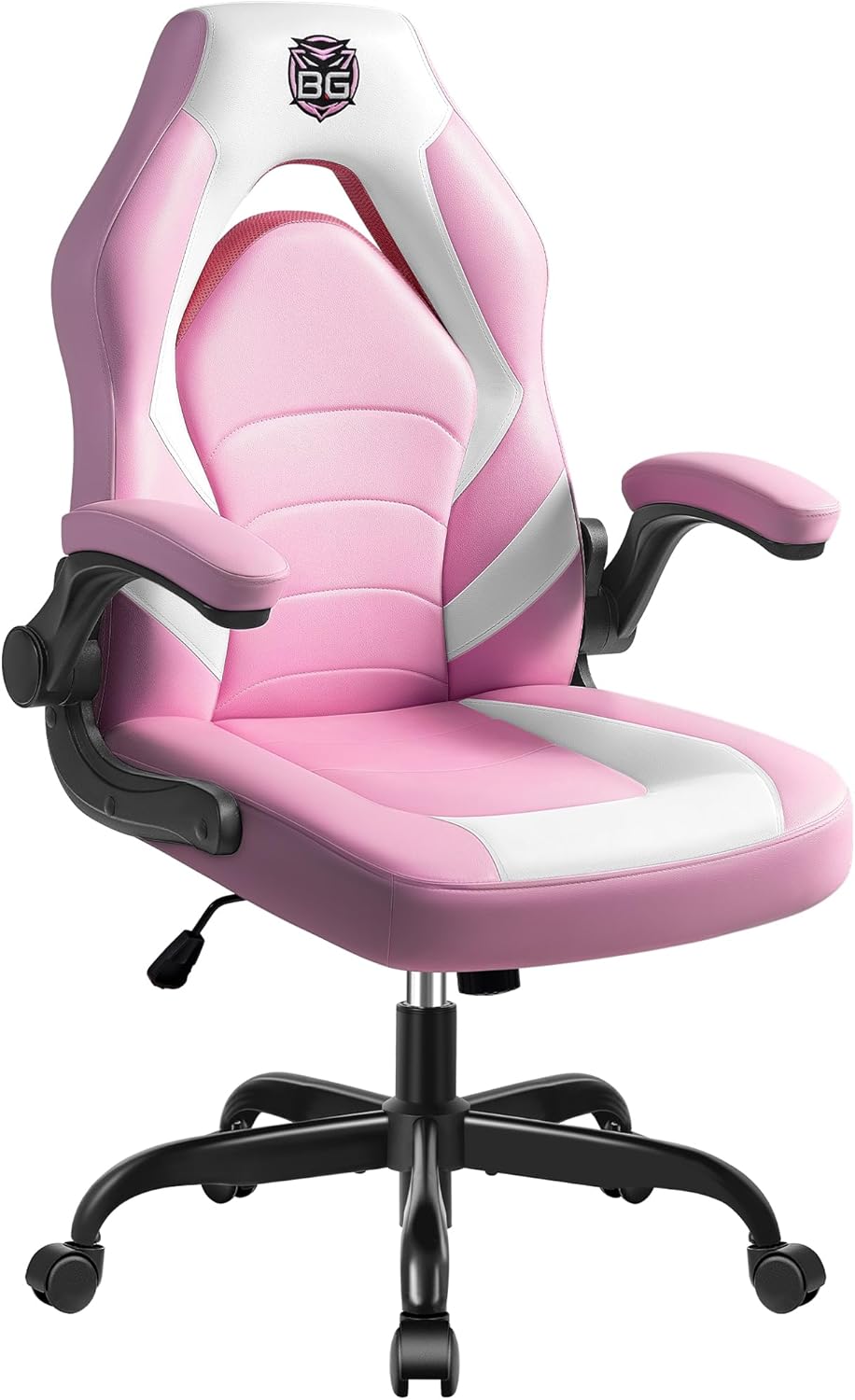
Image 1.1: Front view of the BestGlory Gaming Chair Model 025 in Pink. The chair features a high back, padded seat, and flip-up armrests.
2. Safety Information
- Ensure all components are securely fastened before use.
- Do not stand on the chair.
- Do not use the chair if any parts are damaged or missing.
- Keep children away from moving parts during assembly and adjustment.
- Maximum weight capacity: 300 pounds (136 kg).

Image 2.1: Illustration indicating a maximum weight capacity of 300 pounds for the chair's base.
3. Package Contents
Before assembly, verify that all parts are present and undamaged. If any parts are missing or damaged, please contact customer support.
- Backrest
- Seat Cushion
- Armrests (2)
- Gas Lift Cylinder
- Star Base
- Casters (5)
- Mechanism Plate
- Hardware Kit (screws, washers, Allen wrench)
4. Assembly Instructions
Follow these steps carefully to assemble your BestGlory Gaming Chair. It is recommended to assemble the chair on a soft, clean surface to prevent damage.
- Attach Casters to Base: Insert the five casters into the holes at the end of each leg of the star base until they click securely into place.
- Install Gas Lift: Place the gas lift cylinder into the center hole of the star base. Ensure it is seated firmly.
- Attach Mechanism Plate to Seat: Align the mechanism plate with the pre-drilled holes on the underside of the seat cushion. Secure it using the provided screws and Allen wrench. Ensure the front of the mechanism plate faces the front of the seat.
- Attach Armrests to Seat: Secure the armrests to the sides of the seat cushion using the designated screws. Do not overtighten initially.
- Attach Backrest to Seat and Armrests: Align the backrest with the seat and armrests. Secure the backrest to the seat and armrests using the remaining screws. Once all screws are in place, tighten all screws firmly.
- Connect Seat Assembly to Gas Lift: Carefully place the assembled seat and backrest onto the gas lift cylinder, ensuring the center hole of the mechanism plate aligns with the top of the gas lift. Press down firmly to secure.

Image 4.1: Visual representation of the chair's rocking function (90-135 degrees), angle adjustment, and height adjustment levers. Also shows 360-degree smooth casters.

Image 4.2: Detail of the 360-degree rotating casters for smooth movement.

Image 4.3: The SGS certified gas lift cylinder, responsible for height adjustment.
5. Operating Instructions
Your BestGlory Gaming Chair offers several adjustable features to customize your seating experience.
5.1. Height Adjustment
To adjust the chair's height:
- To raise: While seated, lift the lever located on the right side of the seat. The chair will rise. Release the lever at the desired height.
- To lower: While seated, lift the lever located on the right side of the seat. The chair will lower. Release the lever at the desired height.
5.2. Rocking Function and Backrest Angle
The chair features a rocking function and adjustable backrest angle:
- To enable rocking: Pull out the lever located on the right side of the seat (the same lever used for height adjustment). The chair will now allow for a rocking motion between 90 and 135 degrees.
- To lock rocking: Push in the lever located on the right side of the seat. The chair will lock in its upright position.
- To adjust backrest angle: The rocking function allows for angle adjustment within the 90-135 degree range. Use the rocking function to find your preferred angle.
5.3. Flip-Up Armrests
The armrests can be flipped up for convenience:
- Simply lift the armrests upwards until they lock into the vertical position.
- To return them to the horizontal position, gently pull them down.
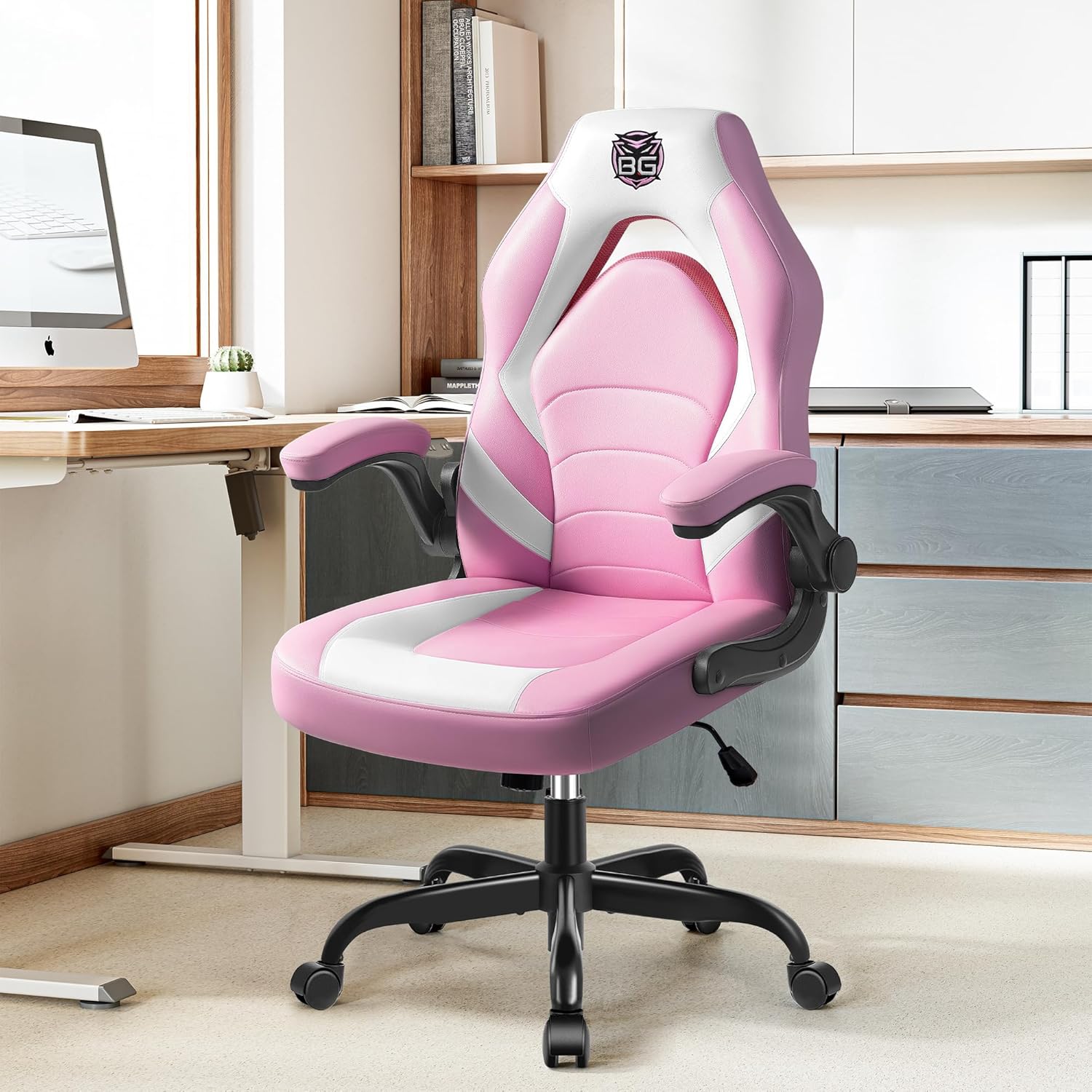
Image 5.1: The BestGlory Gaming Chair in an office environment, demonstrating the flip-up armrests in their lowered position.
6. Maintenance and Care
Proper maintenance will extend the life and appearance of your BestGlory Gaming Chair.
- Cleaning: Wipe clean with a damp cloth. Avoid harsh chemicals or abrasive cleaners, as these can damage the leather material.
- Regular Checks: Periodically check all screws and bolts to ensure they are tight. Retighten if necessary.
- Caster Care: Keep casters free of hair and debris to ensure smooth rolling.
- Avoid Direct Sunlight: Prolonged exposure to direct sunlight can cause the material to fade or crack.
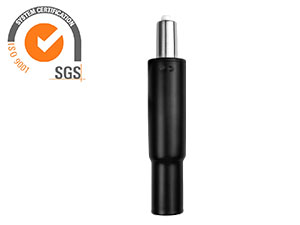
Image 6.1: Close-up of the chair's material, highlighting its easy-to-clean property.
7. Troubleshooting
If you encounter any issues with your chair, refer to the following common problems and solutions:
| Problem | Possible Cause | Solution |
|---|---|---|
| Chair is wobbly or unstable. | Loose screws or uneven assembly. | Check and tighten all assembly screws. Ensure the chair is on a flat surface. |
| Chair does not adjust height. | Gas lift malfunction or lever not engaged. | Ensure the height adjustment lever is fully engaged. If the issue persists, the gas lift may need replacement. Contact customer support. |
| Chair squeaks during movement. | Loose connections or friction between parts. | Tighten all screws. Apply a small amount of silicone lubricant to moving parts if necessary. |
| Casters do not roll smoothly. | Debris caught in casters. | Remove any hair, dust, or debris from the caster wheels. |
8. Specifications
| Feature | Detail |
|---|---|
| Brand | BestGlory |
| Model Name | Gaming Chair (Model 025) |
| Color | Pink |
| Product Dimensions | 25"D x 25"W x 40"H |
| Maximum Weight Recommendation | 300 Pounds |
| Back Style | Open Back |
| Special Features | Adjustable Backrest, Adjustable Height, Arm Rest (Flip-Up), Back Support, Ergonomic |
| Product Care Instructions | Wipe Clean |
| Recommended Uses | Computer, Gaming, Office, Relaxing, Video Game |
| Fill Material | Sponge |
| Item Weight | 28 pounds |
| UPC | 679065056910 |
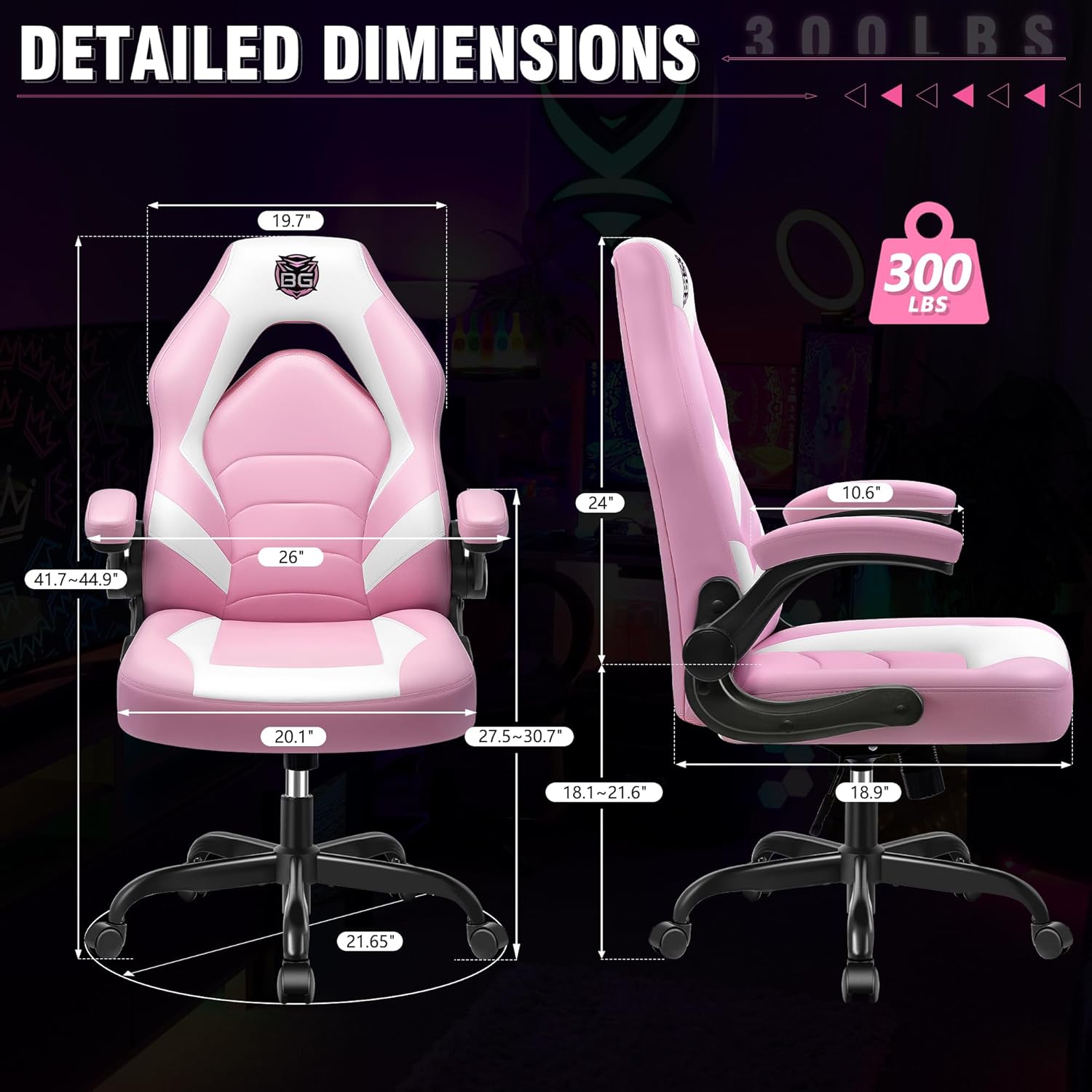
Image 8.1: Diagram showing detailed dimensions of the chair, including seat width, backrest height, and overall height adjustment range.

Image 8.2: Illustration detailing the ergonomic design, including padded neck support, supportive back design, and lumbar support, with examples of correct and incorrect sitting postures.

Image 8.3: Diagram illustrating the five-layer cushion design, emphasizing breathability, easy cleaning, high resilience, and resistance to deformation, with individual spring packs and high-quality sponge shown.
9. Warranty and Support
BestGlory is committed to providing quality products and customer satisfaction. For any inquiries, support, or warranty claims, please contact us using the information below.

Image 9.1: Contact details for BestGlory Professional Service, including email and phone number.
- Email: cs@bestglorys.com
- Phone: +1 (970) 866-1010
- Online Support: For assistance with Amazon orders, log in to your Amazon account, navigate to "Your Orders," find the relevant order, and click "Contact Seller."


