
1. Introduction
This manual provides essential information for the safe and efficient use of your Power Queen Bluetooth 12V 100Ah LiFePO4 Battery and 14.6V10A LiFePO4 Battery Charger. Please read this manual thoroughly before installation and operation. Keep it for future reference.
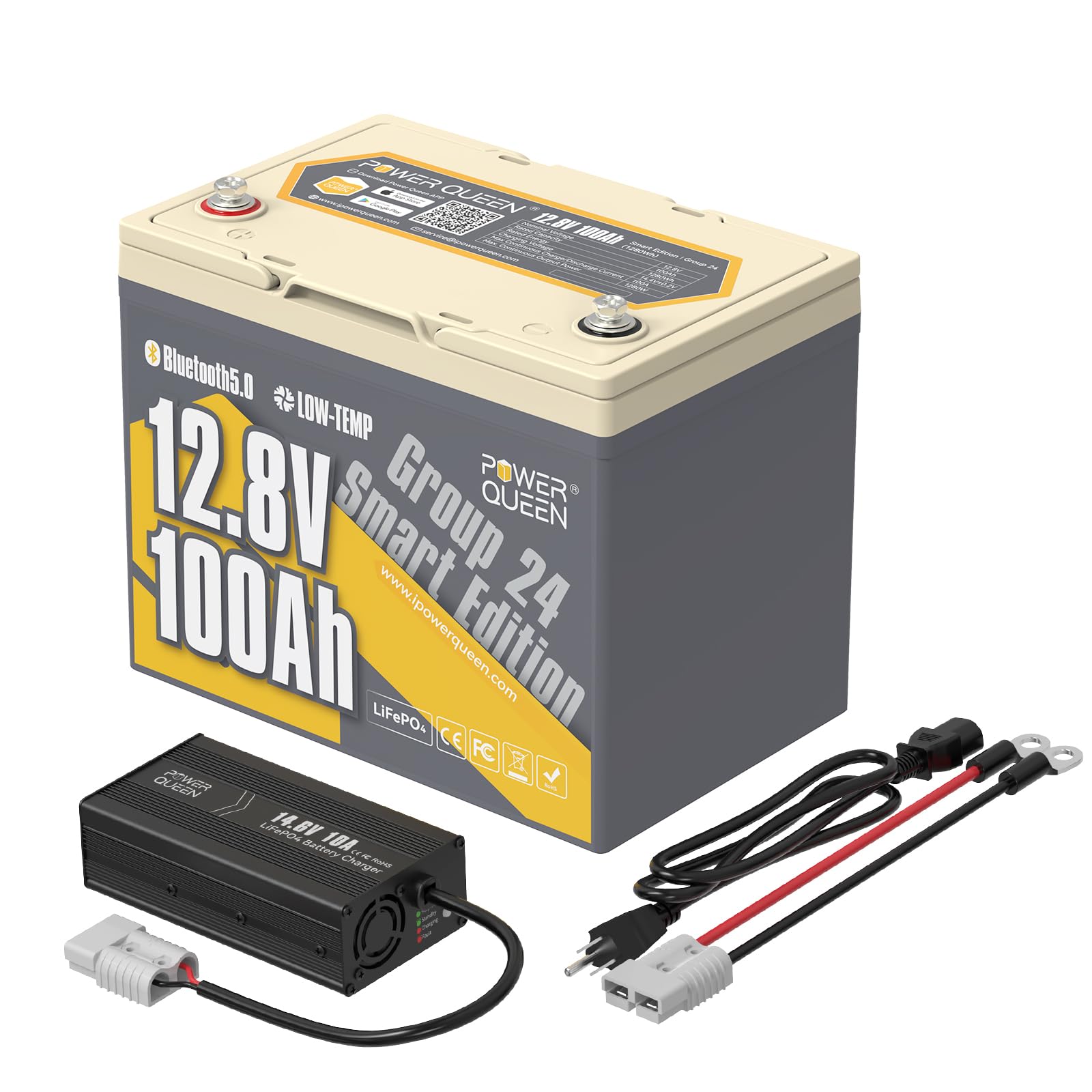
Image 1: Power Queen Bluetooth 12V 100Ah LiFePO4 Battery and 14.6V10A Charger.
2. Safety Information
Always exercise caution when working with batteries. Improper handling can lead to serious injury or damage to equipment. Observe the following safety guidelines:
- Wear appropriate personal protective equipment, including safety glasses and insulated gloves.
- Do not short-circuit the battery terminals. This can cause severe damage to the battery and pose a fire hazard.
- Ensure all connections are tight and secure to prevent loose connections and arcing.
- Do not expose the battery to fire or extreme heat.
- Do not disassemble, puncture, or modify the battery.
- Charge the battery only with the specified 14.6V10A LiFePO4 charger or a compatible LiFePO4 charger.
- Keep the battery away from children and pets.
- Store the battery in a cool, dry, and well-ventilated area.
- This battery is not intended to be used as a starting battery for vehicles.
3. What's in the Box
Your Power Queen battery and charger bundle includes the following items:
- 1 x Power Queen 12.8V 100Ah LiFePO4 Battery Bluetooth BCI Group 24
- 1 x Power Queen 12V 10A LiFePO4 Battery Charger
- 2 x M8 - 5/8" (16MM) Terminal Bolts
- 2 x Insulating Caps for Bolts
- 1 x Product Manual
4. Specifications
| Feature | Specification |
|---|---|
| Battery Type | LiFePO4 (Lithium Iron Phosphate) |
| Nominal Voltage | 12.8V |
| Rated Capacity | 100Ah |
| Energy | 1280Wh |
| BMS | 100A (Upgraded) |
| Cycle Life | 4000 Cycles @100% DOD, 6000+ Cycles @80% DOD, 15000+ Cycles @60%DOD |
| Low-Temp Cut-Off | Yes |
| Max Continuous Discharge Current | 100A |
| Max Continuous Output Power | 1280W |
| Terminal Type | M8 |
| Charger Voltage | 14.6V ±0.2V |
| Recommended Charge Current | 20A (0.2C) |
| Dimensions (Approx.) | 10.24in (L) x 6.61in (W) x 8.30in (H) - Group 24 BCI Standard |
| Weight (Approx.) | 22 lbs (70% lighter than lead-acid) |
| Applications | RV, Trolling Motors, Solar Systems, Marine, Off-Grid |

Image 2: Approximate dimensions of the Power Queen 12.8V 100Ah LiFePO4 Battery.
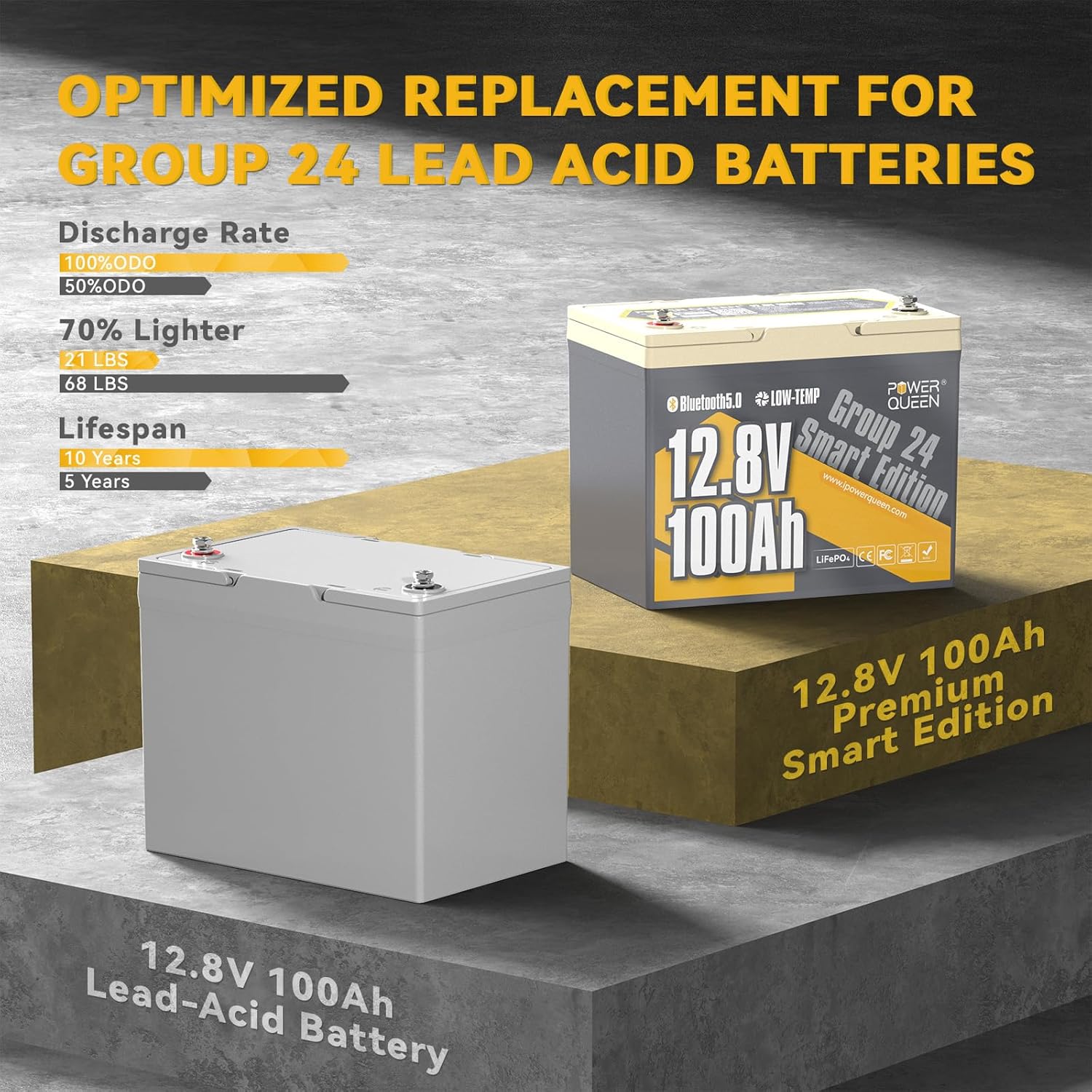
Image 3: Comparison of Power Queen LiFePO4 battery with a traditional lead-acid battery, highlighting weight and lifespan advantages.
5. Setup and Installation
5.1 Initial Charge
Before first use, fully charge the battery using the provided 14.6V10A charger. Connect the red clamp to the positive (+) terminal and the black clamp to the negative (-) terminal. Plug the charger into an AC outlet. The charger's indicator light will show charging status (typically red for charging, green for fully charged).
5.2 Connecting the Battery
Use the provided M8 terminal bolts and insulating caps for secure connections. Ensure correct polarity (red to positive, black to negative) when connecting to your system (RV, trolling motor, solar inverter, etc.).
- Single Battery Connection: Connect the positive terminal of the battery to the positive input of your load/system, and the negative terminal of the battery to the negative input of your load/system.
- Series Connection: For increased voltage (e.g., 24V, 36V, 48V), connect batteries in series. Connect the positive terminal of one battery to the negative terminal of the next. Ensure all batteries have the same capacity and are fully charged before connecting in series.
- Parallel Connection: For increased capacity (e.g., 200Ah, 300Ah), connect batteries in parallel. Connect all positive terminals together and all negative terminals together. Ensure all batteries have the same voltage and are fully charged before connecting in parallel.

Image 4: Diagram illustrating series and parallel connection options for Power Queen LiFePO4 batteries.
5.3 Bluetooth App Connection
Your Power Queen battery features Bluetooth 5.0 for real-time monitoring. Download the Power Queen app from your device's app store. Ensure Bluetooth is enabled on your smartphone or tablet. Scan the QR code on the battery or search for the device via Bluetooth within the app to connect. This allows you to monitor battery status, voltage, current, temperature, and other parameters.

Image 5: Real-time battery monitoring via the Power Queen Bluetooth app.
Video 1: Demonstrates the Power Queen Bluetooth App connection and real-time monitoring features for the 12V 100Ah LiFePO4 battery.
6. Operating Instructions
6.1 Charging
Use the provided 14.6V10A LiFePO4 charger. The recommended charging voltage is 14.6V and the recommended current is 20A (0.2C). A full charge from empty (100Ah / 20A) takes approximately 5 hours. The integrated BMS protects against overcharge.

Image 6: Illustration of the charging process and estimated time for the Power Queen LiFePO4 battery.
6.2 Discharging
The battery supports a maximum continuous discharge current of 100A and a maximum continuous output power of 1280W. The BMS provides protection against over-discharge, over-current, and short circuits.
6.3 Low-Temperature Protection
The battery features a built-in low-temperature cut-off protection. This prevents charging when the battery temperature falls below 0°C (32°F) to protect the cells from damage. Charging will resume automatically once the temperature rises above 5°C (41°F).
Video 2: Demonstrates the internal structure of a Power Queen 12V 100Ah LiFePO4 battery, highlighting its robust design and BMS.
7. Maintenance
LiFePO4 batteries require minimal maintenance compared to lead-acid batteries. However, following these guidelines will ensure optimal performance and longevity:
- Regular Inspection: Periodically check battery terminals for corrosion or loose connections. Clean terminals if necessary.
- Storage: For long-term storage, ensure the battery is charged to 50-80% capacity. Store in a cool, dry place away from direct sunlight and extreme temperatures. Recharge every 3-6 months to maintain cell health.
- Cleaning: Keep the battery clean and free of dust and debris. Use a dry cloth to wipe the battery surface.
8. Troubleshooting
If you encounter issues with your Power Queen battery, refer to the following common problems and solutions:
- Battery Not Charging:
- Check charger connections and power supply.
- Verify battery temperature is above 0°C (32°F) for charging to initiate (due to low-temp cut-off).
- Ensure the charger is compatible with LiFePO4 batteries and set to the correct voltage (14.6V).
- No Power Output:
- Check all connections for tightness and correct polarity.
- Verify the battery's State of Charge (SOC) using the Bluetooth app. If SOC is too low, the BMS may have triggered over-discharge protection. Recharge the battery.
- Check for any tripped circuit breakers or fuses in your system.
- Bluetooth Connection Issues:
- Ensure Bluetooth is enabled on your mobile device.
- Make sure you are within close proximity to the battery.
- Restart the Power Queen app and try reconnecting.
For further assistance, please contact Power Queen customer support.
9. Warranty and Support
The Power Queen 12.8V 100Ah LiFePO4 Battery comes with a 5-year warranty, reflecting its high quality and durability. For warranty claims, technical support, or any questions regarding your product, please refer to the contact information below:
- Website: www.ipowerqueen.com
- Email: service@ipowerqueen.com
Please have your product model and serial number (SN: BAPG12100-BNN-AXXX190H-H19R) ready when contacting support.
