
1. Introduction
Thank you for choosing the Douk Audio NS-13G MAX Stereo Amplifier. This high-fidelity Class D amplifier is designed to deliver powerful and clear audio for your home theater, turntable, or studio monitor setup. Featuring a TPA3255 chip, versatile RCA/MM Phono inputs, and precise bass/treble controls, the NS-13G MAX offers an immersive listening experience. This manual provides detailed instructions for setup, operation, maintenance, and troubleshooting to ensure optimal performance and longevity of your device.
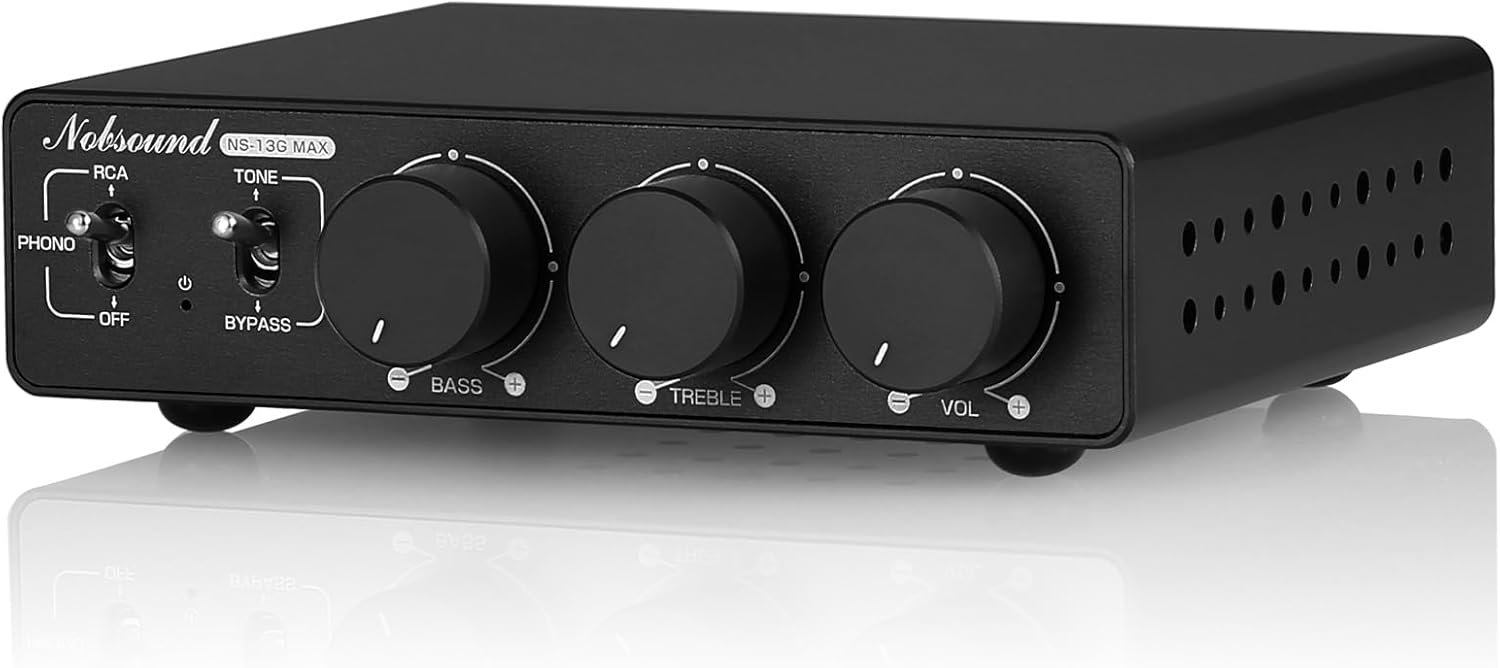
Figure 1.1: Front view of the Douk Audio NS-13G MAX Stereo Amplifier.
2. Safety Precautions
Please read and understand all safety instructions before operating this device. Keep this manual for future reference.
- Power Supply: Use only the provided DC 48V/5A power adapter. Using an incorrect power supply may damage the unit and void the warranty.
- Ventilation: Ensure adequate ventilation around the amplifier. Do not block ventilation openings. Avoid placing the unit in enclosed spaces or on soft surfaces that may impede airflow.
- Moisture: Do not expose the unit to rain, moisture, dripping, or splashing. Do not place objects filled with liquids, such as vases, on the apparatus.
- Heat: Keep the unit away from heat sources such as radiators, heat registers, stoves, or other apparatus (including amplifiers) that produce heat.
- Cleaning: Unplug the unit from the power outlet before cleaning. Use a dry cloth for cleaning. Do not use liquid cleaners or aerosol cleaners.
- Servicing: Do not attempt to service this product yourself. Refer all servicing to qualified service personnel. Opening the casing may expose you to dangerous voltages or other hazards.
- Placement: Place the unit on a stable, level surface to prevent it from falling.
3. Package Contents
Carefully unpack the box and ensure all items are present and in good condition. If any items are missing or damaged, please contact your retailer.
- 1x Douk Audio NS-13G MAX Amplifier
- 1x DC 48V/5A Power adapter
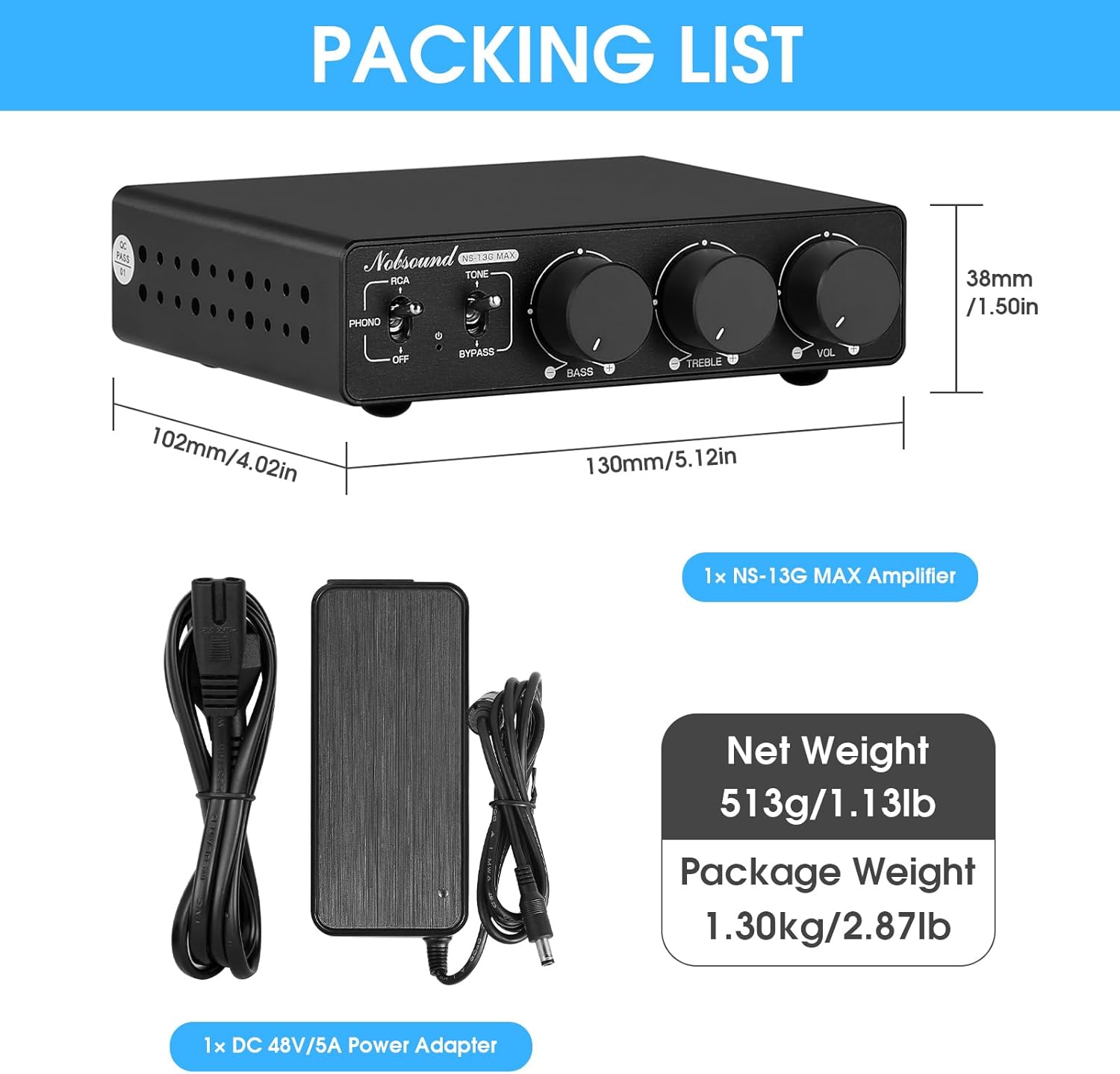
Figure 3.1: Contents included in the NS-13G MAX package.
4. Product Features
The Douk Audio NS-13G MAX amplifier is engineered with advanced components and design principles to deliver superior audio performance and versatility.
- Ultra-Powerful 600W Hi-Fi Sound: Delivers crystal-clear audio with 300W×2 (4Ω) Class D amplification, powered by the Texas Instruments TPA3255 chip. Achieves studio-grade performance with ultra-low distortion (0.005% THD) and 107dB SNR.
- Phono Ready + 5-in-1 Connectivity: Seamlessly connect turntables via MM phono input, or pair with TVs, PCs, CD/DVD players, and streaming devices via RCA. Expand your system with banana-speaker outputs and 3.5mm AUX passthrough (volume-synced) for subwoofers or multi-room setups.
- Pro-Grade Components, Silent Operation: Engineered with NE5532P preamp chips, Japanese Rubycon capacitors, and WIMA film capacitors for warm, dynamic sound reproduction. Advanced thermal management ensures whisper-quiet performance even at max volume.
- Space-Saving Desktop Design: Compact 5.1"x4"x1.5" CNC-milled aluminum body fits discreetly on desks, bookshelves, or AV racks.
- Flexible Audio Customization: Effortlessly adjust bass/treble (±6dB) to customize sound profiles. A tone/bypass switch enables fine-tuning or direct pure, unprocessed audio.
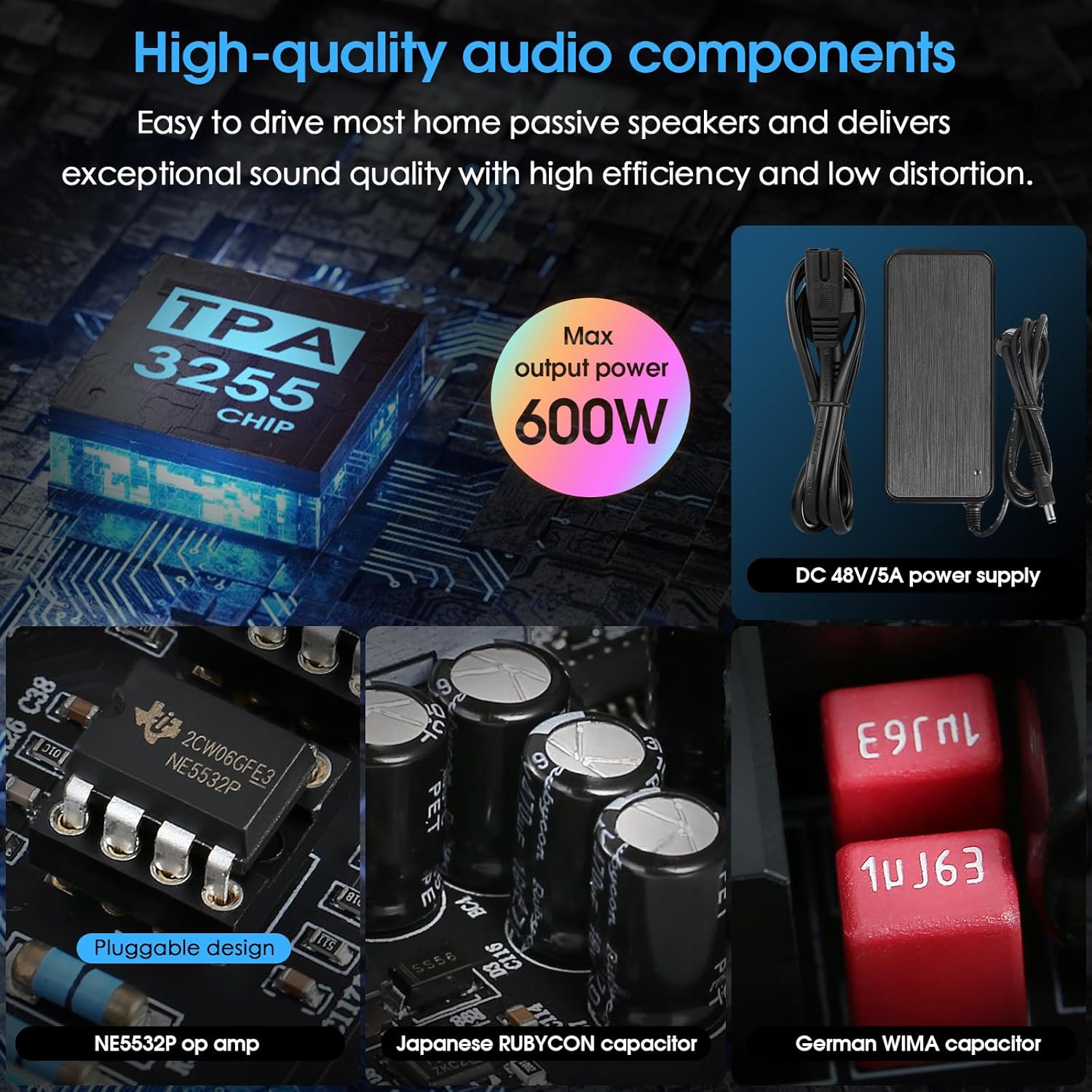
Figure 4.1: High-quality audio components for exceptional sound.

Figure 4.2: Strong compatibility with various audio devices.
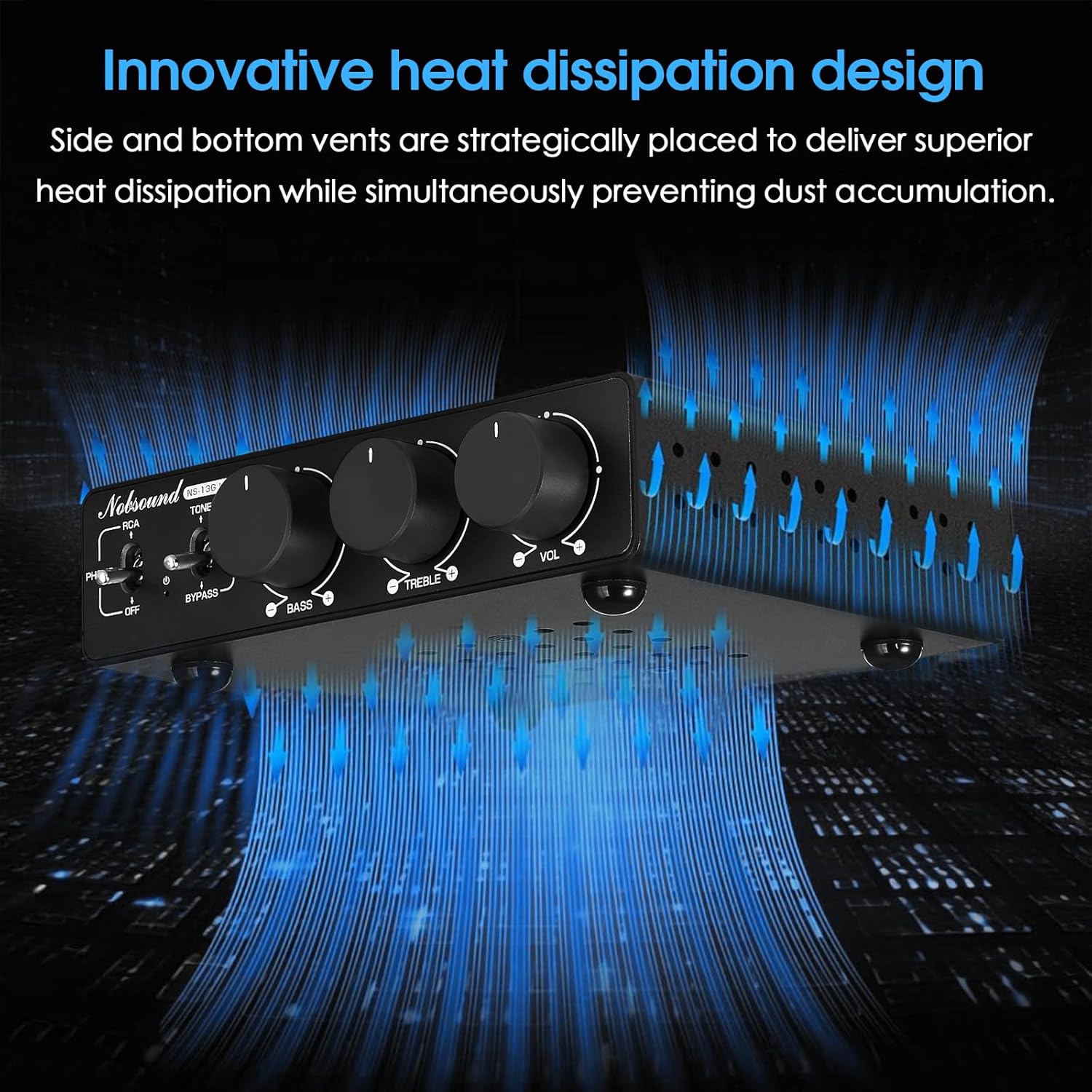
Figure 4.3: Innovative heat dissipation design for stable performance.
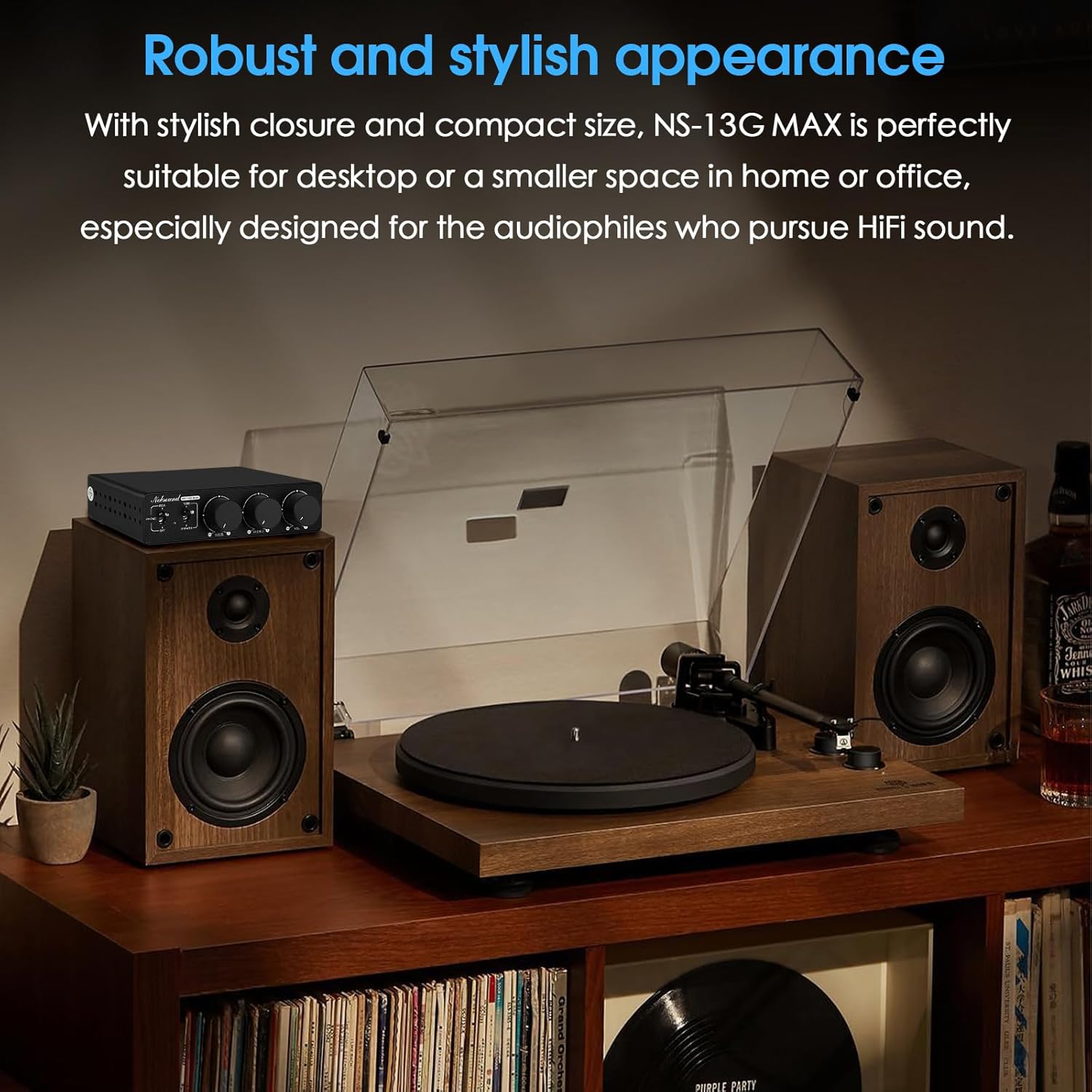
Figure 4.4: Robust and stylish appearance, suitable for various setups.
5. Controls and Connections
Familiarize yourself with the front and rear panels of the NS-13G MAX amplifier to understand its various controls and connection points.

Figure 5.1: Front and Rear Panel Layout.
5.1 Front Panel Controls
- RCA / PHONO Input Switch / Power OFF: Toggles between RCA and PHONO inputs. Also serves as the power off switch when set to 'OFF'.
- Tone / Bypass Mode Switch: Engages or bypasses the tone control circuit. 'TONE' allows adjustment of Bass and Treble. 'BYPASS' provides a pure, unprocessed audio signal.
- Bass Knob: Adjusts the low-frequency output (±6dB).
- Treble Knob: Adjusts the high-frequency output (±6dB).
- Volume Knob: Controls the overall output volume.
5.2 Rear Panel Connections
- RCA IN (Left/Right): Standard RCA inputs for connecting audio sources such as CD players, DACs, or streaming devices.
- PHONO IN (Left/Right): Dedicated MM (Moving Magnet) phono input for connecting turntables. Includes a ground terminal.
- AUX OUT (3.5mm): 3.5mm auxiliary output for connecting to a subwoofer or another amplifier. This output is volume-synced.
- SPK OUT (Speaker Output): Banana plug compatible terminals for connecting passive speakers. Ensure correct polarity (+ to + and - to -).
- DC 24V-48V Power Input: Connect the provided 48V/5A DC power adapter here.
6. Setup and Connection
Follow these steps to set up your Douk Audio NS-13G MAX amplifier and connect your audio components.
- Placement: Place the amplifier on a stable, flat surface with adequate ventilation. Ensure it is not near strong electromagnetic fields or heat sources.
- Connect Speakers: Connect your passive speakers to the 'SPK OUT' terminals on the rear panel using banana plugs or bare wire. Ensure correct polarity: connect the positive (+) terminal of the amplifier to the positive (+) terminal of the speaker, and the negative (-) terminal of the amplifier to the negative (-) terminal of the speaker.
- Connect Audio Source:
- For Turntables: Connect your turntable's RCA outputs to the 'PHONO IN' (Left/Right) terminals. If your turntable has a ground wire, connect it to the ground terminal next to the PHONO inputs.
- For Other Audio Devices (CD Player, DAC, PC, TV, etc.): Connect your device's RCA outputs to the 'RCA IN' (Left/Right) terminals.
- Connect Subwoofer/Auxiliary Device (Optional): If you have a powered subwoofer or another amplifier, connect its input to the 'AUX OUT' (3.5mm) port on the rear panel.
- Connect Power: Insert the DC plug of the provided 48V/5A power adapter into the 'DC 24V-48V' input on the rear panel. Then, plug the power adapter into a wall outlet.

Figure 6.1: Example setup with turntable and speakers.
7. Operation
Once all connections are made, you can begin operating your NS-13G MAX amplifier.
- Power On: Ensure the 'RCA / PHONO Input Switch' is set to either 'RCA' or 'PHONO' (not 'OFF'). The power indicator light will illuminate.
- Select Input: Use the 'RCA / PHONO Input Switch' to select the desired audio source (RCA or PHONO).
- Adjust Volume: Start with the 'Volume' knob at a low setting. Begin playing audio from your source and slowly turn the 'Volume' knob clockwise to increase the sound level to your preference.
- Tone Control:
- To enable tone control, set the 'Tone / Bypass Mode Switch' to 'TONE'. You can then adjust the 'Bass' and 'Treble' knobs to fine-tune the sound to your liking.
- For a pure, unprocessed audio signal, set the 'Tone / Bypass Mode Switch' to 'BYPASS'. In this mode, the Bass and Treble knobs will have no effect.
- Power Off: To turn off the amplifier, set the 'RCA / PHONO Input Switch' to 'OFF'.
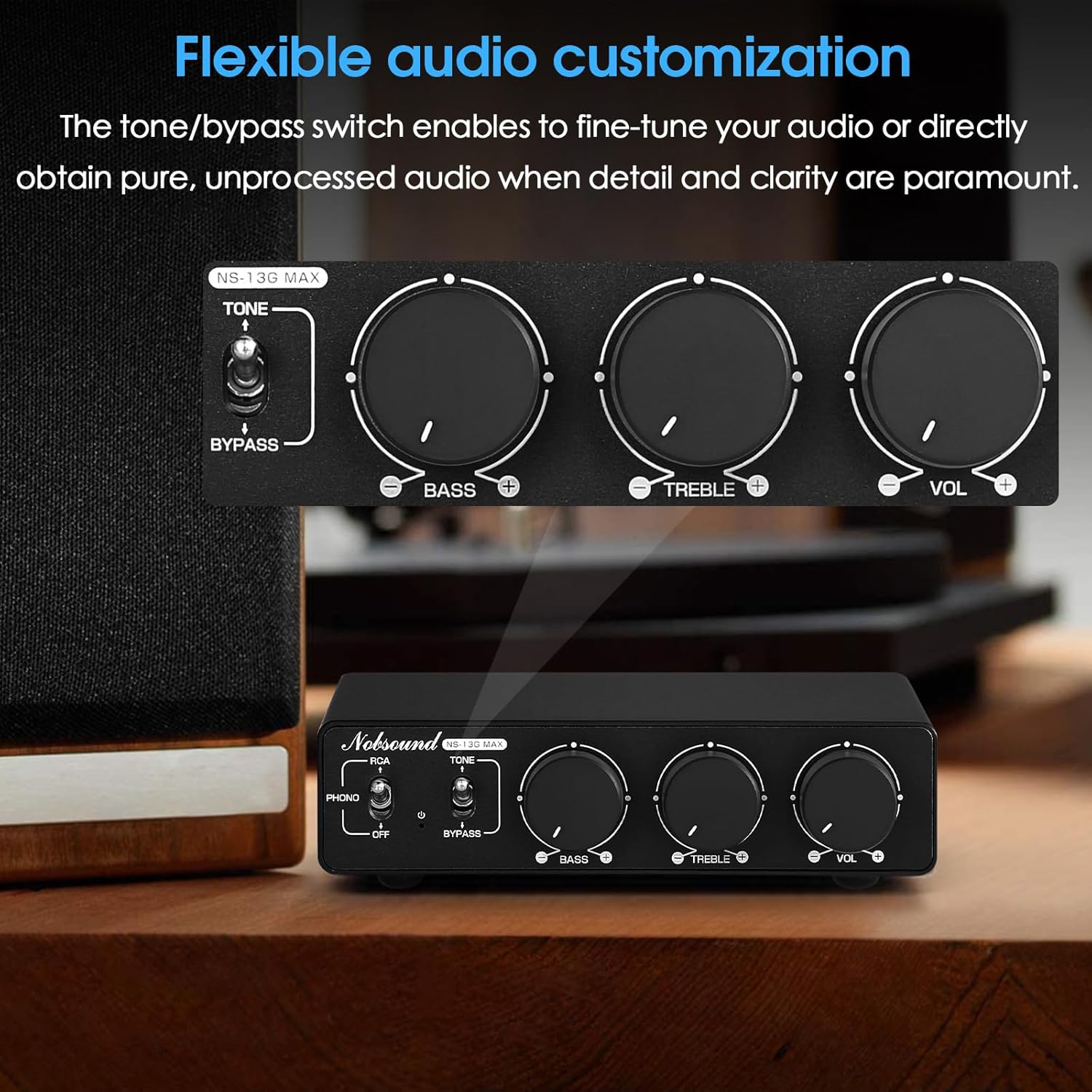
Figure 7.1: Flexible audio customization with tone controls.
8. Troubleshooting
If you encounter any issues with your NS-13G MAX amplifier, please refer to the following table for common problems and their solutions.
| Problem | Possible Cause | Solution |
|---|---|---|
| No sound output |
|
|
| Distorted sound |
|
|
| Humming or buzzing noise |
|
|
| No power indicator light |
|
|
9. Specifications
Detailed technical specifications for the Douk Audio NS-13G MAX Stereo Amplifier.
| Feature | Specification |
|---|---|
| Model | NS-13G MAX |
| Amplifier Chip | Texas Instruments TPA3255 |
| Preamp Chip | NE5532P |
| Input Interfaces | RCA, MM Phono |
| Output Interfaces | Banana Speaker Jacks, 3.5mm AUX Passthrough |
| THD (Total Harmonic Distortion) | 0.005% |
| SNR (Signal-to-Noise Ratio) | 107dB |
| Tone Control Range | Bass/Treble ±6dB |
| Power Supply | DC 48V/5A (included) |
| Dimensions (L x W x H) | 5.1" x 4" x 1.5" (130mm x 102mm x 38mm) |
| Item Weight | 2.64 pounds (1.2 kg) |
| Package Dimensions | 10.35 x 9.41 x 2.6 inches |
9.1 Output Power Table
| Power Supply | Speaker Impedance | Output Power |
|---|---|---|
| 32V / 5A | 4Ω | 78W+78W |
| 6Ω | 71W+71W | |
| 8Ω | 65W+65W | |
| 36V / 6A | 4Ω | 107W+107W |
| 6Ω | 100W+100W | |
| 8Ω | 94W+94W | |
| 48V / 5A | 4Ω | 120W+120W |
| 6Ω | 110W+110W | |
| 8Ω | 102W+102W | |
| 48V / 10A | 4Ω | 250W+250W |
| 6Ω | 210W+210W | |
| 8Ω | 185W+185W |
10. Care and Maintenance
Proper care and maintenance will help ensure the longevity and optimal performance of your amplifier.
- Cleaning: Disconnect the power before cleaning. Use a soft, dry cloth to wipe the exterior of the unit. Do not use abrasive cleaners, waxes, or solvents.
- Ventilation: Regularly check that the ventilation holes on the sides and bottom of the unit are free from dust and debris. Use a soft brush or compressed air to clear any blockages.
- Storage: If storing the amplifier for an extended period, disconnect it from power, clean it, and store it in a cool, dry place away from direct sunlight and extreme temperatures.
- Connections: Periodically check all cable connections to ensure they are secure and free from corrosion.
11. Warranty and Support
The Douk Audio NS-13G MAX amplifier is backed by Douk Audio's courtesy service. For any technical support, warranty inquiries, or service needs, please contact Douk Audio directly through their official channels or the retailer from whom you purchased the product. Please retain your proof of purchase for any warranty claims.


