
1. Introduction
The SPYPOINT Flex-M Cellular Trail Camera is designed to capture high-quality photos and videos of wildlife, providing remote monitoring capabilities. This camera utilizes dual-SIM LTE technology for reliable cross-carrier connectivity, ensuring you receive images and videos directly to your SPYPOINT app without needing to physically retrieve an SD card. With its robust design and advanced features, the Flex-M is an essential tool for scouting, property surveillance, and wildlife observation.
2. Product Overview
The SPYPOINT Flex-M offers a range of features to enhance your outdoor monitoring experience:
- Photo Resolution: 28 Megapixels for clear and detailed images.
- Video Resolution: 720p videos with sound.
- Connectivity: Dual-SIM LTE for automatic connection to the best available network.
- Trigger Speed: Ultra-fast 0.4 seconds to capture quick movements.
- Flash & Detection Range: Up to 90 feet.
- Water Resistance: IP65 rated, ensuring durability in various weather conditions.
- Capture Modes: Photo, Video, Time-Lapse, and Time-Lapse+.
- Remote Management: Full control and access via the SPYPOINT app.
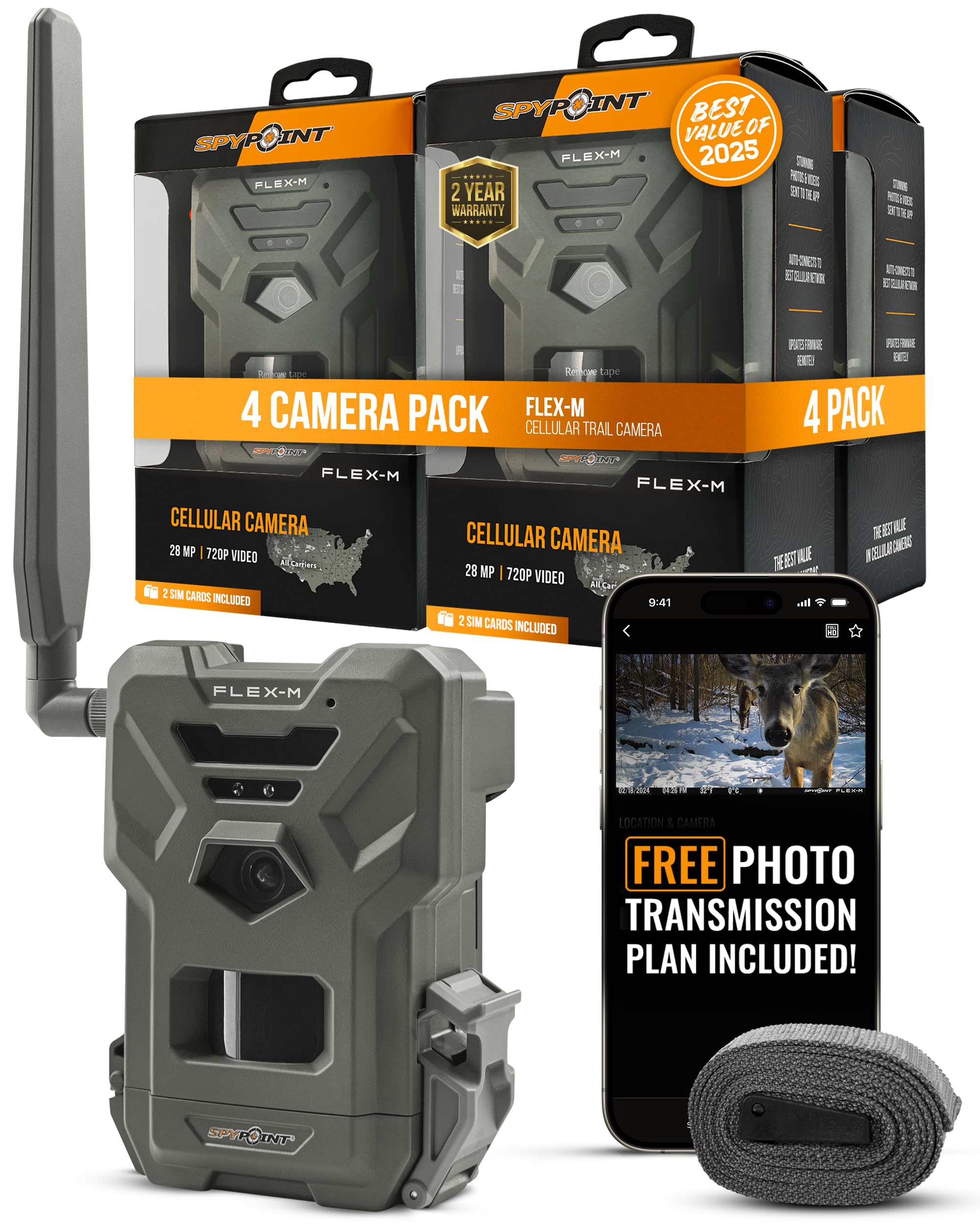
Figure 1: The SPYPOINT Flex-M Cellular Trail Camera, designed for outdoor use.
3. Setup
Follow these steps for initial setup of your SPYPOINT Flex-M camera:
- Download the SPYPOINT App: Install the official SPYPOINT app on your smartphone or tablet. This app is crucial for activating, managing, and receiving photos/videos from your camera.
- Insert Micro SD Card: Open the camera's latch. Locate the micro SD card slot. Insert a compatible micro SD card (not included, 2 to 512 GB class 10 recommended).
- Install Batteries: The camera requires 8 AA batteries (lithium recommended) or a LIT-22 rechargeable lithium battery pack (sold separately). Ensure correct polarity when inserting.
- Attach Antenna: Screw the antenna firmly into the designated port on the top of the camera.
- Power On: Turn the camera's power switch to the 'ON' position.
- Activate via App: Open the SPYPOINT app and follow the on-screen instructions to activate your camera. This typically involves scanning a QR code located inside the camera's battery compartment.
- Format SD Card: Use the on-camera buttons or the SPYPOINT app to format the micro SD card. This prepares the card for optimal performance with your camera.
- Test Photo: Capture a test photo using the on-camera 'TEST' button to confirm functionality and network connectivity.

Figure 2: SPYPOINT Flex-M camera mounted on a tree, ready for operation.

Video 1: An official SPYPOINT video demonstrating the Flex-M Cellular Trail Camera's features and capabilities, including its 1080p video with sound.

Video 2: A quick unboxing of the SPYPOINT Flex-M, showing the contents and initial handling of the camera.
4. Operating Instructions
The Flex-M camera offers flexible operating modes and remote management:
- Capture Modes: Choose between Photo, Video, Time-Lapse, or Time-Lapse+ modes. Time-Lapse captures images at set intervals, while Time-Lapse+ combines interval shots with motion-triggered captures.
- Remote Management: Use the SPYPOINT app to remotely adjust camera settings, change capture modes, and update firmware.
- Photo & Video Transmission: Photos and videos are transmitted directly to your SPYPOINT app. The camera's Constant Capture technology allows it to send and capture images simultaneously.
- Cross-Carrier Coverage: The dual-SIM LTE ensures the camera automatically connects to the strongest network, providing reliable data transmission even in remote areas.
- App Features: The SPYPOINT app provides personalized maps, real-time weather updates, and BUCK TRACKER AI for species filtering, enhancing your scouting and monitoring efforts.

Figure 3: The SPYPOINT app interface, allowing remote management and viewing of captured media.

Video 3: A short preview video from a seller, showcasing multiple sightings captured by the SPYPOINT Flex-M camera.

Video 4: A close-up view of the SPYPOINT Flex-M camera, highlighting its design and features.
5. Maintenance
Proper maintenance ensures the longevity and optimal performance of your Flex-M camera:
- Battery Management: Regularly check battery levels via the SPYPOINT app. Replace 8 AA batteries as needed or recharge the LIT-22 lithium battery pack.
- Micro SD Card: Periodically format your micro SD card to prevent data corruption and ensure smooth operation. Replace the card if you notice any issues with storage or retrieval.
- Cleaning: Gently clean the camera lens and sensors with a soft, dry cloth. Avoid abrasive materials or harsh chemicals.
- Environmental Protection: While the camera is IP65 water-resistant, ensure all latches are securely closed to prevent moisture ingress. Avoid prolonged submersion.

Figure 4: The LIT-22 lithium battery pack, an optional accessory for extended camera autonomy.

Figure 5: A SPYPOINT 32 GB microSD memory card, essential for storing captured media.
6. Troubleshooting
If you encounter issues with your SPYPOINT Flex-M camera, consider the following:
- No Photo Transmission: Ensure the camera has sufficient cellular signal. Check the daily sync time and transmission settings within the SPYPOINT app. Verify your photo transmission plan is active and has available credits.
- Poor Image/Video Quality: Check the camera lens for dirt or obstructions. Ensure the camera is mounted securely to prevent movement. Verify that the micro SD card is properly formatted and not corrupted.
- Battery Life Issues: Ensure you are using fresh, high-quality batteries or a fully charged LIT-22 battery pack. Extreme temperatures can affect battery performance.
- Camera Not Powering On: Check battery installation and ensure batteries are charged. Confirm the power switch is in the 'ON' position.
- App Connectivity Problems: Ensure your smartphone has an active internet connection. Update the SPYPOINT app to the latest version.
For further assistance, refer to the comprehensive help section within the SPYPOINT app or visit the official SPYPOINT website.
7. Specifications
| Model Name | FLEX-M-US |
| Photo Resolution | 28 Megapixels |
| Video Resolution | 720p (MPEG-4) with Sound |
| Trigger Speed | 0.4 seconds |
| Flash Range | 90 feet |
| Detection Range | 90 feet |
| Connectivity | Dual-SIM LTE Cellular |
| Water Resistance | IP65 |
| Power Source | 8 AA Batteries (not included) or LIT-22 Rechargeable Lithium Battery Pack (sold separately) |
| Memory Card | Micro SD Card (2 to 512 GB, Class 10 recommended, not included) |
8. Warranty and Support
The SPYPOINT Flex-M Cellular Trail Camera comes with a 2-year warranty, ensuring peace of mind regarding product quality and performance.
For any questions, technical support, or warranty claims, please refer to the support section within the SPYPOINT app or visit the official SPYPOINT website for detailed contact information and resources.