1. Introduction
Thank you for choosing the YOMILUVE 60-Inch Computer Desk. This manual provides essential information for the safe assembly, operation, and maintenance of your new desk. Please read these instructions carefully before beginning assembly and retain them for future reference.
2. Safety Information
Important Safety Instructions:
- Always assemble the desk according to the instructions provided.
- Ensure the desk is properly anchored to the wall or floor to prevent tip-over, if anchoring hardware is provided.
- Do not overload the desk or place heavy objects on the edges.
- Always unplug the power strip when not in use.
- Keep the area around the desk clear of flammable materials.
- Do not attempt to modify the integrated power strip. If damaged, discontinue use and contact support.
- Keep children and pets away from the assembly area. Small parts can be a choking hazard.
3. Package Contents
Please verify that all components listed below are present before beginning assembly. If any parts are missing or damaged, please contact YOMILUVE customer support.
- Desktop Panels (x3)
- Metal Frame Components (Legs, Support Bars, X-Bar)
- Fabric Drawers (x8)
- Integrated Power Strip (x1)
- Assembly Hardware (Screws, Allen Wrench, etc.)
- Instruction Manual (this document)

Image: All components of the YOMILUVE 60-inch computer desk laid out for assembly.
4. Assembly Instructions
Assembly is designed to be straightforward. All parts are labeled, and necessary tools are included. It is recommended to have a second person assist with certain steps.
- Unpack and Identify: Carefully unpack all components and lay them out on a clean, soft surface to prevent scratches. Identify each part using the provided labels and the parts list.
- Assemble the Metal Frame: Connect the metal legs and support bars using the provided screws and Allen wrench. Ensure all connections are secure but do not overtighten until the frame is fully assembled. Attach the X-bar at the back for added stability.
- Install Drawer Supports: Attach the drawer side slides to the frame as indicated in the detailed diagrams.
- Attach Desktop Panels: Place the three desktop panels upside down on a soft surface. Carefully align the assembled metal frame onto the desktop panels, ensuring all screw holes match. Secure the desktop to the frame with the provided screws.
- Install Power Strip: Insert the integrated power strip into its designated slot on the desktop and secure it.
- Assemble Fabric Drawers: Fold and assemble the 8 fabric drawers according to their individual instructions. Insert the bottom panel into each drawer for rigidity.
- Insert Drawers: Place the assembled fabric drawers into their respective compartments in the desk frame.
- Final Adjustments: Once fully assembled, gently tighten all screws. Adjust the leveling feet at the bottom of the desk legs to ensure stability on uneven floors.

Image: Detailed assembly diagram for the YOMILUVE 60-inch computer desk.
5. Features
5.1. 8 Fabric Drawers
The desk is equipped with eight spacious fabric drawers, four on each side. These drawers provide ample storage for books, headphones, files, office supplies, and other items, helping to keep your workspace organized and clutter-free. The drawers are lightweight and designed for easy access.

Image: YOMILUVE computer desk with several fabric drawers pulled open, revealing books, headphones, and office supplies stored inside.
5.2. Integrated Power Strip
An integrated power strip is built into the desktop, offering convenient access to power. It includes:
- 3 AC Outlets (125V/12A)
- 1 USB Port (5V/2A)
- 1 Type-C Port (5V/2A)
- ON/OFF Switch
This feature provides power support for your computer, tablet, phone, and other electronic devices, ensuring your equipment is always charged and ready.

Image: Close-up view of the YOMILUVE desk's integrated power strip, featuring three AC outlets, one USB port, one Type-C port, and an on/off switch.
5.3. Durable & Sturdy Construction
The desk is constructed from high-quality MDF board, which is scratch-resistant, dust-resistant, waterproof, and easy to clean. The premium metal frame provides a stable structure, enhanced by a metal X-bar at the back for additional stability and safety. Adjustable feet allow for leveling on uneven surfaces.
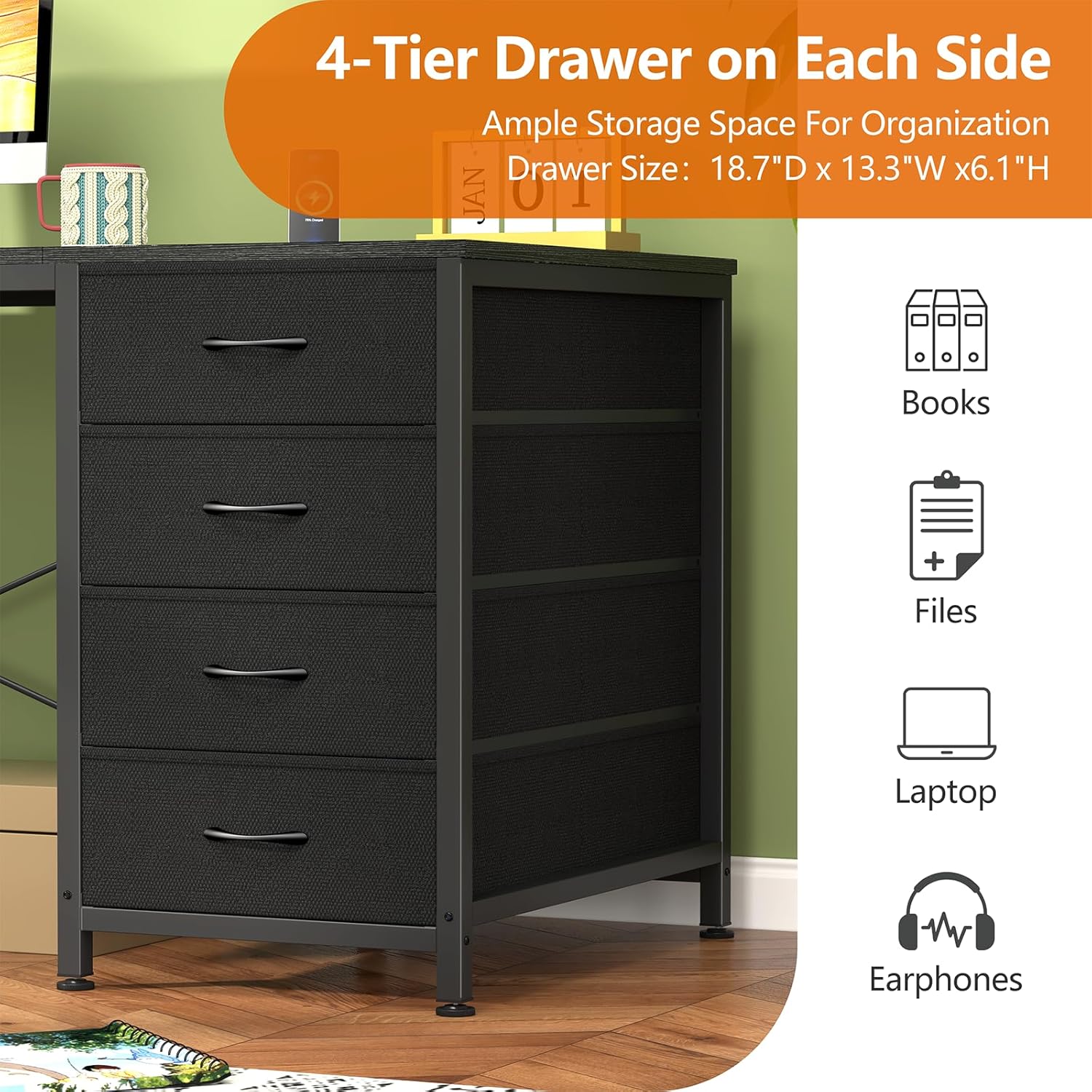
Image: Diagram illustrating key features of the YOMILUVE desk: waterproof board, sturdy X-frame for stability, and adjustable feet for leveling.
5.4. Spacious Desktop
With overall dimensions of 18.9"D x 59.8"W x 29.3"H, the desk offers a large working surface, providing ample space for monitors, keyboards, and other office essentials.

Image: YOMILUVE 60-inch computer desk in a home office setting, showcasing its spacious desktop.
6. Usage Guidelines
- Placement: Place the desk on a level surface. Avoid direct sunlight or extreme temperature changes to prevent material damage.
- Weight Capacity: Do not exceed the recommended weight capacity for the desktop or drawers. Distribute weight evenly.
- Cable Management: Utilize cable ties or clips (not included) to manage power cords and data cables, preventing clutter and potential hazards.
- Drawer Use: Open and close drawers gently. Avoid forcing them if they feel stuck.
7. Maintenance
- Cleaning the Desktop: Wipe the desktop surface with a soft, damp cloth. Avoid abrasive cleaners or harsh chemicals that could damage the finish.
- Cleaning Fabric Drawers: For light cleaning, use a lint roller or a soft brush to remove dust. For stains, spot clean with a mild detergent and a damp cloth, then air dry. Do not machine wash.
- Frame Maintenance: Periodically check and tighten all screws to ensure the desk remains stable.
8. Troubleshooting
- Desk is Wobbly: Check that all screws are securely tightened. Adjust the leveling feet on the bottom of the legs to stabilize the desk on uneven surfaces.
- Drawers are Sticking/Difficult to Open: Ensure the drawers are correctly inserted into their compartments. Check for any obstructions inside the drawer or along the frame. If the issue persists, remove the drawer and re-insert it carefully.
- Power Strip Not Working: Ensure the power cord is fully plugged into a functional wall outlet. Check the ON/OFF switch on the power strip. If the issue persists, try plugging another device into the wall outlet to confirm the outlet is working.
9. Specifications
| Feature | Detail |
|---|---|
| Brand | YOMILUVE |
| Product Dimensions | 18.9"D x 59.8"W x 29.3"H |
| Color | Black |
| Style | Modern |
| Base Material | Metal |
| Finish Type | Painted |
| Special Feature | Built-In USB Outlet |
| Furniture Finish | Black |
| Size | 60 Inch Desk |
| Drawer Type | Multi-drawer (8 fabric drawers) |
| Tabletop Thickness | 1 Inches |
| Maximum Height | 29.3 Inches |
| Required Assembly | Yes |
| Includes All Assembly Tools | Yes |
| Shape | Rectangular |
| Desk Design | Computer Desk |
| Top Material Type | Engineered Wood |
| Mounting Type | Freestanding |
| Base Type | Leg |
10. Warranty and Support
For warranty information, missing parts, or any questions regarding your YOMILUVE computer desk, please contact YOMILUVE customer support directly through the retailer's platform or the contact information provided with your purchase. Please have your model number and purchase date ready when contacting support.


