
Introduction
Thank you for choosing the FULEN Corner Floor Lamp FL01. This LED lamp is designed to enhance your living space with customizable RGB lighting, smart app control, and music synchronization features. Please read this manual carefully before installation and operation to ensure proper use and longevity of your product.
Important Safety Information
- Ensure the power supply voltage matches the lamp's requirements (110 Volts).
- Do not expose the lamp to water or high humidity. This product is for indoor use only.
- Do not attempt to disassemble or modify the lamp. This may void the warranty and pose a safety risk.
- Keep the lamp away from heat sources and direct sunlight.
- Always unplug the lamp from the power outlet before cleaning or performing any maintenance.
- The remote control requires 2 AAA batteries (not included). Ensure correct polarity when inserting batteries.
What's in the Box
Please check the package contents. If any items are missing or damaged, contact customer support.
- FULEN Corner Floor Lamp (Main Body)
- Power Adapter
- Remote Control (Batteries not included)
- User Manual
Setup and Installation
The FULEN Corner Floor Lamp is designed for quick and easy assembly, requiring no wiring or screws.
- Unpack Components: Carefully remove all components from the packaging.
- Assemble Lamp Body: Connect the lamp sections by gently pushing them together until they click into place. Ensure a secure fit.
- Attach Base: Secure the lamp body to its base.
- Position Lamp: Place the assembled lamp in your desired corner or location.
- Connect Power: Plug the power adapter into the lamp's power input, then plug the adapter into a standard 110V wall outlet.

Operating Instructions
The FULEN Corner Floor Lamp can be controlled via a smart app or the included remote control.
1. Smart APP Control
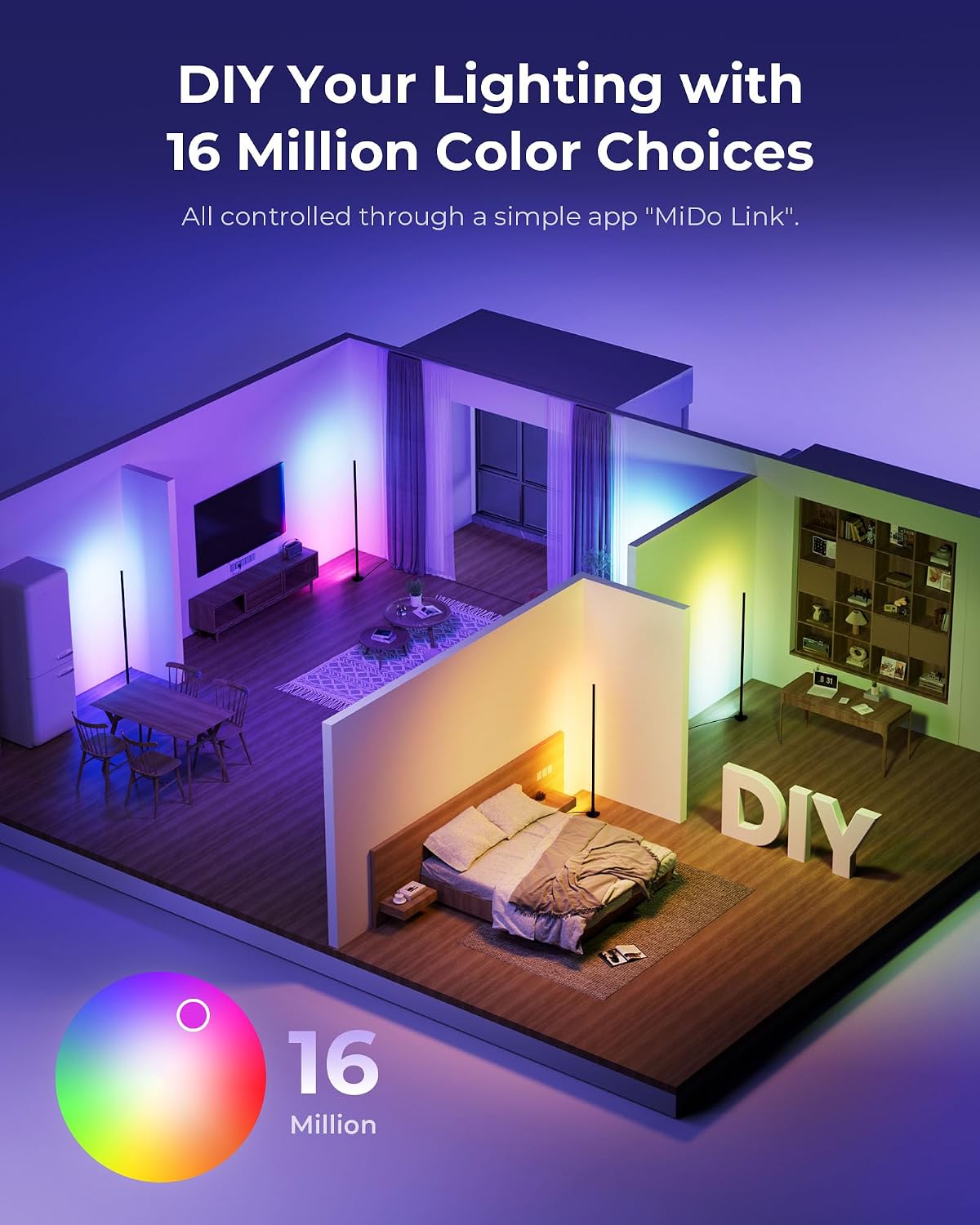
The lamp features Bluetooth connectivity for control via a dedicated smartphone application. Search for the recommended app (e.g., "MiDo Link" as indicated in product images) in your device's app store.
- Download App: Download and install the designated smart app on your smartphone.
- Enable Bluetooth: Ensure Bluetooth is enabled on your smartphone.
- Pair Device: Open the app and follow the on-screen instructions to discover and pair with your FULEN Corner Floor Lamp.
- Control Functions: Once paired, you can adjust color, brightness, select from over 40 dynamic lighting modes, set timers, and activate music sync features directly from the app.

2. Remote Control
The included remote control provides convenient access to the lamp's primary functions.
- Insert Batteries: Open the battery compartment on the back of the remote and insert 2 AAA batteries, observing correct polarity.
- Power On/Off: Press the power button to turn the lamp on or off.
- Adjust Brightness: Use the brightness buttons to increase or decrease light intensity.
- Change Colors/Modes: Select from 16 million colors and various dynamic lighting modes using the dedicated buttons.
- Set Timer: Utilize the timer function to schedule automatic power off.

3. Customizable RGB Colors and Scene Modes
The lamp offers 16 million colors and over 40 dynamic lighting modes to personalize your environment.

4. Music Sync Mode
The built-in microphone allows the lamp to synchronize color changes with music or game rhythms, creating an immersive visual experience.

Maintenance
- Cleaning: Disconnect the power before cleaning. Use a soft, dry cloth to wipe the lamp's surface. Do not use abrasive cleaners or solvents.
- Storage: If storing the lamp for an extended period, unplug it and store it in a cool, dry place.
- LED Lifespan: The integrated LED light source is designed for long-term use and is not user-replaceable.
Troubleshooting
| Problem | Possible Cause | Solution |
|---|---|---|
| Lamp does not turn on. | No power supply. Remote control batteries are dead. | Check if the power adapter is securely plugged into the lamp and the wall outlet. Replace remote control batteries (2 AAA). |
| Remote control not working. | Batteries are dead or incorrectly inserted. Remote is too far from the lamp. | Replace batteries and ensure correct polarity. Move closer to the lamp. Ensure no obstructions. |
| App cannot connect to the lamp. | Bluetooth is off. Lamp is not powered on. App needs to be restarted. | Ensure Bluetooth is enabled on your smartphone. Verify the lamp is powered on. Close and reopen the app. Try restarting your phone. |
| Colors are not changing or responding. | Control signal interference. App/remote issue. | Ensure no strong interference sources nearby. Try controlling with the other method (app if using remote, or remote if using app). Restart the lamp by unplugging and replugging. |
Specifications
| Feature | Detail |
|---|---|
| Model Number | FL01 |
| Product Dimensions | 4"D x 4"W x 47.6"H (10.16 cm D x 10.16 cm W x 120.9 cm H) |
| Item Weight | 1.58 pounds (0.72 kg) |
| Light Source Type | LED |
| Wattage | 10 watts |
| Voltage | 110 Volts |
| Luminous Flux | 800 Lumens |
| Control Method | Smart App (Bluetooth), Remote Control |
| Material | Aluminum (body), Plastic (base), Acrylonitrile Butadiene Styrene (shade) |
| Indoor/Outdoor Usage | Indoor Only |
| Special Features | Adjustable Color Temperature, Color Changing (RGB), Dimmable, Plug-In, Timer, Music Sync |
| Remote Batteries Required | Yes (2 x AAA, not included) |
Warranty and Support
For warranty information or technical support, please refer to the product packaging or contact FULEN customer service through the retailer where the product was purchased. Keep your purchase receipt as proof of purchase.