
1. Introduction
This manual provides detailed instructions for the setup, operation, and maintenance of your LWOHSI Outdoor Security Camera, model LWT32-1PACK. This wireless 3MP battery camera is designed for home surveillance, offering features such as 24/7 recording, 2-way audio, motion detection, and waterproof durability for outdoor use.
2. Package Contents
Please verify that all items are present in your package:
- Camera Body
- Instruction Manual (this document)
- Screw Pack for mounting
- Power Plug
3. Safety Information
- Ensure the camera is installed securely to prevent accidental falls.
- Use only the provided power plug for charging.
- Do not expose the camera to extreme temperatures outside its operating range (14°F to 170°F).
- Keep the camera away from strong magnetic fields.
- Do not attempt to disassemble or repair the camera yourself. Contact customer support for assistance.
4. Setup
4.1 Charging the Camera
The camera comes with built-in rechargeable batteries. Before initial use, fully charge the camera using the provided power plug. A full charge can provide 3 to 6 months of power, depending on usage.
4.2 App Installation and Wi-Fi Connection
To connect your camera, download the Tuya or Smartlife app from your smartphone's app store. Follow these steps:
- Turn on the camera switch: Locate the power switch on the camera and turn it on.
- Open the Tuya app: Launch the Tuya or Smartlife app on your smartphone.
- Add Device: Tap the "+" icon in the top right corner of the app to add a new device.
- Select Camera Type: Scroll down and select "Camera & Lock", then choose "Smart Camera (Wi-Fi)".
- Reset Device: Follow the on-screen instructions to reset the device if prompted. Ensure your camera is close to the router and connected to a 2.4GHz Wi-Fi network (5GHz networks are not supported).
- Scan QR Code: The app will display a QR code. Aim your camera lens at the QR code on your phone screen from a distance of 15-20 cm (6-8 inches). The camera will emit a beep when the QR code is successfully scanned.
- Confirm Prompt: Tap "I Heard a Prompt" in the app.
- Connect: The app will begin connecting to the device. Wait for the connection to complete.
- Access Live View: Once connected, you can access the live video stream from your camera.
Video: T32 Connect Network Tutorial. This video demonstrates the step-by-step process of connecting the LWOHSI T32-1PACK camera to your Wi-Fi network using the Tuya app, including turning on the camera, adding it in the app, scanning the QR code, and confirming the connection.
4.3 Physical Installation
The LWOHSI Outdoor Security Camera is designed for versatile mounting. It can be wall-mounted or placed on a desktop. Its IP65 waterproof rating ensures durability in various weather conditions, including rain and snow.

Image: Mounting options for the LWOHSI camera, illustrating its flexibility for desktop, wall, and ceiling installations.

Image: The LWOHSI camera demonstrating its IP65 weather resistance while mounted outdoors during rainfall.
5. Operating Instructions
5.1 Live View and 2K HD Resolution
Access the live feed of your camera through the Tuya/Smartlife app. The camera provides 3MP HD (2304*1296P) resolution, offering clearer details than 1080P. Utilize the 6x digital zoom to focus on specific areas.

Image: A smartphone screen showing a live 2K HD feed from the LWOHSI camera, capturing a person delivering a package, demonstrating clear detail.

Image: A visual comparison highlighting the superior detail of 2K (2304x1296p) resolution from the LWOHSI camera compared to 1080P.
5.2 Night Vision Modes
The camera supports multiple night vision modes to ensure clear monitoring in low-light conditions:
- Starlight Color Night Vision: Provides color images even in faint starlight.
- Full Color Night Vision: Offers full-color video in low-light environments.
- Smart Night Vision: Automatically switches between infrared and color modes based on light conditions.
- Infrared Night Vision: Delivers clear black and white images in complete darkness up to 30 feet.

Image: A side-by-side comparison illustrating the difference between Infrared Night Vision and 2K Full Colour Night Vision provided by the LWOHSI camera.
5.3 Motion Detection and Alerts
The camera features AI Human Detection, which reduces false alarms by distinguishing humans from cars, pets, and insects. It tracks objects within a 110° wide-angle lens and up to 17 feet. You can adjust the sensitivity (low/medium/high) in the app to suit your needs. Receive quick alerts via app push notifications when motion is detected.
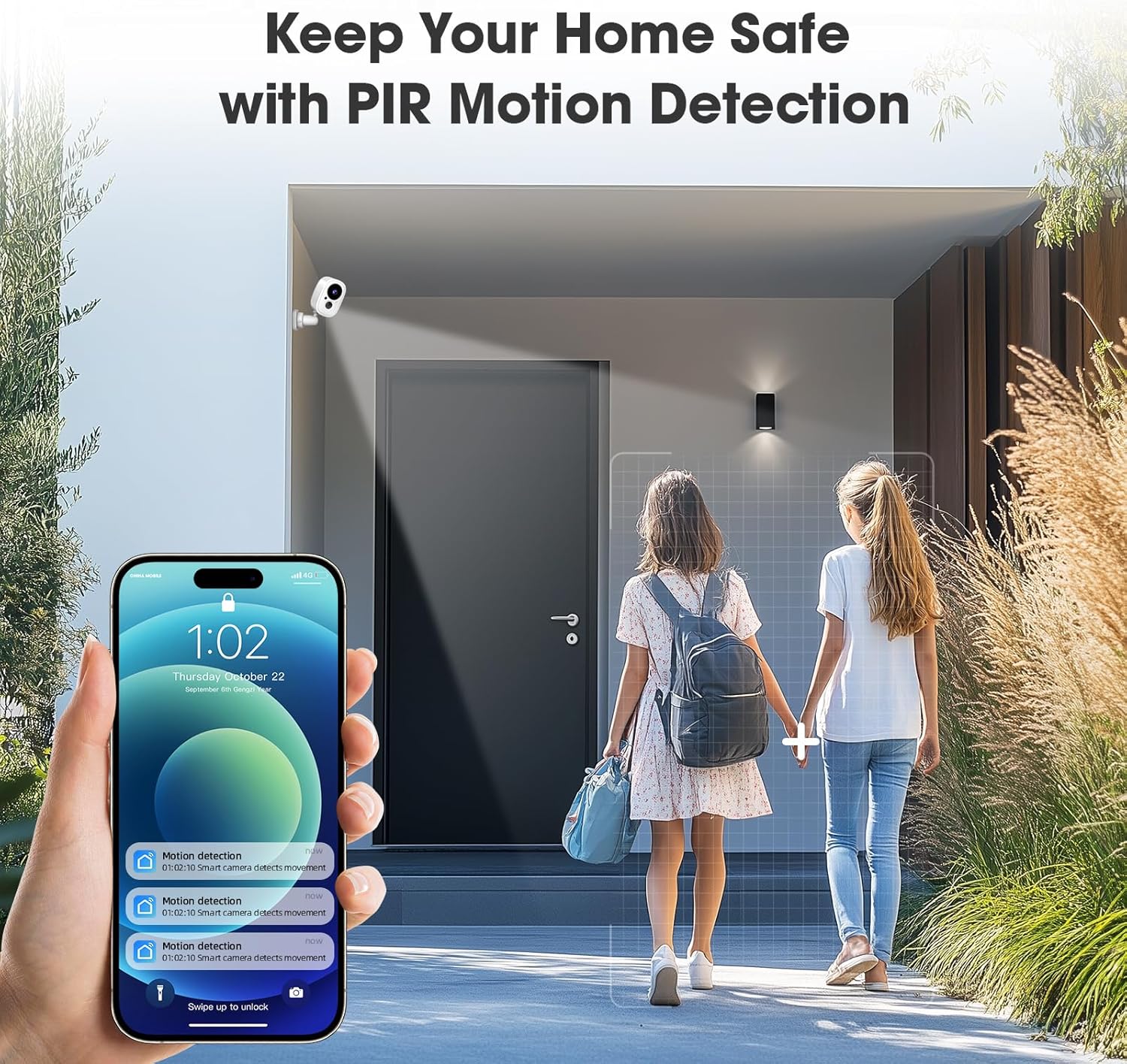
Image: An illustration of the LWOHSI camera detecting motion, with a smartphone displaying real-time push notifications for detected activity.

Image: The LWOHSI camera's smart detection feature providing quick alerts, depicted by a person being detected by the camera at night.
5.4 Two-Way Audio and Siren
The camera includes a built-in microphone and speaker, enabling two-way audio communication. You can speak to visitors or deter intruders directly through the app. Additionally, a 90dB loud siren can be activated via the Tuya/Smartlife app to ward off unwanted guests.

Image: The two-way voice intercom feature of the LWOHSI camera, showing a delivery person at a door and a smartphone user communicating with them.
5.5 Recording and Storage Options
The camera offers flexible storage solutions:
- Local Storage: A built-in micro SD slot supports up to a 128GB Micro SD card (not included).
- Cloud Storage: Encrypted secure cloud storage is available (subscription may be required). This ensures all pictures and videos are safely stored and accessible from your phone at any time.
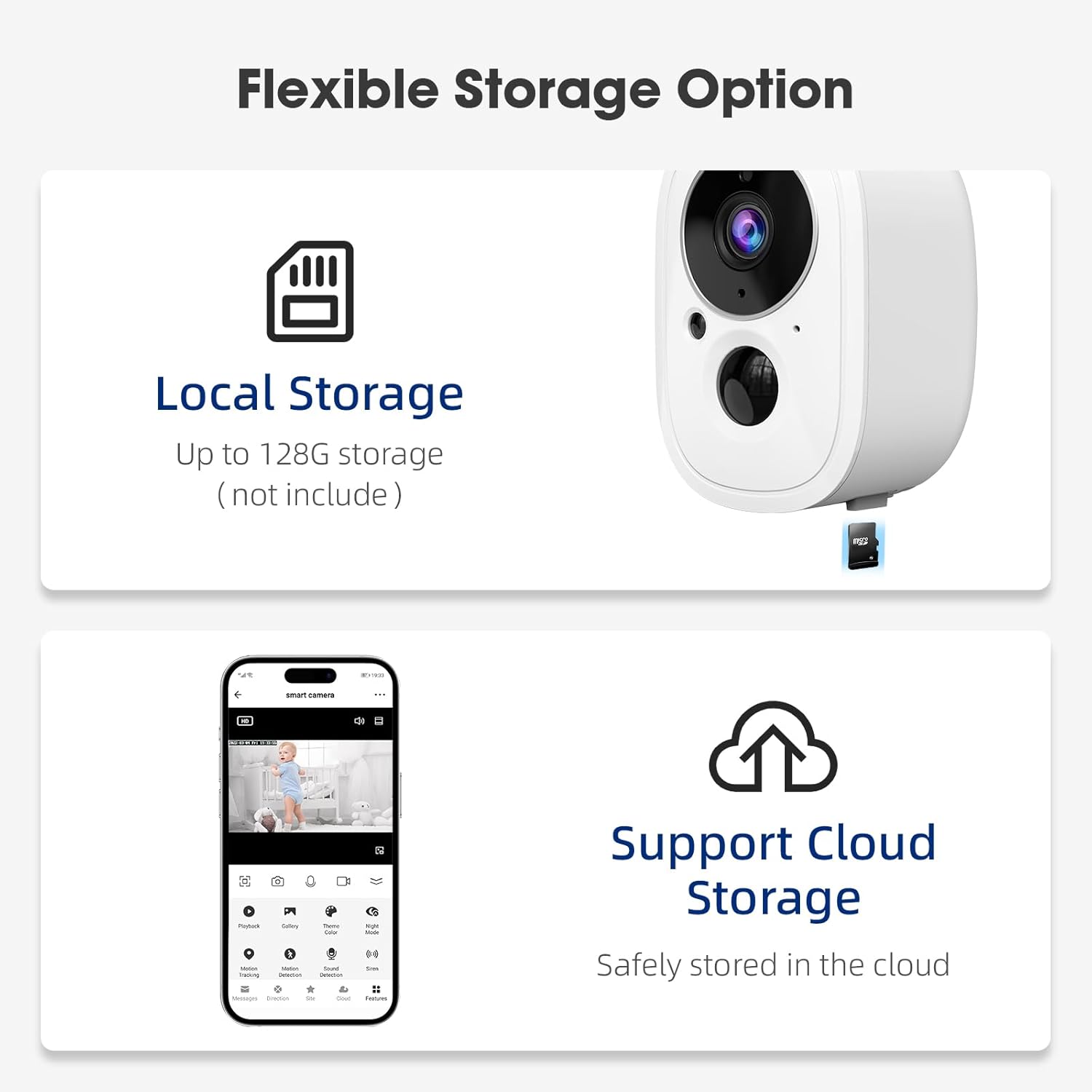
Image: The LWOHSI camera highlighting its flexible storage options, including local storage via an SD card and support for cloud storage.

Image: An illustration depicting the local storage (SD card) and cloud storage capabilities of the LWOHSI camera, shown with a film strip of recorded moments.
5.6 Multi-User Sharing
You can share access to your wireless security camera system with family members, allowing up to 10 users to view and manage the camera simultaneously through their own Tuya/Smartlife app accounts.
6. Maintenance
6.1 Battery Management
The camera's battery life can last 3 to 6 months on a full charge. Monitor the battery level through the app and recharge as needed to ensure continuous operation.
6.2 Cleaning
Periodically clean the camera lens and body with a soft, dry cloth to ensure optimal image clarity and prevent dust buildup. Do not use harsh chemicals or abrasive materials.
6.3 Firmware Updates
Check the Tuya/Smartlife app regularly for available firmware updates. Keeping your camera's firmware updated ensures you have the latest features, security enhancements, and bug fixes.
7. Troubleshooting
- Camera not connecting to Wi-Fi: Ensure your Wi-Fi is 2.4GHz. If you have a dual-band router, select the 2.4GHz option during setup. Make sure the camera is near the router during the connection process.
- Poor image quality: Check for dirt or obstructions on the camera lens. Ensure adequate lighting for optimal night vision performance.
- Frequent false alarms: Adjust the motion detection sensitivity settings in the app (low/medium/high) to reduce unwanted alerts from non-human movements.
- Short battery life: Frequent motion detection events, live view access, and two-way audio usage can reduce battery life. Optimize settings and usage patterns.
- No video stream: Verify the camera is powered on and connected to Wi-Fi. Check your internet connection.
For further assistance, refer to the in-app help section or contact LWOHSI customer support.
8. Specifications
| Feature | Detail |
|---|---|
| Model Name | LWT32-1PACK |
| Indoor/Outdoor Usage | Outdoor |
| Power Source | Battery Powered |
| Connectivity Technology | Wireless (Wi-Fi) |
| Connectivity Protocol | Wi-Fi (2.4GHz only) |
| Video Capture Resolution | 3MP HD (2304*1296P) |
| Optical Zoom | 6x Digital Zoom |
| Night Vision | Starlight Color/Full Color/Smart/Infrared |
| Motion Detection | AI Human Detection |
| Two-Way Audio | Yes |
| Siren | 90dB |
| Storage Options | Micro SD (up to 128GB), Cloud Storage |
| International Protection Rating | IP65 |
| Operating Temperature | 14°F to 170°F |
| Item Dimensions (L x W x H) | 3.4 x 5 x 7.5 inches |
| Item Weight | 12.3 ounces (350 Grams) |
| Material | Plastic |
9. Warranty and Support
For warranty information and customer support, please refer to the contact details provided with your purchase or visit the official LWOHSI website. Keep your purchase receipt for warranty claims.