1. Introduction
The GEARGO RV Tire Pressure Monitoring System (TPMS) is designed to enhance driving safety by providing real-time monitoring of your vehicle's tire pressure and temperature. This system helps prevent tire-related accidents, improves fuel efficiency, and extends tire lifespan by alerting you to abnormal tire conditions. It features a solar-powered display and four external sensors, suitable for various four-wheel vehicles including sedans, SUVs, MPVs, pick-up trucks, and RVs.
2. What's in the Box
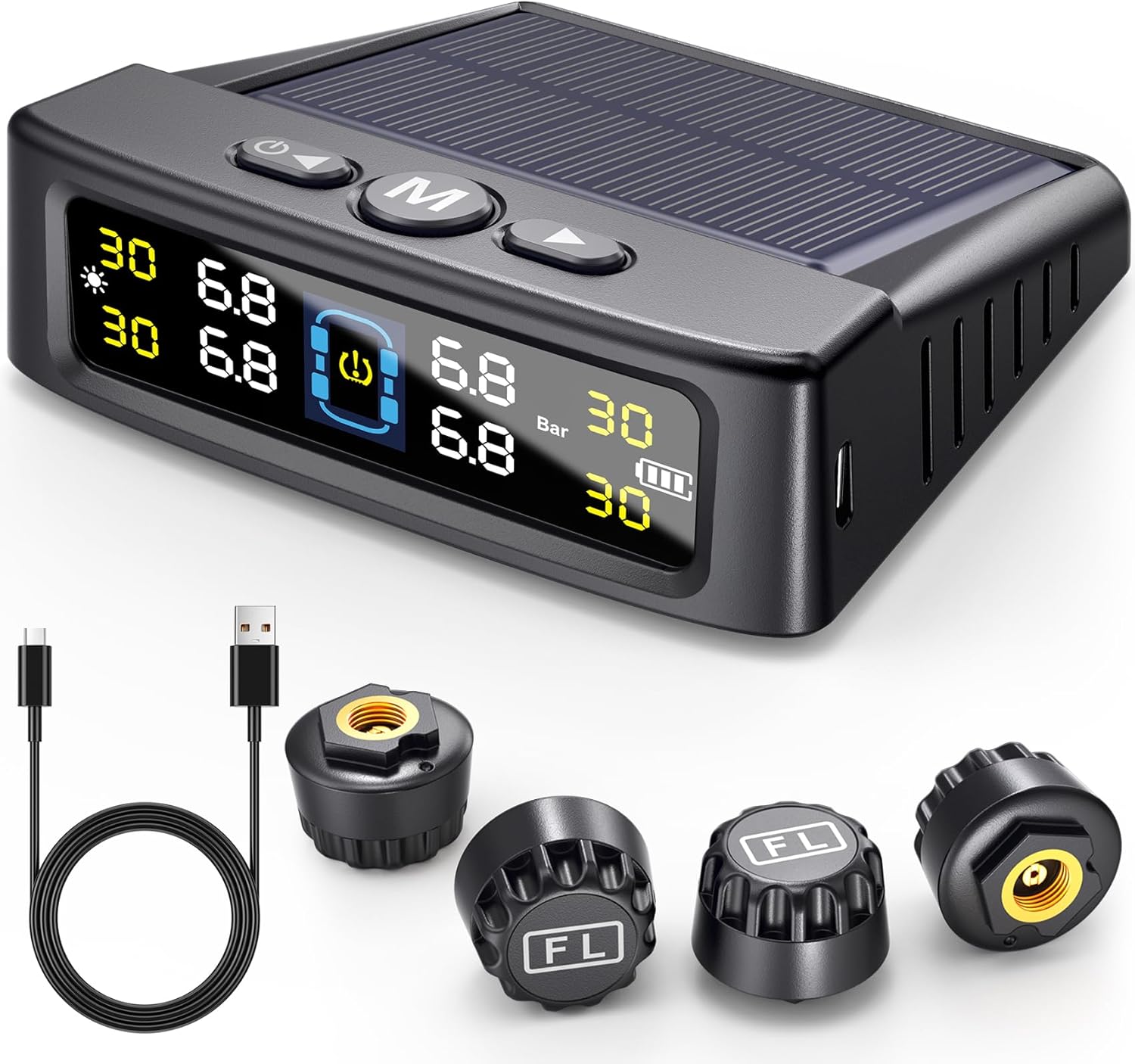
- 1 x LCD Display Monitor
- 4 x External Sensors
- 4 x Anti-theft Valve Stem Caps
- 1 x Installation Wrench
- 1 x USB Charging Cable
- 1 x Double-sided Tape
- 1 x User Manual (this document)
3. Setup and Installation
3.1 Charging the Monitor
The monitor can be charged via its built-in solar panel or using the provided USB cable. For initial use, it is recommended to fully charge the monitor via USB to ensure optimal performance.

3.2 Sensor Installation
The external sensors are designed for easy installation without needing to disassemble the tire. Each sensor is labeled (FL, FR, RL, RR) for its corresponding tire position (Front Left, Front Right, Rear Left, Rear Right).
- Unscrew the original valve cap from the tire valve.
- Screw on an anti-theft nut onto the valve stem.
- Screw the corresponding sensor onto the valve stem until it is hand-tight.
- Use the provided wrench to tighten the anti-theft nut against the sensor to secure it in place.
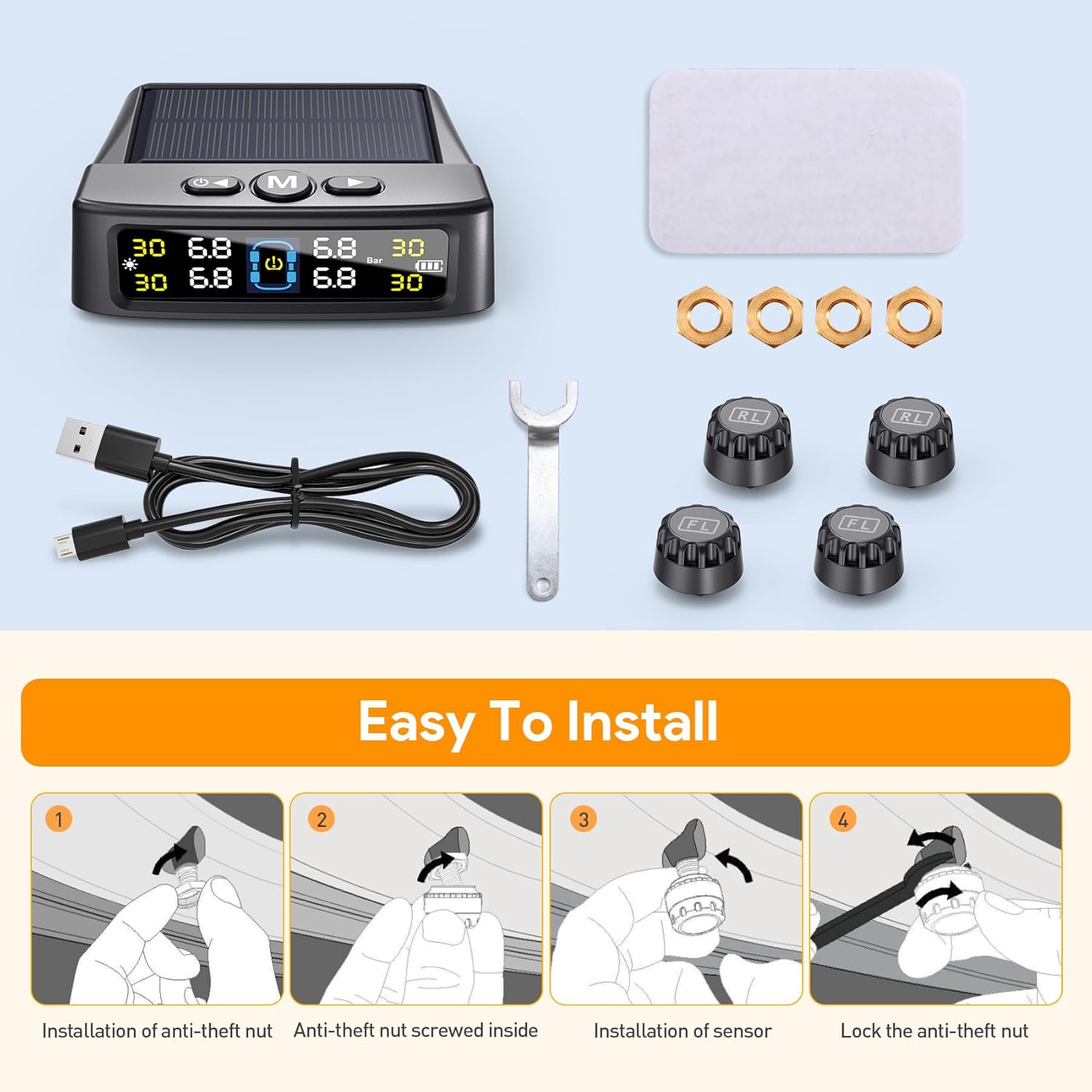
The sensors are pre-paired with the monitor, so no manual pairing is required before initial use. Ensure the tire pressure is set correctly before installation, as the system will use this as a reference point for alarm thresholds.
4. Operating Instructions
4.1 Display Overview
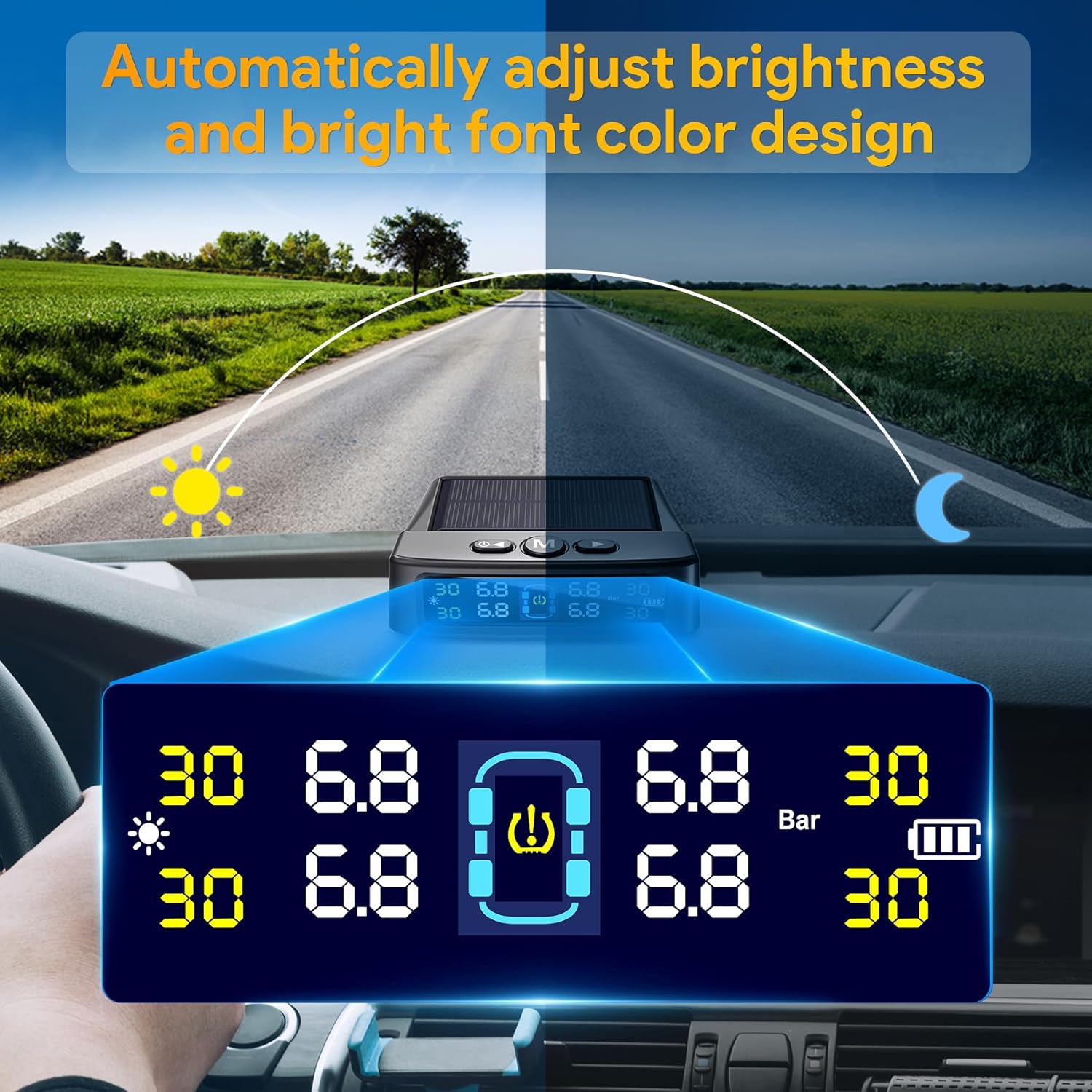
The intelligent color LCD screen displays real-time tire pressure and temperature for all four tires. It automatically adjusts backlighting for clear visibility in various light conditions.
4.2 Alarm Modes
The system is equipped with 6 alarm modes to alert you to potential tire issues:
- High/Low Pressure Alarm: Alerts when tire pressure exceeds or falls below set thresholds.
- High Temperature Alarm: Warns if tire temperature becomes excessively high.
- Fast Leak Alarm: Detects rapid air loss from a tire.
- Disconnection Alarm: Notifies if a sensor loses connection with the monitor.
- Low Battery Alarm: Indicates low battery level for either the monitor or a sensor.
- Sensor Fault Alarm: Alerts to a malfunction in a tire sensor.

4.3 Automatic On/Off and Voice Prompt
The monitor automatically turns on when the vehicle starts and turns off when parked, conserving battery life. Additionally, it features voice broadcasting to quickly inform drivers of any detected problems.
4.4 Product Overview Video
For a visual demonstration of the product and its features, please watch the official product video below:
5. Maintenance
- Cleaning: Wipe the monitor and sensors with a soft, dry cloth. Avoid using abrasive cleaners or solvents.
- Sensor Care: Ensure sensors are securely tightened to prevent air leaks and loss. Periodically check for any physical damage.
- Battery Life: The monitor's solar panel helps maintain charge. For prolonged parking or low light conditions, use the USB cable to charge the monitor. Sensors have long-lasting batteries and typically do not require user replacement.
- Storage: If storing the system for an extended period, ensure the monitor is fully charged and store it in a cool, dry place.
6. Troubleshooting
| Problem | Possible Cause | Solution |
|---|---|---|
| Monitor not turning on. | Low battery. | Charge the monitor via USB cable or place it in direct sunlight. |
| Sensor reading inaccurate or blank. | Sensor not properly installed, low sensor battery, or signal interference. | Re-tighten the sensor. Check for sensor fault alarm. Ensure no strong electromagnetic interference. If persistent, contact support. |
| Alarm sounds frequently. | Tire pressure/temperature outside set thresholds. | Check tire pressure with a reliable gauge and adjust if necessary. Verify temperature. Adjust alarm thresholds if current settings are too sensitive for your vehicle's requirements. |
| Sensors not connecting. | Distance too far, interference, or sensor issue. | Ensure the monitor is within range (max working distance 32.8 feet). Check for physical obstructions. If a sensor is faulty, it may need replacement. |
7. Specifications
| Feature | Detail |
|---|---|
| Model | I900000413 |
| Pressure Detection Range | 0-99 PSI (0-6.8 Bar) |
| Charging Options | Solar and USB |
| Display Type | Color LCD with auto brightness adjustment |
| Alarm Modes | High/Low Pressure, High Temperature, Fast Leak, Disconnection, Low Battery, Sensor Fault |
| Working Distance | Up to 32.8 feet (approx. 10 meters) |
| Item Weight | 7.1 ounces |
| Monitor Dimensions (L x W x H) | Approx. 95mm x 80mm x 20mm (3.74 x 3.15 x 0.79 inches) |
Note: The monitor dimensions are based on product images showing measurements. The "Product Dimensions" listed in the general specifications (1 x 1 x 1 inches) appear to be generic or for a different component.
8. Warranty and Support
For warranty information, product support, or to inquire about replacement parts, please refer to the warranty card included with your purchase or visit the official GEARGO website. Contact information for customer service is typically provided on the product packaging or within the included documentation.
You can also visit the GEARGO Store on Amazon for more product details and support resources.
