
1. Introduction
The LAUNCH CRP129HD is a heavy-duty truck scanner designed for 24V commercial vehicles. It offers comprehensive diagnostic capabilities, including OE-level all systems diagnostics, various service functions, and full OBD/EOBD/OBDII functions. This tool is suitable for a wide range of heavy-duty vehicles and diesel engines, providing efficient and accurate fault detection and maintenance support.
Key features include:
- OE-Level All Systems Diagnostic for 56+ commercial vehicle brands.
- 7+ Professional Service Functions: DPF Regen, Urea Drive (DEF), Oil Reset, Injector Coding, Speed Limit Adjustment, Cylinder Deactivation Compression, Clutch Learning.
- Full HD OBD/EOBD/OBDII Functions for both 24V trucks and 12V cars.
- Smart Diagnostic Features: Auto VIN & Scan, 4-IN-1 Live Data Graphing, Data Record & Playback, Diagnostic Report Sharing, DTC Library, and Online Feedback.
- Wide Vehicle Compatibility: Supports OBD2/CAN, J1587, J1708, and J1939 protocols.
- Powered by Android 8.1 OS with a 4-inch touchscreen and button interface.
- 2-Year Free Software Updates via Wi-Fi.
2. Setup
2.1 Unboxing and Components
Carefully unpack the LAUNCH CRP129HD scanner and verify all components are present. The package should contain:
- 1 * LAUNCH CRP129 HD Main Unit
- 1 * OBD 16-PIN Diagnostic Cable
- 1 * OBD Adapter
- 3 * Diagnostic Connectors (CAT 9-PIN, OBD 6-PIN, Type II OBD 9-PIN)
- 1 * Quick Start Guide & 1 * User Manual
- 1 * Carrying Box
Note: A Type-C charging cable is not included.
Video: LAUNCH CRP129 HD Heavy Duty Truck Scanner - Packing List. This video demonstrates the contents of the product package, including the main unit, cables, and connectors.
2.2 Initial Power On and Configuration
The device is battery-powered. Ensure it is sufficiently charged before first use. Upon powering on, follow the on-screen prompts to configure language, time zone, and Wi-Fi settings. Connecting to Wi-Fi is essential for software updates and accessing online features.
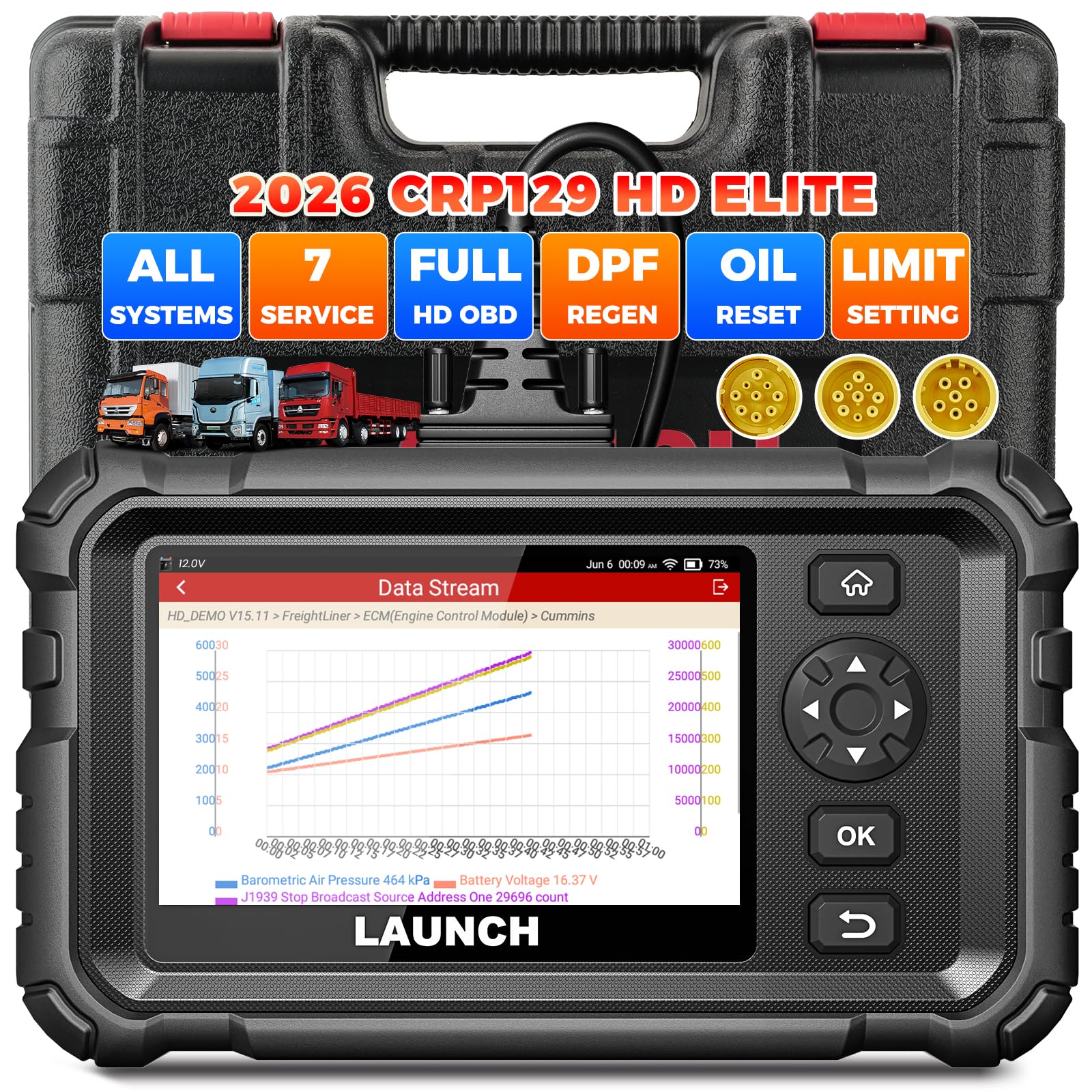
Image: The main unit of the LAUNCH CRP129HD scanner, showing its robust design and display.
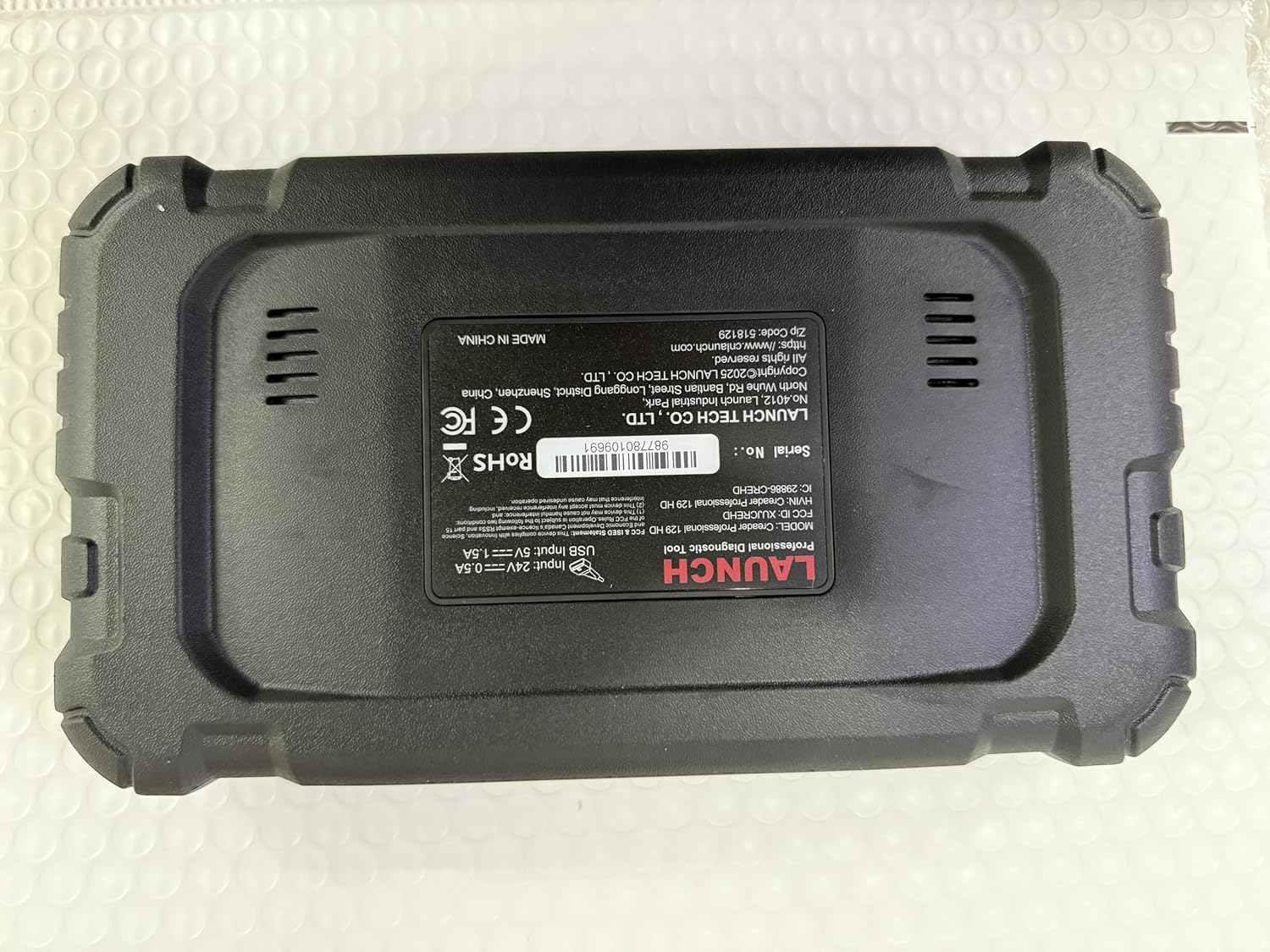
Image: Rear view of the LAUNCH CRP129HD scanner, displaying the serial number (987780109691) and product specifications.
3. Operating Instructions
3.1 Connecting to a Vehicle
The CRP129HD supports various diagnostic protocols including OBD2/CAN, J1587, J1708, and J1939. Use the appropriate diagnostic connector (OBD 6-PIN, OBD 9-PIN, or CAT 9-PIN) and the OBD 16-PIN diagnostic cable to connect the scanner to the vehicle's diagnostic port. Ensure a secure connection before proceeding.
Video: LAUNCH CRP129 HD Heavy Truck Scanner. This video demonstrates the connection process and initial use of the scanner with a heavy-duty truck.
3.2 All Systems Diagnostic
The scanner provides OE-level full system diagnostics for all available modules in commercial vehicles, including Engine, ABS, SRS, SAS, Transmission, TPMS, ESP, EVAP, BMS, Drivetrain, ATA, Aftertreatment, and more. To perform a full system scan:
- Turn on the vehicle's ignition.
- Select "Diagnose" from the main menu.
- Choose "Auto VIN" for automatic vehicle identification (for 2006+ models) or manually select the vehicle brand and model.
- Initiate the "System Scan" to read all available modules.
- The scanner will display fault codes (DTCs), ECU information, and live data streams.

Image: Screenshot of the scanner's interface showing the "All System Diagnostic" function, including options for reading and clearing codes, live data, and ECU information.
Video: Full System Diagnostic of LAUNCH CRP129 HD. This video provides a detailed walkthrough of performing a full system diagnostic scan using the CRP129HD.
3.3 Special Service Functions
The CRP129HD offers several specialized service functions to assist with vehicle maintenance and repair:
- DPF Regeneration: Initiates and monitors the Diesel Particulate Filter regeneration process. Applicable to Cummins, Detroit, Caterpillar, International, Volvo, Paccar, Isuzu, Fuso, Hino, Perkins, and more.
- Urea Drive (DEF): Manages and diagnoses issues related to the Diesel Exhaust Fluid system.
- Oil Reset: Resets the oil service light after an oil change.
- Injector Coding: Codes new injector replacement values into the ECU.
- Speed Limit Adjustment: Modifies the vehicle's speed limiter settings.
- Cylinder Deactivation Compression: Performs tests related to cylinder deactivation and compression.
- Clutch Learning: Conducts clutch adaptation procedures.
Access these functions by navigating to "Diagnose > Brand > System > Special Function" on the device. Note that specific functions may vary by vehicle model. Always check compatibility.

Image: Display of the scanner's "7+ Service Functions" menu, showing options like DPF Regeneration, Oil Reset, and Injector Coding.

Image: Illustration of the DPF Regeneration function in action, showing the scanner connected to a vehicle and addressing DPF issues.
3.4 OBD/EOBD/OBDII Functions
The CRP129HD also functions as a 2-in-1 code reader for both 24V trucks (HD OBD, supporting J1939 and J1708 protocols) and 12V cars (OBDII/EOBD). Standard OBDII functions include:
- Read/Clear Codes
- Live Data Stream
- I/M Readiness
- Freeze Frame Data
- O2 Sensor Test
- On-Board Monitoring Test
- EVAP Test
- Vehicle Information (VIN, CID, CVN)

Image: Visual representation of the scanner's capability as a 3-in-1 code reader, supporting both heavy-duty trucks and passenger cars with various diagnostic functions.
4. Maintenance
4.1 Software Updates
The CRP129HD comes with 2 years of free software updates. Regular updates ensure compatibility with new vehicle models, bug fixes, and enhanced functionalities. To update the software:
- Ensure the device is connected to a stable Wi-Fi network.
- From the main menu, select "Update" or "One-Click Wi-Fi Update".
- Follow the on-screen instructions to download and install the latest software versions.

Image: Screenshot highlighting user-friendly features, including the "One-Click WiFi Update" option on the scanner's interface.
4.2 Cleaning and Storage
Keep the scanner clean by wiping it with a soft, damp cloth. Avoid using abrasive cleaners or solvents. Store the device in its carrying box in a dry, cool place away from direct sunlight and extreme temperatures when not in use.
5. Troubleshooting
This section addresses common issues and provides solutions.
5.1 Common Issues and Solutions
- Device not powering on: Ensure the battery is charged. Connect the device to a power source using a compatible Type-C cable (not included).
- Connectivity issues: Verify that the diagnostic cable is securely connected to both the scanner and the vehicle's OBD port. Ensure the vehicle's ignition is on.
- Auto VIN fails: If automatic VIN detection fails, manually select the vehicle brand and model from the diagnostic menu.
- Software bugs or unexpected behavior: Perform a software update via Wi-Fi. If the issue persists, use the "Online Feedback" feature to report the problem to technical support.
5.2 DTC Library and Code Search
The built-in DTC Library allows you to quickly look up definitions for diagnostic trouble codes. For more in-depth information or repair tips, use the "Code Search" function which can link to online resources.

Image: Overview of smart diagnostic features, including DTC Lookup, Online Feedback, and Remote Assistance options.
5.3 Frequently Asked Questions (FAQs)
- Q: What should I do if the received product is broken or used?
- A: Some returns may be marked as sellable by Amazon, leading to an used item being received. Please contact us via obdbox21@163.com, and we will arrange a replacement.
- Q: Will the topology map work after two years free upgrade?
- A: Yes, it will still work. Updates primarily fix bugs, optimize existing functions, add new features, and expand model compatibility.
- Q: Who should I contact to solve my problem?
- A: Please contact us directly via our email provided on the detail page: obdbox21@163.com. Do not contact LAUNCH Tech USA, as they are an overseas branch and do not offer support to Amazon customers.
6. Specifications
| Feature | Detail |
|---|---|
| Brand | LAUNCH |
| Model Number | CRP129HD |
| Power Source | Battery Powered |
| Operating System | Android 8.1 |
| Screen Size | 4 inches |
| Product Dimensions (L x W x H) | 12.7"L x 5.3"W x 11"H |
| UPC | 884508003806 |
| Included Components | Main Unit, OBD 16-PIN Cable, OBD Adapter, Quick Start Guide, User Manual, Carrying Box, CAT 9-PIN, OBD 6-PIN, Type II OBD 9-PIN Connectors |
| Automotive Fit Type | Universal Fit (24V Commercial, 12V Passenger) |
7. Warranty and Support
7.1 Warranty Information
The LAUNCH CRP129HD comes with a 5-Year Manufacturer Warranty. This warranty covers defects in materials and workmanship under normal use. Please retain your proof of purchase for warranty claims.
Additionally, the product includes a 90-day return and replacement policy from the date of purchase.
7.2 Technical Support
For technical assistance, questions, or troubleshooting, please contact our support team directly. We offer 24/7/365 technical support and a 5-Year Quality Backup service.
Contact Email: obdbox21@163.com
When contacting support, please provide your product model (CRP129HD) and serial number (found on the back of the device, e.g., 987780109691) to expedite assistance.
Note: Please contact the provided email for support. Do not contact LAUNCH Tech USA for Amazon purchases.