
Potensic ATOM 2
Contents
Potensic ATOM 2 Drone User Manual
Model: ATOM 2
Brand: Potensic
1. Introduction
The Potensic ATOM 2 Drone is a lightweight, compact drone designed for both beginners and experienced users. Weighing under 249g, it does not require FAA and Remote ID registration, making it convenient for travel and spontaneous flights. Equipped with a 1/2'' Sony CMOS sensor, it captures stunning 8K photos and records stable 4K/30fps HDR videos, supported by a 3-axis gimbal for smooth footage. Its advanced features like AI Track, various shooting modes, and a 10KM transmission range ensure an amazing visual experience. The drone is designed for ease of use with features like one-tap takeoff and Smart Return-to-Home, providing a smooth and enjoyable flying experience.

Figure 1.1: Potensic ATOM 2 Drone and Remote Controller
2. What's in the Box
The Standard Kit of the Potensic ATOM 2 Drone includes the following components:
- 1 x ATOM 2 Drone
- 1 x Remote Controller
- 1 x Gimbal Protector
- 1 x Intelligent 2330mAh Battery
- 1 x Propeller Holder Strap
- 8 x Spare Propellers (4 Pairs)
- 8 x Spare Screws
- 1 x Screwdriver
- 1 x USB-C Charging Cable
- 2 x Adapter Cables (USB Type-C Connector and Lightning Connector)

Figure 2.1: Potensic ATOM 2 Standard Kit Components
3. Setup
3.1 Unfolding the Drone
Carefully unfold the drone arms. The front arms unfold first, followed by the rear arms. Ensure all arms are fully extended and locked into place before flight.

Figure 3.1: Unfolding the ATOM 2 Drone
3.2 Battery Installation and Charging
Insert the intelligent flight battery into the drone until it clicks securely. To charge, connect the battery (or charging hub if using Fly More Combo) to a power source using the provided USB-C charging cable. The battery indicator lights will show charging status.

Figure 3.2: Battery and Charging Hub
3.3 Remote Controller Setup
Attach your smartphone to the remote controller using the integrated phone holder. Connect the phone to the remote controller using one of the adapter cables provided. Ensure the remote controller is fully charged before use.

Figure 3.3: Remote Controller with Phone
3.4 App Installation (Potensic Eve)
Download and install the 'Potensic Eve' app from your device's app store. This app is essential for controlling the drone, accessing advanced features, and viewing live footage.

Figure 3.4: Potensic Eve App Interface
4. Operating the Drone
4.1 Flight Modes and Features Overview
The Potensic ATOM 2 offers a variety of intelligent flight modes and features to enhance your aerial photography and videography experience.
Video 4.1: Official Potensic ATOM 2 Product Video showcasing 4K Video, 8K Photo, AI Track, and compact design.
4.2 AI Track
Utilizing an advanced AI model, the ATOM 2 can intelligently track subjects. Frame your target in the app to activate tracking modes such as Spotlight, Follow, and Parallel, ensuring your subject remains in focus and within the frame.

Figure 4.1: AI Track in action
4.3 Vertical Shooting & QuickShots
Capture content perfectly framed for social media with Vertical Shooting mode. Additionally, use QuickShots to automatically create cinematic video clips with pre-programmed flight paths.

Figure 4.2: Vertical Shooting Mode
4.4 4K HDR Video & 8K Photo
The 1/2'' Sony CMOS sensor allows for stunning 8K still photography and high-quality 4K/30fps HDR video recording, ensuring vibrant colors and sharp details even in challenging lighting conditions.
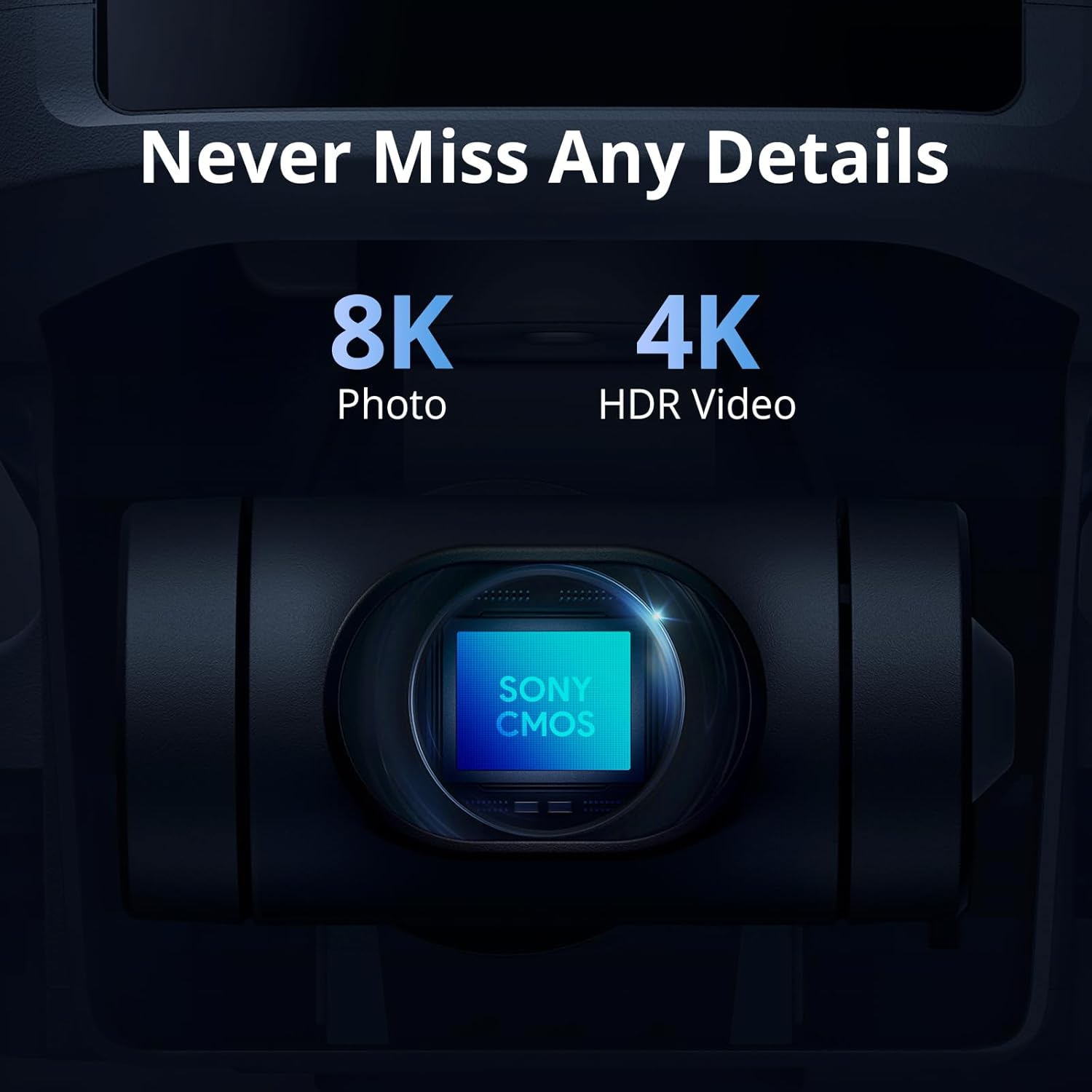
Figure 4.3: Camera Capabilities
4.5 10KM Transmission Range
Experience extended flight distances with the drone's impressive 10KM maximum control range, powered by PixSync 4.0 technology for enhanced signal stability and precision.

Figure 4.4: Key Features Overview
4.6 AI Night Shot
Capture crisp and clear videos even in low-light conditions with the AI Night Shot feature. The drone's AI model intelligently identifies scenes and applies precise enhancements for optimal night performance.

Figure 4.5: AI Night Shot Example
4.7 SmartTransfer
Quickly transfer your 4K HD footage from the drone to your phone via Wi-Fi at speeds up to 25 MB/s, making it easy to share your content directly to social media in real-time.

Figure 4.6: SmartTransfer Feature
4.8 Smart Return-to-Home (RTH)
The ATOM 2 features Smart Return-to-Home (RTH), allowing the drone to automatically return to its customizable Home Point with precise GNSS positioning, ensuring easy and safe retrieval.

Figure 4.7: One Key to Return Home
5. Maintenance
Proper maintenance ensures the longevity and optimal performance of your Potensic ATOM 2 drone.
5.1 General Care
- Keep the drone and remote controller clean and free from dust and debris. Use a soft, dry cloth for cleaning.
- Avoid exposing the drone to extreme temperatures or direct sunlight for prolonged periods.
- Store the drone in a cool, dry place, preferably in its original packaging or a protective case.
5.2 Propeller Inspection
- Regularly inspect the propellers for any signs of damage, cracks, or bends.
- Replace damaged propellers immediately using the spare propellers provided in the kit.
- Ensure propellers are securely attached before each flight.
5.3 Battery Storage
- For long-term storage, charge the intelligent flight battery to approximately 50-60% to maintain battery health.
- Store batteries in a cool, dry place away from direct sunlight and heat sources.
6. Troubleshooting
This section addresses common issues you might encounter with your Potensic ATOM 2 drone.
| Problem | Possible Cause | Solution |
|---|---|---|
| Drone won't power on | Low battery; Battery not properly installed | Charge the battery fully; Reinstall the battery securely. |
| Weak signal/Loss of connection | Interference; Drone out of range; Obstructions | Fly in an open area away from interference; Keep drone within visual line of sight and within specified range; Avoid flying behind large obstacles. |
| Poor video/photo quality | Dirty lens; Incorrect settings; Low light conditions | Clean the camera lens with a soft cloth; Adjust camera settings (resolution, HDR); Use AI Night Shot for low light. |
| Drone drifts during flight | Improper calibration; Strong winds | Perform IMU and compass calibration via the app; Avoid flying in strong winds. |
7. Specifications
Detailed technical specifications for the Potensic ATOM 2 Drone:
| Feature | Specification |
|---|---|
| Brand | Potensic |
| Model Name | ATOM 2 |
| Item Weight | 245 Grams (8.6 ounces) |
| Video Capture Resolution | 4K |
| Effective Still Resolution | 48 MP (8K Photo) |
| Optical Sensor Technology | CMOS (1/2'' Sony CMOS sensor) |
| Maximum Range | 10 Kilometers |
| Battery Capacity | 2330mAh (Standard Kit) |
| Max Flight Time | 32 minutes (Standard Kit) |
| Control Type | Remote Control |
| Skill Level | Beginner |
| Product Dimensions | 11.81"L x 9.64"W x 2.28"H |
8. Warranty and Support
Potensic is committed to providing high-quality products and excellent customer service.
8.1 Potensic Care
Potensic Care offers comprehensive accident coverage for your Potensic Drone. This service provides instant support and hassle-free assistance anytime, allowing you to fly with confidence. Available in the New App, Potensic Eve.
8.2 Potensic Eve App
The new Potensic Eve app provides an intuitive interface for effortless operation. It includes features like Flight Record Playback for detailed visual logs and smart reminders to enhance safety and simplicity. The in-app chat service offers direct support for any questions or issues.
For further assistance or to explore more products, visit the official Potensic Store: Potensic Store on Amazon
Documents and downloads
Ask a question about this manual
Ask about setup, troubleshooting, compatibility, parts, safety, or missing instructions. Manuals+ will review the question and use this page’s manual context to help answer it.