
Potensic ATOM 2
Contents
Potensic ATOM 2 Drone User Manual
Model: ATOM 2 | Brand: Potensic
Introduction
This manual provides essential information for the safe and effective operation of your Potensic ATOM 2 Drone. Please read this manual thoroughly before your first flight and retain it for future reference. The Potensic ATOM 2 is a lightweight, high-performance drone designed for aerial photography and videography, featuring advanced imaging capabilities and intelligent flight modes.
1. Setup
1.1 Unboxing and Components
Carefully unpack all items from the box. Ensure all components are present before proceeding.
- 1 x ATOM 2 Drone
- 1 x Remote Controller
- 1 x Gimbal Protector
- 3 x Batteries
- 1 x Parallel Charging Hub
- 1 x Propeller Holder Strap
- 16 x Spare Propellers (8 Pairs)
- 16 x Spare Screws
- 1 x Screwdriver
- 1 x USB-C Charging Cable
- 2 x Adapter Cable (USB Type-C Connector and Lightning Connector)
- 1 x Shoulder Bag

Figure 1.1: Contents of the Potensic ATOM 2 Fly More Combo package.
1.2 Battery Charging
Fully charge all batteries before first use. The Fly More Combo includes a parallel charging hub that can charge three batteries simultaneously in approximately 1.3 hours.

Figure 1.2: Battery charging and flight time comparison for different kits.
1.3 Controller Setup
The newly upgraded remote control features a directional antenna for enhanced sensitivity and precision. Connect your smartphone to the controller using the provided adapter cable.

Figure 1.3: Remote controller with smartphone for live view and control.
1.4 Drone Preparation
Unfold the drone arms and attach the propellers if not already installed. Ensure the gimbal protector is removed before flight.

Figure 1.4: The Potensic ATOM 2 drone ready for flight with its accessories.
2. Operating the Drone
2.1 First Flight Checklist
- Ensure batteries are fully charged for both drone and controller.
- Verify propellers are securely attached and undamaged.
- Remove the gimbal protector.
- Choose an open, clear area free from obstacles, people, and electromagnetic interference.
- Check local regulations for drone operation.
2.2 Takeoff and Landing
The ATOM 2 offers precise GNSS positioning and features Auto Takeoff and Landing for beginner-friendly flights. Use the dedicated button on the controller or within the app for automated takeoff and landing procedures.
2.3 Flight Modes and Features
The ATOM 2 is equipped with various intelligent flight modes to enhance your aerial photography and videography.
- AI Track: Powered by an advanced AI model, this feature allows the drone to intelligently track subjects. Tracking modes include Spotlight, Follow, and Parallel.
- QuickShots: Create cinematic videos with pre-programmed flight paths.
- Dolly Zoom: A new video mode that creates a dramatic visual effect by zooming while the drone moves.
- Slow Motion: Capture high-frame-rate video for smooth slow-motion playback.
- Vertical Shooting: Optimized for social media, this mode captures video in a vertical orientation.

Figure 2.1: AI Track in action, following a moving subject.

Figure 2.2: Vertical Shooting mode for social media content.
2.4 Camera Operation
The ATOM 2 is equipped with a 1/2'' Sony CMOS sensor, capturing 8K photos and 4K/30fps HDR stable videos within a 3-axis gimbal. The F1.8 aperture and 4-in-1 pixels improve low-light performance, details, and color.
- 8K Photo: Capture stunning high-resolution still images.
- 4K/30fps HDR Video: Record smooth, high-dynamic-range video.
- AI Night Shot: Capture crisp and clear videos at night with intelligent scene identification and enhancement.
- 4x Digital Zoom: Flexibly zoom in and out to capture scenes from a distance (supported in 1080p/24/25/30fps video).
- Panoramic: Create expansive panoramic shots.
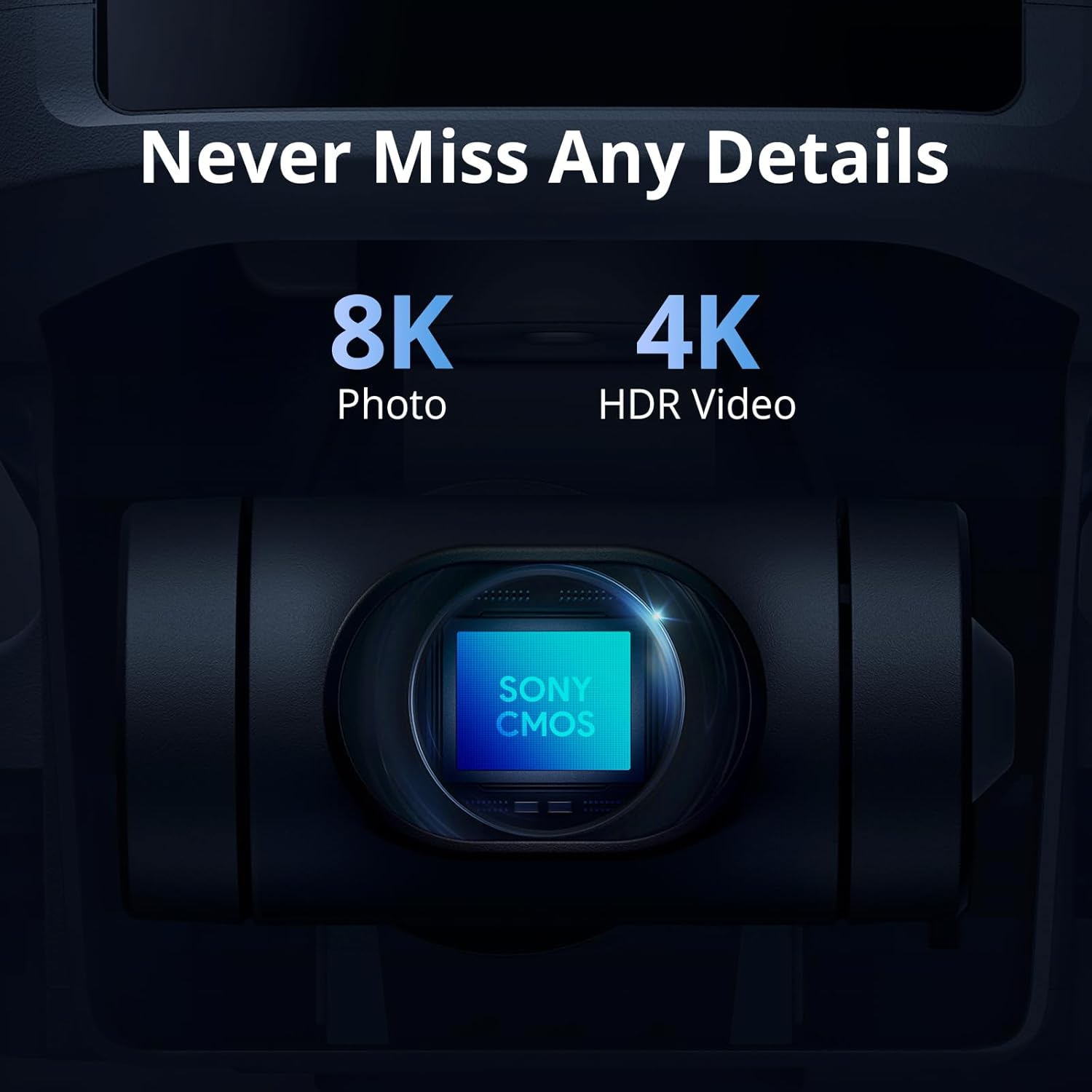
Figure 2.3: The ATOM 2's advanced camera sensor.
2.5 Transmission and Connectivity
With built-in PixSync 4.0 technology, the ATOM 2 offers excellent anti-interference with a control range of up to 10 km and 1080p/30fps live view transmission. SmartTransfer allows for quick download of 4K HD footage to your phone at up to 25 MB/s for easy sharing.
2.6 Smart Return-to-Home (RTH)
The Smart Return-to-Home (RTH) function ensures the drone returns to its takeoff point safely. Utilize this feature for added peace of mind during flights.
3. Maintenance
3.1 Battery Care
To prolong battery life, store batteries at approximately 50-60% charge when not in use for extended periods. Avoid fully discharging or overcharging batteries.
3.2 Propeller Inspection and Replacement
Regularly inspect propellers for any signs of damage, cracks, or bends. Replace damaged propellers immediately using the provided spare parts and screwdriver to ensure safe and stable flight.
3.3 Gimbal Protection
Always attach the gimbal protector when transporting or storing the drone to prevent damage to the camera and gimbal system.
3.4 Cleaning
Use a soft, dry cloth to clean the drone body and camera lens. Avoid using harsh chemicals or abrasive materials that could damage the surfaces.
4. Troubleshooting
4.1 Common Issues
- Drone not powering on: Ensure the battery is fully charged and correctly inserted.
- No connection to controller: Verify both drone and controller are powered on and within range. Re-pair if necessary according to the quick start guide.
- Unstable flight: Check for damaged propellers, ensure the drone is calibrated, and fly in calm weather conditions.
- Poor image/video quality: Clean the camera lens, ensure proper lighting, and check camera settings in the app.
4.2 Seeking Further Assistance
For more detailed troubleshooting or persistent issues, refer to the Potensic Eve app's in-app chat service for instant support and hassle-free assistance.
5. Specifications
| Feature | Detail |
|---|---|
| Brand | Potensic |
| Model Name | ATOM 2 |
| Item Weight | 249 Grams (8.8 ounces) |
| Video Capture Resolution | 4K |
| Effective Still Resolution | 48 MP (8K Photo) |
| Optical Sensor Technology | CMOS (1/2'' Sony CMOS sensor) |
| Maximum Range | 10 Kilometers |
| Battery Capacity | 5200 Milliamp Hours |
| Flight Time (Fly More Combo) | Up to 96 minutes (with 3 batteries) |
| Control Type | Remote Control |
| Skill Level | Beginner |
| Product Dimensions | 11.81"L x 9.64"W x 2.28"H |
| Material | Plastic |
6. Warranty and Support
6.1 Potensic Care
Potensic offers a comprehensive care service, Potensic Care, which provides accident coverage and repair/replacement services for your drone. Details and availability can be found within the Potensic Eve app.
6.2 In-App Support
The Potensic Eve app features an in-app chat service for instant support and hassle-free assistance. This is the primary channel for technical support and customer service.
6.3 Protection Plans
Extended protection plans are available for purchase to cover your investment:
- 2-Year Protection Plan
- 3-Year Protection Plan
- Complete Protect (monthly plan covering eligible past and future purchases)
Please refer to the product listing or contact customer support for current pricing and terms.
Documents and downloads
Ask a question about this manual
Ask about setup, troubleshooting, compatibility, parts, safety, or missing instructions. Manuals+ will review the question and use this page’s manual context to help answer it.