
1. Introduction
This manual provides detailed instructions for the setup, operation, and maintenance of your FEELWORLD P173-9HSD 17.3 Inch Broadcast Production Monitor. Please read this manual thoroughly before using the product to ensure proper and safe operation.
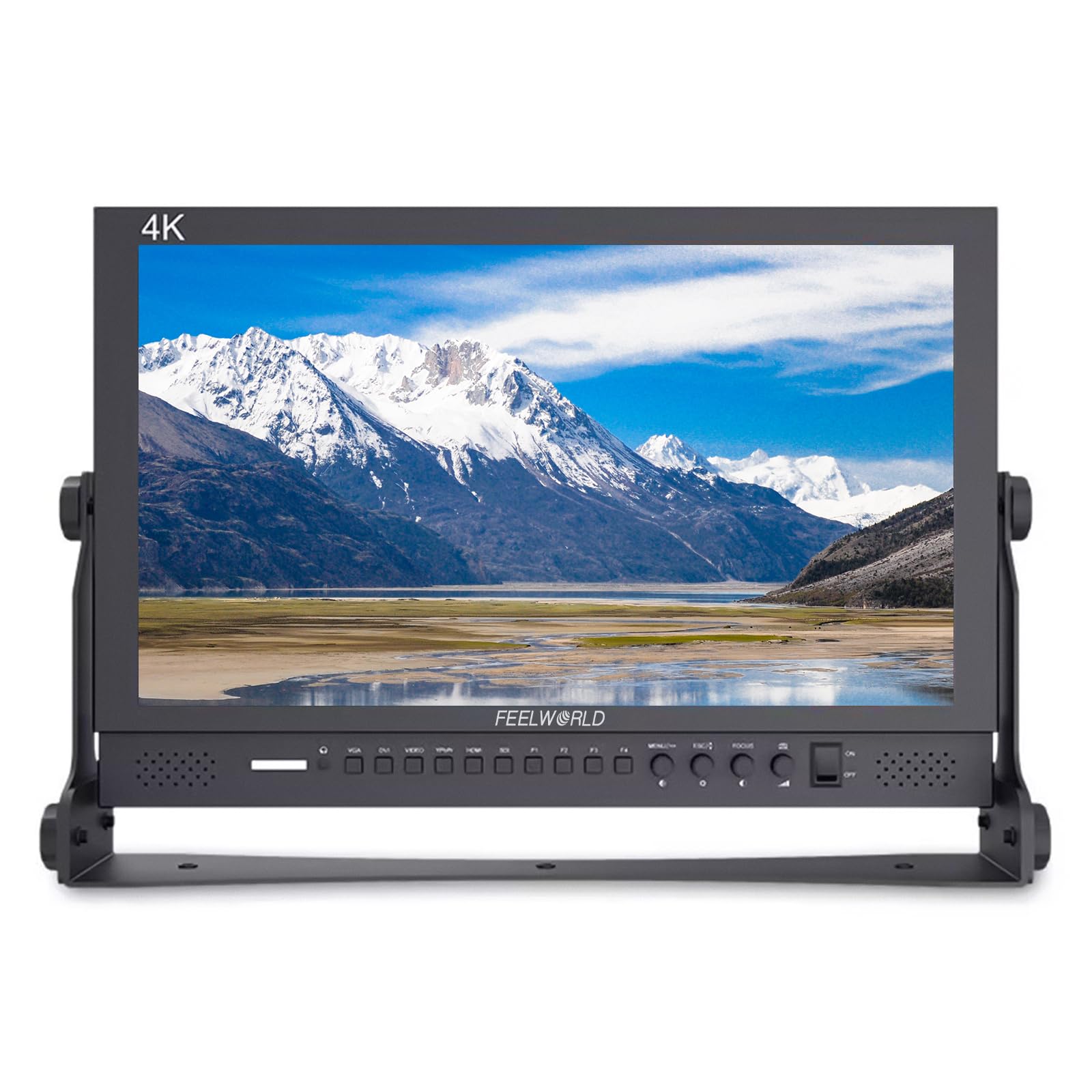
Figure 1: FEELWORLD P173-9HSD Broadcast Production Monitor
2. Safety Information
To prevent damage and ensure safe operation, observe the following precautions:
- Do not expose the monitor to rain or moisture.
- Do not open the monitor casing; refer all servicing to qualified personnel.
- Use only the specified power adapter.
- Avoid placing the monitor near heat sources or in direct sunlight.
- Ensure proper ventilation to prevent overheating.
- Clean the monitor with a soft, dry cloth. Avoid liquid cleaners.
3. Package Contents
Verify that all items are present in the package:
- FEELWORLD P173-9HSD Monitor
- 1x 3A DC Power Adapter
- 1x V Battery Plate
- 1x Mini HDMI Cable
- 1x Tally Kit
- 1x Sunshade
- 1x U Bracket
- 1x Operation Manual (this document)

Figure 2: Included accessories with the P173-9HSD monitor.
4. Product Overview and Features
The FEELWORLD P173-9HSD is a 17.3-inch broadcast production monitor designed for professional video applications. It features a 1920x1080 Full HD display and a robust set of monitoring tools.
4.1 Key Features
- 1920x1080 Full HD Display: Native 1920x1080 resolution with 400cd/m2 brightness and wide 160-degree viewing angles.
- Multi-Input/Output Connectivity: Supports HDMI, 3G-SDI, AV, and YPbPr inputs, with HDMI and 3G-SDI outputs.
- Professional Monitoring Functions: Includes Peaking Focus Assist, Center Marker, Screen Marker, Image Freeze, Image Flip, Camera 5D II Mode, Check Field, Pixel to Pixel, Zoom All, U/D & L/R Zoom, Aspect Ratio, and Color Temperature Adjustment.
- 3-Color Tally Light System: Front and rear tally lights for live, preview, and standby status indication.
- Triple Power Input Solutions: Supports DC 12V barrel, XLR connector, and V-mount battery plate for flexible power options.
- Durable Design: Solid aluminum shell with an adjustable U-bracket for various viewing angles.
4.2 Front Panel Controls

Figure 3: Front Panel Layout
The front panel includes buttons for input selection (VGA, DVI, VIDEO, YPbPr, HDMI, SDI), function keys (F1-F4), menu navigation (MENU/-, ESC/+, FOCUS), and power (ON/OFF).
4.3 Rear Panel Connections

Figure 4: Rear Panel Connectivity
The rear panel provides various input and output ports, including HDMI IN/OUT, 3G-SDI IN/OUT, YPbPr IN/OUT, Video IN/OUT, DVI, and power inputs (XLR, DC 12V barrel, V-mount battery plate). A USB port is available for firmware upgrades.
5. Setup
5.1 Mounting the Monitor
The P173-9HSD monitor comes with an adjustable U-bracket for desktop use.
- Attach the U-bracket to the monitor using the provided screws.
- Place the monitor on a stable, flat surface.
- Adjust the angle of the monitor by loosening the side knobs, setting the desired tilt, and then tightening the knobs.

Figure 5: Adjustable Bracket and Sunshade Installation
5.2 Attaching the Sunshade
The included sunshade can be attached to the monitor to reduce glare in bright environments.
- Align the sunshade with the grooves around the monitor's bezel.
- Securely attach the sunshade, ensuring it is firmly in place.
5.3 Power Connection
The monitor supports three power input methods:
- DC 12V Barrel: Connect the provided 3A DC power adapter to the DC 12V input port.
- XLR Connector: For professional power supplies, connect an XLR power cable to the XLR input.
- V-Mount Battery Plate: Attach a compatible V-mount battery to the V battery plate on the rear of the monitor.
Ensure only one power source is connected at a time unless specified otherwise by the manufacturer.
5.4 Video Input Connections
Connect your video source to the appropriate input port on the rear panel:
- HDMI: Use the Mini HDMI cable (or a standard HDMI cable) to connect to the HDMI IN port.
- 3G-SDI: Connect an SDI cable to the 3G-SDI IN port.
- YPbPr: Connect component video cables to the YPbPr IN ports.
- AV: Connect composite video cables to the Video IN ports.
- DVI: Connect a DVI cable to the DVI input port.
If using video outputs, connect additional monitors or devices to the HDMI OUT or 3G-SDI OUT ports.
6. Operating Instructions
6.1 Powering On/Off
Press the ON/OFF button on the front panel to power the monitor on or off. The power indicator light will illuminate when the monitor is on.
6.2 Input Selection
Use the dedicated input buttons (VGA, DVI, VIDEO, YPbPr, HDMI, SDI) on the front panel to switch between different video sources.
6.3 OSD Menu Navigation
The On-Screen Display (OSD) menu allows you to configure monitor settings.
- Press the MENU/- button to open the OSD menu.
- Use the MENU/- and ESC/+ buttons to navigate through menu options.
- Press the FOCUS button (often acts as Enter/Confirm) to select an option or confirm a setting.
- Press the ESC/+ button to exit the current menu or return to the previous level.
6.4 Using Advanced Functions
The P173-9HSD includes several professional monitoring tools accessible via the OSD menu or programmable function keys (F1-F4).

Figure 6: Advanced Monitoring Features
- Peaking Focus Assist: Highlights sharp edges in red, green, or blue to aid in achieving precise focus.
- Center Marker / Screen Marker: Displays guides for framing and composition.
- Image Freeze: Pauses the current video frame.
- Image Flip: Flips the image horizontally, vertically, or both. Useful for various mounting orientations.
- Check Field: Displays a single color channel (Red, Green, Blue, or Mono) to assist with color calibration.
- Pixel to Pixel: Displays the image at its native resolution without scaling.
- Zoom All / U/D & L/R Zoom: Provides various zoom options for detailed inspection.
- Aspect Ratio: Adjusts the display aspect ratio.
- Color Temperature Adjustment: Fine-tunes the color temperature of the display.
Refer to the OSD menu for specific settings and customization of these functions.
6.5 Tally Light System
The monitor features a 3-color tally light system (Red, Green, Yellow) on both the front and rear panels. These lights indicate the status of the video feed in a multi-camera setup.

Figure 7: Tally Light Indicators
- Red: Indicates the camera is live (On Air).
- Green: Indicates the camera is on preview.
- Yellow: Indicates the camera is on standby.
The tally lights are controlled via the DP-9 barrel connector on the rear panel, typically connected to a switcher or tally system.
7. Maintenance
7.1 Cleaning the Monitor
- Always power off the monitor and disconnect it from the power source before cleaning.
- Use a soft, dry, lint-free cloth to wipe the screen and casing.
- For stubborn marks, lightly dampen the cloth with water. Avoid using alcohol, solvents, or abrasive cleaners.
- Do not spray liquid directly onto the screen or into any openings.
7.2 Storage
When not in use for extended periods, store the monitor in a cool, dry place, away from direct sunlight and extreme temperatures. Use the original packaging or a protective case to prevent dust and physical damage.
8. Troubleshooting
If you encounter issues with your monitor, refer to the following common problems and solutions:
| Problem | Possible Cause | Solution |
|---|---|---|
| No image on screen | No power; incorrect input selected; faulty video cable; video source off. | Check power connection and adapter. Ensure monitor is powered on. Select correct input source. Verify video cable connection. Turn on video source. |
| Image is distorted or flickering | Loose video cable; incompatible resolution/refresh rate; interference. | Secure video cable connections. Adjust video source resolution/refresh rate to match monitor specifications. Move monitor away from strong electromagnetic sources. |
| No audio | Audio muted; volume too low; faulty audio cable (if external speakers); no audio in video signal. | Check monitor volume settings. Ensure audio is not muted. Verify audio cable connection. Confirm video source is sending audio. |
| Tally light not working | Tally cable not connected; tally system not configured correctly. | Ensure the tally cable is securely connected to the DP-9 port. Verify your tally system is sending the correct signals. |
If the problem persists after trying these solutions, please contact customer support.
9. Specifications
| Feature | Specification |
|---|---|
| Brand | FEELWORLD |
| Model Name | P173-9HSD |
| Screen Size | 17.3 Inches |
| Resolution | 1920 x 1080 (FHD 1080p) |
| Aspect Ratio | 16:9 |
| Contrast Ratio | 1000:1 |
| Brightness | 400 cd/m2 |
| Viewing Angle | 160 Degrees |
| Display Type | LED |
| Connectivity Technology | HDMI, 3G-SDI, YPbPr, AV, DVI |
| Item Weight | 3.2 Kilograms |
| Additional Features | Peaking Focus Assist, Center Marker, Screen Marker, Image Freeze, Image Flip, Camera 5D II Mode, Check Field, Pixel to Pixel, Zoom All, U/D & L/R Zoom, Aspect Ratio, Color Temperature Adjustment, 3 Color Tally Light, Built-in Speakers, 3.5mm Stereo Earphone Jack |
10. Warranty Information
The FEELWORLD P173-9HSD Broadcast Production Monitor comes with a 1-year manufacturer's warranty from the date of purchase. This warranty covers defects in materials and workmanship under normal use. It does not cover damage caused by misuse, accidents, unauthorized modifications, or improper installation.
Please retain your proof of purchase for warranty claims.
11. Customer Support
For technical assistance, warranty service, or further inquiries, please contact FEELWORLD customer support.
- Website: www.feelworld.cn (Please check the official website for the most current contact information)
- Email: Refer to the official website for support email addresses.
- Phone: Refer to the official website for support phone numbers.
When contacting support, please have your monitor's model number (P173-9HSD) and purchase details ready.


