
KLIM 6665c87c-3c2f-4fb9-bc3a-7c9501c2dfde
KLIM Journey + Portable CD Player Walkman User Manual
Model: 6665c87c-3c2f-4fb9-bc3a-7c9501c2dfde
Introduction
Welcome to the user manual for your KLIM Journey + Portable CD Player Walkman. This manual provides detailed instructions on setting up, operating, maintaining, and troubleshooting your device to ensure optimal performance and longevity.
Package Contents
Please verify that all items are present in your package:
- KLIM Journey + Portable CD Player
- Portable CD Player Carrying Case
- AUX Cable
- Wrist Strap
- Rechargeable Battery
- SD Card
- FM Transmitter
- Bluetooth functionality (integrated)

Image: The KLIM Journey Portable CD Player, its dedicated carrying case, and included earbuds.
Setup
1. Charging the Battery
Before first use, fully charge the integrated rechargeable battery. Connect the player to a power source using the provided charging cable. The charging indicator will show the charging status.
2. Inserting a CD
Gently open the CD compartment lid. Place a CD onto the spindle, ensuring it clicks into place. Close the lid firmly.

Image: The KLIM Journey CD Player with its lid open, showing a CD being inserted. This player supports various media types including CD, FM/AM Radio, SD/TF Card, Bluetooth, FM Transmitter, and has a record function.
3. Compatible Disc Formats
The KLIM Journey + supports a variety of disc formats for your listening pleasure:
- CD
- CD-R
- CD-RW
- HDCD
- MP-3

Image: An older couple enjoying music in a car, illustrating the KLIM Journey's compatibility with various CD formats including CD, CD-R, CD-RW, HDCD, and MP-3.
4. Using the Carrying Case
The included carrying case offers versatile options for portability and protection.
- Fanny Pack: Adjust the belt up to 109 cm to wear around your waist.
- Wrist Strap: Attach the wrist strap for convenient hand-carrying.
- Shoulder/Chest: The adjustable strap allows for wearing over the shoulder or across the chest for hands-free use.

Image: A man demonstrating how to wear the KLIM Journey carrying case using the wrist strap and adjustable belt options.

Image: The KLIM Journey carrying case, showing its dimensions (6.5 inches wide) and adjustable strap that fits waist sizes from 26 to 49 inches.
The case also features multiple compartments for organizing accessories, an earphone hole, spill resistance, and a reflective strip for visibility.

Image: Close-up of the KLIM Journey carrying case highlighting its features: an earphone hole, spill resistance, and a reflective strip.
Operating Instructions
Device Controls Overview
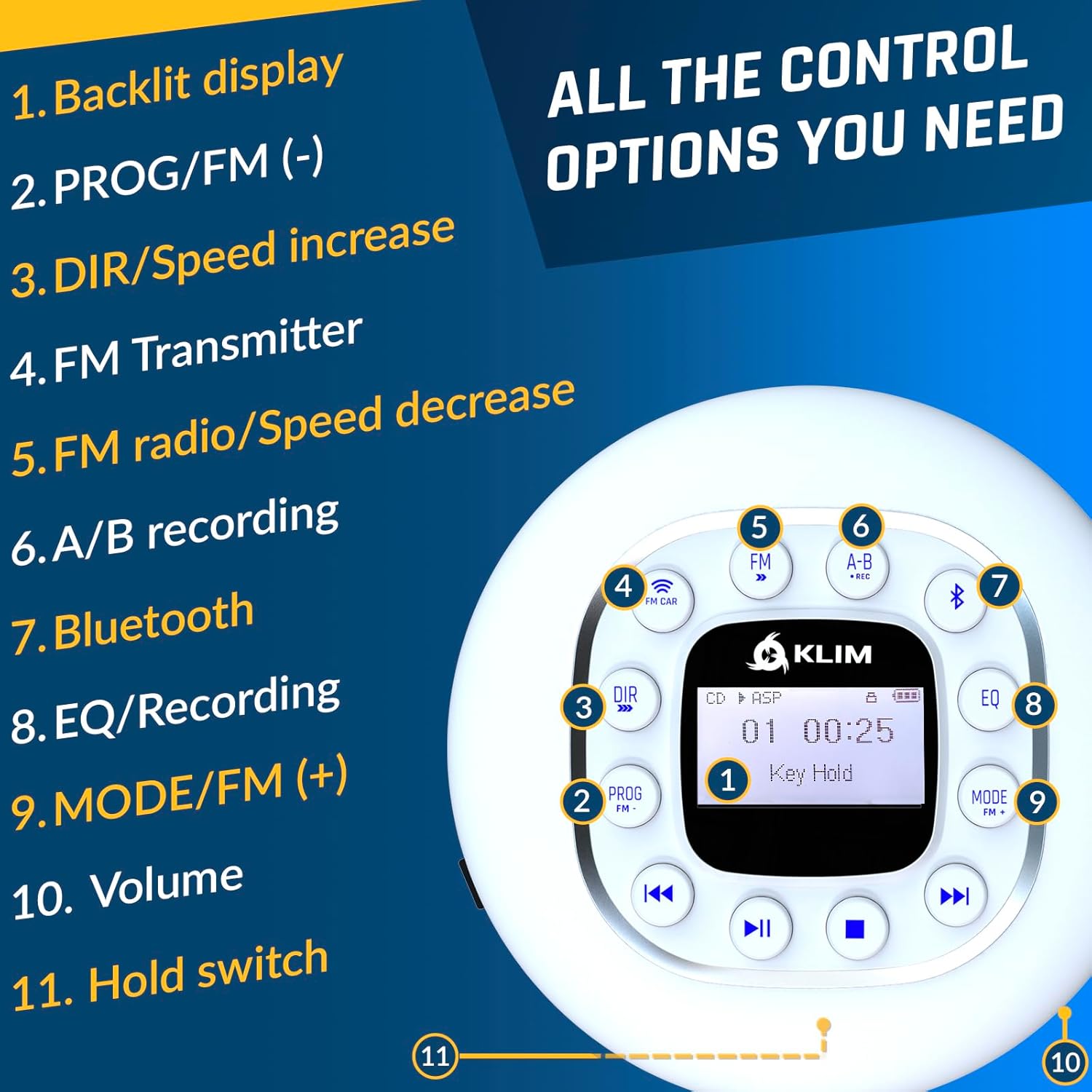
Image: A detailed diagram of the KLIM Journey CD Player's controls, including: 1. Backlit display, 2. PROG/FM (-), 3. DIR/Speed increase, 4. FM Transmitter, 5. FM radio/Speed decrease, 6. A/B recording, 7. Bluetooth, 8. EQ/Recording, 9. MODE/FM (+), 10. Volume, and 11. Hold switch.
- Backlit Display: Shows track information, mode, and battery status.
- PROG/FM (-): Program tracks or decrease FM frequency.
- DIR/Speed Increase: Change directory or increase playback speed.
- FM Transmitter: Activates FM transmission mode.
- FM Radio/Speed Decrease: Tune FM radio or decrease playback speed.
- A/B Recording: Mark A and B points for loop playback or recording.
- Bluetooth: Activates Bluetooth pairing mode.
- EQ/Recording: Adjust equalizer settings or initiate recording.
- MODE/FM (+): Change playback mode or increase FM frequency.
- Volume: Adjust audio output level.
- Hold Switch: Locks all buttons to prevent accidental presses.
Playback Modes
The KLIM Journey + supports various playback modes:
- CD Playback: Insert a CD and press Play.
- SD Card Playback: Insert an SD card into the designated slot. The player will automatically detect and play compatible audio files.
- FM Radio: Use the FM buttons to tune into radio stations.
Connecting to Your Car
The KLIM Journey + offers three methods for connecting to your car's audio system:
- AUX Cable: Connect the included AUX cable from the player's AUX output to your car's AUX input port.
- Bluetooth: Enable Bluetooth on the KLIM Journey + and pair it with your car's Bluetooth system. (Note: Car must have Bluetooth connectivity. Some car systems may have compatibility variations.)
- FM Transmission: Activate the FM Transmitter function on the player. Tune your car's FM radio to the same frequency displayed on the player to broadcast audio wirelessly.

Image: Visual representation of the three connection methods for the KLIM Journey to a car: Bluetooth, FM Transmitter, and AUX Cable.
Anti-Skip / Anti-Shock Protection
The player is equipped with an anti-shock protection chip that preloads 100 seconds of music. This feature minimizes interruptions and skips during movement, ensuring smooth playback even when on the go.
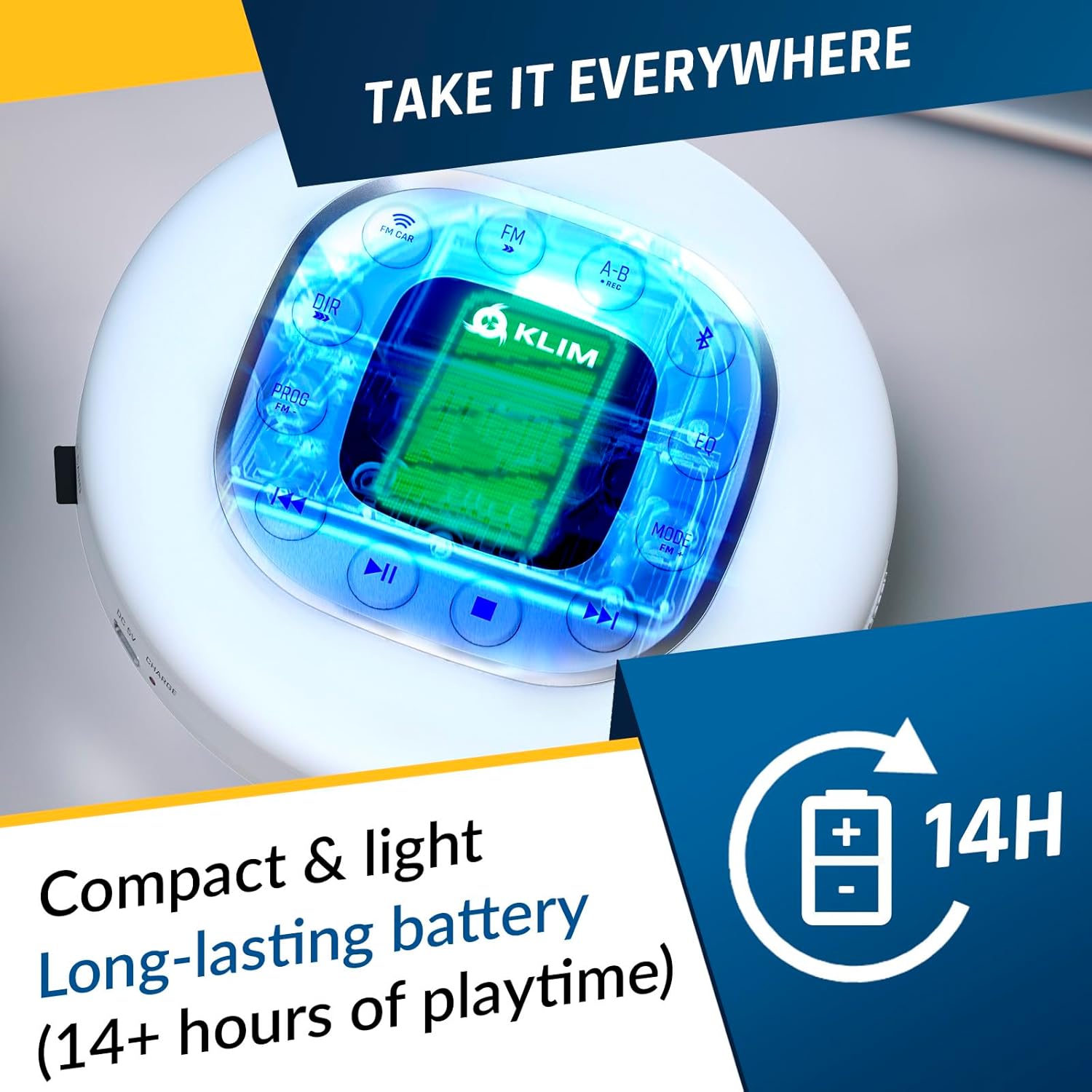
Image: The KLIM Journey CD Player, emphasizing its compact and light design, and a long-lasting battery providing over 14 hours of playtime.
Maintenance
Cleaning the Device
Use a soft, dry cloth to clean the exterior of the CD player. For the lens, use a specialized CD lens cleaner. Avoid using abrasive cleaners or solvents.
Battery Care
To prolong battery life, avoid fully discharging the battery frequently. Store the device in a cool, dry place when not in use for extended periods.
Disc Handling
Always handle CDs by their edges. Store discs in their cases to prevent scratches and dust accumulation, which can affect playback quality.
Troubleshooting
| Problem | Possible Cause | Solution |
|---|---|---|
| Player does not turn on | Low battery; Hold switch engaged | Charge the battery; Disengage the Hold switch |
| Disc skips or stops | Dirty or scratched disc; Excessive vibration | Clean the disc; Ensure player is on a stable surface or anti-shock is active |
| No sound | Volume too low; Headphones/AUX cable not connected properly; Incorrect mode | Increase volume; Reconnect audio cables; Select correct playback mode (CD, SD, FM) |
| Cannot connect via Bluetooth | Bluetooth not enabled; Device not in pairing mode; Compatibility issue | Ensure Bluetooth is on and in pairing mode; Refer to your car's manual for compatibility |
| FM transmission static | Interference; Incorrect frequency | Try a different FM frequency; Move away from sources of interference |
Specifications
- Model: KLIM Journey +
- ASIN: B0DKG4ZR23
- Color: White
- Connectivity: AUX, Bluetooth, FM Transmitter
- Special Features: Anti-Skip Protection, SD Card Reader, FM Radio, Recording, Speed Control, Equalizer
- Compatible Disc Formats: CD, CD-R, CD-RW, HDCD, MP-3
- Battery Life: 14+ hours (approximate)
- Carrying Case Dimensions: 6.5 x 6.5 inches (main pouch)
- Carrying Case Belt Adjustment: Fits waist sizes from 26 to 49 inches
Warranty and Support
For detailed warranty information and technical support, please refer to the official KLIM website or contact KLIM customer service directly. Contact details are typically provided with your product packaging or on the manufacturer's official support pages.
You can visit the KLIM Store for more information: KLIM Official Store.
Related documents6665c87c-3c2f-4fb9-bc3a-7c9501c2dfde


Ask a question about this manual
Ask about setup, troubleshooting, compatibility, parts, safety, or missing instructions. Manuals+ will review the question and use this page’s manual context to help answer it.