
1. Introduction
Thank you for choosing the Silonn SLIM17PRO Nugget Ice Maker. This appliance is designed to provide you with chewable nugget ice quickly and efficiently, perfect for various beverages and cooling needs. Please read this manual thoroughly before operating your ice maker to ensure safe and optimal performance. Keep this manual for future reference.

Image: The Silonn SLIM17PRO Nugget Ice Maker in stainless steel, ready for use.
2. Important Safety Instructions
To reduce the risk of fire, electric shock, or injury when using your ice maker, follow these basic precautions:
- Read all instructions before use.
- Do not touch the evaporator or ice blades when the unit is in operation.
- Do not immerse the appliance, power cord, or plug in water or other liquids.
- Supervise children closely when the appliance is in use.
- Unplug the ice maker from the outlet when not in use or before cleaning.
- Do not operate any appliance with a damaged cord or plug, or after the appliance malfunctions or has been damaged in any manner.
- Use only potable water for ice production.
- Ensure the appliance is placed on a stable, level surface away from heat sources and direct sunlight.
3. What's in the Box
Upon unpacking, ensure all items are present and in good condition:
- Silonn SLIM17PRO Nugget Ice Maker
- Ice Scoop
- Ice Basket
- User Manual (this document)

Image: The Silonn ice maker with its removable ice basket and scoop.
4. Product Features
- Rapid Ice Production: Produces up to 33 pounds of chewable ice daily, with the first batch ready in approximately 6 minutes.
- Delicious Chewable Nugget Ice: Creates compacted, layered ice flakes with a superior texture for beverages.
- Effortless Self-Cleaning: Features an automatic self-cleaning cycle activated by a simple button press.
- Whisper-Quiet Operation: Engineered for a quiet cooling process, minimizing disturbance.
- Compact and Portable Design: Measures 11.3″ W x 8.66″ D x 12.68″ H, suitable for various settings.
- Indicator Lights: Alerts for low water levels or a full ice basket.

Image: Nugget ice is ideal for various drinks and is gentle on teeth.
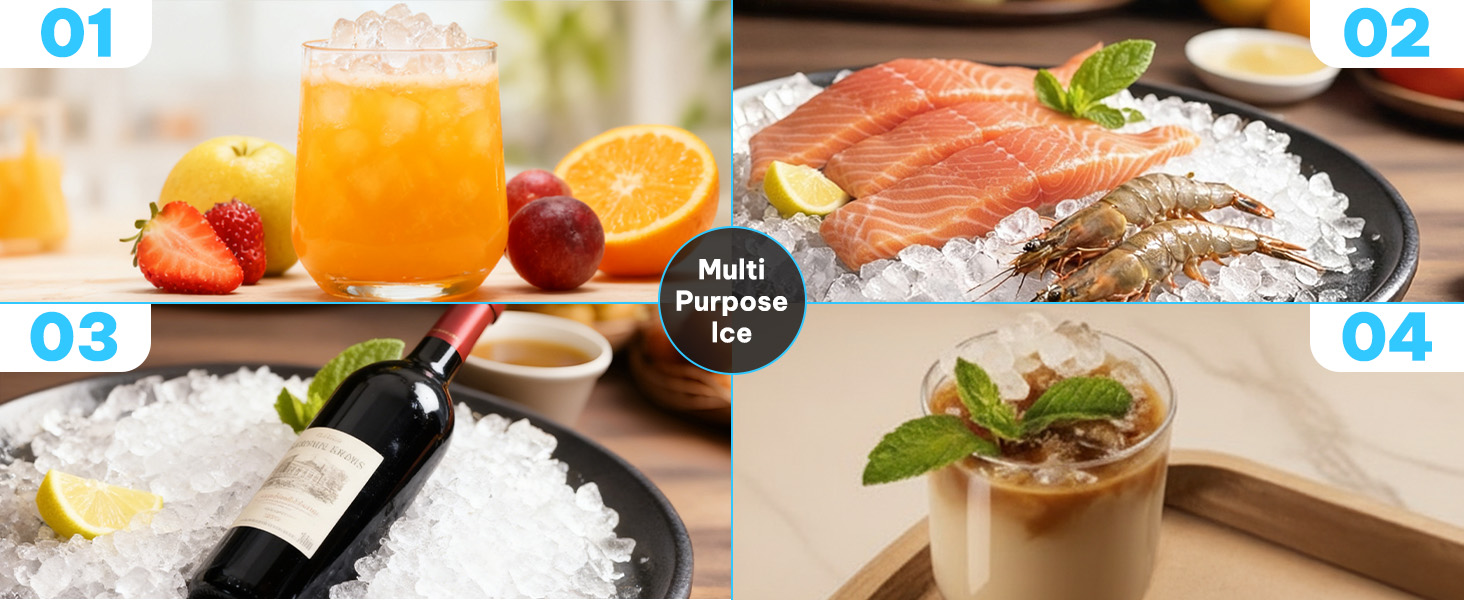
Image: The versatility of nugget ice for various applications, from beverages to chilling food.
5. Specifications
| Attribute | Value |
|---|---|
| Brand | Silonn |
| Model Name | SLIM17PRO |
| Product Dimensions | 8.66"D x 11.3"W x 12.68"H |
| Capacity | 33 Pounds (daily production) |
| Wattage | 192 watts |
| Voltage | 192V |
| Refrigerant | R600a |
| Material Type | Stainless Steel |
| UPC | 810174342512 |

Image: Product dimensions for proper placement.
6. Setup
6.1 Unpacking
- Remove all packaging materials, including foam and tape.
- Inspect the ice maker for any damage during transit. If damaged, do not operate and contact customer support.
- Remove the ice basket and ice scoop from inside the unit.
6.2 Placement
- Place the ice maker on a flat, stable surface.
- Ensure there is at least 5 inches of space around the unit for proper ventilation.
- Avoid placing the unit near heat sources (e.g., ovens, radiators) or in direct sunlight.
6.3 Initial Cleaning
Before first use, clean the interior of the ice maker:
- Open the top cover and remove the ice basket.
- Clean the interior with a soft cloth and warm water with a mild detergent.
- Rinse thoroughly and wipe dry.
- Run a self-cleaning cycle (see Section 8.1) before making ice for consumption.
6.4 Adding Water
- Open the top cover and remove the ice basket.
- Pour potable water into the water reservoir up to the MAX fill line. Do not overfill.
- Replace the ice basket and close the top cover.
7. Operating Instructions
7.1 Making Ice
- Ensure the ice maker is plugged into a grounded electrical outlet.
- Press the ICE/CLEAN button to start the ice-making cycle. The indicator light will illuminate.
- The first batch of ice will be ready in approximately 6 minutes. Subsequent batches may be faster.
- The ice maker will automatically stop when the ice basket is full or when water needs to be added.
7.2 Indicator Lights
- ICE FULL: This light illuminates when the ice basket is full. The ice maker will pause operation. Remove ice to resume.
- ADD WATER: This light illuminates when the water reservoir is low. The ice maker will pause operation. Add water (see Section 6.4) to resume.
7.3 Ice Collection
Use the provided ice scoop to remove ice from the basket. For best results, transfer ice to a freezer for storage as the ice maker is not a freezer and will melt ice over time.

Image: The simple control panel with indicator lights for easy operation.
7.4 Official Product Video: Silonn Nugget Ice Maker Countertop Overview
Video: A comprehensive overview of the Silonn Nugget Ice Maker, demonstrating its features and operation.
7.5 Official Product Video: Nugget Ice Production and Scooping
Video: Watch the Silonn Nugget Ice Maker in action, producing chewable ice and demonstrating how to scoop it.
8. Maintenance & Cleaning
8.1 Automatic Self-Cleaning Function
The ice maker features an automatic self-cleaning cycle:
- Ensure the water reservoir is filled with clean water.
- Press and hold the ICE/CLEAN button for 5 seconds. The unit will begin its self-cleaning cycle.
- Once the cycle is complete, drain any remaining water from the unit.

Image: The internal mechanism during the self-cleaning process, showing water circulation.

Image: The removable lid design facilitates easy manual cleaning for better hygiene.
8.2 Manual Cleaning
For thorough cleaning, especially if water has been left in the unit for extended periods:
- Unplug the ice maker.
- Remove the top cover and ice basket.
- Clean all accessible interior surfaces with a soft cloth and a solution of warm water and mild detergent.
- Pay attention to the water reservoir and ice-making components.
- Rinse thoroughly with clean water and wipe dry.
- Ensure all water is drained from the unit, including tilting the machine to remove water from internal tubing.
8.3 Descaling
Mineral buildup from hard water can affect ice quality and machine performance. Descale your ice maker regularly:
- Monthly: For moderately hard water areas.
- Every 2-3 weeks: For hard to very hard water areas.
- Use a solution of 5:1 water-to-vinegar mix or a commercial descaling solution.
- Fill the reservoir with the descaling solution and run the self-cleaning cycle.
- After descaling, run several cycles with clean water to rinse thoroughly before making ice for consumption.

Image: Recommendations for descaling frequency based on water hardness levels.
9. Troubleshooting
If you encounter issues with your ice maker, refer to the following common problems and solutions:
- Ice Maker Not Producing Ice:
- Check if the 'ADD WATER' indicator is on. If so, add water to the reservoir.
- Ensure the unit is plugged in and powered on.
- Verify the ambient temperature is within the recommended operating range (typically 50°F to 90°F).
- 'ICE FULL' Indicator On, But Basket Not Full:
- Ice may be unevenly distributed, blocking the sensor. Redistribute ice or remove some.
- Clean the ice full sensor if it appears obstructed.
- Ice is Melting Quickly:
- The ice maker is not a freezer. Transfer ice to a freezer for long-term storage.
- Ensure the unit is not in direct sunlight or near a heat source.
- Unusual Noise During Operation:
- Mild humming or mechanical sounds are normal.
- Loud noises could indicate mineral buildup. Perform a descaling cycle.
- Water Has a Strange Odor or Taste / Black Gunk:
- Perform a thorough manual cleaning and descaling.
- Ensure you are using fresh, potable water.
- Do not leave water in the reservoir for extended periods when not in use. Drain the unit completely.

Image: Common questions and answers regarding ice maker operation.
9.1 Official Product Video: Silonn Ice Maker - Exploring Ice Types
Video: This video showcases the different types of ice produced by Silonn ice makers, helping you understand the nugget ice output.
10. Warranty and Support
For warranty information, technical support, or service inquiries, please refer to the warranty card included with your product or visit the official Silonn website. Do not attempt to repair the appliance yourself, as this may void the warranty and pose safety risks.


