
TOPDON TS004
TOPDON TS004 Thermal Monocular User Manual
Your comprehensive guide to operation and maintenance
1. Safety Information
Please read all safety warnings and instructions carefully before using the TOPDON TS004 Thermal Monocular. Failure to follow these instructions may result in electric shock, fire, or serious injury.
- Do not expose the device to extreme temperatures or direct sunlight for extended periods.
- Keep the device away from strong magnetic fields.
- Do not attempt to disassemble or modify the device. Repairs should only be performed by authorized service personnel.
- Use only the charging cable provided.
- Ensure the USB-C port cover is securely closed when not in use to maintain IP67 waterproof rating.
2. Package Contents
Verify that all items are present in your TOPDON TS004 package:
- TS004 Thermal Monocular (Camera Body)
- Carrying Bag
- Hanging Strap
- USB-A to USB-C Cable
- Quick User Guide

Figure 2.1: Included components in the TS004 package.
3. Product Overview
Familiarize yourself with the various parts and controls of your TS004 Thermal Monocular.

Figure 3.1: TS004 Product Overview.
- Power Button: Press to turn the flashlight on/off when TS004 is off. Long press to open settings when TS004 is on.
- USB-C Port: For charging and data transfer.
- Mode Button: Press to set pseudo-color.
- Zoom Button: Adjusts digital zoom (1X, 2X, 4X, 8X).
- Camera Button: Press to take photos. Press and hold to record videos.
- Diopter Adjustment Knob: Turn to optimize the sharpness of images.
- LED Indicator: Provides status information.
- Tripod Screw Hole: For mounting on a tripod.
4. Setup
4.1 Charging the Device
The TS004 is equipped with a robust 5000mAh battery, ensuring uninterrupted operation for up to 11 hours. To charge, connect the provided USB-A to USB-C cable to the device's USB-C port and a suitable power source. The LED indicator will show charging status.
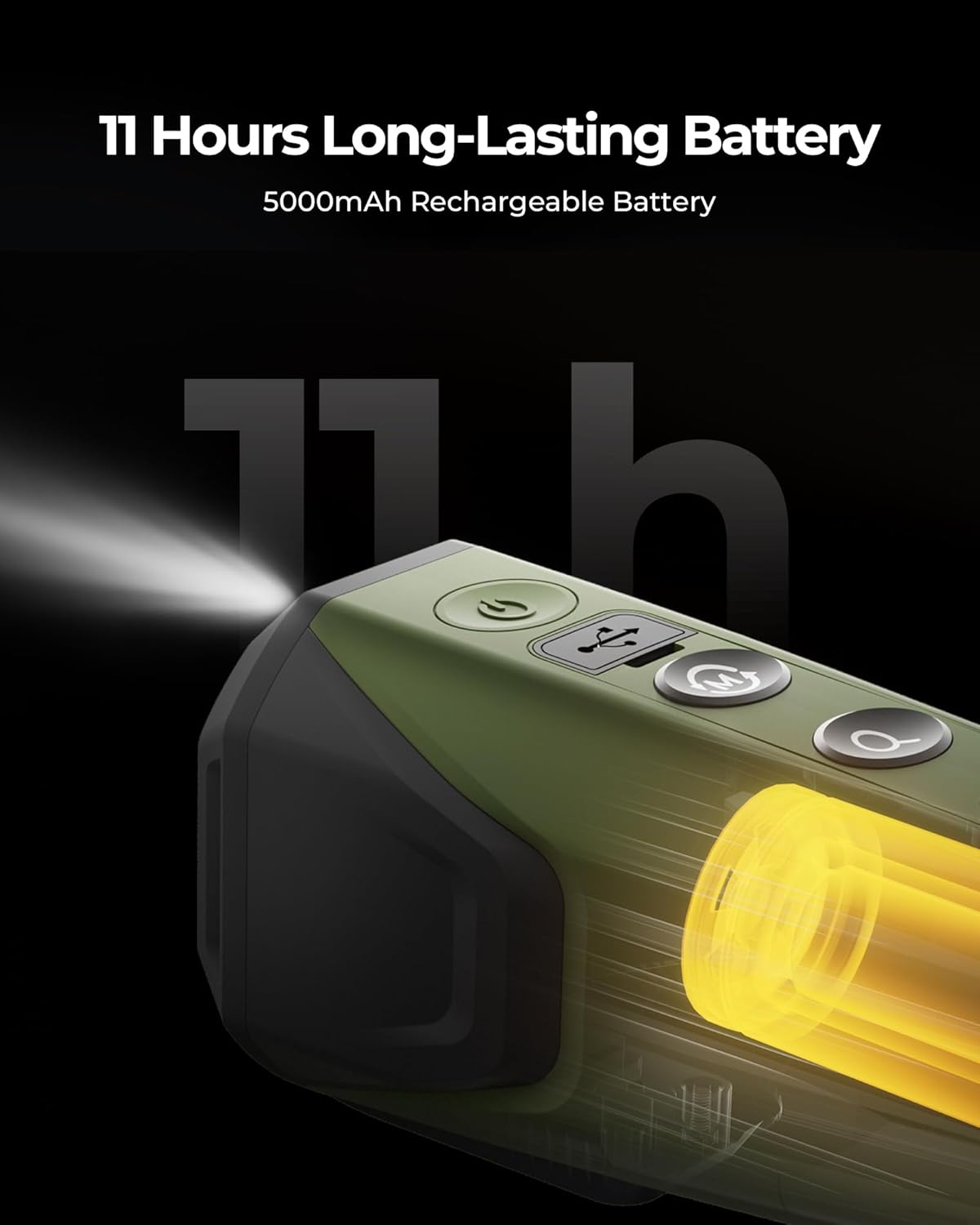
Figure 4.1: Extended Battery Life.
4.2 Power On/Off
To power on the device, long press the Power Button. To power off, long press the Power Button again and confirm the shutdown.
4.3 Diopter Adjustment
Adjust the Diopter Adjustment Knob located near the eyepiece to achieve a sharp and clear image for your vision.
4.4 App Connection (TopInfrared App)
Wirelessly connect your TS004 to your smartphone via the TopInfrared App for hassle-free live monitoring, image capture, and video recording with audio.
- Download the TopInfrared App from your device's app store.
- Ensure your TS004 is powered on.
- Open the app and follow the on-screen instructions to connect to your device.

Figure 4.2: Wireless Connection via TopInfrared App.
5. Operating Instructions
5.1 Basic Operation
The TS004 features intuitive controls for easy operation.
- Zoom: Use the Zoom Button to cycle through 1X, 2X, 4X, and 8X digital zoom levels.
- Photo/Video: Press the Camera Button to take a photo. Press and hold to start/stop video recording.

Figure 5.1: Up to 8x Digital Zoom.

Figure 5.2: Photo & Video Recording.
5.2 Color Palettes
The TS004 offers 5 color palettes to help you spot targets easily in various conditions. Press the Mode Button to cycle through them:
- Bird: Optimized for bird watching.
- White Hot: Hot objects appear white.
- Black Hot: Hot objects appear black.
- Red Hot: Highlights hottest areas in red.
- Fusion: Blends colors for enhanced detail.

Figure 5.3: 5 Color Palettes.
5.3 Detection and Recognition Range
The TS004 thermal monocular is equipped with a 13mm lens, providing detection capabilities up to 410 meters and clear detail visibility within 100 yards. It effectively penetrates fog and dense vegetation.

Figure 5.4: Extensive Detection Range.
5.4 Official Product Videos
Watch these official videos from TOPDON for further demonstration of the TS004's capabilities:
TOPDON TS004 Ranch Scene
This video demonstrates the TS004's effectiveness in monitoring livestock and detecting potential predators in a ranch environment, showcasing its thermal imaging clarity for animal observation.
TOPDON TS004 (Waterproof Thermal Imaging Camera)
A short demonstration highlighting the TS004's IP67 waterproof rating, showing its resilience in wet conditions.
TOPDON TS004 Hunting Scence
This video showcases the TS004 in a hunting scenario, demonstrating its ability to detect wildlife in various lighting conditions, aiding in tracking and observation.
TOPDON TS004 Thermal Monocular
A comprehensive overview of the TOPDON TS004 Thermal Monocular, detailing its features and applications for outdoor enthusiasts and professionals.
6. Maintenance
Proper maintenance ensures the longevity and optimal performance of your TS004.
- Cleaning: Use a soft, dry cloth to clean the device. For the lens, use a lens cleaning cloth and solution specifically designed for optics. Avoid abrasive materials.
- Storage: Store the device in its carrying bag in a cool, dry place when not in use. Avoid areas with high humidity or extreme temperature fluctuations.
- Durability: The TS004 is encased in durable silicone and boasts an IP67 waterproof rating, built to withstand water, dust, and drops from up to 2 meters.

Figure 6.1: IP67 Waterproof for Any Environment.
7. Troubleshooting
If you encounter issues with your TS004, refer to the following common problems and solutions:
| Problem | Possible Cause | Solution |
|---|---|---|
| Device does not power on | Low battery; Device malfunction | Charge the device fully; Contact customer support |
| Image is blurry | Diopter not adjusted; Lens is dirty | Adjust the diopter knob; Clean the lens |
| Cannot connect to app | Bluetooth/Wi-Fi off; App not updated; Device not in pairing mode | Ensure wireless is on; Update app; Restart device and app |
| Short battery life | Frequent use of flashlight/Wi-Fi; Old battery | Reduce power-intensive features; Contact customer support for battery replacement |
8. Specifications
| Feature | Specification |
|---|---|
| Brand | TOPDON |
| Model Name | Thermal Imaging Monocular (TS004) |
| IR Resolution | 256x192 |
| Refresh Rate | 50Hz |
| Objective Lens Diameter | 13 Millimeters |
| Magnification Maximum | 8.0X |
| Battery Life | Up to 11 hours (5000mAh) |
| Waterproof Rating | IP67 |
| Detection Range | Up to 410 meters |
| Recognition Distance | Within 100 yards |
| Item Weight | 70 Grams |
| Compatible Devices | Smartphone |
9. Warranty and Support
The TOPDON TS004 Thermal Monocular comes with a 1-year limited warranty covering defects in materials and workmanship. For warranty claims or technical support, please contact TOPDON customer service through their official website or the contact information provided in your Quick User Guide.
For the latest updates, FAQs, and additional resources, visit the official TOPDON website: www.topdon.com
Related documentsTS004


Ask a question about this manual
Ask about setup, troubleshooting, compatibility, parts, safety, or missing instructions. Manuals+ will review the question and use this page’s manual context to help answer it.