
1. Introduction
This user manual provides detailed instructions for the installation, operation, and maintenance of your WALI Ceiling TV Mount (Model CM3790). Please read this manual thoroughly before installation to ensure safe and correct usage. Keep this manual for future reference.
2. Safety Information
WARNING: Failure to read and follow all instructions can result in personal injury, property damage, or voiding of your warranty.
- Ensure the mounting surface can safely support the combined weight of the mount and the display.
- Do not mount on drywall alone. This mount requires installation into solid wood joists, concrete, or brick.
- Use only the provided mounting hardware. If you are unsure about any part of the installation, consult a qualified installer.
- Keep children and pets away during installation.
- Periodically check that the mount is secure and all fasteners are tight.
3. Package Contents
Verify that all components are present and undamaged before beginning installation.
- WALI Ceiling TV Mount (CM3790) x 1
- Mounting Hardware Kit (various screws, anchors, washers, spacers) x 1
- User Manual x 1
4. Specifications
| Feature | Description |
|---|---|
| Model Number | CM3790 |
| Compatible TV Sizes | 37 to 90 inches |
| Weight Capacity | Up to 220 lbs (100 kg) |
| VESA Compatibility | 200x200mm, 200x300mm, 400x400mm, 600x400mm, 800x400mm |
| Tilt Adjustment | 0° to +18° downward |
| Swivel Adjustment | 360° |
| Level Adjustment | ±3° |
| Height Adjustment | 29.9" to 35.8" (from ceiling to center of mounting plate) |
| Material | Solid Steel |
| Color | Black |
| Item Weight | 14.45 lbs |
| UPC | 811278026773 |
5. Setup and Installation
Follow these steps carefully for proper installation. It is recommended to have at least two people for installation.
5.1. Ceiling Compatibility
This mount is designed for installation on solid wood joists, concrete ceilings, or brick ceilings. Do not mount on drywall alone.

The mount supports installation on brick, concrete, and wood joist ceilings. Ensure proper anchors are used for your ceiling type.

The ceiling plate can be adjusted to fit both flat and sloped ceilings, offering flexibility in placement.
5.2. Mounting the Ceiling Plate
Locate the desired mounting position and mark the drill holes. Drill pilot holes according to the instructions provided in the hardware kit for your specific ceiling type. Secure the ceiling plate firmly using the appropriate fasteners.
5.3. Assembling the Pole and TV Brackets
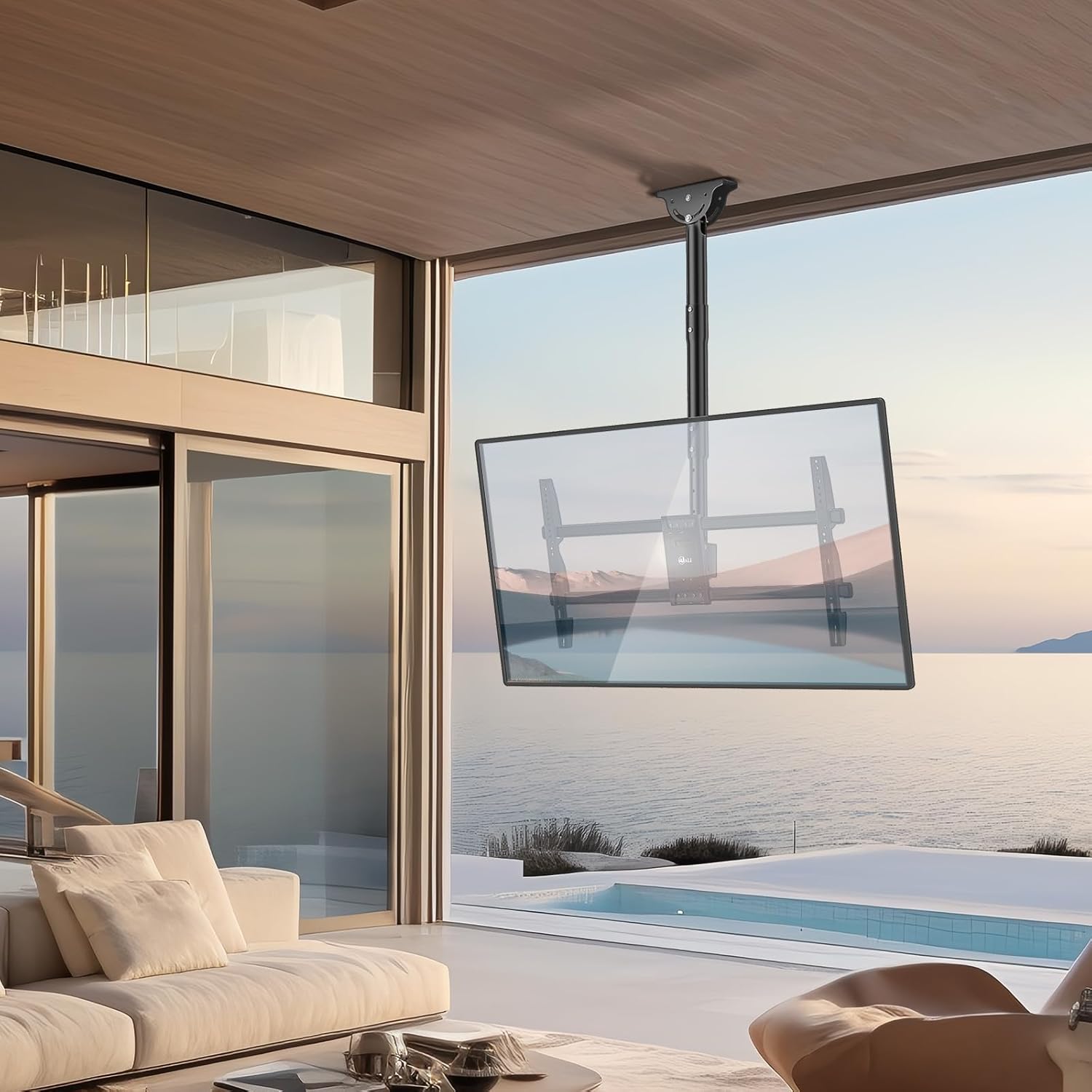
Attach the adjustable pole to the ceiling plate. Then, assemble the TV brackets and attach them to the back of your television, ensuring they align with the VESA mounting holes.

The WALI Ceiling TV Mount, fully assembled and ready for TV attachment.
5.4. Attaching the TV to the Mount
Carefully lift the television with the attached brackets and hook it onto the mount's main plate. Secure the TV to the mount using the safety screws or locking mechanism as indicated in the detailed installation guide.
5.5. Cable Management
Utilize the integrated cable management system to route and conceal cables for a clean and organized appearance.

Integrated cable management helps keep wires tidy and out of sight.
5.6. Installation Video Guide
For a visual step-by-step installation guide, please refer to the official product video:
Official WALI installation video for the CM3790 Ceiling TV Mount, demonstrating the setup process and key features.
6. Operating and Adjustments
The WALI CM3790 mount offers various adjustments to achieve optimal viewing angles.
6.1. Height Adjustment
The pole allows for incremental height adjustment from 29.9 inches to 35.8 inches (from the ceiling to the center of the mounting plate). Loosen the securing bolts on the pole, adjust to the desired height, and re-tighten securely.

The mount offers adjustable height settings for customized viewing.
6.2. Tilt Adjustment
The TV can be tilted downward by up to 18 degrees to reduce glare and optimize viewing from different positions.
6.3. Swivel Adjustment
The mount allows for a full 360-degree swivel, enabling you to rotate the TV to face any direction in the room.
6.4. Level Adjustment
Fine-tune the horizontal level of your TV by adjusting it within a ±3 degree range to ensure a perfectly straight display.
The mount provides tilt, level, and 360-degree swivel adjustments for optimal viewing.
7. Maintenance
Regular maintenance helps ensure the longevity and safe operation of your TV mount.
- Cleaning: Wipe the mount with a soft, dry cloth. Do not use abrasive cleaners or solvents.
- Periodic Checks: Every few months, check all screws and connections to ensure they are tight and secure. Re-tighten if necessary.
- Inspect for Damage: Regularly inspect the mount for any signs of wear, damage, or corrosion. If any issues are found, contact customer support immediately.
8. Troubleshooting
If you encounter any issues with your WALI Ceiling TV Mount, refer to the following common problems and solutions:
| Problem | Possible Cause | Solution |
|---|---|---|
| TV is not level | Improper level adjustment. | Adjust the level screws on the TV brackets until the TV is perfectly horizontal. |
| Mount feels unstable | Loose fasteners or incorrect installation. | Ensure all ceiling and TV attachment screws are securely tightened. Verify installation method matches ceiling type. If unsure, consult a professional. |
| Screws do not fit TV mounting holes | TV requires different screw size/length. | The mounting kit includes various screw sizes. Ensure you are using the correct diameter and length for your TV's VESA holes. Spacers may be needed. If none fit, you may need to purchase specific screws for your TV model. |
| Difficulty adjusting tilt/swivel | Adjustment bolts are too tight. | Slightly loosen the adjustment bolts, make the desired adjustment, then re-tighten to secure the position. |
If the problem persists or you encounter an issue not listed here, please contact WALI customer support.
9. Warranty and Support
WALI provides a 10-year service warranty for this product. Our experienced and friendly US-based customer support team is available to assist you 7 days a week.
For assistance, please visit our official website or contact us via the information provided on the product packaging or purchase platform.


