
1. Product Overview
This MoKo case is designed to provide comprehensive protection for your 7-inch Kindle Paperwhite 12th Generation (2024 Release) and Kindle Colorsoft Signature Edition 1st Generation (2024 Release). It features a durable front cover and a transparent, flexible TPU back shell.
The case integrates an auto wake/sleep function to conserve battery life and offers precise cutouts for full access to all device features.
2. Compatibility
This case is exclusively designed for the following models:
- 7" Amazon All-New Kindle Paperwhite (12th Generation - 2024 Release)
- 7" Kindle Paperwhite Signature Edition (12th Generation - 2024 Release)
- 7" Kindle Colorsoft Signature Edition (1st Generation - 2024 Release)
Model Number: SA569P
This case is not compatible with other prior generation Kindle devices, including 6.8" Kindle Paperwhite (11th Gen, 2021) or Kindle Basic (11th Gen, 2022).

Image: Compatibility chart illustrating which Kindle models are supported by this case, highlighting the 7-inch Kindle Paperwhite 12th Gen and Kindle Colorsoft Signature Edition 2024.
3. Setup and Installation
To install your MoKo case:
- Align your Kindle device with the transparent TPU back shell.
- Gently press the Kindle into the case, ensuring all corners are securely fitted. The flexible TPU material allows for easy installation and removal.
- Close the front cover to activate the auto wake/sleep feature and protect the screen.
Video: Demonstration of installing the Kindle device into the MoKo case, showcasing the flexible TPU back and the auto wake/sleep function.
4. Operating Features
4.1 Auto Wake/Sleep Function
The case is equipped with a magnetic sensor that automatically wakes your Kindle when the lid is opened and puts it to sleep when the lid is closed. This feature helps to preserve your device's battery life.
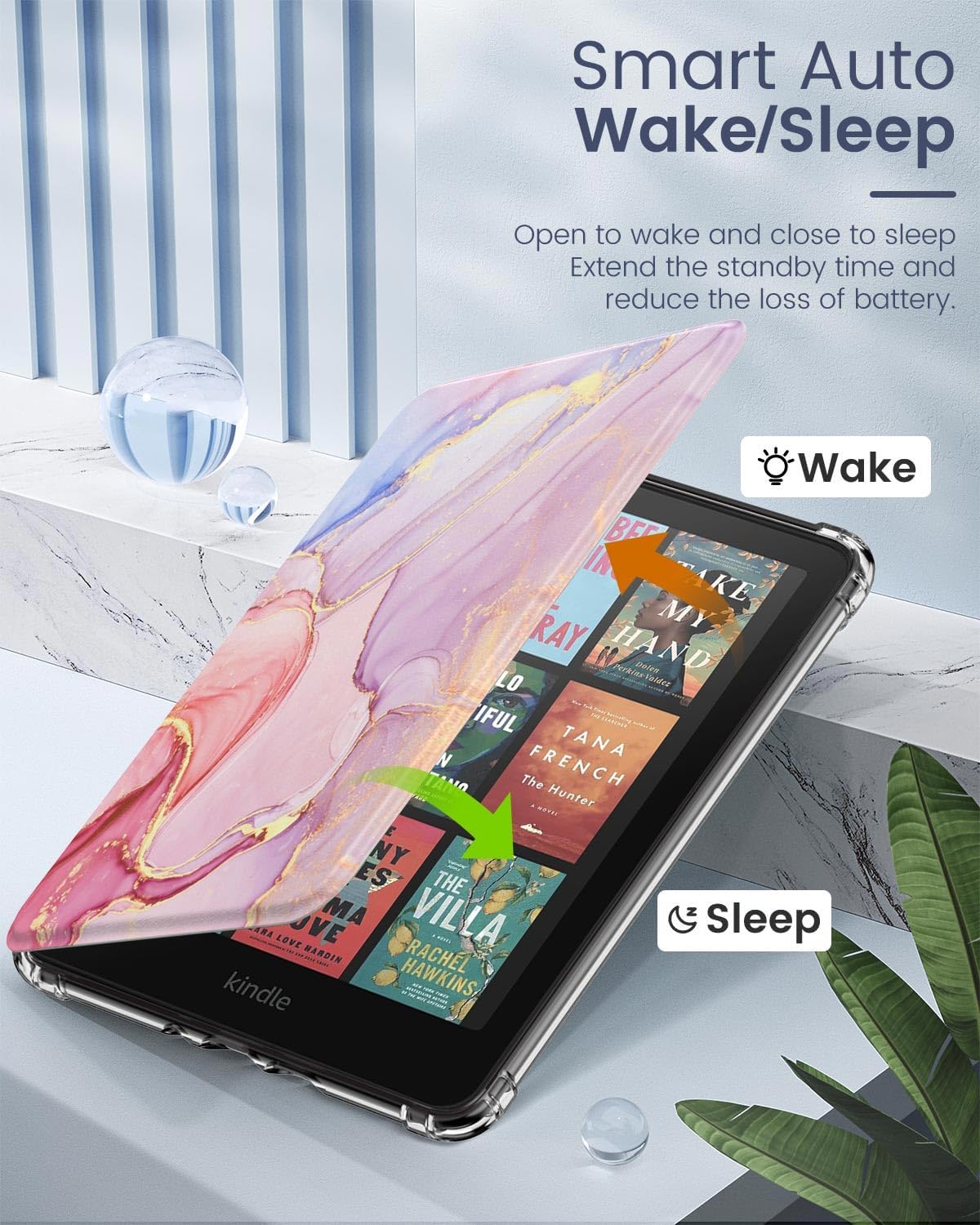
Image: A visual representation of the auto wake/sleep function, showing the Kindle screen turning on when the cover is opened and off when closed.
4.2 Full Protection
The combination of a soft TPU back cover and a wear-resistant front cover provides comprehensive protection against scratches, bumps, and accidental drops. The transparent design guards your device while maintaining its original aesthetic.

Image: Close-up of the case's reinforced corners, designed to absorb shock and protect the Kindle from impacts.
4.3 Precise Cutouts
The case features precise cutouts, allowing easy access to all buttons, ports, and sensors without needing to remove the case. This includes the charging port, ensuring convenient charging.
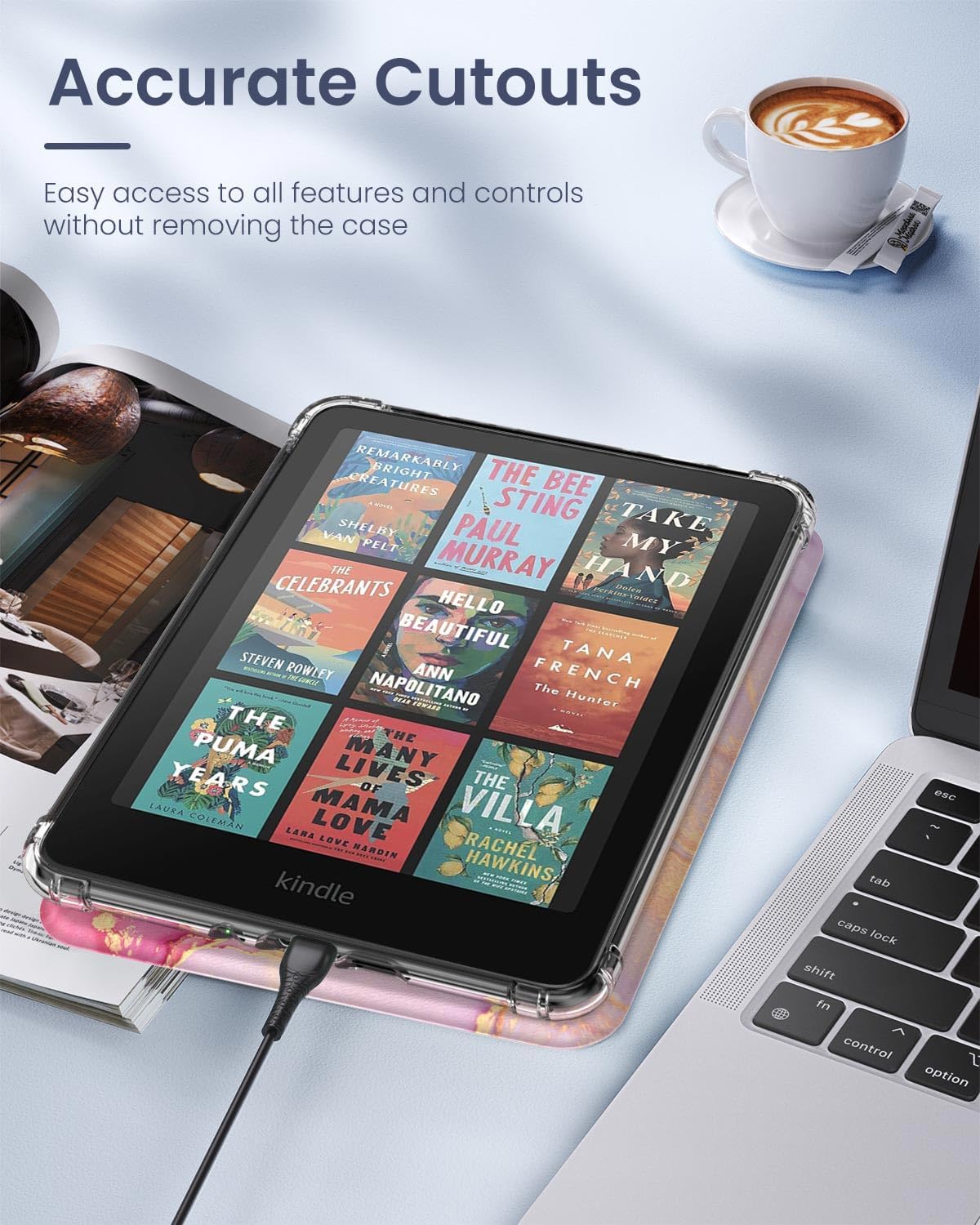
Image: The Kindle device inside the case, illustrating the accurate cutouts for the charging port and other controls.
4.4 DIY Back Cover
The crystal clear TPU back cover allows for personalization. You can insert stickers, photos, or other decorative elements between your Kindle and the case to customize its appearance.

Image: A clear back Kindle case being customized with stickers, demonstrating the DIY feature.
Video: A detailed overview of the MoKo case features, including installation, auto wake/sleep, precise cutouts, and the customizable clear back.
5. Specifications
| Product Dimensions | 18.21 x 13.21 x 1.3 cm |
| Item Weight | 131.26 g |
| Material | TPU (Thermoplastic Polyurethane) and PU Leather |
| Form Factor | Cover |
| Shell Type | Soft |
| Manufacturer | MoKo |
6. Care and Maintenance
- To clean the case, wipe it gently with a soft, damp cloth.
- Avoid using harsh chemicals or abrasive cleaners, as these may damage the material.
- Keep the case away from extreme temperatures and direct sunlight for prolonged periods to prevent discoloration or degradation.
7. Troubleshooting
7.1 Case Not Fitting Correctly
- Ensure your Kindle model is one of the compatible devices listed in Section 2.
- Verify that the Kindle is inserted correctly and all corners are fully seated within the TPU shell.
7.2 Auto Wake/Sleep Not Working
- Check that the case lid is closing completely and making full contact with the Kindle screen.
- Ensure there are no obstructions between the lid and the screen.
- Remove and re-install the Kindle in the case to ensure proper alignment of the magnetic sensors.
8. Warranty and Support
MoKo products typically come with a standard manufacturer's warranty. For specific warranty details or to contact customer support, please refer to the documentation included with your purchase or visit the official MoKo website.
If you encounter any issues not covered in this manual, please reach out to MoKo customer service for assistance.