
1. Introduction
This user manual provides detailed instructions for the NOTODD N600 16-inch laptop. Please read this manual thoroughly before using your device to ensure proper operation and to maximize its lifespan. Keep this manual for future reference.
2. What's in the Box

Image: The contents of the NOTODD N600 laptop packaging, including the laptop, wireless mouse, charger, user manual, and keyboard protector.
Upon opening the package, verify that all items listed below are present:
- 16-inch Laptop
- Wireless Mouse
- 12V/2.5A DC Charger
- User Manual
- Keyboard Protector
3. Product Overview
3.1. Physical Components
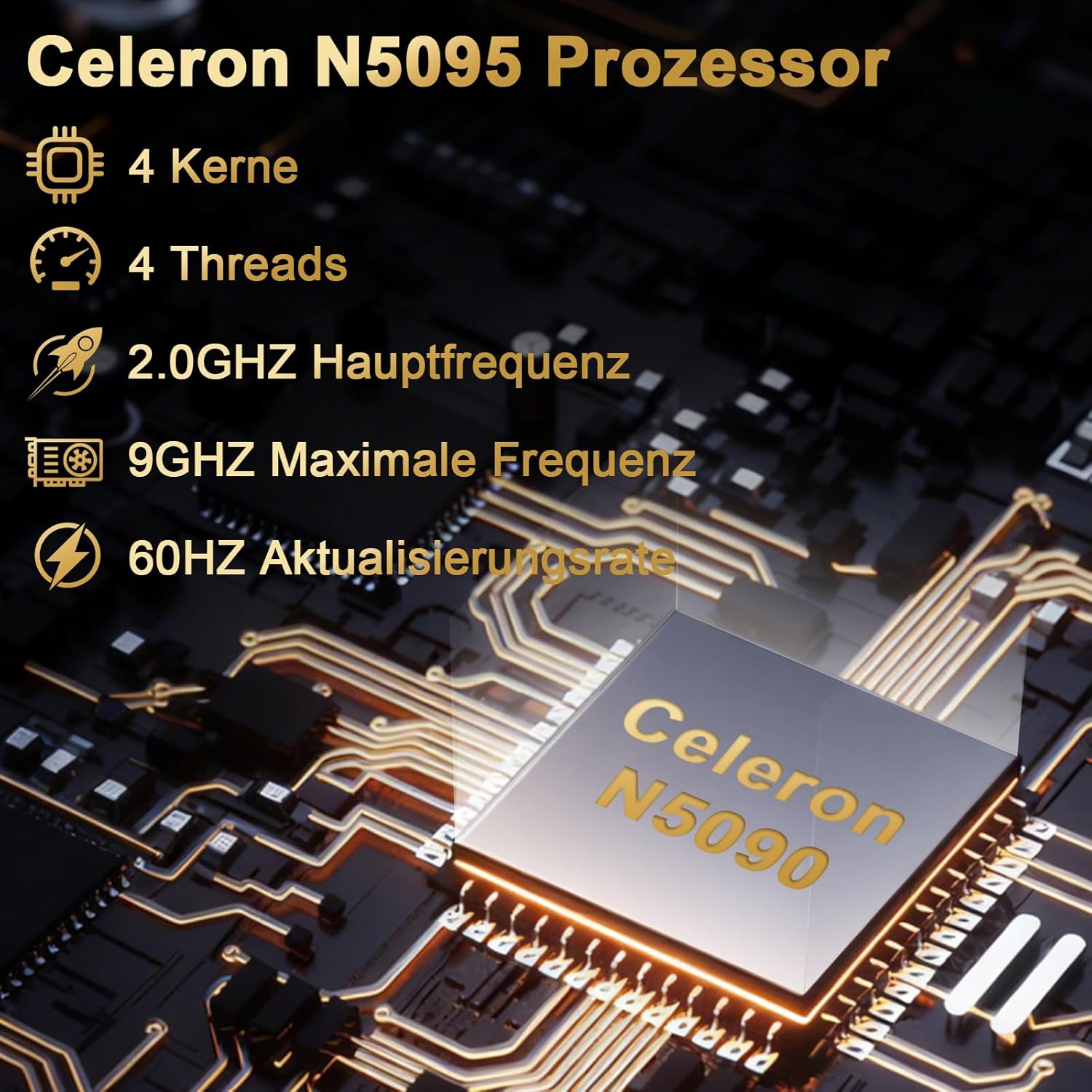
Image: The NOTODD N600 laptop displayed open, highlighting its keyboard and 16-inch screen.
The NOTODD N600 features a sleek design with a 16-inch Full HD (1920x1200) display. It is powered by a Celeron N5095 processor, includes 12GB of DDR4 RAM, and a 512GB SSD for storage, expandable up to 1TB via SSD or 2.5" HDD, and 512GB via TF card.
3.2. Ports and Connectivity

Image: A detailed view of the laptop's sides, illustrating the various input/output ports available for connectivity.
The laptop is equipped with a variety of ports for versatile connectivity:
- 2 x USB 3.0 Type-A ports
- 1 x Headset port
- 1 x Micro-SD slot
- 1 x Screen projection interface
- 1 x Type-C interface (for charging and data transfer)
- 1 x Lock slot for security
Wireless connectivity includes 5G WiFi (802.11a/b/g/n/ac) and Bluetooth 4.2.
Video: An overview of the NOTODD 16-inch laptop, showcasing its design and features. This video demonstrates the physical aspects and various angles of the device.
4. Setup
4.1. Initial Power On
- Connect the 12V/2.5A DC charger to the laptop's charging port and a power outlet.
- Press the power button located on the keyboard to turn on the laptop.
- Follow the on-screen prompts to complete the initial Windows 11 setup, including language selection, network connection, and user account creation.
4.2. Connecting Peripherals
Use the available USB ports to connect external devices such as the included wireless mouse, external hard drives, or other USB accessories. The Micro-SD slot can be used for additional storage.
5. Operating Instructions
5.1. Display and Performance

Image: A graphic illustrating the key specifications of the Celeron N5095 CPU, including its quad-core architecture and clock speed.
The 16-inch Full HD display provides clear visuals for various tasks. The Celeron N5095 quad-core processor, with speeds up to 2.9GHz, combined with 12GB DDR4 RAM, ensures smooth multitasking and efficient performance for daily computing needs.
5.2. Keyboard Functions

Image: A close-up view of the NOTODD N600 laptop keyboard, highlighting the key layout and numeric keypad.
- Adjust Brightness: Press Fn + brightness keys (usually F1-F12 row with sun icons) to adjust screen brightness.
- Enable Numeric Keypad: Press Fn + F12 to enable or disable the numeric keypad function.
5.3. Storage Expansion
The laptop comes with a 512GB SSD. For additional storage, you can expand it using a 512GB TF card, a 1TB SSD, or a 2.5" HDD.
6. Maintenance
6.1. Cooling System

Image: The underside of the NOTODD N600 laptop, illustrating the cooling fan and heat dissipation vents for optimal thermal management.
The NOTODD N600 features a built-in cooling fan to efficiently dissipate heat. To ensure optimal performance and prevent overheating:
- Ensure the laptop's vents are not obstructed when in use.
- Use the laptop on a hard, flat surface to allow for proper airflow.
- Regularly clean dust from the vents using compressed air.
6.2. Battery Care
The laptop is equipped with a 5000mWh rechargeable battery, offering 5-7 hours of usage. To prolong battery life:
- Avoid fully discharging the battery frequently.
- Store the laptop in a cool, dry place when not in use for extended periods.
- Use the provided 12V DC charger for optimal charging.
7. Troubleshooting
If you encounter issues with your NOTODD N600 laptop, refer to the following common solutions:
| Problem | Possible Solution |
|---|---|
| Laptop does not power on | Ensure the charger is securely connected and the power outlet is functional. Try pressing and holding the power button for 10-15 seconds. |
| Screen is blank or flickering | Adjust screen brightness using Fn + brightness keys. Restart the laptop. If connected to an external monitor, check the connection. |
| Wi-Fi connection issues | Ensure Wi-Fi is enabled in Windows settings. Restart your router and the laptop. Check for updated network drivers. |
| Slow performance | Close unnecessary applications. Check for sufficient free storage space. Ensure the cooling vents are clear. Run a system scan for malware. |
| Numeric keypad not working | Press Fn + F12 to toggle the numeric keypad function. |
For further assistance, please refer to the contact information provided in the Warranty and Support section.
8. Specifications
Below are the technical specifications for the NOTODD N600 16-inch laptop:
| Feature | Specification |
|---|---|
| Model Name | N600 |
| Screen Size | 16 Inches |
| Screen Resolution | 1920 x 1200 pixels (Full HD) |
| Processor | Celeron N5095 (up to 2.9 GHz, 4 Cores) |
| RAM | 12 GB DDR4 SDRAM |
| Hard Drive | 512 GB SSD |
| Expandable Storage | Supports 512GB TF card, 1TB SSD, and 2.5" HDD |
| Graphics Coprocessor | Celeron N5095 (Integrated) |
| Operating System | Windows 11 |
| Wireless Type | 802.11a/b/g/n/ac (5G WiFi) |
| Bluetooth | Bluetooth 4.2 |
| USB Ports | 2 x USB 3.0 Type-A |
| Battery Life | 5-7 hours (5000mWh) |
| Item Weight | 3.65 pounds |
| Product Dimensions | 14.02 x 9.49 x 0.8 inches |
| Color | Black |
9. Warranty and Support
9.1. Warranty Period
NOTODD provides a two-year effective warranty period for this product, including free return or exchange services. Offline maintenance services are available for products beyond the warranty deadline.
9.2. After-Sales Support
For any after-sales inquiries or issues, NOTODD has a local team of service professionals. You can find contact information for our after-sales service:
- On the laptop Startup page.
- On the back of the product box.
