
1. Introduction
Thank you for choosing the Duux Bora Smart Dehumidifier. This manual provides essential information for the safe and efficient operation of your device. Please read it thoroughly before use and retain it for future reference.
The Bora dehumidifier is designed to create a healthier indoor environment by effectively managing high humidity levels. It can remove up to 30 liters of moisture per day, helping to prevent mold and bacterial growth. Featuring an integrated hygrostat for automatic humidity regulation and an active carbon filter for odor removal, the Bora ensures cleaner air. Remote control is available via the Duux application.
2. Important Safety Instructions
Always follow basic safety precautions when using electrical appliances to reduce the risk of fire, electric shock, and injury.
- Read all instructions before operating the appliance.
- Ensure the power supply matches the voltage specified on the rating label.
- Do not operate the dehumidifier with a damaged cord or plug.
- Keep the appliance away from heat sources, direct sunlight, and flammable materials.
- Do not block air inlets or outlets.
- Always place the unit on a stable, level surface.
- Unplug the unit before cleaning, maintenance, or when not in use.
- Do not immerse the unit, power cord, or plug in water or other liquids.
- This appliance is not intended for use by persons (including children) with reduced physical, sensory or mental capabilities, or lack of experience and knowledge, unless they have been given supervision or instruction concerning use of the appliance by a person responsible for their safety.
- Children should be supervised to ensure that they do not play with the appliance.
3. Product Overview
Familiarize yourself with the components of your Duux Bora Dehumidifier.

Figure 3.1: Front view of the Duux Bora Dehumidifier, showing its sleek design and a smartphone displaying the control app interface.

Figure 3.2: Rear view of the dehumidifier, highlighting the removable air filter cover and the continuous drainage port.

Figure 3.3: Top panel of the dehumidifier, displaying the digital screen and touch controls for various functions.
Key Components:
- Control Panel: Located on the top, with digital display and touch buttons.
- Air Inlet/Outlet: For drawing in and expelling air.
- Water Tank: 4-liter capacity, located at the bottom front.
- Active Carbon Filter: Located behind the rear air inlet.
- Continuous Drainage Port: For connecting a hose for continuous operation.
- Casters: For easy mobility.
4. Setup
- Unpacking: Carefully remove the dehumidifier from its packaging. Retain all packaging materials for future transport or storage.
- Placement:
- Place the unit on a firm, level surface.
- Ensure there is at least 20 cm (8 inches) of space around the air inlets and outlets for proper airflow.
- Avoid placing the unit near heat sources or in direct sunlight.
- The dehumidifier is suitable for various rooms up to 50 square meters, including basements, laundry rooms, and living areas.
- Power Connection: Plug the power cord into a grounded electrical outlet. Ensure the voltage matches the unit's requirements (240 Volts).
- Water Tank Installation: Ensure the 4-liter water tank is correctly inserted into the unit.

Figure 4.1: The 4-liter water tank being pulled out from the dehumidifier for emptying or inspection.
- Continuous Drainage (Optional): For continuous operation without emptying the water tank, connect a suitable hose (not included) to the continuous drainage port at the back of the unit. Ensure the hose is sloped downwards to allow gravity drainage.
5. Operating Instructions
5.1. Control Panel Operation
Figure 5.1: Detailed view of the control panel with digital display and function buttons.
The control panel allows you to manage all functions of the dehumidifier. Refer to the icons on the panel for specific functions.
- Power Button: Turns the unit on or off.
- Mode Selection: Cycle through various operating modes (e.g., Auto, Continuous, Laundry Drying).
- Humidity Setting: Adjust the desired humidity level using the up/down arrows. The integrated hygrostat will maintain this level.
- Timer: Set a timer for automatic shut-off.
- Fan Speed: Select between 2 fan speeds.
5.2. Smart Control via Duux App
The Duux Bora can be controlled remotely using the Duux application on your smartphone or tablet.

Figure 5.2: The Duux mobile application displaying current humidity and control options for the Bora dehumidifier.
- Download the Duux app from your device's app store.
- Follow the in-app instructions to pair your Bora dehumidifier.
- Once connected, you can power the unit on/off, adjust settings, and receive notifications (e.g., when the water tank is full) from anywhere.
5.3. Laundry Drying Mode
The innovative Laundry Drying Mode is designed to efficiently dry clothes indoors.
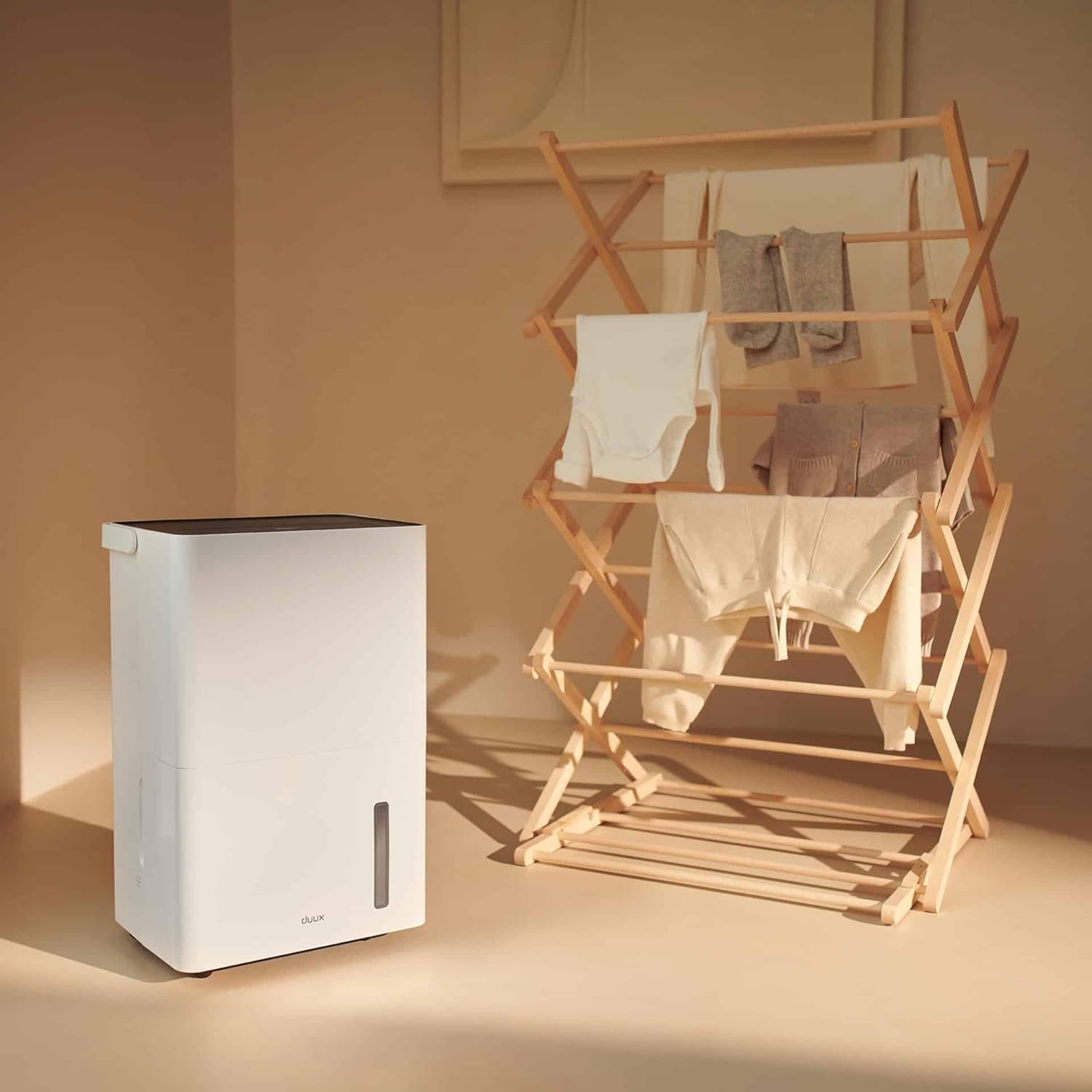
Figure 5.3: The dehumidifier positioned near a laundry rack, demonstrating its use in drying clothes.
- Activate this mode via the control panel or the Duux app.
- This mode operates continuously to remove moisture from the air, accelerating the drying process of laundry.
- It can significantly reduce energy consumption compared to traditional tumble dryers.
6. Maintenance
Regular maintenance ensures optimal performance and longevity of your dehumidifier.
6.1. Emptying the Water Tank
- When the water tank is full, the unit will automatically shut off and an indicator light will illuminate.
- Carefully pull out the water tank from the front of the unit.
- Empty the collected water into a sink or drain.

Figure 6.1: A user emptying the collected water from the dehumidifier's tank into a sink.
- Reinsert the empty water tank firmly into the unit until it clicks into place. The unit will resume operation.
6.2. Cleaning the Air Filter
The active carbon filter should be cleaned regularly (e.g., every two weeks or as needed) to maintain air quality and dehumidifier efficiency.
- Unplug the dehumidifier from the power outlet.
- Locate the filter cover at the back of the unit.
- Remove the filter cover and carefully pull out the active carbon filter.

Figure 6.2: A user demonstrating the removal of the active carbon filter from the rear of the dehumidifier.
- Clean the filter with a vacuum cleaner or wash it gently with lukewarm water. Allow it to air dry completely before reinstallation.
- Reinsert the dry filter and replace the filter cover.
6.3. General Cleaning
- Wipe the exterior of the unit with a soft, damp cloth. Do not use abrasive cleaners or solvents.
- Ensure the unit is unplugged before cleaning.
7. Troubleshooting
Before contacting customer support, please refer to the following common issues and solutions:
| Problem | Possible Cause | Solution |
|---|---|---|
| Unit does not turn on. | No power supply; Power cord not plugged in; Water tank full or incorrectly inserted. | Check power connection; Empty and reinsert water tank correctly. |
| Dehumidifier is not collecting water. | Room temperature too low; Humidity level already low; Air filter clogged; Unit in fan-only mode. | Ensure room temperature is above 5°C (41°F); Check desired humidity setting; Clean air filter; Select dehumidification mode. |
| Unit is noisy. | Unit not on a level surface; Air filter clogged; Internal components vibrating. | Place on a level surface; Clean air filter; If noise persists, contact support. |
| App connection issues. | Wi-Fi signal weak; Incorrect pairing procedure; App requires update. | Ensure strong Wi-Fi signal; Re-attempt pairing as per app instructions; Update Duux app. |
| Unpleasant odor from unit. | Active carbon filter needs cleaning or replacement. | Clean or replace the active carbon filter. |
8. Specifications
| Feature | Detail |
|---|---|
| Brand | Duux |
| Model Number | DXDH30 |
| Color | White |
| Dehumidification Capacity | Up to 30 Liters/day |
| Water Tank Capacity | 4 Liters |
| Voltage | 240 Volts |
| Product Dimensions (L x W x H) | 24.7 x 33.7 x 51 cm |
| Item Weight | 16.5 Kilograms |
| Number of Speeds | 2 |
| Automatic Shut-off | Yes (when water tank is full) |
| Special Features | Integrated Hygrostat, Active Carbon Filter, Laundry Drying Mode, Smart App Control |
| Recommended Floor Area | Up to 50 square meters |
| Included Components | 1 active carbon filter |
9. Warranty and Spare Parts
Duux products are manufactured to high-quality standards. While specific warranty details are not provided in this manual, please refer to your purchase documentation or the official Duux website for comprehensive warranty information.
Spare Parts Availability: Spare parts for the Duux Bora Dehumidifier are available for up to 10 years from the date of purchase, ensuring long-term usability and repairability.
10. Customer Support
If you encounter any issues not covered in the troubleshooting section or require further assistance, please contact Duux customer support.
- Visit the official Duux website for FAQs, support resources, and contact information.
- Utilize the Duux app for remote monitoring and potential in-app support features.

