Introduction
The RadioShack Tempo Pro Smartwatch is designed to seamlessly integrate into your daily life, offering a blend of style, advanced functionality, and robust technology. This manual provides essential information for setting up, operating, maintaining, and troubleshooting your device to ensure optimal performance and longevity.

Figure 1: Front view of the RadioShack Tempo Pro Smartwatch, showcasing its 2.4-inch AMOLED display with current time, step count, and heart rate monitoring. The watch features a sleek black design with a comfortable strap.
Setup
1. Unboxing and Initial Inspection
Upon opening the package, ensure all components are present and undamaged. The standard package includes:
- RadioShack Tempo Pro Smartwatch
- Charging Cable
- User Manual (this document)

Figure 2: The contents of the RadioShack Tempo Pro Smartwatch retail box, including the smartwatch itself and its dedicated charging cable, neatly packaged.
2. Charging the Device
Before first use, fully charge your smartwatch. Connect the provided charging cable to the charging contacts on the back of the watch and plug the USB end into a compatible USB power adapter (not included) or a computer's USB port. A full charge typically takes approximately 2 hours.

Figure 3: Rear view of the RadioShack Tempo Pro Smartwatch, highlighting the magnetic charging contacts and the optical sensors used for health monitoring, such as heart rate.
3. Powering On and Off
- To Power On: Press and hold the side button until the RadioShack logo appears on the screen.
- To Power Off: Navigate to the 'Settings' menu on the watch, select 'System', then 'Power Off', and confirm.
4. Pairing with Your Smartphone
To unlock the full potential of your Tempo Pro Smartwatch, pair it with your smartphone via Bluetooth. This allows for notifications, data synchronization, and advanced features.
- Download the official RadioShack Smartwatch app from your smartphone's app store (iOS App Store or Google Play Store).
- Ensure Bluetooth is enabled on your smartphone.
- Open the app and follow the on-screen instructions to create an account or log in.
- Select 'Add Device' or 'Pair New Device' within the app.
- The app will search for available devices. Select 'Tempo Pro' from the list.
- Confirm the pairing request on both your smartphone and the smartwatch.
Operating Instructions
1. Navigating the Interface
The Tempo Pro Smartwatch features a responsive 2.4-inch AMOLED touchscreen. Navigation is primarily gesture-based:
- Swipe Up/Down: Scroll through menus and notifications.
- Swipe Left/Right: Access different widgets or quick settings.
- Tap: Select an item or confirm an action.
- Press Side Button: Return to the home screen or wake the device.

Figure 4: A full-length view of the RadioShack Tempo Pro Smartwatch, showcasing its sleek design and adjustable strap, suitable for various wrist sizes.
2. Core Functions
- Time and Date: Automatically synchronized with your paired smartphone.
- Notifications: Receive alerts for calls, messages, and app notifications directly on your wrist. Manage notification settings via the smartphone app.
- Activity Tracking: Monitors steps, distance, calories burned, and active minutes throughout the day.
- Heart Rate Monitoring: Provides continuous or on-demand heart rate readings.
- Sleep Monitoring: Tracks sleep patterns, including deep, light, and REM sleep, and provides insights into sleep quality.
3. Multi-Sport Tracking
The Tempo Pro Smartwatch supports various sports modes to accurately track your workouts. Select your desired activity from the 'Workout' or 'Sports' menu on the watch. Supported activities may include running, walking, cycling, swimming, and more. The watch will record relevant metrics such as duration, distance, pace, and heart rate during your exercise.
4. Music Playback Control
Control music playing on your paired smartphone directly from your smartwatch. Access the music control widget to play, pause, skip tracks, and adjust volume without needing to take out your phone.
5. Special Features: Snore Detection
The Tempo Pro Smartwatch includes a unique snore detection feature. When enabled, the watch can monitor for snoring sounds during your sleep, providing data that can help you understand your sleep patterns better. This feature is typically managed and viewed within the companion smartphone application.
Maintenance
1. Cleaning Your Smartwatch
Regular cleaning helps maintain the appearance and functionality of your device. Use a soft, lint-free cloth to wipe the screen and body. For stubborn smudges, slightly dampen the cloth with water. Avoid using harsh chemicals or abrasive materials.
2. Water and Dust Resistance (IP68)
The Tempo Pro Smartwatch is IP68 certified, meaning it is resistant to dust and can withstand immersion in water up to 1.5 meters for up to 30 minutes. While it is suitable for daily use, hand washing, and light rain, it is not recommended for diving, high-pressure water activities, or prolonged submersion. Always dry the watch thoroughly after exposure to water, especially the charging contacts.
3. Battery Care
To maximize battery life and longevity:
- Avoid extreme temperatures.
- Charge the device regularly, but avoid leaving it fully discharged for extended periods.
- Use only the provided charging cable.
Troubleshooting
| Problem | Possible Cause | Solution |
|---|---|---|
| Device won't turn on | Low battery; device frozen. | Charge the device for at least 30 minutes. If still unresponsive, perform a forced restart by holding the side button for 10-15 seconds. |
| Cannot pair with smartphone | Bluetooth off; app issue; device not discoverable. | Ensure Bluetooth is on for both devices. Restart both the watch and phone. Clear app cache or reinstall the app. Ensure the watch is in pairing mode. |
| Notifications not received | Bluetooth disconnected; app permissions; notification settings. | Check Bluetooth connection. Verify app permissions for notifications on your phone. Ensure notification settings are enabled in the smartwatch app. |
| Inaccurate activity tracking | Improper fit; software glitch. | Ensure the watch is worn snugly on your wrist, about one finger's width above the wrist bone. Restart the device. Update firmware if available. |
Specifications
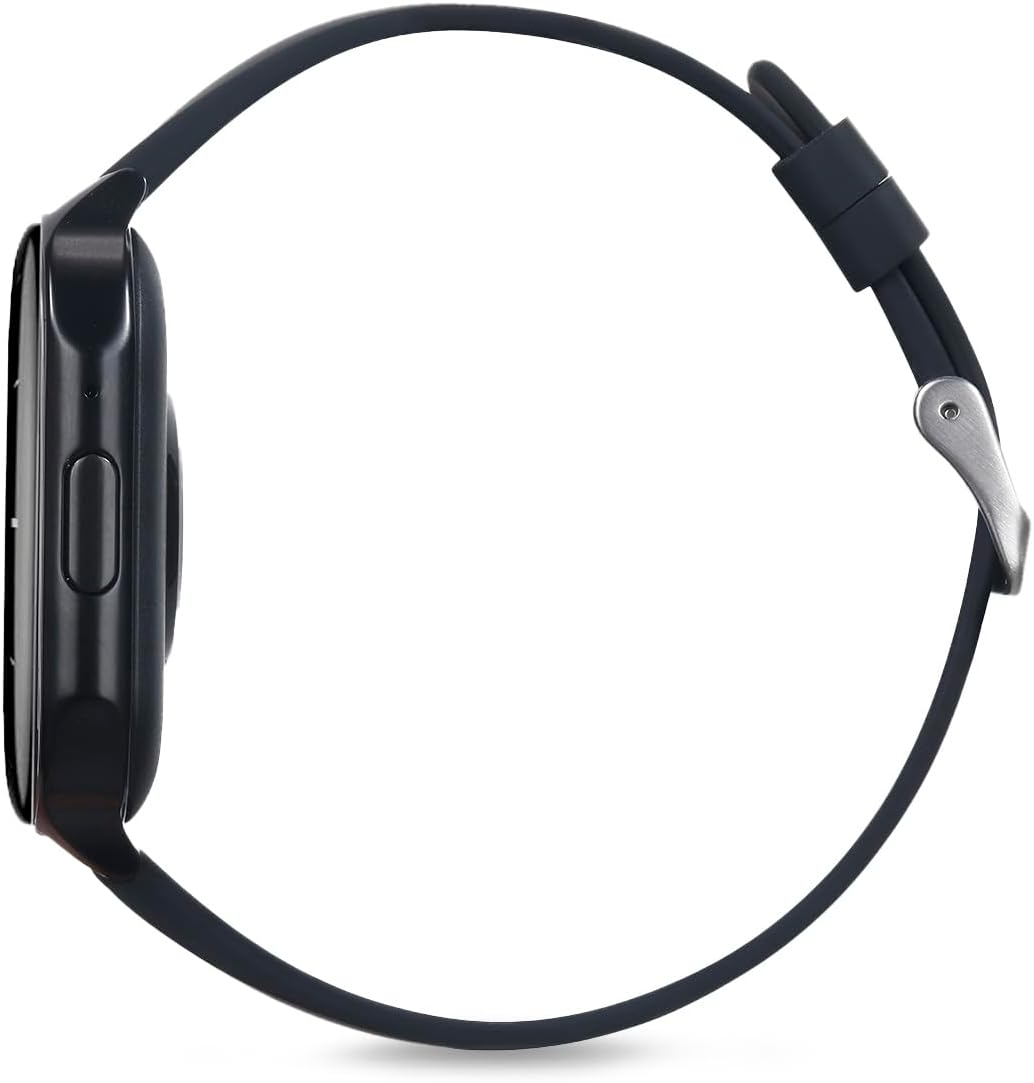
Figure 5: Side profile of the RadioShack Tempo Pro Smartwatch, illustrating its slim design and the single physical button for navigation and control.
| Feature | Detail |
|---|---|
| Brand | RadioShack |
| Model | 207 ID207 |
| Display Size | 2.4 Inches |
| Display Type | AMOLED |
| Display Resolution | 368 x 448 pixels |
| Battery Capacity | 260 mAh |
| Average Battery Life | 24 Hours (typical usage) |
| Connectivity | Bluetooth |
| Water Resistance | IP68 (Dust and Water Resistant) |
| Special Features | Multi-sport tracking, Music control, Snore Detection |
| Dimensions | 19.1 x 11 x 2.4 cm |
| Weight | 170 g |
Warranty and Support
Warranty Information
RadioShack products are manufactured to high-quality standards. For specific warranty terms and conditions, please refer to the warranty card included with your product or visit the official RadioShack website. Keep your purchase receipt as proof of purchase for warranty claims.
Customer Support
If you encounter any issues not covered in this manual or require further assistance, please contact RadioShack customer support. Contact details can typically be found on the product packaging, the official RadioShack website, or through the companion smartphone application.


