Introduction
This manual provides essential instructions for the safe and efficient use of your Samsung Galaxy A16 5G smartphone. Please read this guide thoroughly before operating your device to ensure optimal performance and longevity. This device features a 6.7-inch Super AMOLED display, a 50MP triple camera system, and 5G connectivity, designed for global use.
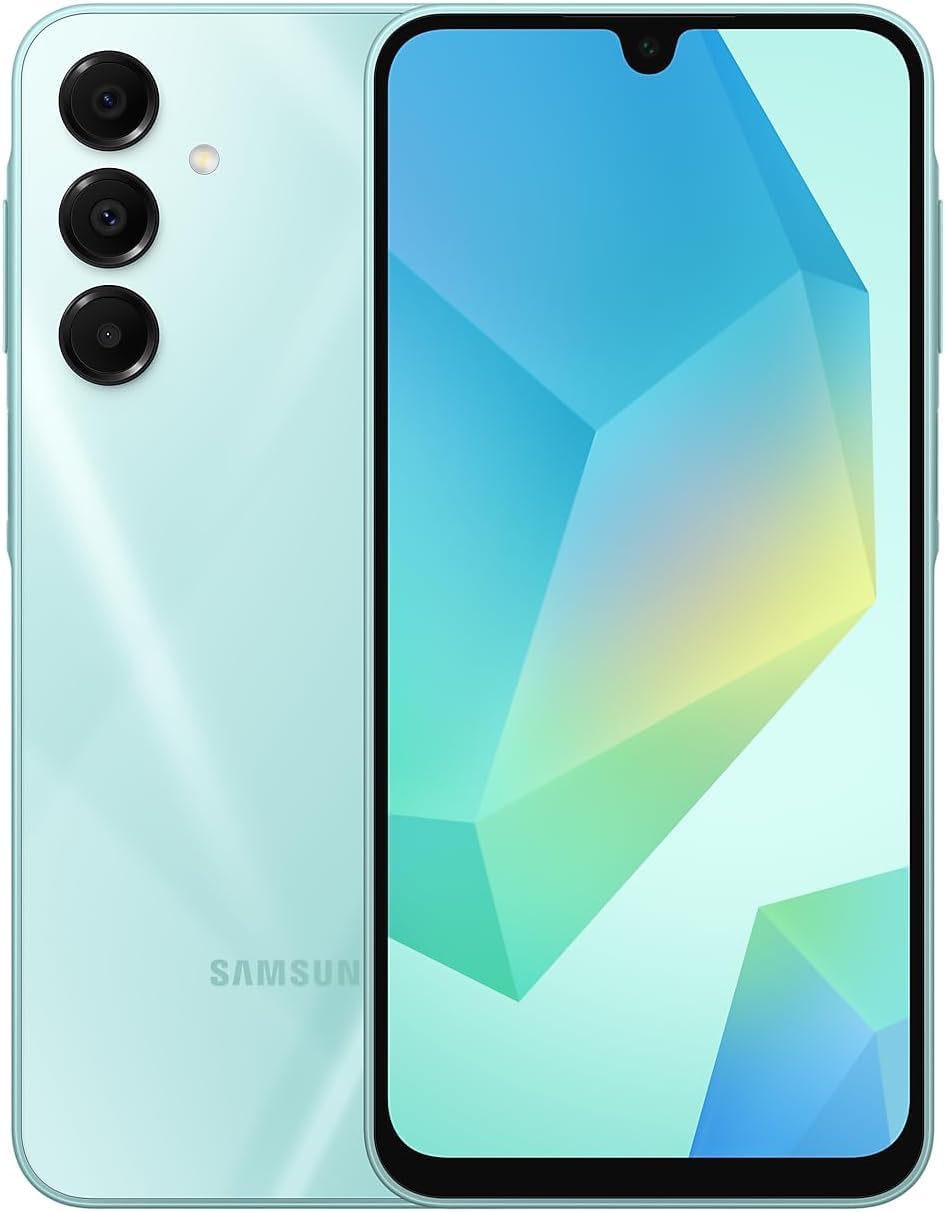
Image: Front and back view of the Samsung Galaxy A16 5G smartphone, showcasing its light green finish and camera module.
What's in the Box
Upon unboxing your Samsung Galaxy A16 5G, verify the presence of the following items:
- Samsung Galaxy A16 5G Smartphone
- Standard accessories (e.g., SIM ejector tool, quick start guide)
Note: The charger is sold separately and is not included in the standard package.
Setup
1. SIM Card and microSD Card Installation
- Locate the SIM card tray on the side of your device.
- Insert the SIM ejector tool into the small hole next to the tray and press firmly until the tray pops out.
- Place your Nano-SIM card(s) and/or microSD card into the designated slots on the tray. Ensure the gold contacts face downwards.
- Carefully reinsert the tray into the device until it clicks into place.
2. Initial Power On and Setup
- Press and hold the Power/Side key until the Samsung logo appears.
- Follow the on-screen prompts to select your language, connect to a Wi-Fi network, and set up your Google account.
- Configure security features such as the side fingerprint sensor and a screen lock method (PIN, pattern, or password).
3. Network Compatibility
This device is an international unlocked model. Please verify compatibility with your specific carrier before use. New activations in the U.S. are primarily supported on T-Mobile, Mint, Tello, and Ultra Mobile. Other carriers may not recognize international IMEI numbers.

Image: A chart illustrating network compatibility. Compatible carriers include T-Mobile, Mint, Tello, Ultra, and networks outside the USA. Incompatible carriers include Verizon, AT&T, Xfinity, Boost, Virgin, Visible, Cricket, and other CDMA carriers.
Operating Your Device
1. Display Features
The Galaxy A16 5G features a 6.7-inch Super AMOLED FHD+ display with a 90Hz refresh rate, providing smooth visuals and vibrant colors. It offers up to 800 nits brightness for clear viewing in various lighting conditions and includes a low blue light display for eye comfort.

Image: Front view of the Samsung Galaxy A16 5G, highlighting its expansive Super AMOLED display and minimal bezels.
2. Camera Usage
Your device is equipped with a versatile triple camera system:
- Main Camera: 50MP, f/1.8 (wide) for high-resolution photos.
- Ultrawide Camera: 5MP, f/2.2 for capturing broader landscapes.
- Macro Camera: 2MP, f/2.4 for detailed close-up shots.
- Front Camera: 13MP, f/2.0 for selfies and video calls.
Access the camera app from the home screen or lock screen to select various modes and settings.
3. Performance and Storage
The Galaxy A16 5G is powered by an Exynos 1330 (5nm) Octa-Core processor and 6GB of RAM, providing efficient performance for daily tasks and multitasking. It comes with 128GB of internal storage, expandable via a microSDXC card (uses a shared SIM slot).
4. Battery Management
The device includes a 5000mAh battery designed for extended use. It supports Super Fast Charging. To optimize battery life, manage background app usage and adjust screen brightness.
5. Security Features
Unlock your device securely using the side-mounted fingerprint sensor. Additionally, set up a PIN, pattern, or password for enhanced security.
Maintenance
- Software Updates: Regularly check for and install software updates to ensure optimal performance and security.
- Cleaning: Use a soft, lint-free cloth to clean the screen and body of the device. Avoid harsh chemicals.
- Storage Management: Periodically clear unnecessary files and apps to maintain device speed and free up storage.
- Battery Care: Avoid extreme temperatures and fully discharging the battery frequently to prolong its lifespan.
Troubleshooting
If you encounter issues with your device, consider the following common solutions:
- Poor Reception/Network Issues:
- Ensure your SIM card is correctly inserted.
- Verify your carrier's compatibility with international unlocked phones (refer to the Network Compatibility section).
- Restart the device.
- Check network settings and ensure mobile data is enabled.
- Device Lag/Slow Performance:
- Close unused background applications.
- Clear cache from apps and device storage.
- Restart the device.
- Ensure sufficient free storage space.
- Battery Draining Quickly:
- Reduce screen brightness.
- Disable unnecessary features like GPS, Bluetooth, or Wi-Fi when not in use.
- Identify and restrict power-consuming apps in device settings.
- Wi-Fi Disables 5G:
- This behavior may be by design to prioritize Wi-Fi for data connectivity when available. Check network settings for options to manage this behavior, though it is common for phones to switch to Wi-Fi when connected to save mobile data.
For persistent issues, contact Samsung support or your seller for assistance.
Specifications
| Feature | Detail |
|---|---|
| Model Name | Galaxy A16 5G |
| Model Number | SM-A166M/DS |
| Operating System | Android 14, One UI 6.1 |
| Display | 6.7-inch Super AMOLED FHD+, 1080 x 2340 resolution, 90Hz Refresh Rate, 800 nits (HBM) |
| Processor | Exynos 1330 (5nm) Octa-Core |
| RAM | 6GB |
| Internal Storage | 128GB (expandable via microSDXC, shared SIM slot) |
| Rear Camera | 50MP (wide) + 5MP (ultrawide) + 2MP (macro) |
| Front Camera | 13MP |
| Battery Capacity | 5000mAh |
| Connectivity | 5G, 4G LTE, Wi-Fi, Bluetooth, GPS |
| SIM Type | Dual SIM (Nano-SIM) |
| Audio Jack | 3.5 mm |
| Dimensions | 6 x 4 x 2 inches |
| Weight | 12 ounces |
Warranty and Support
This Samsung Galaxy A16 5G is an international model and does not come with a U.S. manufacturer warranty. For any issues or support, please refer to the seller's return policy and contact the seller directly for assistance.
For general product information and resources, you may visit the official Samsung website.


