Introduction
This manual provides comprehensive instructions for the MEDION Fitness Watch P4000. It covers initial setup, operational procedures, maintenance guidelines, and troubleshooting tips to ensure optimal use of your device. The P4000 is designed to track various fitness metrics, including heart rate, steps, sleep, and features integrated GPS for activity tracking.
Key features include:
- 1.3-inch color touchscreen display
- Integrated GPS module for track detection
- Multiple sport modes
- Heart rate measurement
- Dust and water protection according to IP68 standard
- Data documentation via the MEDION Fitness application
1. Setup
1.1 Unboxing and Initial Charge
Carefully remove the MEDION Fitness Watch P4000 from its packaging. Before first use, fully charge the device. Connect the charging cable to the watch's charging port and a suitable USB power source. A full charge typically takes a few hours.

Image: The MEDION Fitness Watch P4000, displaying time and battery level, ready for use.
1.2 Installing the MEDION Fitness App
To utilize all features and track your data, download the official MEDION Fitness application on your smartphone. The app is available for both iOS and Android devices.
- For iOS: Search for "MEDION Fitness" in the Apple App Store.
- For Android: Search for "MEDION Fitness" in the Google Play Store.

Image: A smartphone displaying the MEDION Fitness Pro app interface, showing health data and links to download from App Store and Google Play.
1.3 Pairing with Your Smartphone
- Ensure Bluetooth is enabled on your smartphone.
- Open the MEDION Fitness app and follow the on-screen instructions to create an account or log in.
- Select "Add Device" or a similar option within the app.
- The app will search for your P4000 Fitness Watch. Select your device from the list.
- Confirm the pairing request on both your watch and smartphone.
Once paired, the watch will synchronize time, date, and personal settings from your smartphone.
2. Operating the Fitness Watch
2.1 Basic Navigation
The MEDION P4000 features a 1.3-inch color touchscreen for navigation. Swipe left, right, up, or down to access different menus and functions. Tap to select an option. The side button typically serves as a back button or to wake the screen.
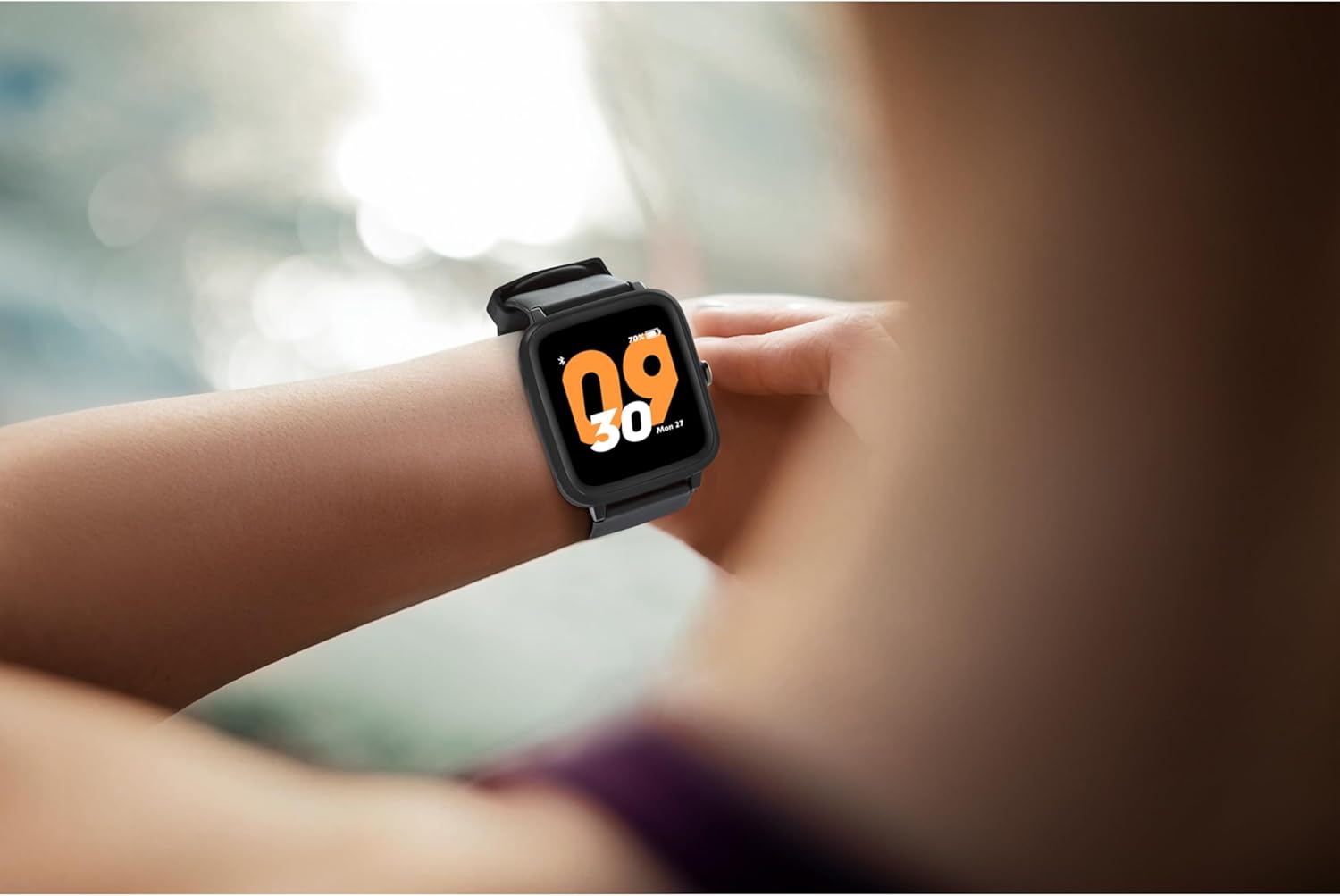
Image: A person wearing the MEDION Fitness Watch P4000 on their wrist, interacting with the touchscreen.
2.2 Fitness Tracking Features
The watch offers various tracking capabilities to monitor your health and fitness:
- Heart Rate Monitoring: The integrated sensor continuously monitors your heart rate. Access this feature from the main menu to view real-time data and historical trends in the app.
- Pedometer: Tracks your daily steps, distance covered, and estimated calories burned.
- Sleep Tracking: Monitors your sleep patterns, including deep sleep, light sleep, and wake times. View detailed analysis in the MEDION Fitness app.
- Integrated GPS: For outdoor activities, the built-in GPS accurately records your route, distance, and pace without needing your phone.
- Sport Modes: Select from various pre-set sport modes (e.g., running, cycling, walking) to get specific tracking data for your activity.

Image: A person running, with icons illustrating heart rate monitoring, step counting, calorie consumption, and multisport mode features.

Image: A person checking their watch, with icons illustrating sleep tracking, alarm clock, message/call notifications, and IP68 dust and water protection.
2.3 Notifications and Alarms
Once paired with your smartphone, the P4000 can display notifications for incoming calls and messages. You can also set alarms directly on the watch or through the MEDION Fitness app.
2.4 Water and Dust Protection (IP68)
The MEDION P4000 is protected against dust and water ingress according to the IP68 standard. This means it is resistant to dust and can withstand immersion in water up to 1.5 meters for up to 30 minutes. It is suitable for daily use, including showering and swimming in shallow water, but not for diving or high-pressure water activities.
3. Maintenance
3.1 Cleaning Your Watch
To maintain the watch's appearance and functionality, regularly clean the device and strap. Use a soft, damp cloth to wipe the screen and strap. Avoid using harsh chemicals or abrasive materials. Ensure the charging contacts are clean and dry before charging.
3.2 Battery Care
The P4000 offers up to 7 days of battery life under typical usage and up to 10 hours with continuous GPS use. To prolong battery lifespan, avoid extreme temperatures and fully discharge the battery only occasionally. Charge the watch using the provided cable and a standard USB power adapter.
4. Troubleshooting
4.1 Connectivity Issues
- Watch not pairing: Ensure Bluetooth is active on your phone and the watch is within range. Restart both devices and try pairing again.
- App not syncing data: Check your internet connection. Ensure the MEDION Fitness app is updated to the latest version. Try force-closing and reopening the app.
4.2 Tracking Inaccuracies
- Heart rate readings seem off: Ensure the watch is worn snugly on your wrist, about one finger's width above the wrist bone. Clean the sensor on the back of the watch.
- GPS not acquiring signal: Ensure you are in an open outdoor area with a clear view of the sky. It may take a few minutes for the GPS to lock on.
4.3 Display Issues
- Screen unresponsive: Try restarting the watch by pressing and holding the side button. Ensure the screen is clean and dry.
5. Specifications
| Feature | Detail |
|---|---|
| Model Number | P4000 (MD 60871) |
| Display | 1.3-inch Color Touchscreen |
| GPS | Integrated GPS |
| Water Resistance Level | IP68 (Dust and Water Protected) |
| Battery Life | Up to 7 days (typical use), up to 10 hours (continuous GPS) |
| Band Material | Rubber |
| Compatible Devices | Smartphone |
| Product Dimensions (L x W x H) | 1.2 x 3.4 x 4.2 cm |
| Item Weight | 34 Grams |
| Included Components | MEDION P4000 Activity Tracker, Charging Cable |
6. Warranty and Support
MEDION is committed to providing quality products and excellent customer service. For any questions, technical assistance, or warranty claims regarding your MEDION Fitness Watch P4000, please refer to the official MEDION support channels.
- Customer Service: Our customer service team is available to assist you. Please visit the official MEDION website for contact information.
- Repair Service: In cases where direct communication cannot resolve an issue, MEDION offers a repair service. Details can be found on the MEDION support page.
Please retain your proof of purchase for warranty purposes.


