
1. Introduction
This manual provides detailed instructions for the safe installation, operation, and maintenance of your reiga 52-inch Smart Wood Ceiling Fan. Please read this manual thoroughly before installation and retain it for future reference.

The reiga 52-inch Smart Wood Ceiling Fan features three walnut-finished blades and an integrated LED light, designed for modern living spaces.
2. Safety Information
To reduce the risk of electrical shock, fire, or personal injury, always follow these basic safety precautions:
- Read all instructions carefully before installing the fan.
- Ensure the installation site is structurally sound and can support the fan's weight (approximately 16 pounds).
- All electrical wiring must be performed by a qualified electrician and comply with local and national electrical codes.
- Disconnect power at the main circuit breaker before installation or servicing.
- Do not operate the fan with damaged wiring or if it is not functioning properly.
- Keep hands, clothing, and other objects clear of the fan blades during operation.
3. Package Contents
Verify that all components are present before beginning installation:
- Ceiling Fan Motor Assembly
- 3 Fan Blades (Walnut Wood Finish)
- Integrated LED Light Kit
- Remote Control
- 6-inch Downrod
- 10-inch Downrod
- Mounting Bracket and Hardware
- 2 x 12V Batteries for Remote Control
- Instruction Manual
4. Specifications
| Feature | Specification |
|---|---|
| Brand | reiga |
| Model Name | 52YFT-801L |
| Color | Walnut |
| Electric Fan Design | Ceiling Fan |
| Power Source | DC |
| Style | Modern |
| Product Dimensions | 52"D x 52"W x 16.6"H |
| Room Type | Bedroom, Home Office, Living Room, Patio |
| Special Features | 0%-100% Dimmable, Timer, Water Resistant, Wi-Fi Enabled |
| Recommended Uses | Air Circulation, Cooling, Ventilating |
| Noise Level | 35 Decibels |
| Wattage | 30 watts |
| Number of Blades | 3 |
| Included Components | Cord, Light Kit, Remote |
| Indoor/Outdoor Usage | Indoor/Outdoor (Water Resistant) |
| Specification Met | FCC, ETL Certified |
| Control Method | App, Remote, Voice (Alexa compatible) |
| Item Weight | 16 pounds |
| Batteries | 2 x 12V batteries (included) |
5. Setup and Installation
The reiga ceiling fan is designed for straightforward installation. It includes two downrods (6-inch and 10-inch) to accommodate various ceiling heights and can be mounted on both flat and sloped ceilings.
- Prepare the Installation Site: Ensure the electrical box is securely mounted and capable of supporting the fan's weight. Turn off power at the circuit breaker.
- Install the Mounting Bracket: Attach the mounting bracket to the electrical box using the provided hardware.
- Assemble the Downrod: Select the appropriate downrod (6-inch or 10-inch) for your ceiling height. Feed the electrical wires through the downrod.
- Attach Fan Blades: Secure the three walnut-finished fan blades to the motor housing.
- Hang the Fan: Carefully lift the fan assembly and hang it from the mounting bracket.
- Wire the Fan: Connect the electrical wires according to the wiring diagram in the full instruction manual. Ensure all connections are secure.
- Install the Light Kit: Attach the integrated LED light kit to the bottom of the fan motor housing.
- Secure the Canopy: Slide the canopy up to the ceiling and secure it to the mounting bracket.
- Restore Power: Turn on power at the circuit breaker.

The fan has a 52-inch diameter and comes with 6-inch and 10-inch downrods for flexible installation on various ceiling heights, including flat and sloped ceilings.
6. Operating Instructions
Your reiga Smart Wood Ceiling Fan can be operated using the included remote control, a smart app, or voice commands (Alexa compatible).
6.1 Remote Control Functions
The remote control provides comprehensive control over your fan and light:
- Power On/Off: Press the power button to turn the fan and light on or off.
- Fan Speed: Select from 6 different fan speeds to adjust airflow intensity.
- Light On/Off: Control the integrated LED light independently.
- Light Color Temperature: Cycle through three color temperatures: 3000K (Warm), 4500K (Natural), and 6500K (Cool).
- Light Dimming: Adjust the brightness of the LED light from 0% to 100%.
- Reversible Motor: Change the direction of the fan blades for seasonal use (downdraft for summer, updraft for winter).
- Timer: Set the fan to automatically turn off after 1, 3, or 8 hours.
- Memory Function: The fan remembers your last settings for light and speed.
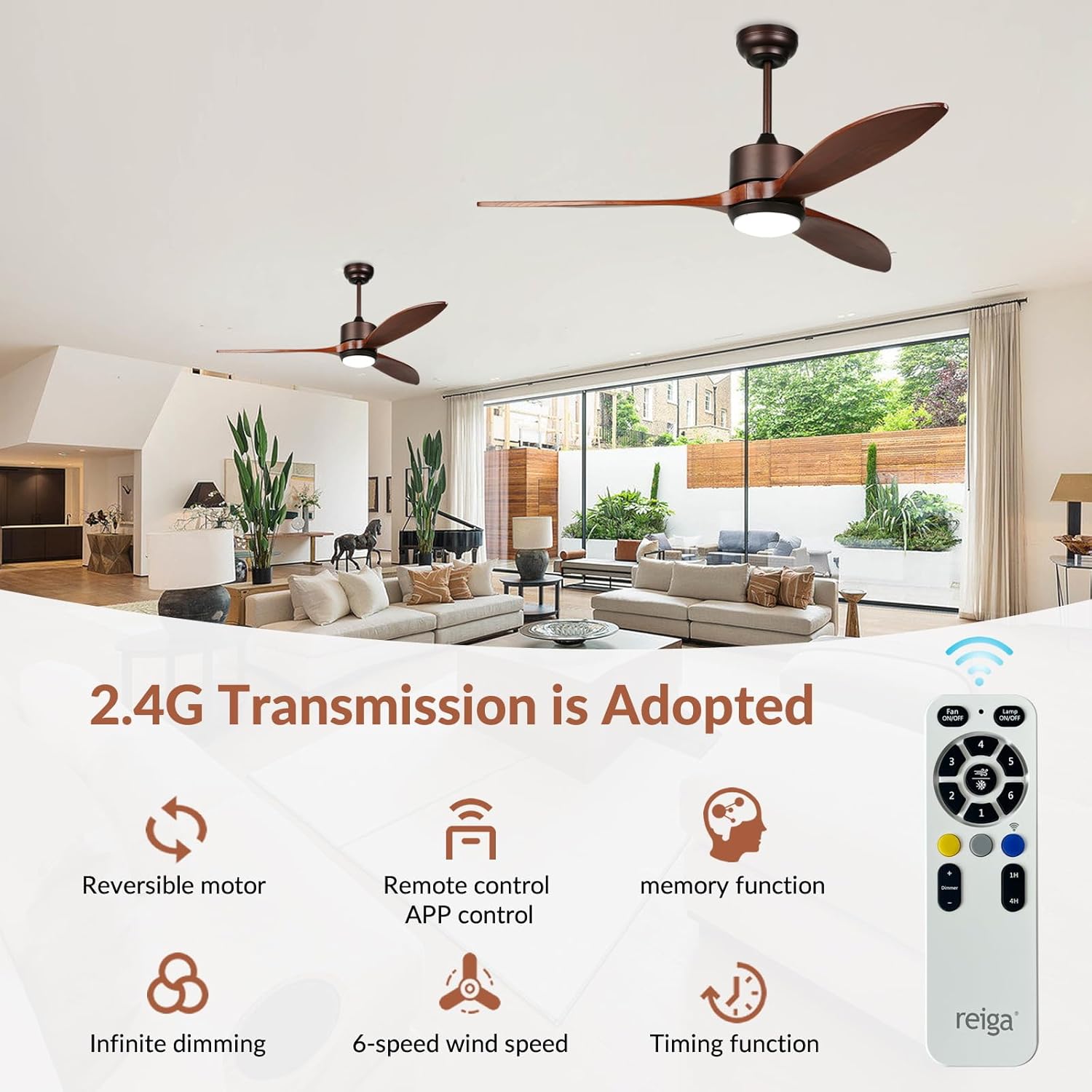
Control the fan and light functions using the included remote control or a smart app. Features include a reversible motor, 6-speed settings, infinite dimming for the light, memory function, and a timer.
6.2 Smart App and Voice Control
For advanced control, download the compatible smart app (details in the full manual) to connect your fan to your smartphone. The fan is also compatible with Alexa for convenient voice control.
- App Control: Access all remote functions, schedule operations, and customize settings from your smartphone.
- Voice Control: Integrate with Alexa to control fan speed, light on/off, and light dimming using voice commands.

The multi-functional remote control provides easy access to all fan settings, including power, light control, fan speed adjustments, and the reversible motor function.
6.3 Reversible Airflow for Year-Round Comfort
Utilize the reversible motor function to optimize air circulation for different seasons:
- Summer Mode (Downdraft): Blades rotate counter-clockwise to create a cooling breeze.
- Winter Mode (Updraft): Blades rotate clockwise to circulate warm air trapped near the ceiling, helping to reduce heating costs.
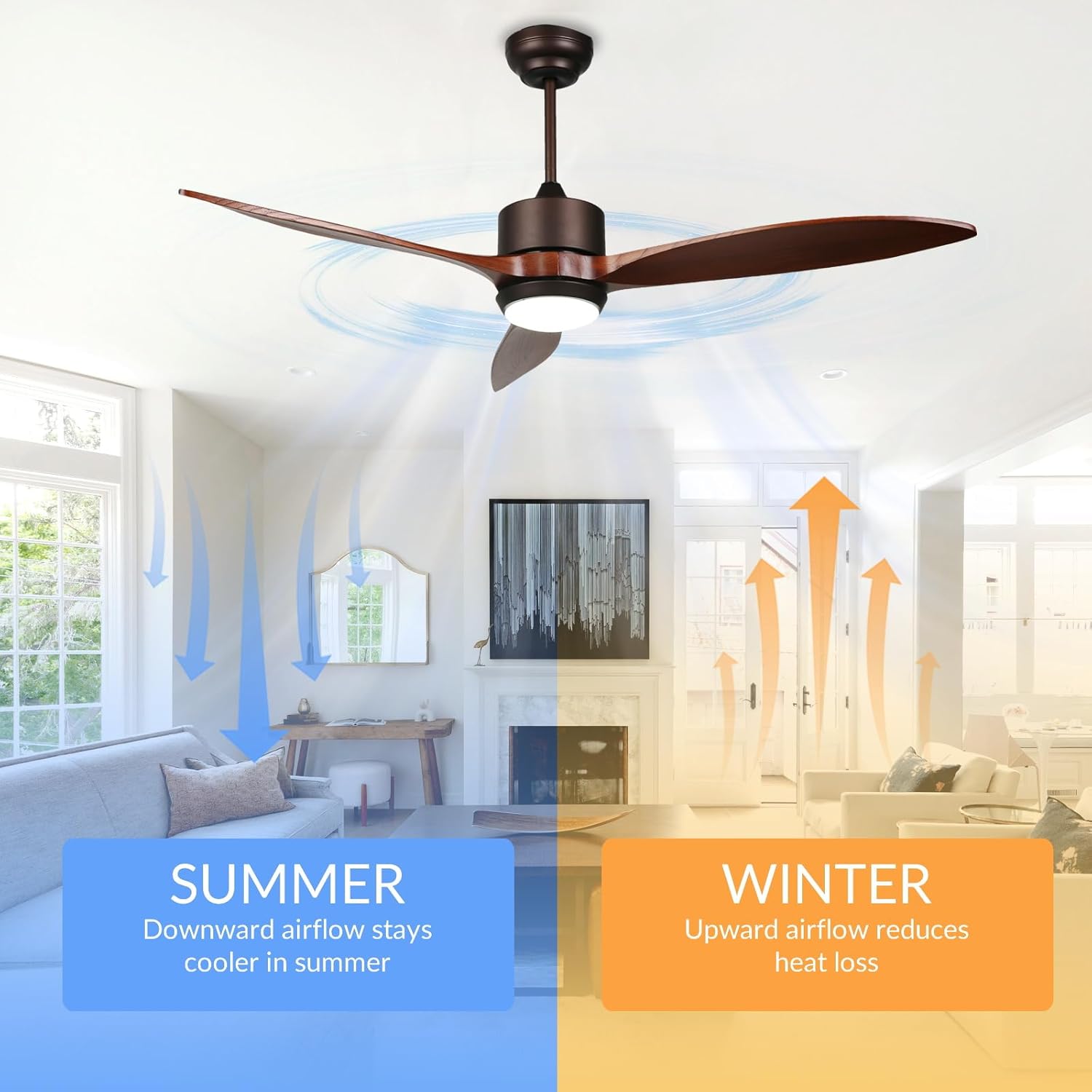
The fan features a reversible motor for year-round comfort. In summer, the downdraft mode creates a cooling breeze. In winter, the updraft mode circulates warm air to reduce heat loss.
7. Maintenance
Regular maintenance ensures optimal performance and longevity of your reiga ceiling fan:
- Cleaning: Periodically clean the fan blades and motor housing with a soft, damp cloth. Do not use abrasive cleaners or solvents.
- Light Kit: The integrated LED light is designed for long-term use and typically does not require bulb replacement. If issues arise, contact customer support.
- Tighten Fasteners: Check all screws and fasteners annually to ensure they are secure.
8. Troubleshooting
If you encounter any issues with your reiga ceiling fan, refer to the following common troubleshooting steps:
- Fan Does Not Operate: Check power supply at the circuit breaker. Ensure all wiring connections are secure. Verify remote control batteries are functional and correctly inserted.
- Light Does Not Work: Check power supply. Ensure light kit connections are secure. If using the app, verify connectivity.
- Excessive Noise/Wobbling: Ensure all fan blades are securely attached. Check that the mounting bracket is tightly secured to the ceiling. Verify that the downrod is properly installed.
- Remote Control Not Responding: Replace batteries. Ensure there are no obstructions between the remote and the fan receiver. Re-pair the remote if necessary (refer to the full manual for pairing instructions).
- Smart App/Voice Control Issues: Ensure Wi-Fi connectivity is stable. Re-link the fan to the smart app or Alexa if connection is lost.
For persistent issues, please contact reiga customer support.
9. Warranty and Support
reiga is committed to your satisfaction and provides comprehensive warranty and support services:
- Motor Warranty: A generous 10-year warranty is provided for the DC motor.
- Fan Warranty: A one-year warranty covers the rest of the fan components.
- Technical Support: Benefit from 48 hours of technical support and customer service.
For any installation or usage inquiries, or to claim warranty service, please contact reiga customer support directly. Contact information can be found on the product packaging or the official reiga website.


