
1. Introduction
Thank you for choosing the GOLDCHAMP GC-816B Digital Anemometer. This compact and lightweight device is designed for accurate measurement of wind speed and temperature, featuring a clear LCD backlight display and multiple measurement modes. It is suitable for a wide range of applications, from HVAC system analysis to outdoor sports and industrial hygiene.

Figure 1: GOLDCHAMP GC-816B Anemometer highlighting key features.
2. Product Components
Familiarize yourself with the main parts of your GC-816B anemometer:
- 7-Blade Wind Leaf: Measures wind speed.
- Wind Chill Sensor: Detects ambient temperature for wind chill calculation.
- LCD Display: Shows measurement readings, units, and indicators.
- MODE Button: Cycles through measurement modes (MAX, AVG, Current).
- °C/°F Key: Toggles between Celsius and Fahrenheit temperature units.
- SET Button: Used for various settings and backlight control.
- Battery Cover: Located on the back for battery access.

Figure 2: Labeled diagram of the Anemometer's front and back.
3. Setup: Battery Installation
The GC-816B anemometer requires a battery for operation. Follow these steps to install or replace the battery:
- Step 1: Locate the battery cover on the back of the device. Use a coin to rotate the cover counter-clockwise to open it.
- Step 2: Remove any old battery if present. Insert a new battery, ensuring correct polarity (+/-).
- Step 3: Place the battery cover back and rotate it clockwise with a coin until it is securely closed.

Figure 3: Battery replacement steps.
4. Operating Instructions
4.1 Power On/Off
- To power on, press the MODE button.
- The device features an automatic shutdown function to conserve battery power after a period of inactivity.
4.2 Changing Wind Speed Units
The anemometer supports five wind speed units: m/s, ft/min, knots, km/h, and mph.
- With the device powered on, press the SET button to cycle through the available wind speed units. The selected unit will be displayed on the LCD.
4.3 Changing Temperature Units (°C/°F)
To switch between Celsius (°C) and Fahrenheit (°F) for temperature readings:
- Press the °C/°F key. The display will update to the selected temperature unit.
4.4 Backlight Control
The LCD features a backlight for improved visibility in low-light conditions.
- To activate or deactivate the backlight, press and hold the SET button for approximately 3 seconds.

Figure 4: LCD display with backlight OFF and ON.
5. Measurement Modes
The GC-816B anemometer offers several measurement modes:
- Current Wind Speed: Displays the real-time wind speed.
- Maximum Wind Speed (MAX): Shows the highest wind speed recorded since the device was powered on or the mode was reset.
- Average Wind Speed (AVG): Calculates and displays the average wind speed over a period.
- Wind Chill Indication: Provides an indication of the perceived temperature based on wind speed and actual temperature.
To cycle through these modes, press the MODE button repeatedly.

Figure 5: LCD Screen Parameters and Wind Speed Range Table.
6. Applications
The GOLDCHAMP GC-816B Digital Anemometer is suitable for various applications, including but not limited to:
- HVAC Systems: Measuring airflow in ventilation ducts.
- Outdoor Activities: Sailing, boating, windsurfing, kitesurfing, ballooning, aviation, drone operation, and general weather monitoring.
- Industrial Hygiene: Monitoring air movement in workplaces.
- Construction: Assessing wind conditions on job sites.
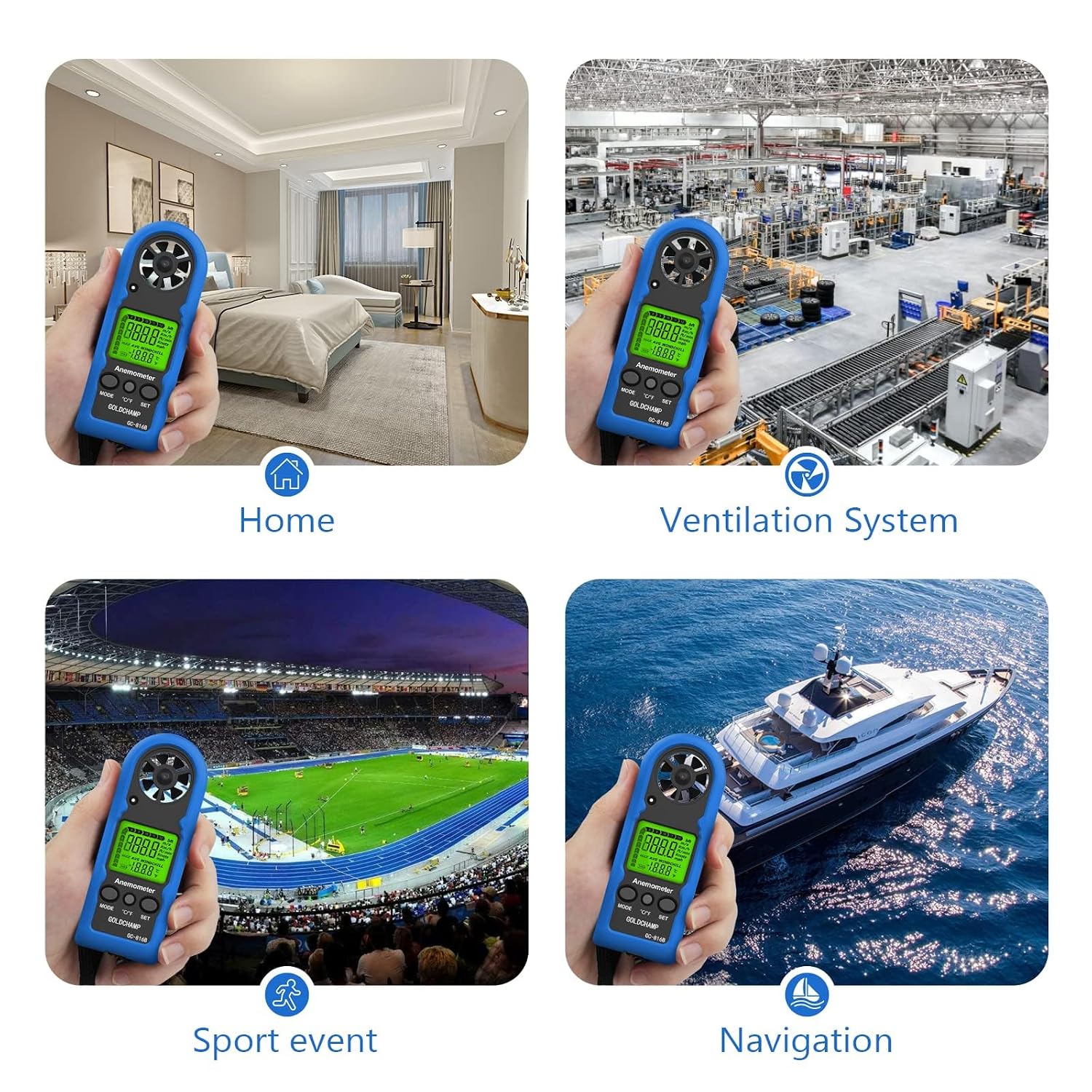
Figure 6: Common application scenarios for the anemometer.
7. Specifications
| Feature | Specification |
|---|---|
| Brand | GOLDCHAMP |
| Model Number | GC-816B |
| Product Dimensions (L x W x H) | 11.3 x 4 x 1.5 cm |
| Item Weight | 53 Grams |
| Material | Acrylonitrile Butadiene Styrene (ABS), Polycarbonate (PC) |
| Type | Handheld |
| Included Components | Anemometer |
| Wind Speed Range | 0.3 ~ 30 m/s (0-90 km/h, 0-5860 ft/min, 0-65 mph, 0-55 knots) |
| Wind Speed Resolution | 0.1 m/s |
| Wind Speed Accuracy | ±5% of reading |
| Temperature Range | -10 ℃ ~ 45 ℃ |
| Temperature Resolution | 0.2 ℃ |
| Temperature Accuracy | ±2 ℃ |
| Display | LCD with backlight |
| Measurement Modes | Current, Max, Average Wind Speed, Wind Chill |
8. Maintenance
To ensure the longevity and accuracy of your GOLDCHAMP GC-816B Anemometer, follow these maintenance guidelines:
- Cleaning: Wipe the device with a soft, dry cloth. Do not use abrasive cleaners or solvents.
- Storage: Store the anemometer in a cool, dry place away from direct sunlight and extreme temperatures.
- Battery: Remove the battery if the device will not be used for an extended period to prevent leakage.
- Sensor Care: Keep the wind leaf (fan) free from dust and debris to ensure accurate readings. Avoid touching the blades directly.
9. Troubleshooting / FAQ
Q: Can this anemometer directly display CFM (Cubic Feet per Minute)? How can I measure CFM?
A: The GOLDCHAMP GC-816B anemometer does not directly display CFM. However, it provides air velocity readings in feet per minute (ft/min), which can be used to calculate CFM. The formula for CFM (Q) is: Air Velocity in Feet per Minute (V) × Cross-sectional Area of the Duct/Channel (A). Ensure you measure the cross-sectional area in square feet for an accurate CFM calculation.
10. Warranty and Support
GOLDCHAMP offers lifetime technical support for its products. If you encounter any issues or have suggestions regarding the use of your GC-816B Digital Anemometer, please contact our professional after-sales support team. Refer to your purchase documentation or the GOLDCHAMP official website for contact details.
