
iScooter GT1
iScooter GT1 10-inch Electric Scooter User Manual
Model: GT1
Brand: iScooter
1. Important Safety Information
Operating an electric scooter carries inherent risks. To ensure your safety and the safety of others, please read and adhere to the following guidelines:
- Always wear a helmet and appropriate protective gear, including knee and elbow pads, when riding.
- Obey all local traffic laws and regulations. Ride defensively and be aware of your surroundings.
- Do not ride in heavy rain, snow, or through standing water. The scooter is not fully waterproof.
- Avoid riding on slippery surfaces such as ice, wet roads, or loose gravel.
- Do not perform stunts, jumps, or aggressive maneuvers. The scooter is designed for transportation, not extreme sports.
- This scooter is designed for one rider only. Do not carry passengers.
- Before each ride, check the brakes, tires, and all connections to ensure they are in good working order.
- Maintain a safe distance from pedestrians, other vehicles, and obstacles.
- Do not operate the scooter under the influence of alcohol or drugs.
2. Product Overview
The iScooter GT1 is a robust 10-inch electric scooter designed for adult riders, offering a blend of power, range, and comfort for urban and light off-road travel. Key features include:
- Powerful 800W Motor: Provides strong acceleration and the ability to climb inclines up to 30%.
- High-Capacity Battery: Offers an impressive range of 40-45 km on a single charge.
- 10-inch All-Terrain Tires: Designed for enhanced traction and vibration absorption on various surfaces.
- Dual Suspension System: Front and rear double cylinder shock absorption for a comfortable ride.
- Dual Braking System: Equipped with electronic and disc brakes for responsive and safe stopping.
- Smart App Control: Allows real-time monitoring, mode changes, and electronic locking via a dedicated app.
- Comprehensive Lighting: Features headlights, taillights, ambient lights, and turn signals for night visibility.
- Foldable Design: Easily folds in 1 minute for convenient storage and transport.
- High Load Capacity: Supports a maximum weight of 150 kg.

Image: The iScooter GT1 electric scooter, showcasing its sleek design, the companion app interface, and the included storage bag.
3. What's in the Box
Upon opening the package, ensure all the following components are present:
- Electric Scooter (x1)
- Instruction Manual (x1)
- Waterproof Scooter Bag (x1)
- Allen Keys (x6)
- Screws for Headlight Assembly (x1 set)
- European Type Cable (x1)
- Tool Bag (x1)
- Charger (x1)
- Open-end Wrenches (x3)
4. Assembly and Initial Setup
4.1 Unpacking
Carefully remove the scooter and all accessories from the packaging. Retain the packaging for future storage or transport.
4.2 Assembly
The iScooter GT1 requires minimal assembly. Typically, this involves:
- Attaching the Handlebars: Secure the handlebars to the stem using the provided screws and Allen keys. Ensure they are firmly tightened.
- Headlight Assembly: If the headlight is not pre-installed, attach it using the designated screws.
- Checking Connections: Verify that all cables and connections are secure and properly seated.
4.3 Initial Charge
Before the first use, fully charge the scooter's battery. Connect the charger to the scooter's charging port and then to a power outlet. The charging time is approximately 4-5 hours. The indicator light on the charger will change when charging is complete.
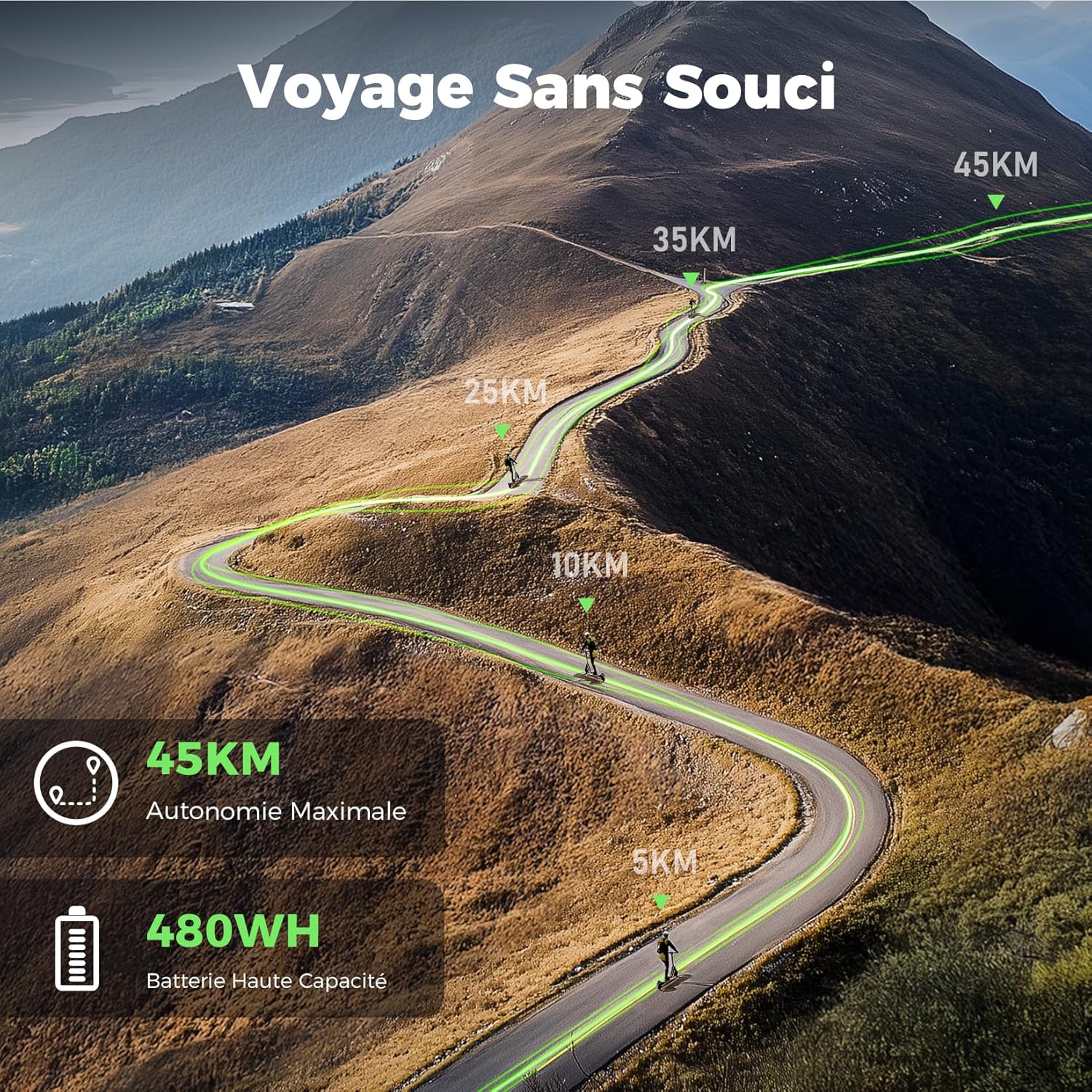
Image: Visual representation of the iScooter GT1's maximum range of 45 kilometers, highlighting its high-capacity 480WH battery for extended travel.
5. Operating Instructions
5.1 Power On/Off
To power on the scooter, press and hold the power button on the display panel for a few seconds. To power off, press and hold the same button until the display turns off.
5.2 Speed Modes
The iScooter GT1 offers four distinct speed modes to suit various riding conditions and preferences:
- Pedestrian Mode: 6 km/h
- ECO Mode: 10 km/h
- Race Mode: 15 km/h
- Sport Mode: 25 km/h (Maximum Speed)
You can switch between these modes using the controls on the handlebar or via the companion app.

Image: A rider on the iScooter GT1, illustrating the scooter's maximum speed of 25 km/h and its ability to handle inclines up to 30% with its 800W motor.
5.3 Braking System
The scooter is equipped with both electronic and disc brakes. To engage the brakes, gently press the brake levers on the handlebars. Apply both brakes simultaneously for optimal stopping power and control. Avoid sudden, harsh braking, especially at high speeds, to prevent loss of balance.
5.4 App Control
Download the official iScooter app from your smartphone's app store. Connect your scooter via Bluetooth to access intelligent features:
- Real-time Monitoring: View battery level, current speed, and riding data.
- Mode Switching: Easily change between speed modes.
- Electronic Lock/Unlock: Secure your scooter remotely.
- Customized Riding Modes: Adjust settings to personalize your riding experience.

Image: A smartphone screen showing the iScooter app interface, demonstrating features like locking/unlocking the scooter and customizing riding modes.
5.5 Folding Mechanism
The iScooter GT1 features a convenient 3-step folding design for portability and storage:
- Release the Locking Mechanism: Locate the folding latch on the stem and disengage it.
- Fold the Stem: Gently push the stem downwards until it clicks into place, securing it to the rear fender.
- Secure the Handlebars: Ensure the handlebars are folded flat against the stem for a compact form.

Image: A person carrying the iScooter GT1 in its folded state, illustrating its portability and compact design for easy transport.
5.6 Lighting System
The scooter is equipped with a full lighting system for enhanced safety, especially during night rides:
- Front Headlight: Illuminates the path up to 15 meters ahead.
- Rear Taillight: Increases visibility from behind.
- Ambient Lights: Side lights for added visibility.
- Turn Signals: Indicate your turning intentions to others.

Image: The iScooter GT1 electric scooter illuminated at night, showcasing its bright headlights, visible taillights, and turn signals for safe nighttime travel.
6. Maintenance and Care
Regular maintenance ensures the longevity and optimal performance of your iScooter GT1.
6.1 Battery Care
- Charge Regularly: Charge the battery after each use, even if not fully depleted, to maintain battery health.
- Avoid Deep Discharge: Do not let the battery completely drain before recharging.
- Storage: If storing the scooter for an extended period, charge the battery to about 50-70% and recharge every 1-2 months. Store in a cool, dry place.
- Use Original Charger: Only use the charger provided with your scooter.
6.2 Tire Maintenance
The 10-inch all-terrain tires require proper inflation for safety and performance.
- Check Tire Pressure: Regularly check and maintain the recommended tire pressure (refer to the tire sidewall for PSI/Bar). Under-inflated tires can affect range and handling.
- Valve Access: If you experience difficulty inflating the rear tire due to valve access, a valve extender or adapter can be used.
- Inspect for Damage: Periodically inspect tires for cuts, punctures, or excessive wear.
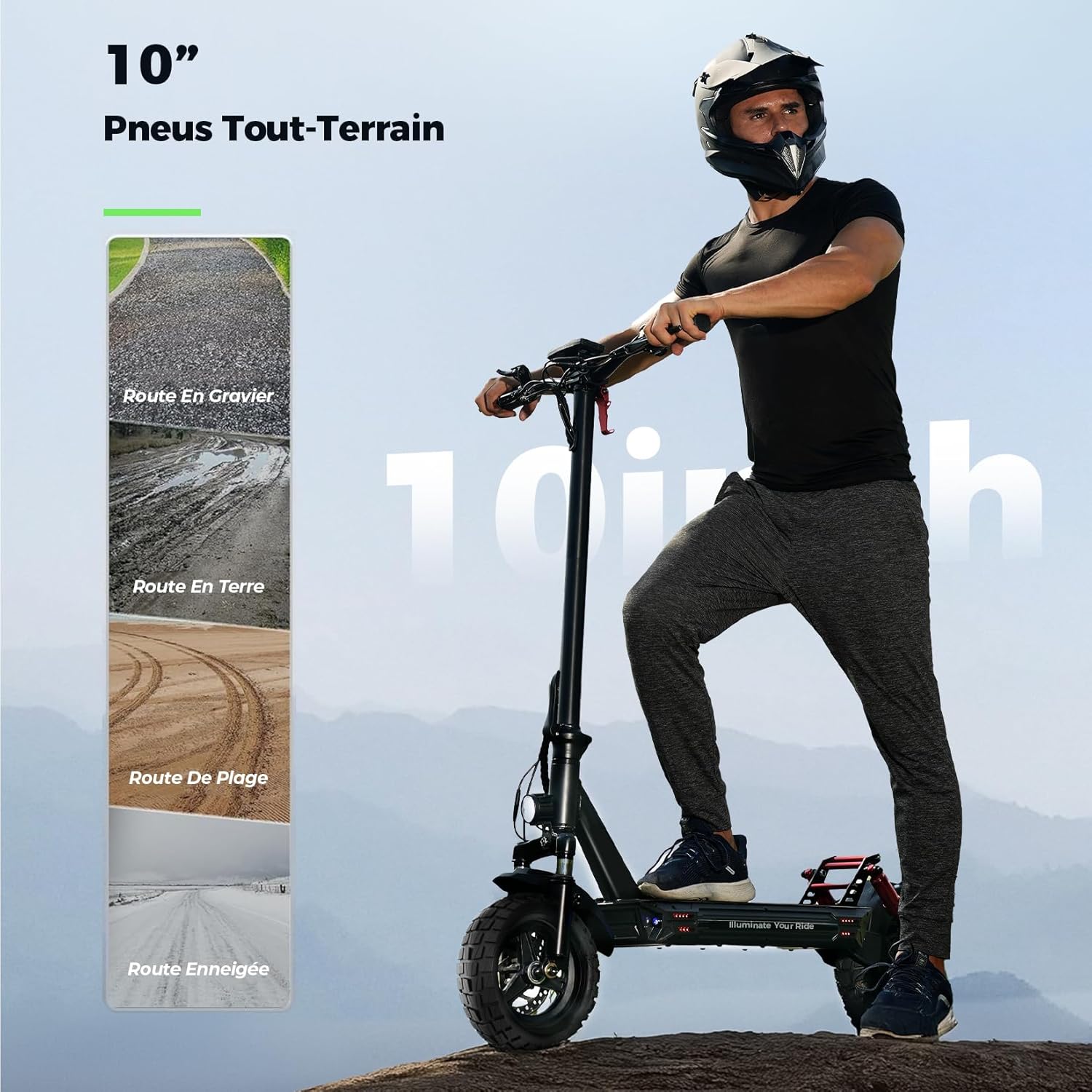
Image: A close-up view of the iScooter GT1's 10-inch all-terrain tire, highlighting its deep groove design for enhanced traction and vibration absorption on various surfaces.
6.3 Cleaning
Wipe down the scooter with a damp cloth. Avoid using high-pressure water jets or directly spraying water onto electrical components.
7. Troubleshooting
If you encounter issues with your iScooter GT1, refer to the table below for common problems and solutions.
| Problem | Possible Cause | Solution |
|---|---|---|
| Scooter does not turn on | Low battery; Loose connection; Power button malfunction | Charge the battery; Check all cable connections; Contact support if button is unresponsive. |
| Reduced range/autonomy | Under-inflated tires; Riding uphill frequently; Heavy load; Cold weather; Battery degradation | Check tire pressure; Adjust riding style; Ensure battery is fully charged. |
| Accelerator lever broken/unresponsive | Physical damage; Internal wiring issue | Contact iScooter customer support for replacement parts or repair. |
| Difficulty inflating rear tire | Valve position/size | Use a valve extender or adapter for easier access. |
| Scooter struggles on inclines or doesn't reach max speed | Incorrect speed mode; Low battery; Overload; Steep incline | Switch to Sport mode; Fully charge battery; Ensure rider weight is within limits; Note that performance varies with incline. |
8. Technical Specifications
Detailed specifications for the iScooter GT1 Electric Scooter:
| Feature | Specification |
|---|---|
| Model Name | Electric Scooter (GT1) |
| Motor Power | 800W |
| Battery Capacity | High Capacity (480WH) |
| Max Range | 40-45 km |
| Charging Time | 4-5 hours |
| Speed Modes | 6/10/15/25 km/h |
| Max Incline | 30% |
| Tire Size | 10 Inches (All-Terrain Pneumatic) |
| Brake Type | Electronic Disengagement Brake + Disc Brake |
| Suspension Type | Front and Rear Double Cylinder Shock Absorption |
| Frame Material | Aluminum |
| Max Load Capacity | 150 Kilograms |
| Product Weight | 28 Kilograms |
| Folded Dimensions | Less than 0.5 cubic meters (116*65*60 CM) |
| Unfolded Dimensions | 116*65*116cm |
| Recommended Age | Adults |
| Color | Black |
9. Warranty and Support
For warranty information, technical support, or any inquiries regarding your iScooter GT1, please refer to the warranty card included in your package or visit the official iScooter website. You may also contact iScooter customer service directly through the contact information provided on their official channels. Please have your purchase receipt and product model number (GT1) ready when contacting support.
Related Documents - GT1
 |
iScooter Electric Scooter Q&A and Troubleshooting Guide A comprehensive guide to the differences between iScooter electric scooter models and troubleshooting common issues, including speed, range, noise, and error codes. |
 |
Electric Scooter User Manual Y16 Comprehensive user manual for the iScooter Y16 electric scooter, detailing assembly, operation, maintenance, and specifications. Learn about its features, safety guidelines, and troubleshooting. |
 |
iScooter 1S Electric Scooter User Manual This user manual provides comprehensive guidance for the iScooter 1S electric scooter, covering package contents, product overview, assembly, charging, riding basics, safety instructions, maintenance, specifications, warranty, and troubleshooting. |
 |
iScooter i10Plus Electric Scooter User Manual and Guide Comprehensive user manual for the iScooter i10Plus electric scooter, covering quick start, product overview, operation, maintenance, specifications, troubleshooting, and contact information. |
 |
Manual del Usuario iScooter iX6: Guía Completa y Seguridad del Patinete Eléctrico Descarga el manual completo del iScooter iX6. Encuentra instrucciones detalladas sobre uso, seguridad, mantenimiento, especificaciones técnicas y garantía para tu patinete eléctrico. |
 |
GT1 Electric Scooter User Manual Comprehensive user manual for the GT1 electric scooter, covering safety, assembly, product overview, settings, app usage, folding, riding tips, charging, brake adjustment, maintenance, specifications, and warranty information. |
Ask a question about this manual
Ask about setup, troubleshooting, compatibility, parts, safety, or missing instructions. Manuals+ will review the question and use this page’s manual context to help answer it.