
1. Introduction
This manual provides detailed instructions for the safe and effective operation of your HOTPEAK TF01 Compressed Air Duster. This rechargeable electric air duster is designed for various cleaning tasks, offering a powerful and eco-friendly alternative to traditional canned air. Please read this manual thoroughly before use and retain it for future reference.
2. Package Contents
Verify that all items listed below are included in your package:
- 1 x HOTPEAK TF01 Compressed Air Duster
- 3 x Nozzles (various shapes for different applications)
- 3 x Brushes (for detailed cleaning)
- 1 x USB-C Charging Cable
- 1 x User Manual

3. Product Features
- Powerful Motor: Equipped with a 180,000 RPM motor, delivering 180G blowing force for effective dust removal.
- Adjustable Speed Settings: Three distinct speed modes (Low, Medium, High) to suit various cleaning requirements.
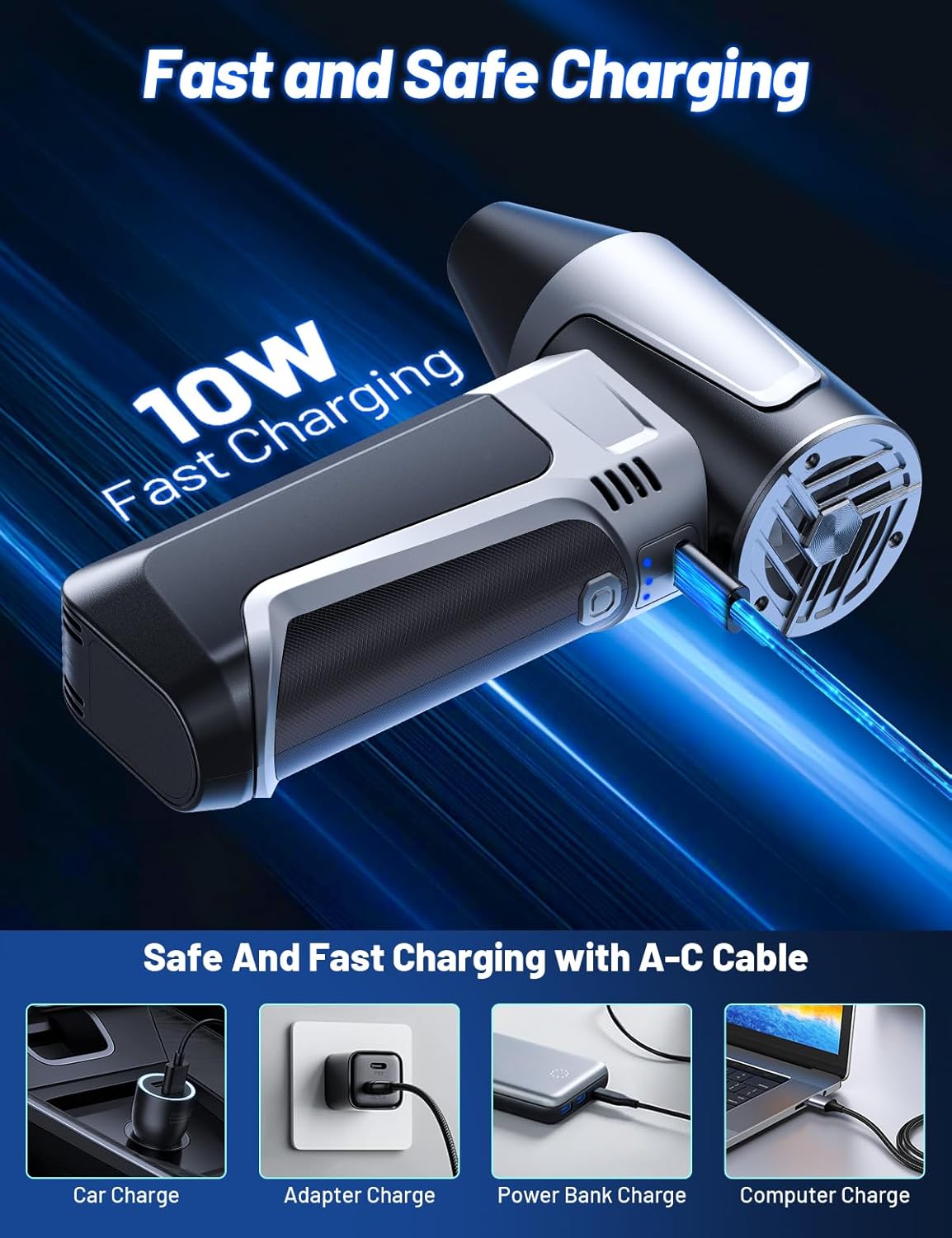
- Rechargeable Battery: Integrated lithium-ion batteries provide up to 90 minutes of runtime (on 1st gear) and support USB-C fast charging (up to 10W).
- Versatile Nozzles & Brushes: Includes multiple nozzles and brushes for cleaning tight spaces, delicate electronics, and larger surfaces.
- Compact & Portable: Lightweight and cordless design for easy handling and storage, suitable for home, office, and car use.
- Eco-Friendly: A reusable alternative to disposable canned air, reducing waste and long-term costs.

4. Setup
4.1 Attaching Nozzles
- Select the appropriate nozzle for your cleaning task.
- Align the nozzle with the blowing interface of the air duster.
- Gently push the nozzle onto the interface until it is securely attached. The magnetic suction ensures a stable connection.

4.2 Charging the Device
Before first use, fully charge the air duster. The device comes with 2 Lithium Ion batteries included.
- Connect the USB-C charging cable to the charging port located at the back of the air duster.
- Connect the other end of the USB-C cable to a compatible USB power source (e.g., computer USB port, power bank, wall adapter).
- The battery indicator lights will illuminate to show charging status. A full charge typically takes approximately 3 hours.
5. Operating Instructions
5.1 Power On/Off
- To turn on: Press and hold the power button (located near the charging port) for 3 seconds. The device will start in 3rd gear (highest speed).
- To turn off: Press and hold the power button for 3 seconds.
5.2 Adjusting Wind Speed
Once powered on, short press the power button to cycle through the speed settings:
- 1st Gear (Low): Suitable for delicate electronics and light dusting.
- 2nd Gear (Medium): Ideal for general cleaning of keyboards, car interiors, etc.
- 3rd Gear (High): Provides maximum power for stubborn debris and heavy-duty cleaning.
The indicator lights on the device will show the current speed setting and battery level.
5.3 Usage Tips
- For optimal cleaning, hold the duster a few inches away from the surface.
- Use short bursts of air for precise cleaning.
- Utilize the included brushes to dislodge stubborn dirt before blowing it away.


Video 5.1: Official product video demonstrating the HOTPEAK Compressed Air Duster in action.
6. Maintenance
- Cleaning the Device: Wipe the exterior of the air duster with a soft, dry cloth. Do not use harsh chemicals or abrasive materials.
- Nozzle Care: Clean nozzles and brushes after each use to prevent debris buildup.
- Storage: Store the device in a cool, dry place away from direct sunlight and extreme temperatures.
7. Troubleshooting
| Problem | Possible Cause | Solution |
|---|---|---|
| Device does not turn on. | Low battery or not powered on correctly. | Ensure the device is charged. Press and hold the power button for 3 seconds to turn on. |
| Weak airflow. | Low battery or nozzle obstruction. | Recharge the device. Check and clear any obstructions in the nozzle or air intake. Ensure the correct speed setting is selected. |
| Device overheats. | Prolonged use at high speed. | Allow the device to cool down. Avoid continuous use at maximum power for extended periods. The device has an automatic cut-off if it overheats. |
8. Specifications
| Feature | Detail |
|---|---|
| Brand | HOTPEAK |
| Model Number | TF01 |
| Motor Speed | Up to 180,000 RPM |
| Blowing Force | 180G |
| Speed Settings | 3 (Low, Medium, High) |
| Battery Type | 2 Lithium Ion batteries (included) |
| Charging Port | USB-C (up to 10W fast charging) |
| Runtime (1st Gear) | Up to 90 minutes |
| Dimensions | 1.96 x 1.96 x 5.7 inches |
| Item Weight | 1.06 pounds |
| Material | Plastic |
9. Safety Information
- Keep out of reach of children.
- Do not point the air duster directly at eyes, ears, or other sensitive body parts.
- Avoid using the device in wet environments or near flammable liquids/gases.
- Do not disassemble or attempt to repair the device yourself. Contact customer support for assistance.
- Use only the provided charging cable and a compatible power adapter.
10. Warranty and Customer Support
Your satisfaction is our priority. The package includes 1 air duster, 3 nozzles, 3 brushes, a USB-C cable, and a user manual. If you have any questions or issues, our dedicated support team is available 24/7 to assist you within 24 hours.
For customer support, please refer to the contact information provided in your purchase documentation or visit the official HOTPEAK website.