
1. Overview
The Denon DCD-3000NE is a high-performance CD/SACD player engineered to deliver exceptional sound quality for audiophiles. It features advanced digital processing and robust construction to ensure precise and detailed audio reproduction from various disc and file formats.

Figure 1.1: Front view of the Denon DCD-3000NE CD/SACD Player in silver.
Key Features:
- Hi-Fi CD/SACD Playback: Supports SACD/CD and DSD playback with a 384kHz/32-bit quad DAC for high-resolution audio.
- Ultra AL32 Processing: Denon's proprietary processing technology for smooth, high-resolution output and enhanced audio fidelity.
- Versatile Media Support: Plays SACD/CD, DVD-R/RW, DVD+R/RW (up to 192kHz/24-bit), CD-R/RW (at 48kHz), and digital formats including MP3, WMA, AAC, WAV, FLAC, Apple Lossless, and AIFF.
- High-Precision SVH Disc Drive: Minimizes vibrations and ensures accurate disc loading and precise spinning for superior reading accuracy.
- Pure Direct Mode: Bypasses digital signal processing and disables digital outputs and display for an unaltered, high-quality analog sound.
- Robust Construction: Features separate analog and digital power supplies to isolate noise, Direct Mechanical Ground Construction to channel away vibrations, and premium components for pristine sound.
2. What's in the Box
Verify that all items are present in the packaging before proceeding with setup.
- Denon DCD-3000NE CD/SACD Player
- Power Cord
- Quick Start Guide
- Remote Control (with 2 AAA Batteries)
- Stereo RCA Cable
3. Setup
3.1 Placement
Place the DCD-3000NE on a stable, level surface away from direct sunlight, heat sources, and excessive vibration. Ensure adequate ventilation around the unit.
3.2 Connections
Connect the DCD-3000NE to your amplifier or receiver using the appropriate audio cables. The player offers analog RCA, optical, and coaxial digital outputs.
- Analog Connection: Use the supplied stereo RCA cable to connect the DCD-3000NE's ANALOG OUT jacks to the corresponding analog input jacks on your amplifier.
- Digital Connection (Optional): For digital audio transmission, connect either the OPTICAL OUT or COAXIAL OUT jack on the DCD-3000NE to a digital input on your amplifier or external DAC. Use a high-quality optical or coaxial digital cable (not supplied).
- Power Connection: After all audio connections are made, connect the supplied power cord to the AC IN terminal on the rear of the DCD-3000NE and then to a wall outlet.

Figure 3.1: Rear panel connections, including analog RCA, optical, and coaxial digital outputs.
4. Operating Instructions
4.1 Basic Disc Playback
- Press the POWER button to turn on the unit.
- Press the OPEN/CLOSE button to open the disc tray.
- Place a disc (CD, SACD, DVD-R/RW, DVD+R/RW, CD-R/RW) gently onto the disc tray with the label side facing up.
- Press the OPEN/CLOSE button again to close the disc tray. The player will read the disc.
- Press the PLAY button to start playback.
- Use the SKIP buttons (◀◀ / ▶▶) to navigate between tracks and the STOP (■) or PAUSE (██) buttons to control playback.

Figure 4.1: Inserting a disc into the DCD-3000NE.
4.2 Supported Disc and File Formats
The DCD-3000NE supports a wide range of audio formats:
- Discs: SACD, CD, CD-R/RW, DVD-R/RW, DVD+R/RW
- Digital Files: DSD (2.8MHz/5.6MHz), MP3, WMA, AAC, WAV, FLAC, Apple Lossless (ALAC), AIFF
4.3 Pure Direct Mode
Activate Pure Direct Mode for the purest audio signal. This mode disables the digital audio outputs and the display to minimize potential interference and noise, providing an uncolored analog output.
- Press the PURE DIRECT button on the front panel or remote control.
- The display will turn off, and digital outputs will be deactivated.
- Press the PURE DIRECT button again to exit this mode.

Figure 4.2: The DCD-3000NE as part of a complete audio system.
5. Maintenance
5.1 Cleaning the Unit
To maintain the appearance and performance of your DCD-3000NE:
- Wipe the exterior surfaces with a soft, dry cloth.
- For stubborn dirt, slightly dampen the cloth with water or a mild, non-abrasive cleaner.
- Avoid using harsh chemicals, solvents, or abrasive materials, as these can damage the finish.
- Do not spray cleaners directly onto the unit.
5.2 Disc Handling
Proper disc handling ensures optimal playback and longevity of your discs:
- Always hold discs by their edges to avoid fingerprints on the playing surface.
- Keep discs clean and free from dust, dirt, and scratches.
- Store discs in their cases when not in use.
- Do not expose discs to direct sunlight or high temperatures.
6. Troubleshooting
If you encounter issues with your DCD-3000NE, refer to the table below for common problems and solutions.
| Problem | Possible Cause | Solution |
|---|---|---|
| No power | Power cord not connected securely. | Ensure the power cord is firmly plugged into the unit and the wall outlet. |
| No sound | Incorrect audio cable connection or input selection on amplifier. | Check audio cable connections. Select the correct input source on your amplifier. |
| Disc does not play | Disc is dirty, scratched, or inserted incorrectly. | Clean the disc. Check for scratches. Ensure the disc is inserted label-side up. |
| Remote control not working | Batteries are depleted or inserted incorrectly. Obstruction between remote and unit. | Replace batteries. Ensure correct polarity. Remove any obstructions. |
| Skipping or distorted audio | Disc is dirty or damaged. Unit is subject to excessive vibration. | Clean or replace the disc. Ensure the unit is on a stable surface. |
7. Specifications
Detailed technical specifications for the Denon DCD-3000NE.
| Feature | Detail |
|---|---|
| Brand | Denon |
| Model Name | DCD-3000NE |
| Color | Silver (variant shown) |
| Connectivity Technology | Analog Output, Coaxial Output, Optical Output |
| Number Of Discs | 1 |
| Supported Audio Formats | AAC, FLAC, MP3, WAV, WMA, DSD, Apple Lossless, AIFF |
| Connector Types | Optical, Coaxial, RCA |
| Number of Channels | 2 |
| Media Format Type | Audio CD, SACD, DVD-R/RW, DVD+R/RW, CD-R/RW |
| Compatible Devices | Speaker, Headphone (via amplifier) |
| Headphones Jack | 3.5mm Jack (on compatible amplifiers) |
| Item Dimensions (L x W x H) | 15.94"L x 17.09"W x 5.43"H |
| Model Number | 301005-02-00-101 |
| UPC | 747192143459 |
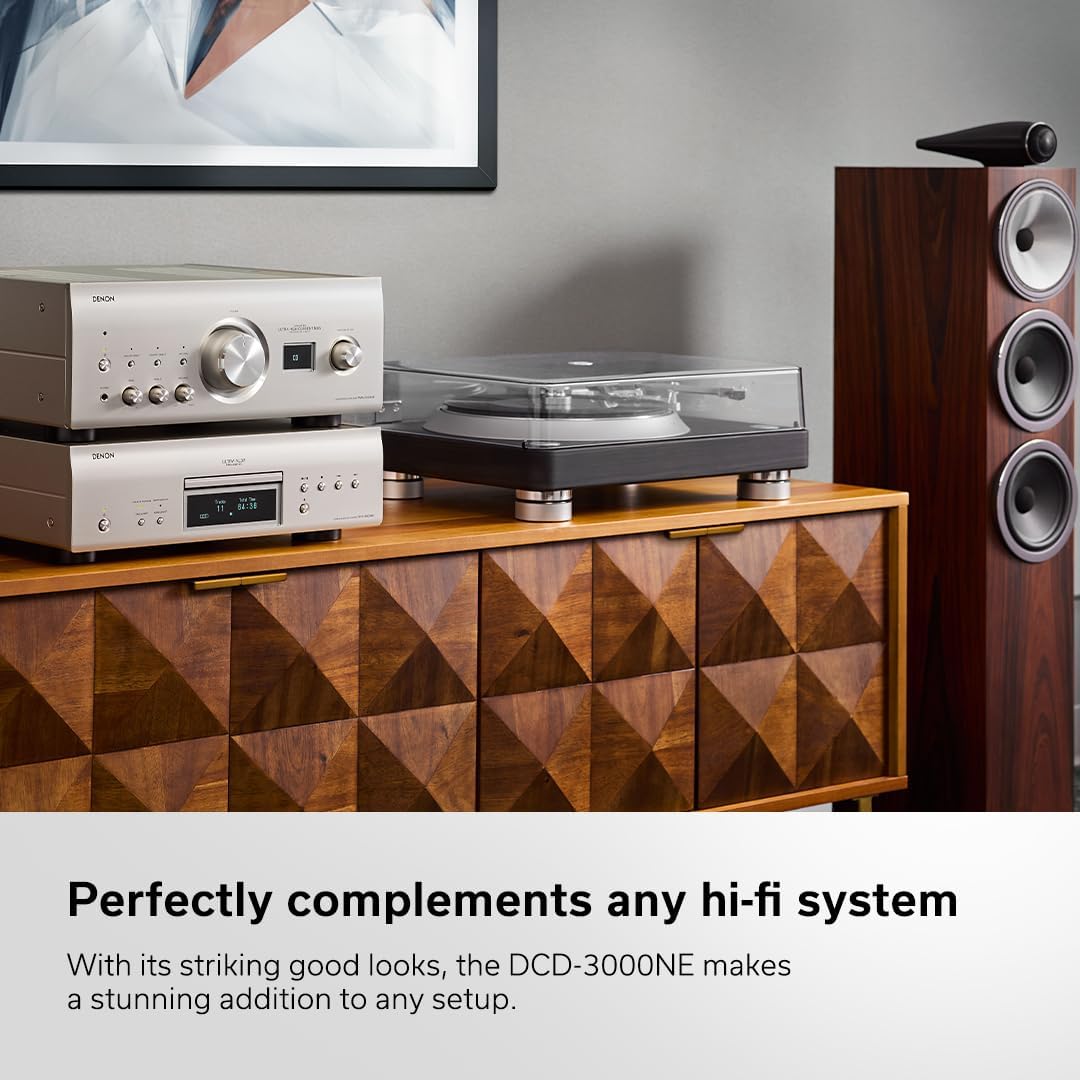
Figure 7.1: Internal circuitry highlighting the Ultra AL32 Processing.

Figure 7.2: Internal view of the DCD-3000NE's power supply section.
8. Warranty and Support
8.1 Warranty Information
The Denon DCD-3000NE comes with a 1-Year Manufacturer's Warranty. This warranty covers defects in materials and workmanship under normal use. Please retain your proof of purchase for warranty claims.
8.2 Customer Support
For technical assistance, troubleshooting beyond this manual, or warranty service, please contact Denon customer support. Refer to the official Denon website for the most current contact information and support resources.


