
Fockety Focketyczbo2htg73-11
M62 Language Translator Earbuds User Manual
Model: Focketyczbo2htg73-11
Introduction
Thank you for choosing the Fockety M62 Language Translator Earbuds. These innovative earbuds are designed to provide real-time voice translation, enhancing communication across language barriers. They also function as high-quality audio headphones for music and calls. This manual will guide you through the setup, operation, and maintenance of your device.
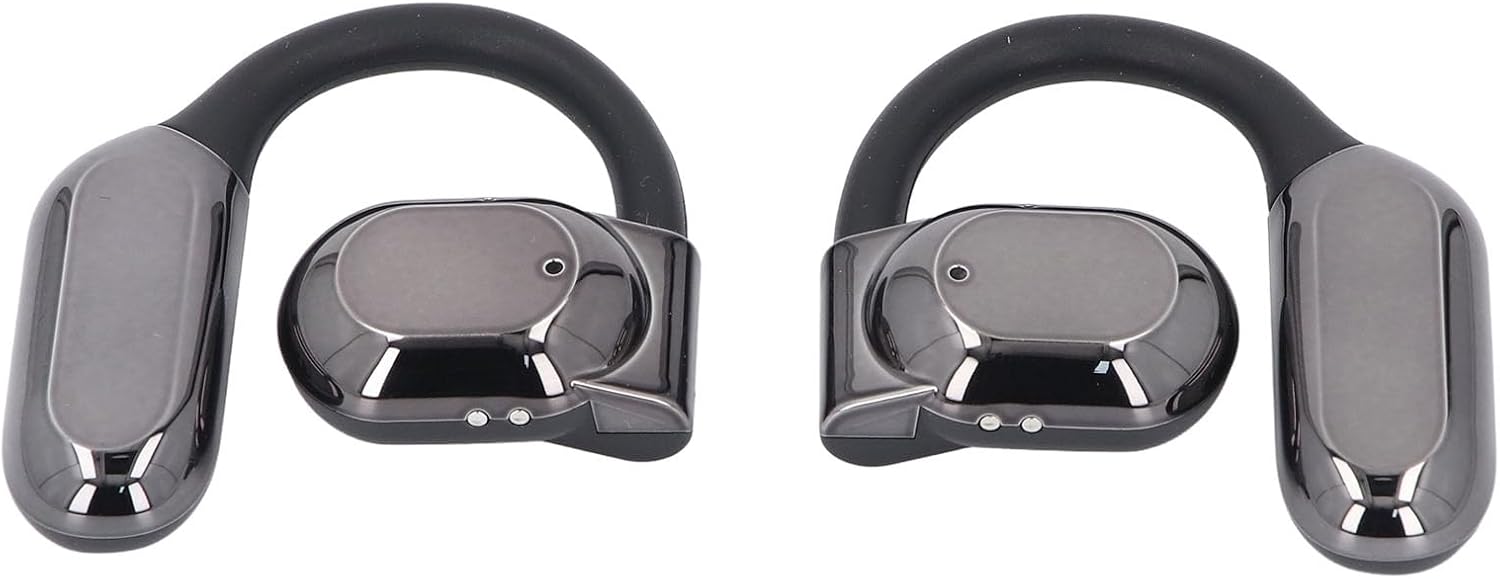
Image: A pair of M62 Language Translator Earbuds, showcasing their sleek, over-ear design in black.
Package Contents
- 1 Pair x M62 Language Translator Earbuds
- 1 x Charging Case
- 1 x Charging Cable

Image: The M62 Earbuds charging case shown alongside its USB charging cable.
Setup Guide
1. Charging the Earbuds and Case
Before first use, fully charge the earbuds and the charging case. The charging case has a built-in 300 mAh Li battery, and each earbud has a 90 mAh Li battery.
- Place the earbuds into the charging case.
- Connect the charging cable to the charging case and a USB power source.
- The digital display on the charging case will indicate the charging status. A full charge provides approximately 7-8 hours of earbud usage.

Image: The M62 Earbuds charging case being charged, with icons indicating battery life and charging time.
2. Bluetooth Pairing
The M62 Earbuds use Bluetooth V5.46 for a stable connection up to 10 meters (32.8 feet).
- Open the charging case. The earbuds will automatically enter pairing mode.
- On your mobile device, go to Bluetooth settings and turn Bluetooth on.
- Search for "M62" or a similar device name in the list of available devices.
- Select "M62" to connect. Once connected, you will hear a confirmation tone.

Image: The M62 Earbuds charging case open, with earbuds inside, positioned near a laptop and smartphone, illustrating compatibility with various devices.
3. App Installation for Translation Functionality
To utilize the real-time translation features, you must install the dedicated application on your smartphone. The application is typically named "Earjoy Intelligence App" or similar. Refer to the QR code or link provided in the product packaging for the correct app download.
- Download and install the "Earjoy Intelligence App" from your device's app store (Google Play Store for Android, Apple App Store for iOS).
- Open the app and follow the on-screen instructions to connect your M62 earbuds. Ensure Bluetooth is enabled and the earbuds are paired with your phone.
- The app will guide you through language selection and translation mode settings.
Operating Instructions
Basic Earbud Controls
The M62 earbuds feature touch controls for various functions:
- Play/Pause: Single tap on either earbud.
- Next Track: Double tap on the right earbud.
- Previous Track: Double tap on the left earbud.
- Answer/End Call: Single tap on either earbud.
- Reject Call: Press and hold either earbud for 2 seconds.
- Activate Voice Assistant: Triple tap on either earbud (if supported by your device).
Using Translation Mode
The M62 earbuds support 144 languages for online translation. This functionality is managed through the "Earjoy Intelligence App".
- Ensure your earbuds are connected to your phone via Bluetooth and the "Earjoy Intelligence App" is open.
- Within the app, select the desired source and target languages for translation.
- Choose the translation mode (e.g., conversation mode, interpreter mode).
- Speak clearly into the earbud's microphone. The app will process your speech and provide the translation through the earbuds or your phone's speaker.
- For two-way translation, the other party can speak into your phone's microphone or the other earbud (if applicable to the app's design), and you will hear the translation.

Image: A woman wearing an M62 earbud, with a graphic representation of sound waves below, illustrating the directional sound technology.
Maintenance
Proper maintenance ensures the longevity and optimal performance of your M62 Earbuds.
- Cleaning: Use a soft, dry, lint-free cloth to clean the earbuds and charging case. Do not use abrasive cleaners, alcohol, or chemical solvents.
- Storage: When not in use, store the earbuds in their charging case to protect them and keep them charged. Store in a cool, dry place away from direct sunlight and extreme temperatures.
- Water Resistance: The earbuds are not waterproof. Avoid exposure to water, sweat, or high humidity.
- Battery Care: To preserve battery life, avoid fully discharging the earbuds frequently. Charge them regularly, even if not in constant use.
Troubleshooting
If you encounter issues with your M62 Earbuds, refer to the following common solutions:
| Problem | Possible Cause / Solution |
|---|---|
| Earbuds not pairing |
|
| No sound or low volume |
|
| Translation not working |
|
| Earbuds not charging |
|
Specifications
| Feature | Detail |
|---|---|
| Model | Focketyczbo2htg73-11 |
| Bluetooth Version | V5.46 |
| Wireless Distance | Up to 10m / 32.8ft |
| Earbuds Battery Capacity | 90 mAh (each earbud) |
| Charging Case Battery Capacity | 300 mAh |
| Earbuds Battery Life | Approx. 7-8 Hours |
| Materials | PC, ABS |
| Translation Languages | 144 (via APP online translation) |
| Weight | 3.95 ounces (total item weight) |
| Dimensions (Package) | 4.72 x 3.94 x 1.57 inches |
Warranty and Support
Fockety provides a replacement and lifelong unlimited technical support for the M62 Language Translator Earbuds. For any issues or inquiries, please contact the seller or manufacturer directly through the platform where you purchased the product. Please retain your proof of purchase for warranty claims.
Ask a question about this manual
Ask about setup, troubleshooting, compatibility, parts, safety, or missing instructions. Manuals+ will review the question and use this page’s manual context to help answer it.