1. Introduction and Overview
This manual provides detailed instructions for the safe installation, operation, and maintenance of your Vaczon 52 Inch Black Silver Ceiling Fan. This modern ceiling fan is designed for both indoor and outdoor covered spaces, featuring integrated LED lighting and remote control functionality.
Key features include:
- Integrated LED light with unique hemisphere fixture for bright, soft illumination.
- Powerful airflow with a peak of 5800 CFM, suitable for large areas.
- Durable metal motor housing and high-quality MDF fan blades.
- Reversible motor for year-round comfort (cooling in summer, air circulation in winter).
- Convenient remote control for light and fan speed settings.

Image 1.1: The Vaczon 52 Inch Black Silver Ceiling Fan, showcasing its modern design and integrated light, suitable for various living spaces.
2. Safety Information
Before beginning installation, carefully read and understand all instructions. Failure to follow these instructions may result in electric shock, fire, or personal injury.
- Always disconnect power at the main circuit breaker before installing, cleaning, or servicing the fan.
- All electrical connections must be in accordance with local codes, ordinances, and the National Electrical Code (NEC). If you are unfamiliar with proper electrical wiring, consult a qualified electrician.
- Ensure the installation site is structurally sound and capable of supporting the fan's weight (approximately 20 pounds).
- Do not operate the fan with damaged blades or any visible defects.
- Keep hands, hair, and clothing away from moving fan blades.
- This fan is suitable for indoor and outdoor covered use. Do not expose to direct water spray.
3. Package Contents
Carefully unpack all components and ensure you have received all items listed below. If any parts are missing or damaged, contact Vaczon customer support before proceeding with installation.
- Ceiling Fan Motor Housing
- Fan Blades (5x)
- Light Kit with LED Module
- Remote Control
- Downrod
- Mounting Bracket
- Hardware Pack (screws, wire nuts, washers, etc.)
- Instruction Manual
4. Specifications
| Feature | Specification |
|---|---|
| Brand | Vaczon |
| Model Name | VCZ050BS |
| Color | Black Silver |
| Size | 52 Inch |
| Product Dimensions | 52"D x 52"W x 15.5"H |
| Item Weight | 20 pounds |
| Power Source | AC |
| Wattage | 34 watts |
| Voltage | 110 Volts |
| Air Flow Capacity | 4687 Cubic Feet Per Minute (CFM) |
| Noise Level | 25 dB |
| Control Method | Remote |
| Indoor/Outdoor Usage | Indoor, Outdoor (Covered) |
| Special Feature | LED Light |
| UPC | 749874209231 |

Image 4.1: Product dimensions and recommended room sizes for optimal performance.
5. Setup and Installation
Installation of the Vaczon ceiling fan requires basic electrical knowledge and adherence to safety guidelines. While parts are pre-assembled for convenience, careful attention to the order of assembly is crucial.
5.1 Pre-Installation Checklist
- Verify that the power is turned off at the circuit breaker.
- Ensure the mounting location can support the fan's weight.
- Gather necessary tools: screwdriver, wire strippers, electrical tape, ladder.
5.2 Mounting the Fan
- Attach the mounting bracket to the ceiling electrical box. Ensure it is securely fastened.
- Carefully lift the fan motor assembly and hang it from the mounting bracket using the provided hook (if applicable) to free your hands for wiring.
5.3 Electrical Connections
- Connect the fan's electrical wires to the household wiring according to the wiring diagram provided in the separate detailed installation guide (not included in this overview). Typically, this involves connecting live, neutral, and ground wires.
- Ensure all connections are secure with wire nuts and electrical tape.
5.4 Assembling Blades and Light Kit
- Attach the fan blades to the motor housing using the provided screws. Ensure they are firmly secured.
- Connect the light kit wiring to the fan's internal wiring.
- Secure the light kit to the fan housing.
After installation, restore power and test the fan and light functions using the remote control.
6. Operating Instructions
Your Vaczon ceiling fan is operated using the included remote control. Ensure the remote has working batteries installed.
6.1 Remote Control Functions
- Power Button: Turns the fan and light on/off.
- Fan Speed Buttons: Adjusts fan speed through 4 available settings.
- Light Button: Toggles the light on/off and may cycle through color temperatures (if applicable).
- Reverse Button: Changes the direction of blade rotation for seasonal use.
- Timer Button: Sets a timer for the fan to automatically turn off.
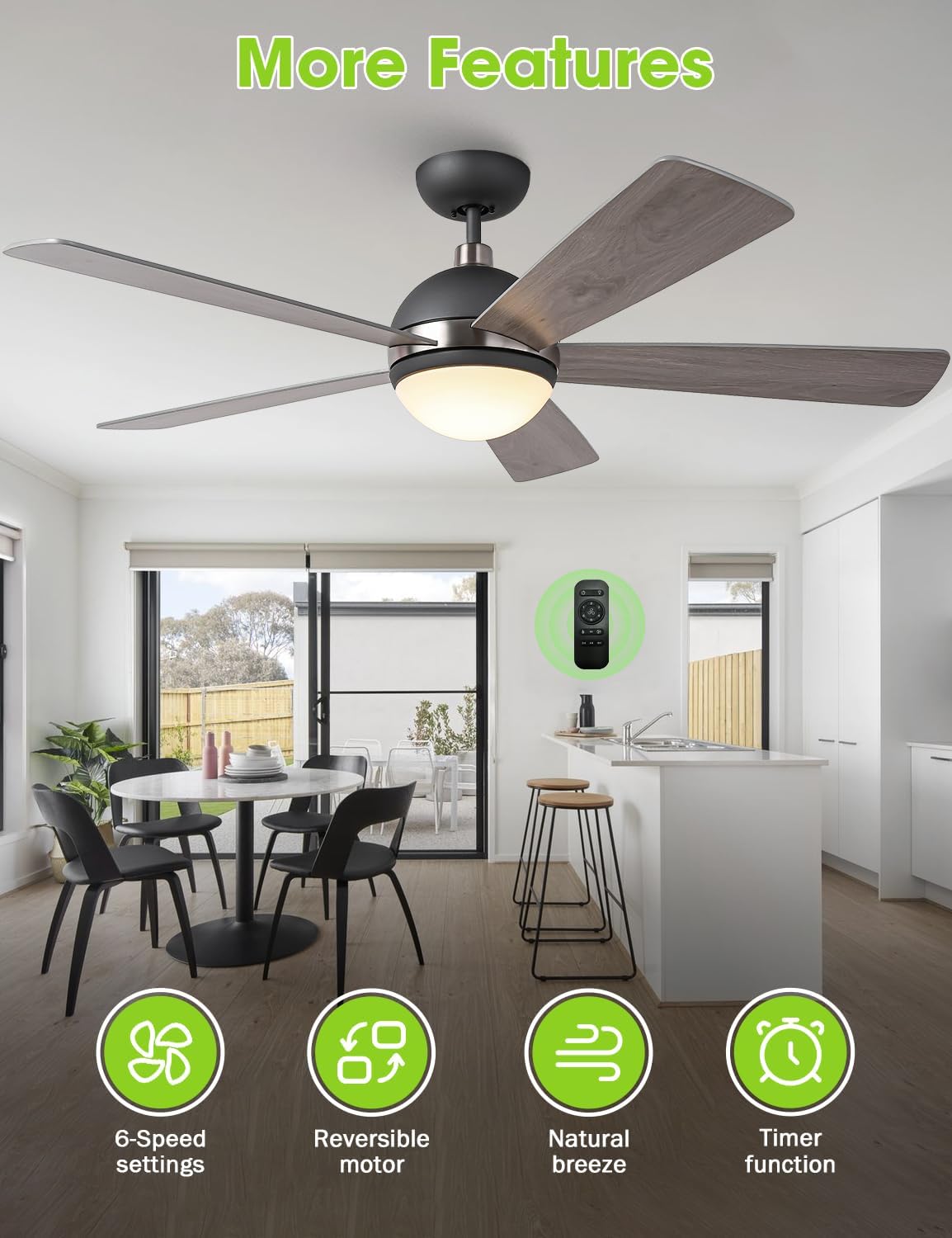
Image 6.1: Overview of fan features and remote control.
6.2 Reversible Motor Function
The reversible motor allows you to optimize airflow for different seasons:
- Summer Mode (Downward Airflow): Blades rotate counter-clockwise, creating a downward breeze that provides a cooling effect.
- Winter Mode (Upward Airflow): Blades rotate clockwise, drawing cool air up towards the ceiling and pushing warm air down, helping to circulate heat more efficiently.

Image 6.2: Illustration of reversible airflow for year-round comfort.
7. Maintenance
Regular maintenance ensures the longevity and optimal performance of your ceiling fan.
7.1 Cleaning
- Before cleaning, ensure the fan is turned off and power is disconnected at the circuit breaker.
- Use a soft, damp cloth to wipe down the fan blades and motor housing. Do not use abrasive cleaners or solvents, as they may damage the finish.
- For the light fixture, gently wipe with a dry or slightly damp cloth.
7.2 Blade Care
Periodically check the fan blades for any signs of warping or damage. Ensure all blade screws are tight. Loose blades can cause wobbling and noise.
7.3 Light Source
The integrated LED light module is designed for long-term use (up to 50,000 hours). If the light module requires replacement, contact Vaczon customer support for assistance.
8. Troubleshooting
If you encounter issues with your Vaczon ceiling fan, refer to the common problems and solutions below. If the problem persists, contact customer support.
| Problem | Possible Cause | Solution |
|---|---|---|
| Fan does not operate | No power supply; Loose wiring; Remote control issues. | Check circuit breaker. Ensure all electrical connections are secure. Replace remote batteries or re-pair remote if necessary. |
| Light does not work | Loose wiring; Faulty LED module; Remote control issues. | Check light kit wiring connections. If LED module is faulty, contact customer support. Ensure remote batteries are good. |
| Fan wobbles | Loose blades or mounting; Unbalanced blades. | Ensure all blade screws and mounting bracket screws are tight. Check for any bent or damaged blades. |
| Excessive noise | Loose screws; Motor issues; Blades hitting an obstruction. | Tighten all screws. Ensure no wires are rubbing against the motor housing. Verify blades are clear of obstructions. |

Image 8.1: The fan's quiet operation, a key feature to maintain through proper installation and maintenance.
9. Warranty and Support
For warranty information, product support, or to purchase replacement parts, please contact Vaczon customer service. Keep your purchase receipt as proof of purchase.
For additional assistance, you may visit the official Vaczon store on Amazon: Vaczon Store


