Introduction
This manual provides essential information for the safe and efficient operation, installation, and maintenance of your Cecotec Bolero DressCode 12500 Inverter washing machine. Please read it thoroughly before first use and keep it for future reference.

Figure 1: Front view of the Cecotec Bolero DressCode 12500 Inverter washing machine.
1. Setup and Installation
1.1 Unpacking
Carefully remove all packaging materials. Ensure all transport bolts and packing blocks are removed from the rear of the machine before installation. Failure to do so will cause severe damage during operation.
1.2 Placement and Leveling
Place the washing machine on a firm, level surface. Adjust the leveling feet to ensure the machine is stable and balanced. Proper leveling prevents excessive vibration and noise during cycles.
1.3 Water Connection
Connect the supplied water inlet hose to the cold water tap and the corresponding inlet valve on the back of the washing machine. Ensure connections are tight to prevent leaks.
1.4 Drainage Connection
Position the drain hose into a standpipe or over the edge of a sink, ensuring it is securely fixed to prevent displacement during draining. The drain hose should not be kinked or obstructed.
1.5 Power Connection
Plug the power cord into a grounded electrical outlet. Ensure the voltage and frequency match the specifications of your washing machine.
1.6 Initial Use
Before washing clothes for the first time, run a short cycle without laundry and detergent to clean the drum and internal components.

Figure 2: Proper installation and energy efficiency of the washing machine.
2. Operating Instructions
2.1 Control Panel Overview
The washing machine features a touch control panel and a rotary knob for program selection. The digital display shows cycle time, selected options, and error codes.

Figure 3: Detailed view of the control panel.
2.2 Loading Laundry
Open the door and load laundry into the drum. Do not overload the machine; ensure there is enough space for clothes to tumble freely. The maximum capacity is 12 kg.
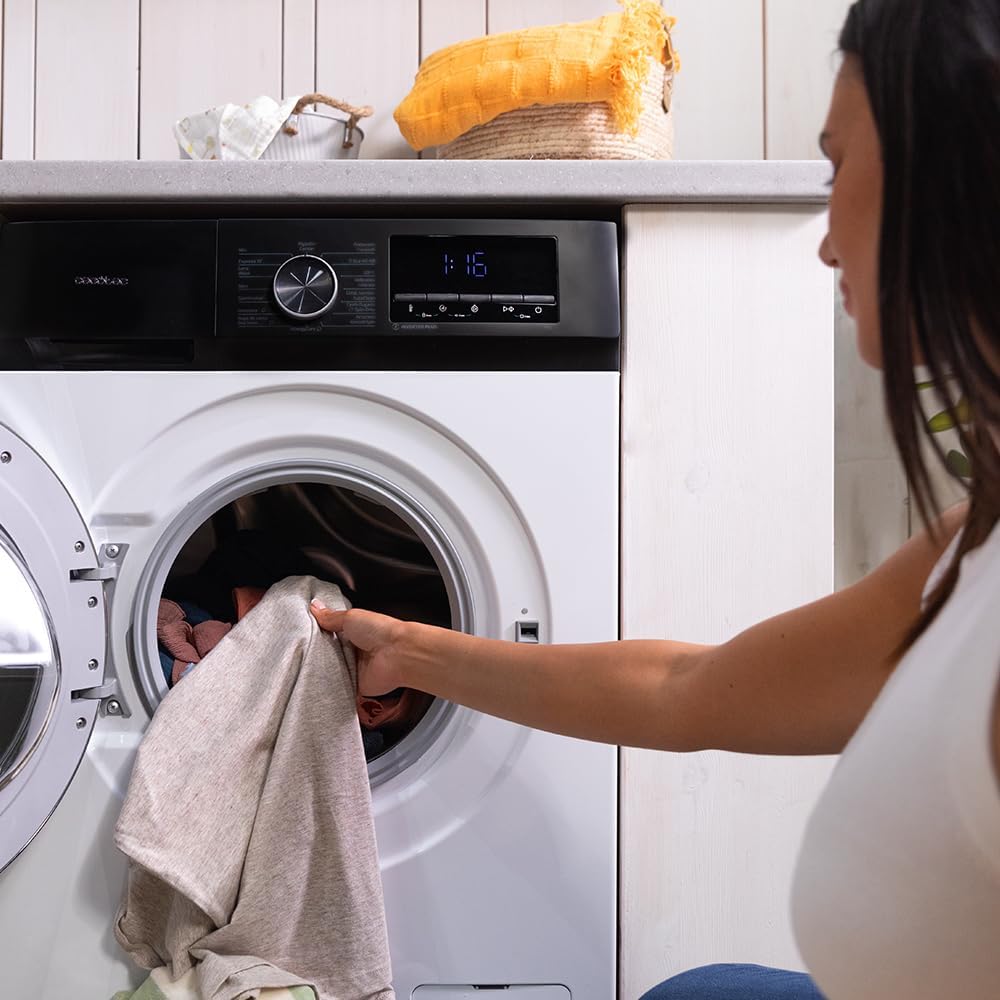
Figure 4: Loading laundry into the drum.
2.3 Adding Detergent
Add the appropriate amount of detergent and fabric softener to their respective compartments in the dispenser drawer. Refer to detergent packaging for dosage recommendations.
2.4 Program Selection
Turn the program selector knob to choose one of the 16 available programs:
- Mixed
- Cotton
- Super Quick
- Eco 40-60
- Wool
- Prewash
- Shirts
- Sportswear
- Intensive
- Bed Linen
- Anti-Allergy
- Spin/Drain
- Spin
- Drum Clean
- Delicate
- Cotton 20ºC
2.5 Special Functions
- SteamMax: Activates steam cleaning for deeper penetration into fabrics, leaving clothes refreshed.
- Allergy Care: Utilizes steam to sterilize clothes by 99.9% before the wash cycle, effective even in cold water.
- Delay Start: Allows you to program the desired end time for your wash cycle, offering flexibility.
- Stop&Go: Pause the current wash cycle to add or remove garments, then resume.

Figure 5: Setting the Delay Start function.
2.6 Starting a Cycle
After selecting the program and any desired options, press the Start/Pause button to begin the wash cycle.
3. Maintenance
3.1 Drum Clean Function
Regularly use the dedicated 'Drum Clean' program to prevent the accumulation of bacteria, dirt, and odors inside the drum. This program runs at a high temperature to sanitize the drum.

Figure 6: The Pearl Drum interior, designed for gentle and effective cleaning.
3.2 Cleaning the Detergent Dispenser
Remove the detergent dispenser drawer and rinse it under running water to remove any detergent residue. Clean the housing of the dispenser with a brush if necessary.
3.3 Cleaning the Filter
Locate the drain pump filter, usually at the bottom front of the machine. Open the cover, drain any residual water, and unscrew the filter. Clean it of any lint or foreign objects and reassemble securely.
3.4 Exterior Cleaning
Wipe the exterior surfaces of the washing machine with a soft, damp cloth. Avoid using abrasive cleaners or solvents that could damage the finish.
4. Troubleshooting
If you encounter issues with your washing machine, consult the table below for common problems and solutions. If the problem persists, contact customer support.
| Problem | Possible Cause | Solution |
|---|---|---|
| Machine does not start | Power cord unplugged, door not closed, program not selected, Start/Pause not pressed. | Check power connection, ensure door is latched, select program, press Start/Pause. |
| Water leakage | Hoses loose, drain filter clogged, too much detergent. | Tighten hose connections, clean drain filter, use correct detergent amount. |
| Excessive vibration/noise | Machine not level, transport bolts not removed, uneven load. | Adjust leveling feet, remove transport bolts, redistribute laundry. |
| Clothes not clean | Incorrect program, insufficient detergent, overloaded drum. | Select appropriate program, use correct detergent, do not overload. |
5. Specifications
| Feature | Detail |
|---|---|
| Model Number | A01_EU01_100637 |
| Capacity | 12 kg |
| Spin Speed | Up to 1400 rpm |
| Energy Efficiency Class | A-20% |
| Number of Programs | 16 |
| Motor Type | Inverter Plus |
| Special Functions | SteamMax, Allergy Care, Delay Start, Stop&Go, Pearl Drum, Drum Clean |
| Dimensions (W x H x D) | 64 x 85.5 x 59.3 cm |
| Weight | 70.5 kg |
| Controls | Touch |
6. Warranty Information
Your Cecotec Bolero DressCode 12500 Inverter washing machine comes with a standard manufacturer's warranty. The Inverter Plus motor is specifically covered by an extended 10-year warranty, ensuring long-term reliability and performance.
For detailed terms and conditions, please refer to the warranty card included with your product or visit the official Cecotec website.
7. Customer Support
Should you require assistance, have questions, or need to report a fault, please contact Cecotec customer support. Have your product model number (A01_EU01_100637) and purchase date ready when contacting support.
You can find contact details on the official Cecotec website: www.cecotec.com


