
1. Introduction
Thank you for choosing the Mova E20 Robot Vacuum and Mop. This manual provides essential information for the safe operation, maintenance, and troubleshooting of your device. Please read this manual thoroughly before using the product and retain it for future reference.
2. Safety Information
Always adhere to the following safety precautions to prevent injury or damage to the device:
- Do not allow children to operate the robot. Supervise children and pets when the robot is in operation.
- Ensure the charging dock is placed on a flat, stable surface against a wall, with clear space around it.
- Do not use the robot in wet environments or near water sources.
- Remove any loose cables, small objects, or fragile items from the floor before cleaning to prevent entanglement or damage.
- Do not use the robot to clean burning objects, large debris, or liquids.
- Only use the original power adapter and charging dock provided with the robot.
- Do not attempt to repair or modify the robot yourself. Contact authorized service personnel for assistance.
3. Package Contents
Verify that all items are present in the package:

Image: Contents of the Mova E20 box, showing the robot, charging station, side brush, power adapter, mop pad, and user manual.
- Mova E20 Robot Vacuum x 1
- Charging Station x 1
- Side Brush x 1
- Power Adapter x 1
- Mop Pad x 1
- User Manual x 1
4. Product Overview
The Mova E20 is a versatile 2-in-1 robot vacuum and mop designed for efficient home cleaning. It features LDS navigation for precise mapping and a powerful 5,000 Pa suction for thorough dirt removal.

Image: The Mova E20 Robot Vacuum and Mop, highlighting its sleek, compact design.
Key Features:
- Pathfinder Smart Technology: Utilizes laser sensors for precise indoor mapping, even in low light, ensuring smooth and uninterrupted cleaning.
- 5,000 Pa Vormax Suction: Adapts quickly to hard floors, carpets, and rugs to easily remove stubborn dirt and reach hidden corners.
- 2-in-1 Vacuum and Mop: Combines vacuuming and mopping with a large 245 ml water tank. Three water flow levels are available for spotless floors.
- Compact Body: Measuring 9.6 cm in height and 32 cm in diameter, it navigates confidently around furniture, pets, and people.
- Flexible App Control: Customize cleaning modes, suction levels, and schedules. Save up to 3 floor plans, set no-go zones, and establish virtual boundaries.
5. Setup
5.1 Charging Station Placement
Place the charging station against a wall on a hard, level surface. Ensure there is at least 0.5 meters (1.6 feet) of clear space on both sides and 1.5 meters (4.9 feet) in front of the charging station for optimal robot navigation.
5.2 Initial Charging
Connect the power adapter to the charging station and plug it into a wall outlet. Place the Mova E20 robot onto the charging station. The robot will automatically align and begin charging. For first-time use, ensure the robot is fully charged before its initial cleaning cycle.
5.3 App Installation and Connection
Download the Mova app from your smartphone's app store (iOS or Android). Follow the in-app instructions to connect your Mova E20 robot. This typically involves creating an account, adding your device, and connecting it to your home Wi-Fi network.

Image: The Mova app interface on a smartphone, demonstrating flexible control over cleaning settings and mapping.
6. Operation
6.1 Starting and Stopping Cleaning
Press the power button on the robot or use the Mova app to start a cleaning cycle. The robot will automatically return to its charging station when cleaning is complete or when its battery is low. To pause cleaning, press the power button once. Press it again to resume. To stop cleaning and send the robot back to the charging station, press and hold the power button for a few seconds.
6.2 Cleaning Modes and Navigation
The Mova E20 uses advanced LDS navigation to create a precise map of your home, ensuring efficient and thorough cleaning paths. You can select various cleaning modes via the app:
- Vacuum Mode: For dry debris and dust. The 5,000 Pa suction power effectively cleans various floor types.
- Mop Mode: For wet cleaning. Fill the 245 ml water tank and attach the mop pad. Adjust water flow levels (low, medium, high) in the app.
- 2-in-1 Vacuum and Mop Mode: Simultaneous vacuuming and mopping for comprehensive cleaning.

Image: The Mova E20 demonstrating its intelligent Pathfinder technology, navigating a room with precise, efficient paths.

Image: Illustration of the Mova E20's 5,000 Pa Vormax suction power, effectively lifting dirt from the floor.
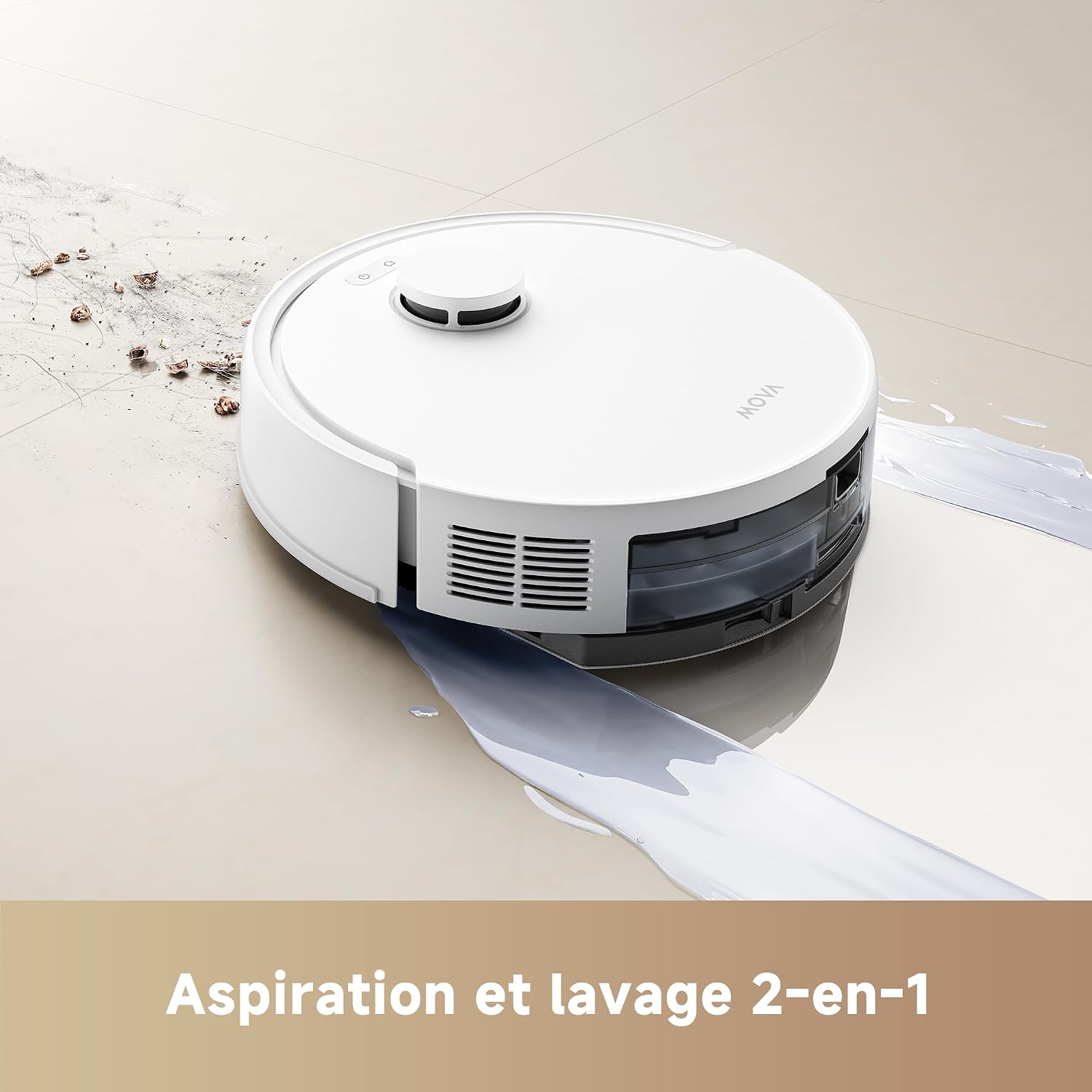
Image: The Mova E20 performing its 2-in-1 vacuuming and mopping function, cleaning both dry and wet messes.

Image: The compact body of the Mova E20 allows it to easily clean under furniture and in tight spaces.
6.3 App Control Features
The Mova app provides comprehensive control over your robot:
- Map Management: View and edit floor maps. The robot can save up to 3 different floor plans.
- Zone Cleaning: Define specific areas for the robot to clean.
- No-Go Zones & Virtual Walls: Set virtual boundaries to restrict the robot from entering certain areas.
- Scheduling: Set cleaning schedules for automated cleaning.
- Suction & Water Flow Adjustment: Fine-tune cleaning power and water output.

Image: The Mova app provides flexible control, allowing users to customize cleaning modes, suction levels, and define cleaning areas.
7. Maintenance
Regular maintenance ensures optimal performance and extends the lifespan of your Mova E20. Always turn off the robot and disconnect it from the charging station before performing any maintenance.
7.1 Dustbin Emptying
Empty the dustbin after each cleaning cycle. Open the top cover of the robot, remove the dustbin, and discard the collected debris. Rinse the dustbin with water if necessary, and allow it to air dry completely before reinserting.
7.2 Main Brush and Side Brush Cleaning
- Main Brush: Remove the main brush cover and lift out the brush. Use the cleaning tool to remove hair and debris tangled around the brush. Clean the brush bearing.
- Side Brush: Unscrew and remove the side brush. Clean any hair or debris from the brush and its slot. Reattach the brush.
7.3 Filter Cleaning and Replacement
Tap the HEPA filter to remove dust. Do not wash the HEPA filter with water. Replace the filter every 3-6 months, depending on usage, to maintain optimal suction performance.

Image: Internal components of the Mova E20, illustrating the location of the HEPA filter for maintenance.
7.4 Water Tank and Mop Pad Cleaning
After mopping, empty any remaining water from the tank. Rinse the water tank thoroughly. Remove the mop pad and wash it by hand or machine. Allow both to air dry completely before reassembling.
7.5 Sensor Cleaning
Wipe all sensors (cliff sensors, wall sensor, LDS sensor window) with a clean, dry cloth. Dirty sensors can affect the robot's navigation and obstacle avoidance.
8. Troubleshooting
| Problem | Possible Cause | Solution |
|---|---|---|
| Robot does not turn on. | Low battery; power switch off. | Charge the robot; ensure power switch is on. |
| Robot cannot find charging station. | Charging station obstructed or too far. | Ensure clear space around charging station; manually place robot on station. |
| Suction power is weak. | Dustbin full; filter clogged; main brush tangled. | Empty dustbin; clean/replace filter; clean main brush. |
| Robot gets stuck frequently. | Too many obstacles; dirty sensors. | Clear floor of obstacles; clean all sensors. |
| Mopping function not working. | Water tank empty; mop pad not attached correctly. | Fill water tank; attach mop pad securely. |
9. Specifications
| Feature | Detail |
|---|---|
| Model Name | Mova E20 |
| Model Number | RLE22GA |
| Brand | Mova |
| Dimensions (L x W x H) | 32 x 32 x 9.6 cm (12.6 x 12.6 x 3.8 inches) |
| Weight | 3.4 kg (7.5 lbs) |
| Suction Power | 5,000 Pa |
| Water Tank Capacity | 245 ml |
| Battery Type | Lithium-ion |
| Battery Capacity | 3200 mAh |
| Runtime | Up to 2 hours and 15 minutes |
| Noise Level | 75 dB |
| Filter Type | HEPA |
| Navigation | LDS (Laser Distance Sensor) |
10. Warranty and Support
Mova products come with a standard manufacturer's warranty. For specific warranty terms and conditions, please refer to the warranty card included in your package or visit the official Mova website. If you encounter any issues or require technical assistance, please contact Mova customer support through their official channels. You can often find support contact information on the brand's Amazon store page or official website.
Visit the Mova Store on Amazon for more information and accessories.