1. Introduction
The VTSYIQI Ultrasonic Flaw Detector is a state-of-the-art instrument designed for non-destructive testing (NDT). It provides a rapid, straightforward, and precise method for identifying, locating, assessing, and diagnosing various internal defects within materials, including cracks, weld imperfections, porosity, sand holes, inclusions, and folds. This device is widely applicable across numerous industries such as electric power, petrochemical, boiler and pressure vessel manufacturing, steel structure fabrication, military, aerospace, railway transportation, automotive, and general machinery.
This manual provides comprehensive instructions for the proper setup, operation, and maintenance of your Ultrasonic Flaw Detector to ensure optimal performance and longevity.
2. Standard Configuration
Upon unboxing, please verify that all standard components are present:
- Main Body: 1 unit
- Straight Beam Probe: 1 unit
- Angle Probe: 1 unit
- Machine-probe Cable: 1 unit
- Power Adapter (Charger): 1 unit
- Data Processing Software: 1 unit
- USB Communication Cable: 1 unit
- User Manual: 1 unit
- Instrument Case: 1 unit
- Packing List: 1 unit
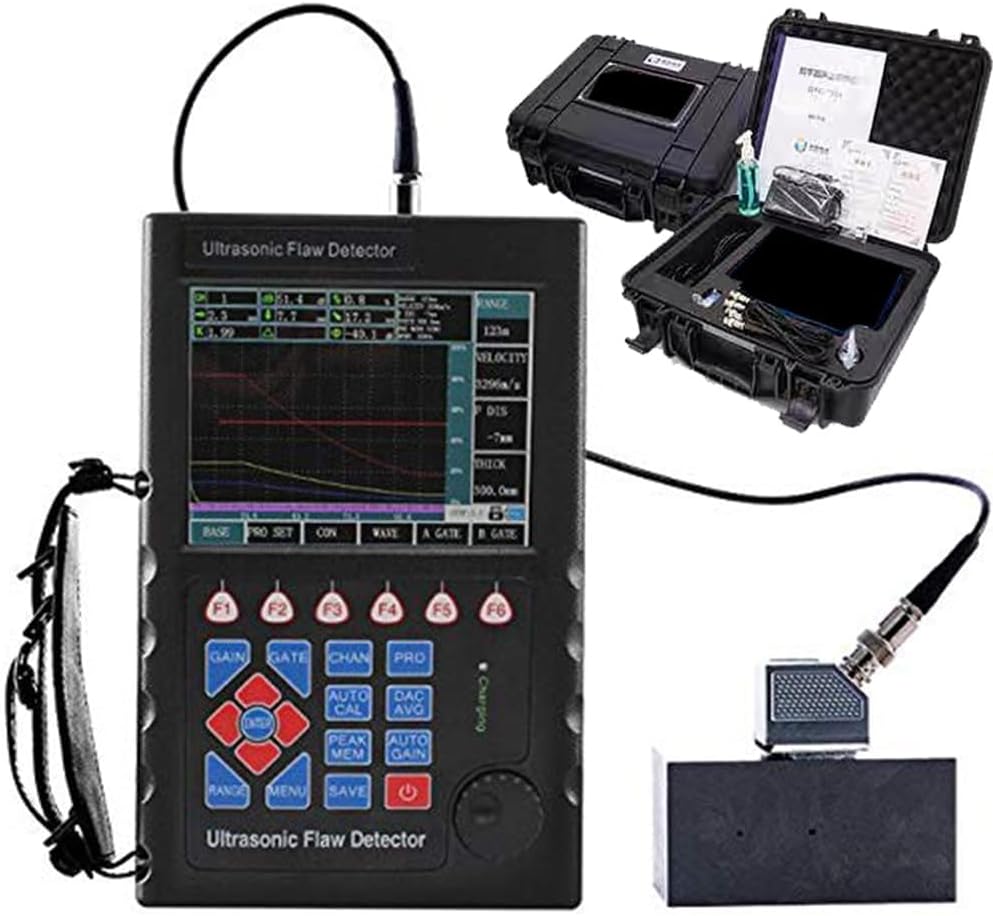
Figure 2.1: Ultrasonic Flaw Detector with its protective carrying case and essential accessories, including probes and cables.
3. Technical Specifications
| Parameter | Value |
|---|---|
| Scan Range (mm) | 0 to 10000 (Adjustable steps: 1mm) |
| Pulse Shift (ms) | -7 to +9984 (Adjustable steps: 1ms) |
| Probe Zero Point | 0.0 to 99.99 (Adjustable steps: 0.01) |
| Material Sound Speed (m/s) | 1000 to 15000 (Includes fixed speeds: 2260, 2730, 3080, 3230, 4700, 5900, 6300) |
| Battery Type | Lithium (Li) 5000mAh |
| Continuous Working Time | More than ten hours |
| Data Storage | 100 A-scan patterns, parameters, and DAC curves |
| Communication Interface | USB |
| Display Modes | Positive wave, negative wave, full wave, and wave |
| Linear Suppression | Maximum 80% of screen height |
| Probe Compatibility | Single crystal probe, double crystal probe |
| Item Weight | 9.07 g (0.32 ounces) |
| Material | Aluminum |
4. Setup
Follow these steps to prepare your Ultrasonic Flaw Detector for operation:
- Unpacking and Inspection: Carefully remove the device and all accessories from the instrument case. Inspect all components for any signs of damage during transit.
- Battery Installation/Charging: The device is powered by a 5000mAh Lithium battery. Ensure the battery is properly installed in the compartment located at the back of the unit. If the battery level is low, connect the power adapter to charge the device. The real-time power status indication function will show the charging progress.

Figure 4.1: Rear view of the device, illustrating the Lithium (Li) 5000mAh battery compartment and data storage capabilities.
- Probe Connection: Select the appropriate probe (straight beam or angle probe) for your inspection task. Connect the probe securely to the device using the machine-probe cable.
- Power On: Press and hold the power button (usually marked with a power symbol) to turn on the device.
5. Operating Instructions
This section details the various functions and operational modes of the Ultrasonic Flaw Detector.

Figure 5.1: Front view of the Ultrasonic Flaw Detector, displaying the screen interface and control buttons.
5.1. Basic Operation and Display Modes
- Measurement Display Modes: The device supports various display modes including positive wave, negative wave, full wave, and wave. These can be selected via the menu options to best suit the inspection requirements.
- Linear Suppression: Utilize the linear suppression function to adjust the display, with a maximum inhibition of 80% of the screen height.
- Probe and Inspection Modes: Easily switch between single crystal probe and double crystal probe modes, as well as different inspection modes, to adapt to various testing scenarios.
5.2. Advanced Functions
- Gate Setting and Alarm: The position and width of the gate can be freely adjusted on the screen. An incoming wave alarm can be configured to alert the user when a signal crosses the set gate.
- Independent Detection Channels: The device features 500 independent detection channels, each allowing for a separate set of testing parameters and DAC curve settings.
- DAC Curve Generation: The DAC (Distance Amplitude Correction) curve is generated automatically. Up to 10 points can be recorded, with four additional adjustable offset curves for precise defect evaluation.
- AVG Curve Generation: The AVG (Amplitude Gain Value) curve is also generated automatically, allowing for customization of two types of defects.
- Automatic Probe Calibration: Utilize the automatic probe calibration function to ensure accurate and consistent measurements.
- Peak Memory Function: This feature captures and displays the peak amplitude of echoes, which is crucial for identifying the maximum signal from a defect.
- Waveform Freeze and Thaw: The device allows for freezing the current waveform and inspection parameters on the screen for detailed analysis, and thawing to resume live scanning.
- Sound Path Measurement and Echo Frequency Analysis: Perform precise sound path measurements and analyze echo frequencies for comprehensive defect characterization.

Figure 5.2: The Ultrasonic Flaw Detector actively performing an inspection on a metal workpiece, demonstrating its practical application.

Figure 5.3: The device connected to a probe, illustrating its capability for various inspections including steel plate, casting, forging, and weld inspection.
5.3. Data Management
- Storage Function: The device can store up to 100 A-scan patterns, along with their associated parameters and DAC curves.
- Graphics Playback: Stored A-scan graphics can be retrieved from the storage area and displayed on the screen for review and analysis.
- Data Deletion: Specific stored content can be deleted by referencing its storage group number.
- USB Communication: The device supports a USB communication interface, allowing for data transfer to a PC for further processing and report generation using the provided software.
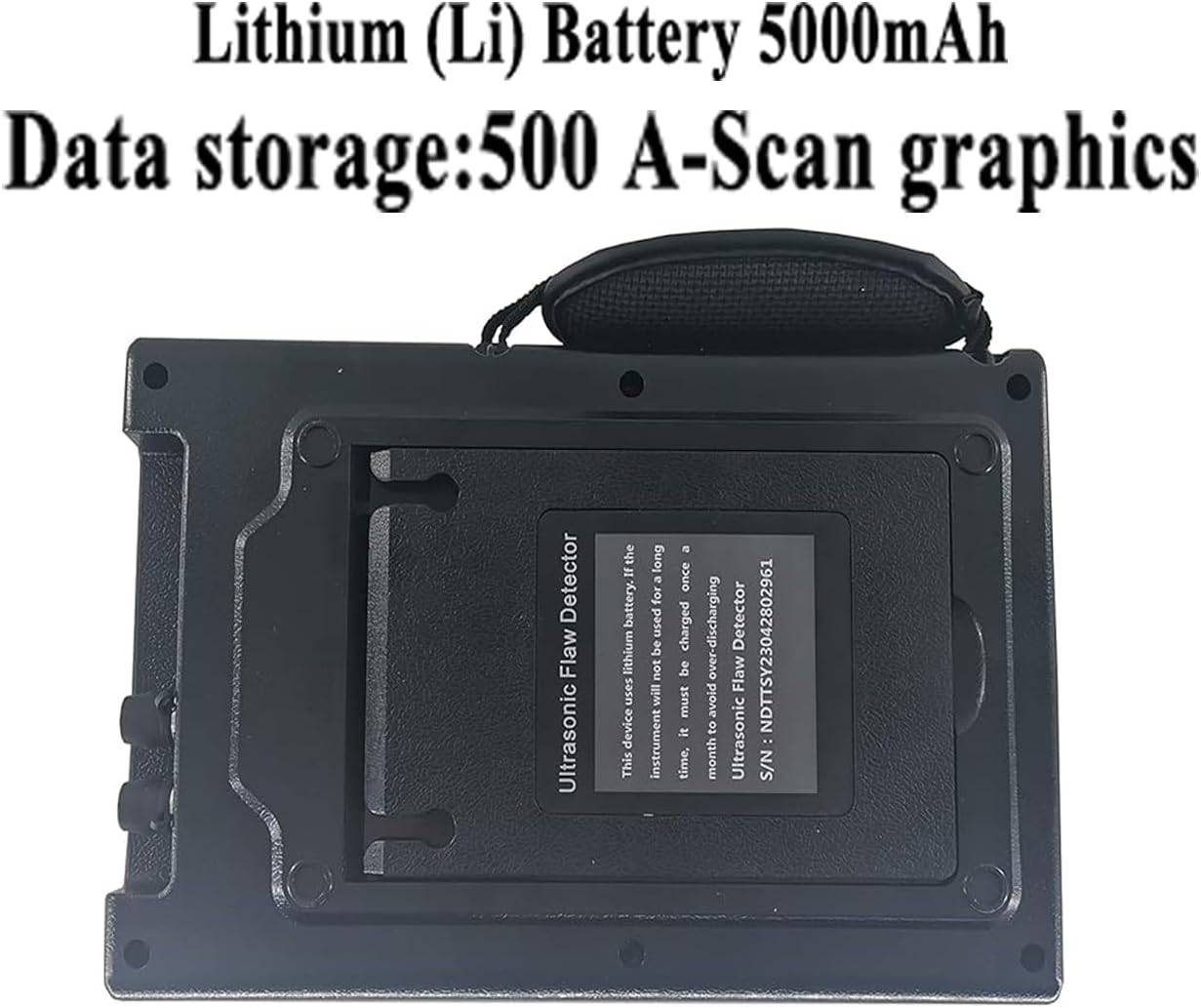
Figure 5.4: The device highlighting its USB port, enabling communication and data transfer to a personal computer.

Figure 5.5: The Ultrasonic Flaw Detector connected to a computer, demonstrating the use of data processing software for advanced analysis.
6. Maintenance
Proper maintenance ensures the longevity and accuracy of your Ultrasonic Flaw Detector.
- Cleaning: Regularly clean the device's exterior with a soft, dry cloth. Avoid using abrasive cleaners or solvents.
- Battery Care: The device uses a Li-battery. For optimal battery life, avoid completely discharging the battery. If the instrument will not be used for a long time, it must be charged once a month to avoid over-discharging.
- Storage: Store the device in its instrument case in a cool, dry place, away from direct sunlight, extreme temperatures, and high humidity.
- Probe Care: Handle probes with care. Clean probe surfaces after each use to prevent residue buildup that could affect performance.
7. Troubleshooting
This section addresses common issues you might encounter with your Ultrasonic Flaw Detector.
- Device does not power on:
- Check if the battery is properly installed.
- Ensure the battery is charged. Connect the power adapter and allow it to charge for some time before attempting to power on again.
- No signal or weak signal:
- Verify that the probe is correctly connected to the device.
- Ensure proper coupling between the probe and the test material. Apply couplant if necessary.
- Check probe integrity; try a different probe if available.
- Review gain settings and adjust as needed.
- Inaccurate readings:
- Perform automatic probe calibration.
- Verify the material sound speed setting matches the material being tested.
- Ensure the probe zero point is correctly set.
- USB communication issues:
- Ensure the USB cable is securely connected to both the device and the PC.
- Verify that the data processing software is correctly installed on your computer.
- Try a different USB port on your PC.
If you encounter issues not listed here or if the problem persists after attempting these solutions, please contact customer support.
8. Warranty and Support
Your VTSYIQI Ultrasonic Flaw Detector is designed for reliability and performance. For any technical assistance, troubleshooting, or warranty inquiries, please refer to the contact information provided with your purchase documentation or visit the official VTSYIQI website. Keep your purchase receipt as proof of purchase for warranty claims.


