
1. Introduction
This manual provides detailed instructions for the installation, operation, and maintenance of your Srliya BHT-8000-RF Smart Thermostat. This device is designed for controlling electric heating, water heating, and wall-mounted boiler systems. Please read this manual thoroughly before use to ensure proper functionality, safety, and to maximize the benefits of your smart thermostat.
2. Package Contents
Verify that all items listed below are included in your package:
- 1 x Temperature Controller Display Unit
- 1 x Temperature Controller Receiver Unit
- 1 x Supply Cord
- 1 x Bracket (for display unit)
- 2 x Screws
- 2 x Wall Plugs
- 1 x User Manual

Figure 2.1: All components included in the Srliya BHT-8000-RF Smart Thermostat package.
3. Product Overview
The Srliya BHT-8000-RF Smart Thermostat system consists of two main components: the Display Unit and the Receiver Unit. The display unit provides the user interface for setting temperatures and programming, while the receiver unit handles the actual control of your heating system.
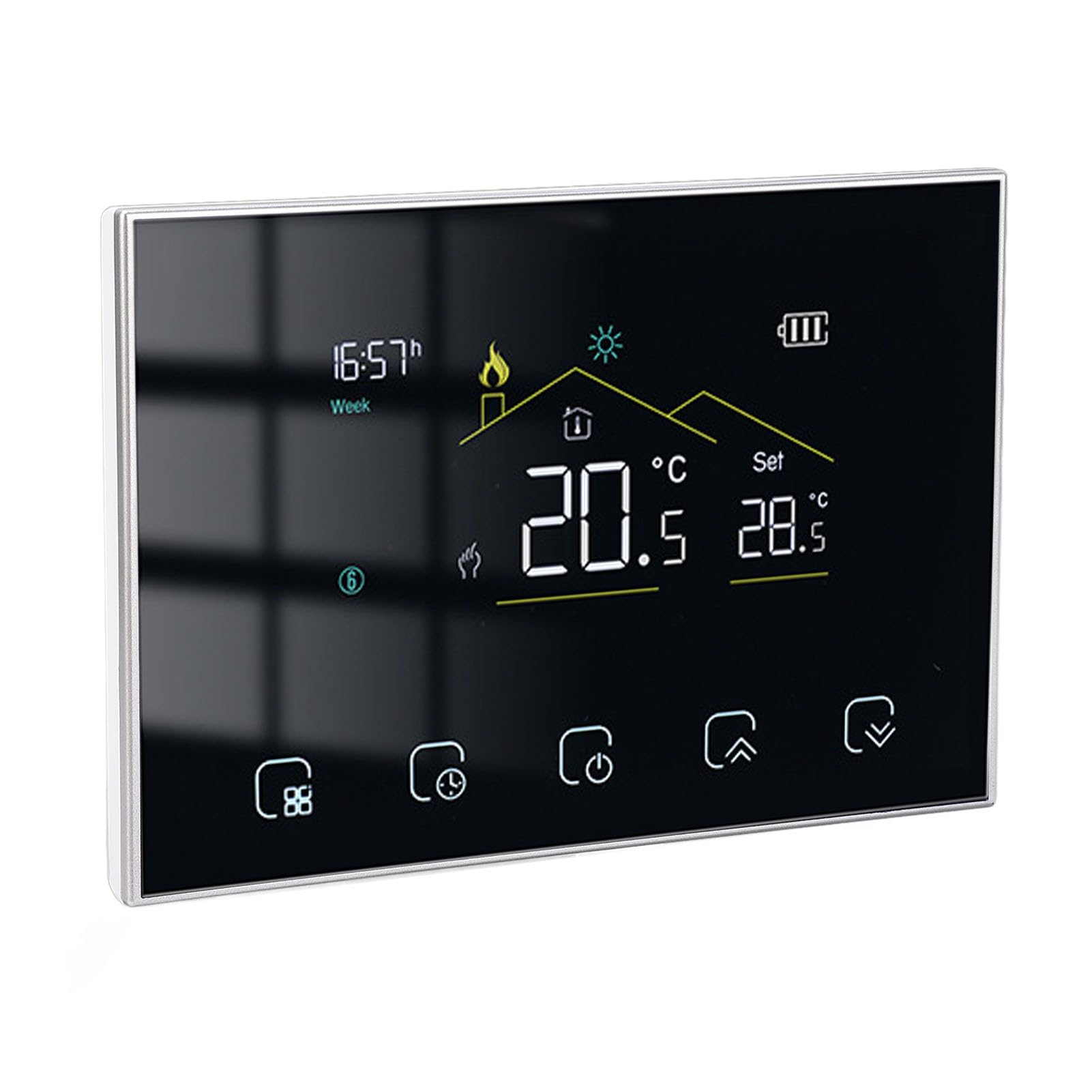
Figure 3.1: The Srliya BHT-8000-RF Smart Thermostat display unit and its remote receiver unit.
3.1 Display Unit
The display unit features a clear screen and capacitive touch keys for easy interaction. It shows current room temperature, set temperature, time, and various mode indicators. This unit is powered by 2 AA batteries (not included) and can be placed flexibly due to its wireless communication with the receiver.

Figure 3.2: Close-up of the thermostat display unit.

Figure 3.3: Display unit features including clock, room/set temperature, and weather display.
3.2 Receiver Unit
The receiver unit connects directly to your heating system and power supply (95-240V AC). It receives commands wirelessly from the display unit and controls the heating output. It features indicator lights for Power, Load, WiFi, IP Setting, and RF status.

Figure 3.4: The receiver unit of the smart thermostat system.

Figure 3.5: Indicator lights on the receiver unit.
4. Specifications
| Feature | Specification |
|---|---|
| Item Type | Smart Thermostat |
| Material | ABS and PC |
| Model | BHT-8000-RF |
| Display Power Supply | 2 x AA battery (not included) |
| Receiver Power Supply | 95-240V AC |
| Sensor | 3950, 10K |
| Set Temperature Range | 5 - 35℃ |
| Accuracy | ±1℃ |
| Display Temperature Range | 5 - 99℃ |
| Operating Temperature | 0 - 45℃ |
| Operating Humidity | 5 - 95% RH (non-condensing) |
| Power Consumption | <1.5W |
| Protecting Level | IP20 |
| Key Type | Capacitive touch key |
| Package Dimensions | 6.3 x 4.33 x 2.76 inches |
| Item Weight | 12.6 ounces |
| Item Model Number | Srliyaik7hw9g4vn-12 |
| Date First Available | October 17, 2024 |
5. Setup and Installation
Proper installation is crucial for the safe and efficient operation of your thermostat. It is recommended that installation be performed by a qualified electrician if you are unsure about wiring procedures.
5.1 Receiver Unit Installation
- Power Disconnection: Before starting any wiring, ensure the main power supply to your heating system is turned off at the circuit breaker.
- Mounting: Choose a suitable location for the receiver unit, typically near your heating system. Use the provided screws and wall plugs to securely mount the receiver to the wall.
- Wiring: Connect the receiver unit to your heating system's power supply (95-240V AC) and control wires according to the wiring diagram provided with your heating system and the receiver unit's terminal markings. Ensure all connections are secure.
- Power On: Once wiring is complete and verified, restore power to the heating system at the circuit breaker. The receiver's indicator lights should illuminate.
5.2 Display Unit Setup
- Battery Installation: Open the battery compartment on the back of the display unit and insert 2 AA batteries, observing correct polarity.
- Placement: The display unit is flexible and movable. You can place it on a table using the provided bracket or mount it on a wall. Choose a central location in the room where it can accurately sense the ambient temperature, away from direct sunlight, drafts, or heat sources.
- Pairing (Code Alignment):
- On the display unit, navigate to the settings menu.
- Locate the 'Matching' parameter (often labeled '1' in advanced settings).
- Set this parameter to '01' to initiate code alignment.
- Follow the on-screen prompts or refer to the specific pairing instructions in the included user manual for your model.
- Once pairing is successful, the 'Code matching success' parameter (often labeled '3') will display '01'. If it displays '00', pairing has failed, and you should retry the process.
6. Operating Instructions
This section details the basic and advanced functions of your smart thermostat.
6.1 Basic Operation
- Power On/Off: Use the power button on the display unit to turn the thermostat on or off.
- Setting Temperature: Use the up/down arrow keys (or similar touch controls) on the display to adjust the desired set temperature. The set temperature range is typically 5-35℃.
- Display Information: The display shows the current room temperature, your set temperature, time, and various icons indicating operating modes (e.g., heating active, Wi-Fi status).
6.2 Programmable Mode
The thermostat supports a programmable mode, allowing you to set different temperatures for various times of the day, promoting energy saving.
- Accessing Program Settings: Refer to your specific user manual for navigation to the programmable settings menu. This typically involves pressing a 'Mode' or 'Program' button.
- Setting Schedules: You can program up to 6 periods per day, adjusting the temperature for each period (e.g., morning, daytime, evening, night).
- Energy Saving Mode: The thermostat includes an energy-saving mode. This can be enabled or disabled via parameter '9' in the advanced settings (00: Disables, 01: Enables). The energy-saving temperature can be set between 5-30℃ (parameter '10').
6.3 Advanced Settings (Parameters)
The thermostat has several configurable parameters for fine-tuning its operation:
- Compensating Temperature (Parameter 4): Adjusts the temperature reading by -9 to 9°C (default -2°C) to calibrate the sensor.
- Dead Zone Temperature (Parameter 5): Sets the temperature differential (1-5°C, default 1°C) before the heating system reactivates.
- Minimum Temperature Range (Parameter 6): Sets the lowest allowable set temperature (5-15°C, default 5°C).
- Maximum Temperature Range (Parameter 7): Sets the highest allowable set temperature (15-35°C, default 35°C).
- Standby Brightness (Parameter 8): Adjusts the display brightness when in standby mode (0-7, default 0).
- All Icons Displayed Upon Startup (Parameter 11): 00: Close, 01: Open.
6.4 App Remote Control
The thermostat supports remote control via a smartphone application and integration with smart home platforms such as Tmall Genie, Yandex Alice, and Duer OS. Refer to the included user manual for specific instructions on connecting your thermostat to your home Wi-Fi network and preferred smart home ecosystem.
7. Maintenance
Regular maintenance ensures the longevity and optimal performance of your thermostat.
- Cleaning: Wipe the display and receiver units with a soft, dry cloth. Do not use abrasive cleaners, solvents, or spray directly onto the units.
- Battery Replacement: When the battery indicator on the display unit shows low power, replace the 2 AA batteries promptly to ensure continuous operation.
- Firmware Updates: If available, check the companion app for any firmware updates for your thermostat to ensure you have the latest features and bug fixes.
8. Troubleshooting
If you encounter issues with your thermostat, refer to the following common problems and solutions:
| Problem | Possible Cause | Solution |
|---|---|---|
| Display unit not turning on | Dead batteries; Incorrect battery installation. | Replace AA batteries with new ones, ensuring correct polarity. |
| Receiver unit not powering on | No power supply; Incorrect wiring. | Check circuit breaker. Verify wiring connections to the 95-240V AC supply. Consult a qualified electrician if necessary. |
| Heating system not responding | Display and receiver not paired; Receiver not wired correctly to heating system. | Perform code alignment (pairing) as described in Section 5.2. Check receiver wiring to the heating system. |
| Inaccurate temperature reading | Display unit placed in an unsuitable location; Temperature compensation needed. | Relocate the display unit away from drafts, direct sunlight, or heat sources. Adjust 'Compensating Temperature' (Parameter 4) in advanced settings. |
| Wi-Fi connection issues | Incorrect Wi-Fi password; Router too far; Network issues. | Ensure correct Wi-Fi credentials. Move the receiver closer to the router or use a Wi-Fi extender. Restart your router. Refer to the app's connection guide. |
| Thermostat unresponsive / erratic behavior | Software glitch; Interference. | Try restarting the display unit by removing and reinserting batteries. If issues persist, perform a factory data reset (Parameter 12: set to '01' to restore defaults). Note: This will erase all custom settings. |
9. Warranty and Support
For warranty information, please refer to the documentation provided at the time of purchase or contact your retailer. If you require technical support or have questions not covered in this manual, please reach out to the manufacturer or your point of purchase for assistance.